Essayist: Academic Writing App
Download on App Store

This page is not an official page of the app or its developer, but an independent editorial publication created for informational and commentary purposes. Unless expressly stated otherwise, neither the app nor its developer is affiliated with, endorsed by, sponsored by, authorized by, or otherwise officially connected with MWM, Apple, Google Play, the app publisher, or the app's developer, and nothing on this page implies that the app was developed using MWM's services. Any trademarks, logos, screenshots, and other content remain the property of their respective owners.


Logo of Essayist: Academic Writing App
Download on App Store

Essayist: Academic Writing App

Write perfect APA, MLA, and Chicago papers with ease. From automatic reference management to distraction-free editing, Essayist streamlines your academic journey on Mac, iPad, and iPhone.

Key Figures

Downloads

136K+

User Rating

4.4/5

Total Ratings

400

Publisher

Essayist Software Inc.

Category

Productivity

Locales

1

Latest Version

1.17.7

Size

63.0 MB

First Released

Jan 11, 2021
Features

Master Your Academic Writing

Focus on your research and ideas while Essayist handles the complex formatting, citations, and style guidelines for you.

Zero-Stress Formatting

Stop worrying about margins and headers. Automatically format your entire paper to meet strict APA, MLA, or Chicago standards.

Smart Reference Manager

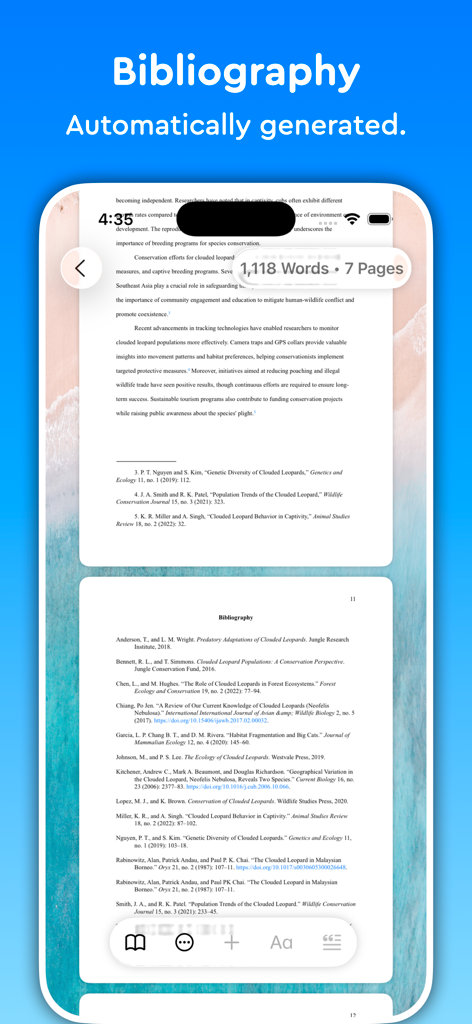
Search sources and insert perfectly formatted citations or bibliographies with a single tap, keeping you organized and accurate.

The following screenshots and description are sourced directly from the app's official store listing and are the property of the app developer.

App Store

Screenshots
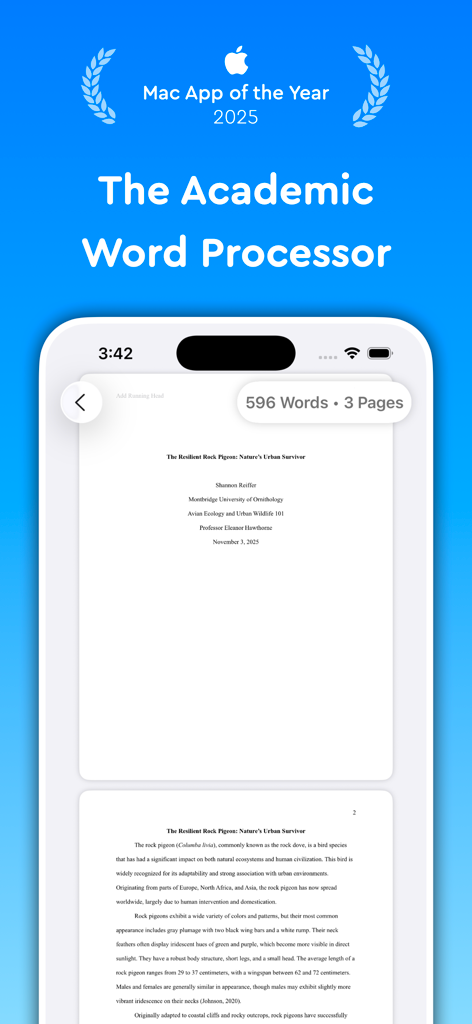
Essayist: Academic Writing App - Essayist app interface showing a formatted academic essay on a mobile device screen with Mac App of the Year 2025 award text
Essayist app interface showing a formatted academic essay on a mobile device screen with Mac App of the Year 2025 award text

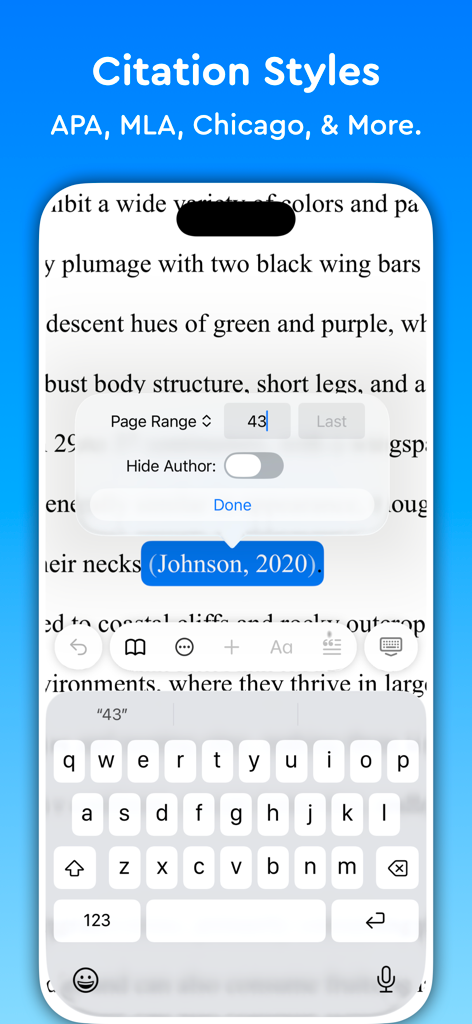
Essayist: Academic Writing App - iPhone interface of Essayist app showing academic citation styles and in-text reference editing options
iPhone interface of Essayist app showing academic citation styles and in-text reference editing options

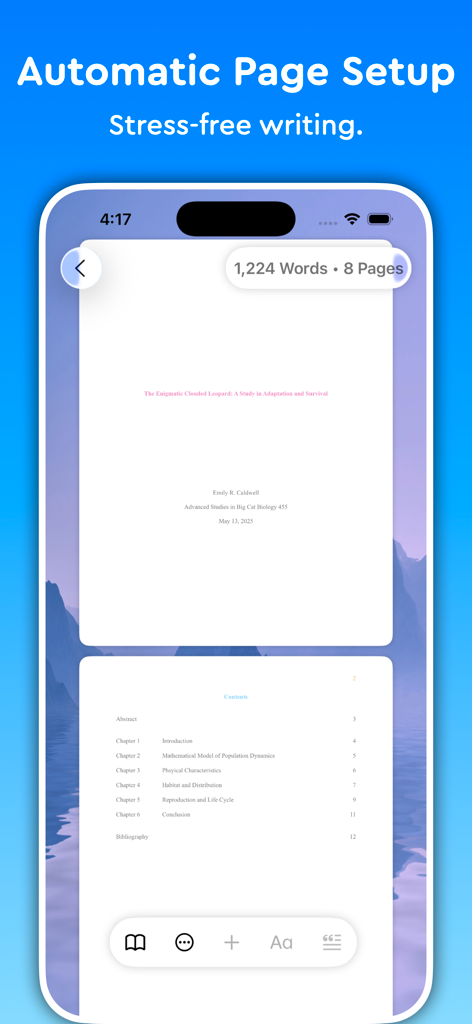
Essayist: Academic Writing App - Essayist app showing automatic page setup and table of contents for academic writing
Essayist app showing automatic page setup and table of contents for academic writing

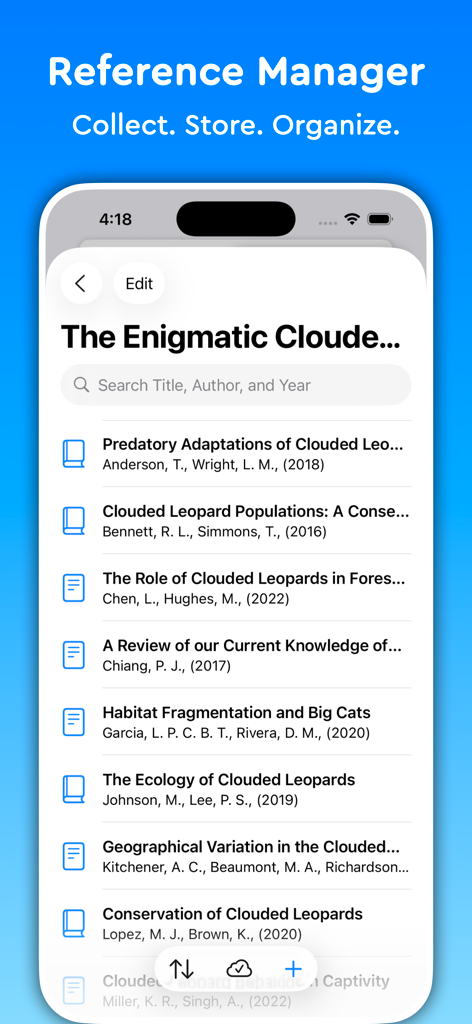
Essayist: Academic Writing App - Reference manager interface in the Essayist app showing a list of academic sources with a search bar
Reference manager interface in the Essayist app showing a list of academic sources with a search bar

Essayist: Academic Writing App - A screenshot of the Essayist app on an iPhone showing a formatted bibliography page that was automatically generated for an academic paper.
A screenshot of the Essayist app on an iPhone showing a formatted bibliography page that was automatically generated for an academic paper.

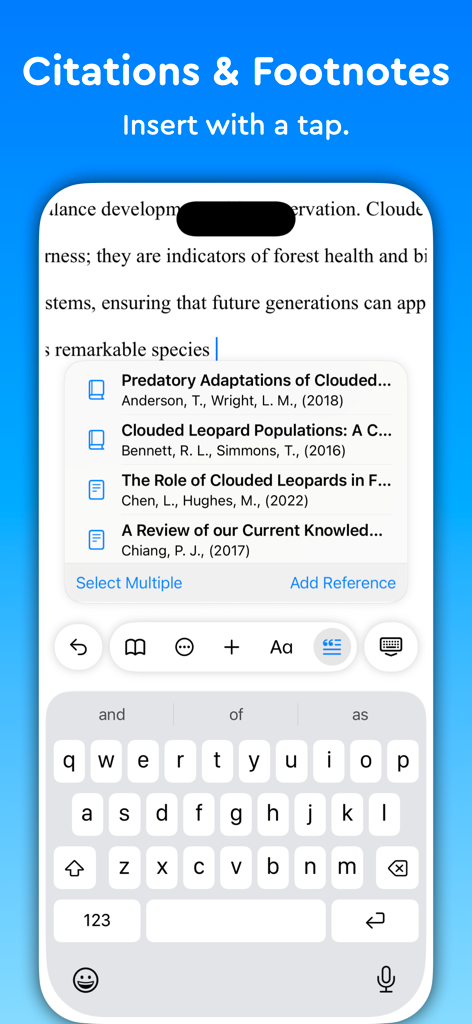
Essayist: Academic Writing App - Interface of the Essayist app on a smartphone showing how to insert academic citations and footnotes with a single tap.
Interface of the Essayist app on a smartphone showing how to insert academic citations and footnotes with a single tap.

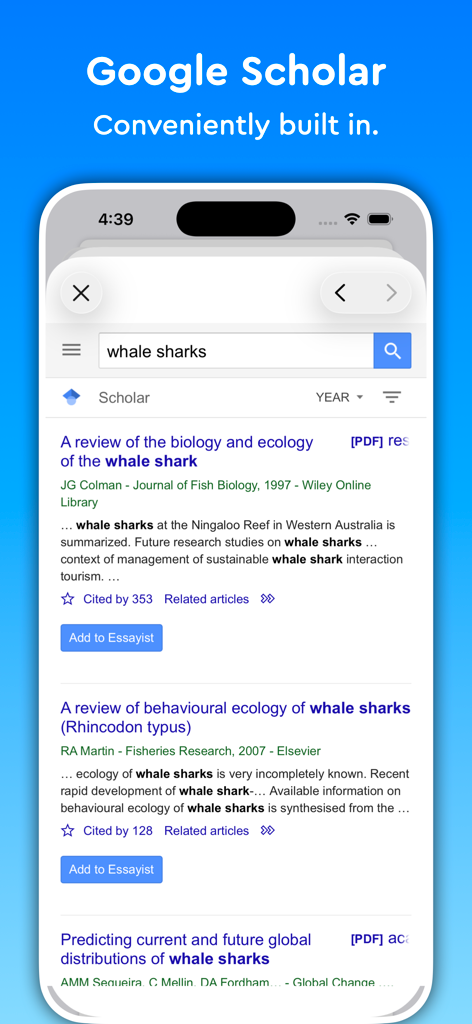
Essayist: Academic Writing App - Screenshot of Essayist app displaying its built-in Google Scholar search tool for academic research
Screenshot of Essayist app displaying its built-in Google Scholar search tool for academic research

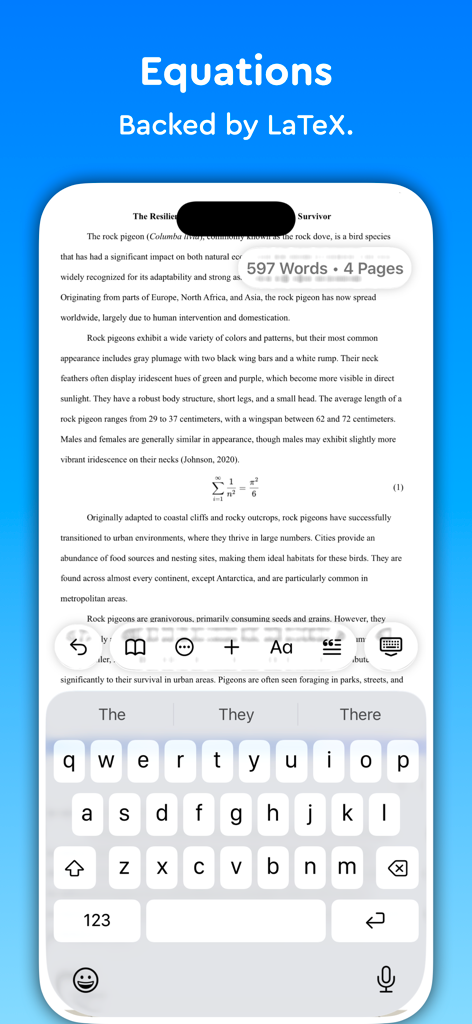
Essayist: Academic Writing App - Essayist app interface displaying a LaTeX equation within an academic paper on an iPhone
Essayist app interface displaying a LaTeX equation within an academic paper on an iPhone

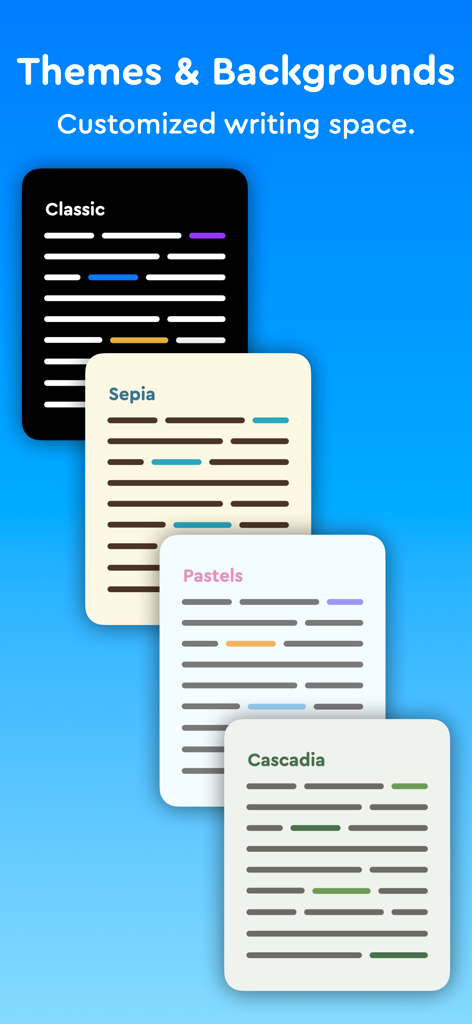
Essayist: Academic Writing App - Essayist app interface displaying different writing themes and backgrounds
Essayist app interface displaying different writing themes and backgrounds

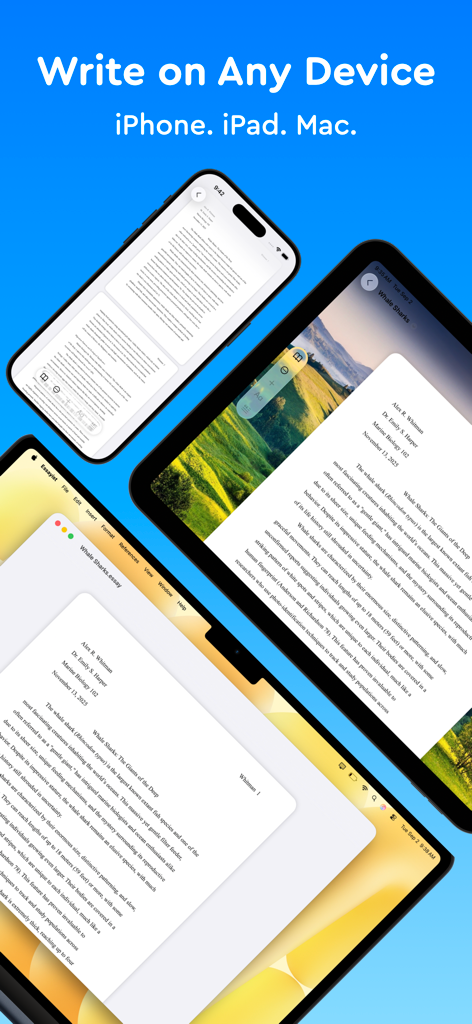
Essayist: Academic Writing App - The Essayist app interface showing an academic paper on an iPhone, iPad, and Mac laptop.

The Essayist app interface showing an academic paper on an iPhone, iPad, and Mac laptop.

Description

Try Essayist for free today! "Mac App of the Year 2025 — Apple" "App of the Day" — Apple "Editors' Choice" — Apple "A-Plus Apps for Students " — Apple "Apps You Need This Week" — Apple Essayist allows you to write APA, MLA, Chicago & Harvard Style essays with ease. From in-text citations and footnotes to references and page setup, Essayist takes care of everything. It greatly simplifies the academic writing process. AUTOMATIC FORMATTING Essayist formats everything for you. Upon starting a new essay it sets up the title section/page, margins, font, line spacing, alignment, page headers/footers, etc. It formats your references, in-text citations, footnotes/endnotes, figures, tables, table of contents and more. UNIVERSAL REFERENCE MANAGER Store and manager references in a universal reference manager backed by iCloud. Search for, add, and store references in one place and use references across multiple essays. Create separate collections (folders) within the reference manager to organize and manage references. Add references quickly and easily using Google Scholar, Essayist’s built-in search, by pasting a URL or manual entry forms. Once added, references are automatically formatted and added to your essay’s references/works cited list. CITATIONS (IN-TEXT CITATIONS, FOOTNOTES, ENDNOTES) Add in-text citations and footnotes/endnotes with ease. Simply tap the insert citation button and select the reference you wish to cite. An in-text citation/footnote/endnote is automatically created for you GENERAL FOOTNOTES Add general footnotes to any essay. EQUATIONS Essayist supports equations backed by LaTeX. CITATION STYLES Essayist supports four citation styles: AMA, APA, MLA, Chicago/Turabian Harvard & Vancouver. EXPORT Export your work to PDF or Word. MINIMAL INTERFACE A simple interface helps you write without distractions. You know all those buttons in other word processors you never use? We got rid of those. ABSTRACT, APPENDICES & TABLE OF CONTENTS Add an abstract, appendices and a table of contents to your essay. FIGURES & TABLES Easily add figures and tables with all the required information (caption, title, numbering, notes, etc.). REGULAR UPDATES We are working hard to make Essayist the best academic writing app it can be. If you have feature requests or encounter issues, please don't hesitate to contact us at contact@essayist.app MORE - iOS & macOS versions (universal purchase) - Built-in Universal Reference Manager - Pre-defined & customizable paragraph styles (Block Quote, Headings, etc.) - Bold, Italicize & Underline options - Import BibTeX - Multiple reference types (News Article, Magazine, Website, Dictionary, etc. …) - Two paper sizes: US Letter & A4 - Two font choices: Times New Roman & Arial - Word Count & Page Count - Multiple background choices - Spell Check, Auto Completion & Auto Capitalization - Dark mode - Designed for Accessibility PRICING Essayist Pro requires a subscription. Choose between a monthly and a yearly subscription. Terms of Use: https://www.iubenda.com/terms-and-conditions/82031685 Privacy Policy: https://www.iubenda.com/privacy-policy/82031685

Download

Download on App Store

This page is not an official page of the app or its developer, but an independent editorial publication created for informational and commentary purposes. Unless expressly stated otherwise, neither the app nor its developer is affiliated with, endorsed by, sponsored by, authorized by, or otherwise officially connected with MWM, Apple, Google Play, the app publisher, or the app's developer, and nothing on this page implies that the app was developed using MWM's services. Any trademarks, logos, screenshots, and other content remain the property of their respective owners.