
This page is not an official page of the app or its developer, but an independent editorial publication created for informational and commentary purposes. Unless expressly stated otherwise, neither the app nor its developer is affiliated with, endorsed by, sponsored by, authorized by, or otherwise officially connected with MWM, Apple, Google Play, the app publisher, or the app's developer, and nothing on this page implies that the app was developed using MWM's services. Any trademarks, logos, screenshots, and other content remain the property of their respective owners.


ESTA Mobile
Apply for your Visa Waiver in minutes with the secure, official CBP app. Scan your passport for accuracy, make payments, and track your application status directly from your phone.
Downloads
7M+User Rating
Total Ratings
355K+Publisher
Category
TravelLocales
26Latest Version
1.15.15Size
114.6 MBFirst Released
Jun 1, 2023Seamless Entry to the United States
Apply for your ESTA in minutes with the official mobile app. Secure, fast, and designed for the modern international traveler.
One-Tap Passport Scanning
Eliminate manual data entry errors. Use your camera to instantly scan your passport for a faster, more accurate application.
Direct & Trusted Service
Skip the third-party fees and scams. This is the only official government app for secure ESTA processing and payments.
Frequently Asked Questions
Everything you need to know about ESTA Mobile
What is the ESTA Mobile app?
The ESTA Mobile app is the official mobile application from U.S. Customs and Border Protection for the Electronic System for Travel Authorization. It allows eligible travelers from Visa Waiver Program countries to apply and pay for travel authorization to the United States.
Who can use the ESTA app to apply for travel authorization?
Nationals of Visa Waiver Program (VWP) countries can use the ESTA app to apply for travel authorization. It determines eligibility to travel to the United States under the Visa Waiver Program without a visa.
How do I apply for a new ESTA using the ESTA app?
To apply for a new ESTA, select the "GET STARTED" feature in the ESTA app. This guides you through creating a new application, scanning your passport, taking a photo, completing details, paying, and submitting.
How can I check the status of my existing ESTA application?
To check your existing ESTA application status, use the "FIND IT" feature in the ESTA Mobile app. You need your passport number and date of birth to retrieve the application details.
What is the fee for an ESTA application through the ESTA Mobile app?
The application fee for an ESTA through the ESTA Mobile app is $21.00 USD. This fee is required for the system to process your application.
What payment methods does the ESTA app accept for the application fee?
The ESTA app accepts MasterCard, Visa, American Express, Discover (including JCB or Diners Club), and PayPal for the $21.00 USD application fee.
Is the ESTA Mobile app the official application from the U.S. government?
Yes, the ESTA Mobile app is the official application from U.S. Customs and Border Protection, an agency under the Department of Homeland Security.
When should I apply for ESTA using the ESTA Mobile app?
U.S. Customs and Border Protection recommends applying for ESTA at the time of booking travel. It must be submitted no less than 72 hours prior to boarding your flight.
What information is required to apply for ESTA using the ESTA app?
Applicants need a mobile device with NFC, passport photos, a valid VWP country passport, email, phone, emergency contact, employer details, and a U.S. point of contact.
The following screenshots and description are sourced directly from the app's official store listing and are the property of the app developer.
App Store
Screenshots
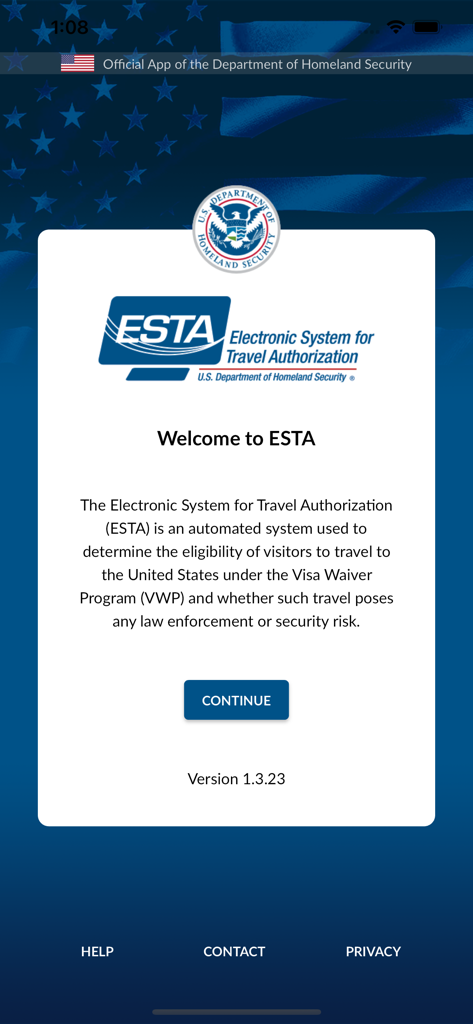
Welcome screen of the official ESTA Mobile app with the U.S. Department of Homeland Security seal
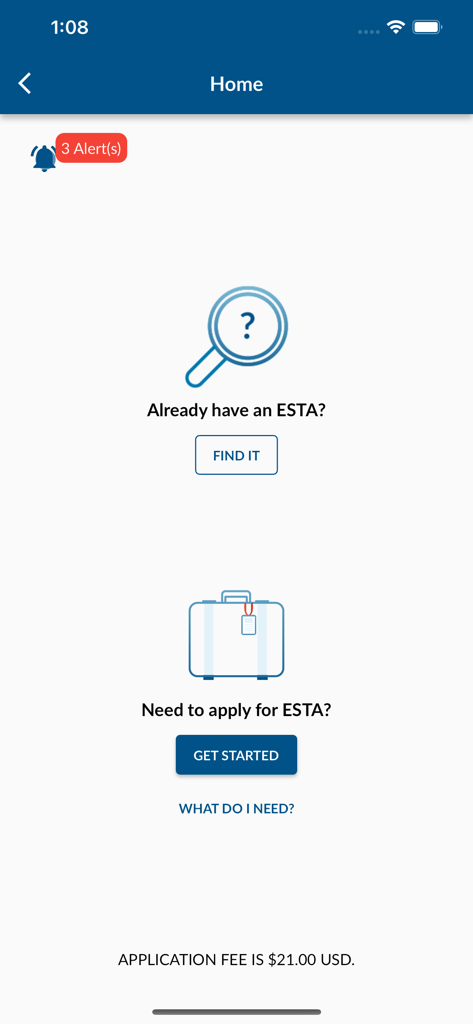
Home screen of the ESTA Mobile app showing options to find an existing application or start a new one.
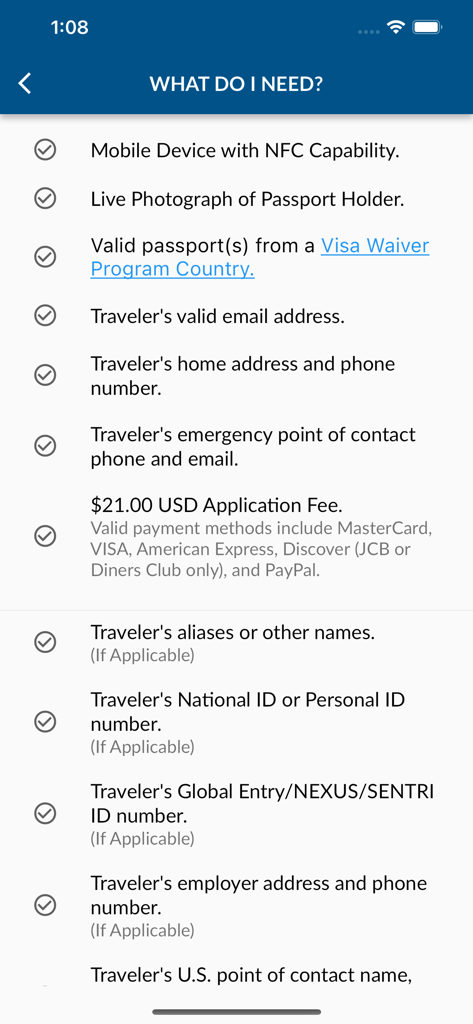
A checklist screen in the ESTA Mobile app detailing the necessary documents and information for a travel authorization application.
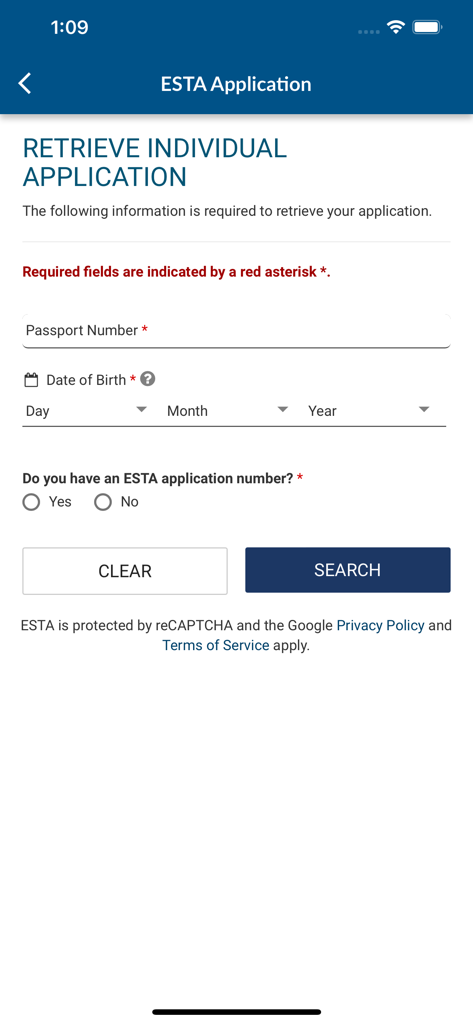
Screen showing the retrieve individual application form in the ESTA Mobile app with fields for passport number and date of birth.
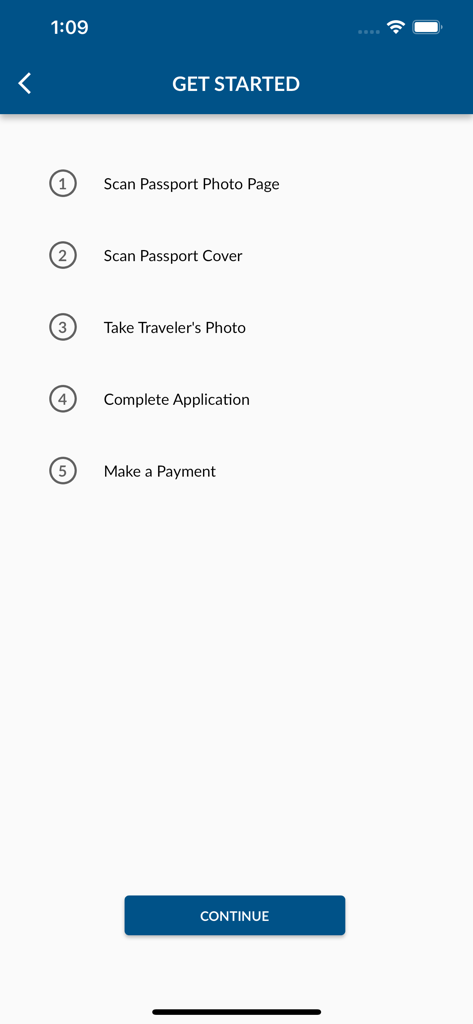
ESTA Mobile app onboarding screen showing five steps to apply for travel authorization including passport scanning and photo
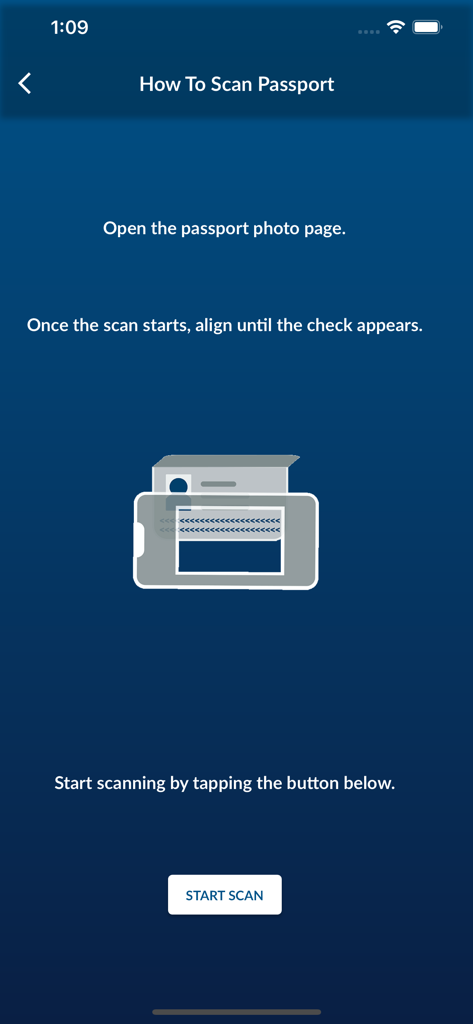
Instruction screen in the ESTA Mobile app explaining how to scan a passport photo page for travel authorization
Description
Download
More Like This
Apps with similar features and user experience

Australian Immi App
Department of Home Affairs

AustralianETA
Department of Home Affairs

iVisa: ETA, eVisa, NZeTA, Visa
Document Advisor LLC

Atlys - Visas on Time
VDC, Legal Liability Corporation
Country Days Tracker
Andrey Solovyev

MOFA - وزارة الخارجية السعودية
Ministry of Foreign Affairs, kingdom of Saudi arabia

Fish | Hunt FL
Florida Fish and Wildlife Conservation Commission

UK ETA
Home Office

NZeTA
Ministry of Business, Innovation and Employment
This page is not an official page of the app or its developer, but an independent editorial publication created for informational and commentary purposes. Unless expressly stated otherwise, neither the app nor its developer is affiliated with, endorsed by, sponsored by, authorized by, or otherwise officially connected with MWM, Apple, Google Play, the app publisher, or the app's developer, and nothing on this page implies that the app was developed using MWM's services. Any trademarks, logos, screenshots, and other content remain the property of their respective owners.