
This page is not an official page of the app or its developer, but an independent editorial publication created for informational and commentary purposes. Unless expressly stated otherwise, neither the app nor its developer is affiliated with, endorsed by, sponsored by, authorized by, or otherwise officially connected with MWM, Apple, Google Play, the app publisher, or the app's developer, and nothing on this page implies that the app was developed using MWM's services. Any trademarks, logos, screenshots, and other content remain the property of their respective owners.


UK ETA
Red tape vanishes. The app delivers rapid, secure UK travel authorization directly to the user's phone.
Downloads
12.5M+User Rating
Total Ratings
4.5KPublisher
Category
UtilitiesLocales
1Latest Version
2.32.858Size
234.8 MBFirst Released
Oct 23, 2023UK ETA App: Key Features Analysis
An evaluation of core functionalities designed for secure and convenient Electronic Travel Authorisation applications.
Robust Data Privacy & Security
The app ensures stringent data privacy by not storing any information on the device after closure, allowing users to delete it post-application.
Direct UK ETA Application
The app provides a direct and official channel for citizens of eligible countries to apply for an Electronic Travel Authorisation (ETA) to the UK.
Streamlined Biometric Verification
This tool features an efficient process for identity confirmation, including passport photo capture, chip scanning, and facial scanning, crucial for secure government applications.
Digital ETA Linked to Passport
It allows users to have their approved ETA digitally linked directly to their passport, simplifying entry requirements as only the passport needs to be presented for travel.
Fast Application Process
The app is designed for speed, enabling users to complete the entire application within approximately 10 minutes, significantly reducing time commitment.
Rapid Decision Notification
Users are informed of their application decision via email, typically within one day and generally within three working days, aiding in timely travel planning.
Flexible Application (No Travel Details)
It simplifies the process by not requiring users to input specific travel dates or details during the application, offering flexibility for future plans.
Secure In-App Payment
The app supports various secure payment methods including credit card, debit card, and Apple Pay, making the application fee payment convenient and safe.
Frequently Asked Questions
Everything you need to know about UK ETA
What is the UK ETA app used for?
The UK ETA app enables users to apply for an electronic travel authorisation (ETA) to come to the UK.
How long does an application take with the UK ETA app?
An application with the UK ETA app takes approximately 10 minutes to complete.
What are the application steps in the UK ETA app?
The UK ETA app application involves photographing your passport, scanning its chip, scanning your face, taking a photo of yourself, answering questions, and paying.
Which devices are compatible with the UK ETA app?
The UK ETA app is compatible with iPhone 8 or newer devices running iOS 16 or later.
What items are required for an application using the UK ETA app?
The UK ETA app requires the passport for travel, email access, and a credit card, debit card, or Apple Pay for payment.
Can I apply for another person using the UK ETA app?
Yes, you can apply for another person using the UK ETA app if they are physically present. Otherwise, apply online.
Is the UK ETA app secure and private?
Yes, the UK ETA app is safe and secure. It does not store any information on the app or your phone after closure.
What is the decision timeline after applying with the UK ETA app?
You usually receive a decision within 3 working days after applying with the UK ETA app. An approved ETA links to your applied passport.
Can I travel to the UK while my UK ETA app application is pending?
Yes, you can travel to the UK while waiting for a decision on your ETA application submitted via the UK ETA app.
Does the UK ETA app require travel itinerary details?
No, the UK ETA app does not require you to enter your travel details during the application process.
The following screenshots and description are sourced directly from the app's official store listing and are the property of the app developer.
App Store
Screenshots
UK ETA Welcome
The app prominently displays its official crown logo and clearly states its purpose: applying for an Electronic Travel Authorisation for UK travel.
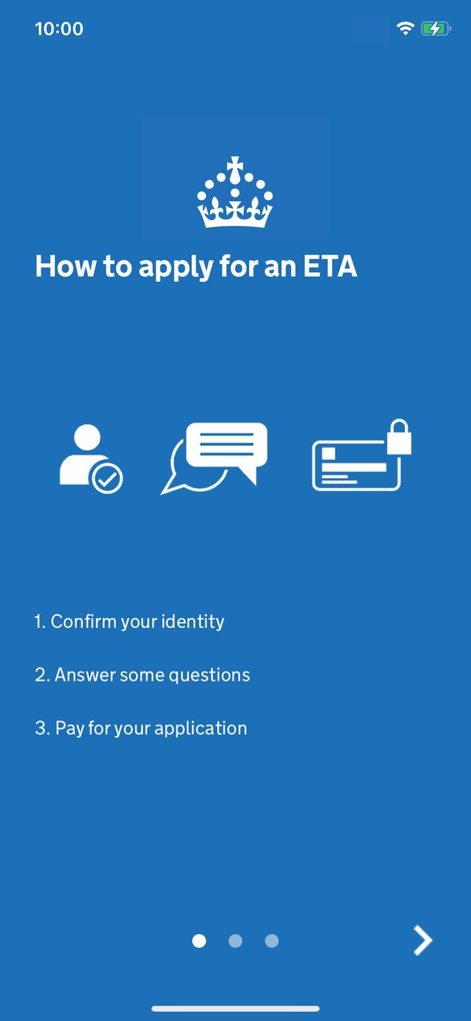
Simple Application Steps
Users can easily grasp the streamlined process with clear icons for confirming identity and making payments, alongside a concise numbered list of application steps.

Essential Requirements Checklist
This tool outlines vital requirements, showcasing clear icons for a passport and credit card, complemented by a bulleted list of necessary items.
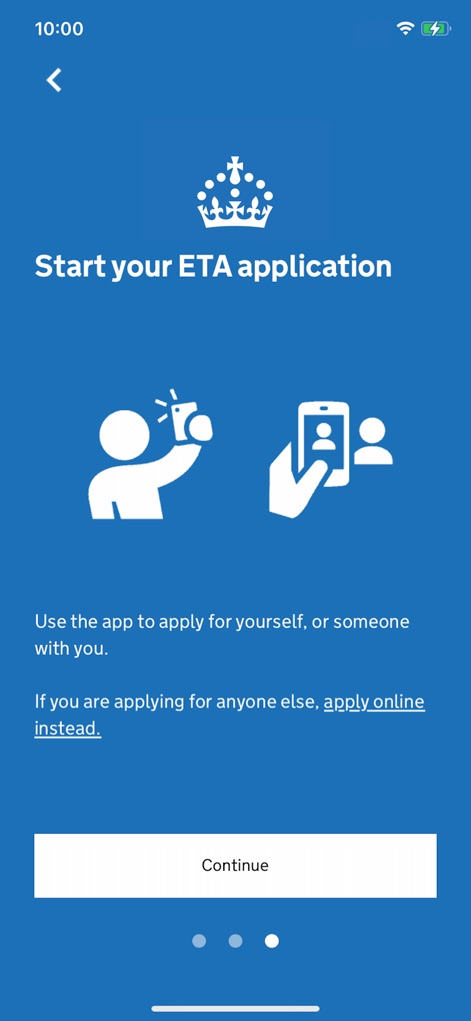
Begin Your Journey
The app clarifies options for applying for oneself or someone else with distinct icons, guiding users with a prominent "Continue" button to start the process.
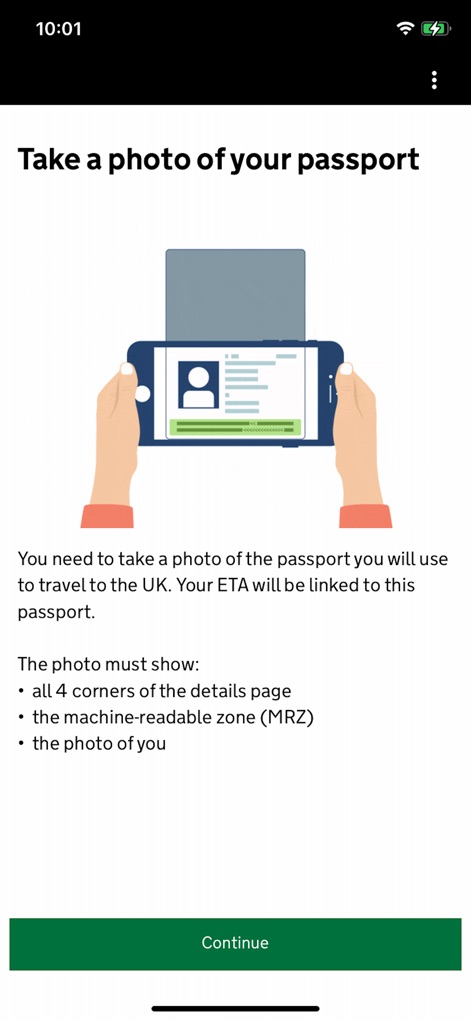
Passport Photo Guide
This screen illustrates how to correctly photograph a passport with a detailed graphic, providing essential bulleted instructions for capturing all necessary details.
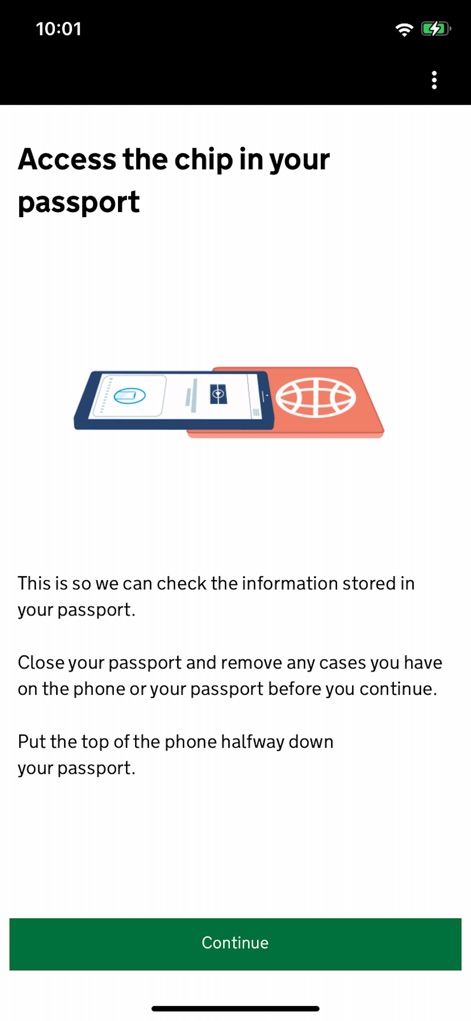
Secure Passport Scan
The app explains accessing the passport chip through an intuitive graphic, detailing precise instructions for phone placement to ensure a successful scan.

Facial Recognition Scan
Users are guided through the face scanning process with a helpful illustration, followed by clear on-screen instructions before initiating the "Scan face" action.
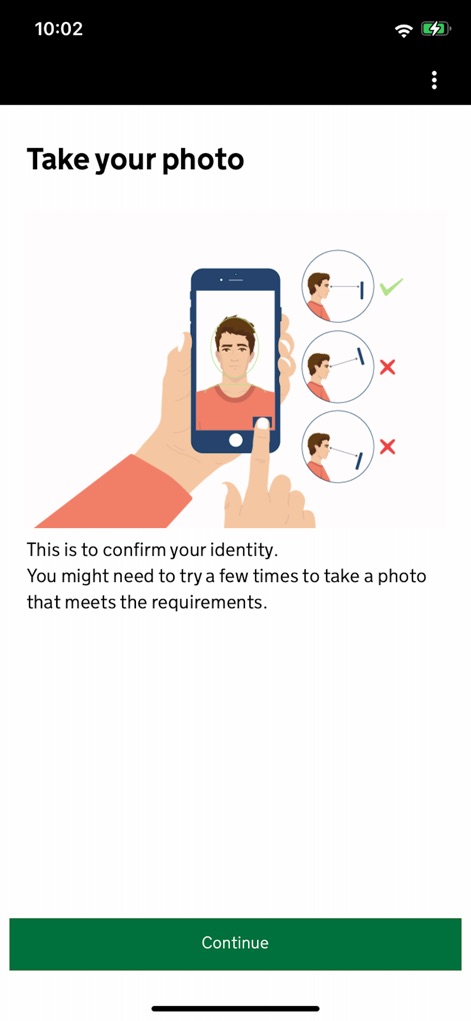
Identity Photo Check
This screen helps users take an acceptable photo by demonstrating correct and incorrect head positions with visual cues, preparing them to "Continue" with their application.
Description
Download
More Like This
Apps with similar features and user experience
ESTA Mobile
US Customs and Border Protection

Australian Immi App
Department of Home Affairs

AustralianETA
Department of Home Affairs

iVisa: ETA, eVisa, NZeTA, Visa
Document Advisor LLC
Atlys - Visas on Time
VDC, Legal Liability Corporation
Country Days Tracker
Andrey Solovyev

MOFA - وزارة الخارجية السعودية
Ministry of Foreign Affairs, kingdom of Saudi arabia

Fish | Hunt FL
Florida Fish and Wildlife Conservation Commission

NZeTA
Ministry of Business, Innovation and Employment
This page is not an official page of the app or its developer, but an independent editorial publication created for informational and commentary purposes. Unless expressly stated otherwise, neither the app nor its developer is affiliated with, endorsed by, sponsored by, authorized by, or otherwise officially connected with MWM, Apple, Google Play, the app publisher, or the app's developer, and nothing on this page implies that the app was developed using MWM's services. Any trademarks, logos, screenshots, and other content remain the property of their respective owners.