Expense Tracker:Budget Planner
Download on App Store

This page is not an official page of the app or its developer, but an independent editorial publication created for informational and commentary purposes. Unless expressly stated otherwise, neither the app nor its developer is affiliated with, endorsed by, sponsored by, authorized by, or otherwise officially connected with MWM, Apple, Google Play, the app publisher, or the app's developer, and nothing on this page implies that the app was developed using MWM's services. Any trademarks, logos, screenshots, and other content remain the property of their respective owners.


Logo of Expense Tracker:Budget Planner
Download on App Store

Expense Tracker:Budget Planner

Stop wondering where your paycheck goes. Build mindful spending habits, reach your savings goals, and manage your money with total privacy—no bank syncing required.

Key Figures

Downloads

3K+

User Rating

1.0/5

Total Ratings

0

Publisher

iGeniusDev Technology

Category

Finance

Locales

36

Latest Version

1.6

Size

40.7 MB

First Released

Dec 12, 2014
Features

Mastering Your Money Has Never Been Simpler

Designed for those who want financial clarity without the complexity. Take charge of every dollar with intuitive tracking and powerful visual insights.

Privacy-First Tracking

Keep your financial data secure. No bank syncing required, giving you total peace of mind and manual control over every entry.

Smart Visual Reports

Instantly see where your money goes with clear charts. Identify spending leaks and optimize your habits with one glance.

The following screenshots and description are sourced directly from the app's official store listing and are the property of the app developer.

App Store

Screenshots
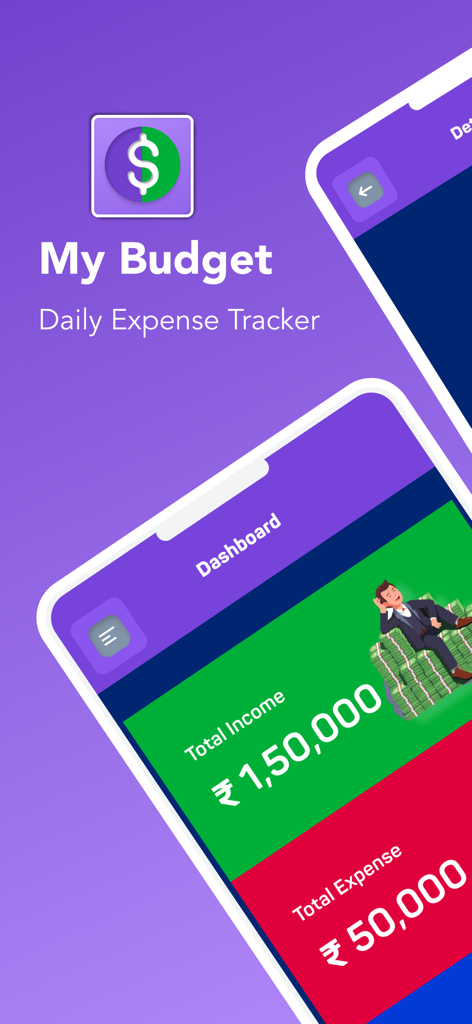
Expense Tracker:Budget Planner - Expense Tracker app interface showing income and expense dashboard.
Expense Tracker app interface showing income and expense dashboard.

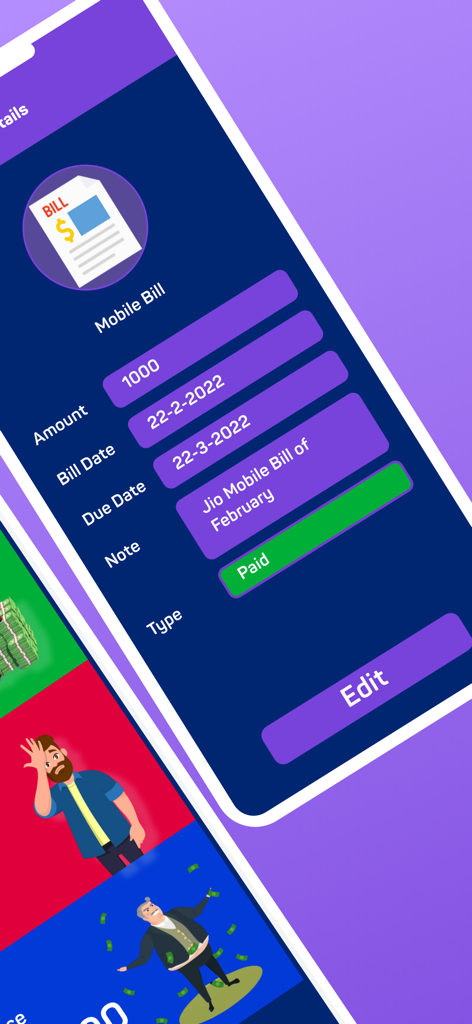
Expense Tracker:Budget Planner - A detailed mobile bill entry in the Expense Tracker app showing amount, due date, and payment status.
A detailed mobile bill entry in the Expense Tracker app showing amount, due date, and payment status.

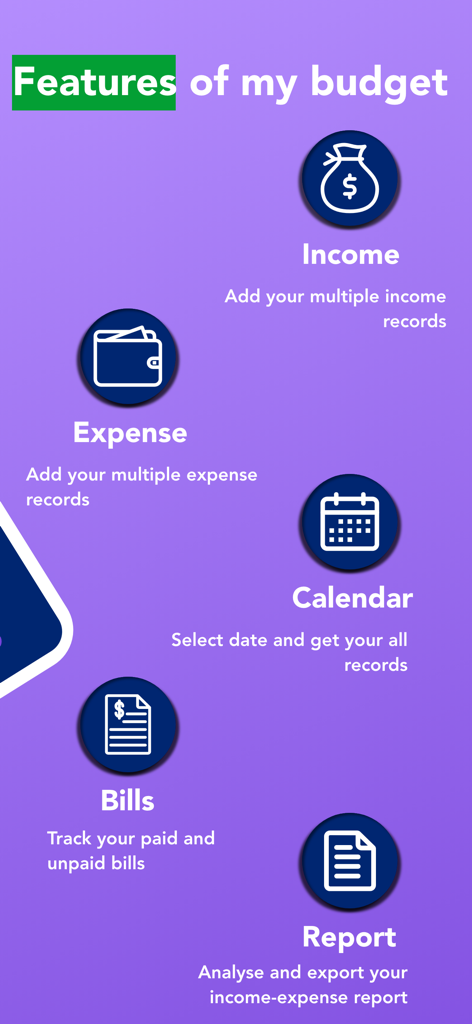
Expense Tracker:Budget Planner - An overview of features for the budget planner app including income and expense tracking, a calendar view, bill tracking, and reports.
An overview of features for the budget planner app including income and expense tracking, a calendar view, bill tracking, and reports.

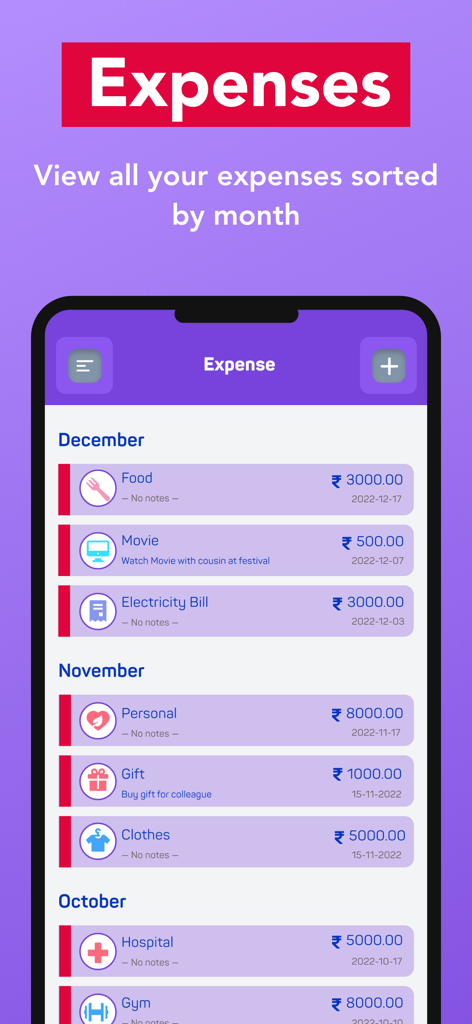
Expense Tracker:Budget Planner - Mobile app interface displaying a list of tracked expenses categorized by month with icons and price amounts
Mobile app interface displaying a list of tracked expenses categorized by month with icons and price amounts

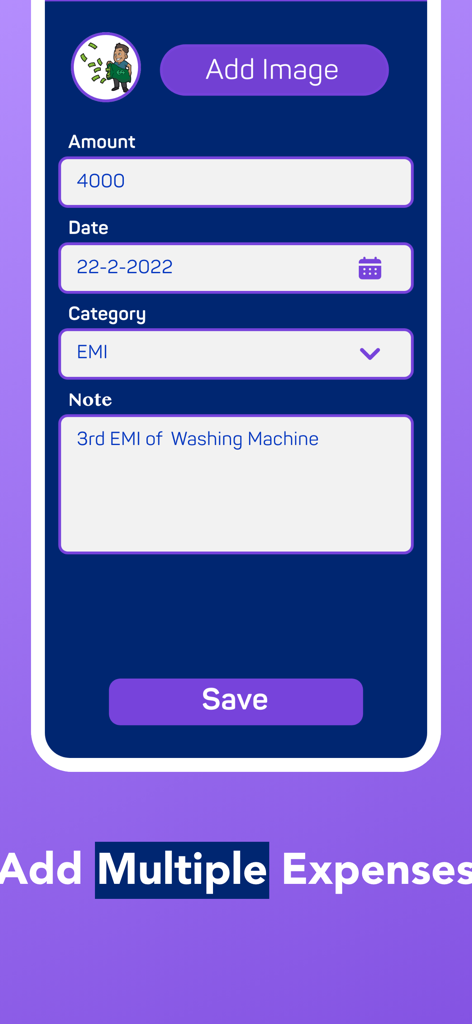
Expense Tracker:Budget Planner - Interface for adding a new expense with fields for amount date category and notes
Interface for adding a new expense with fields for amount date category and notes

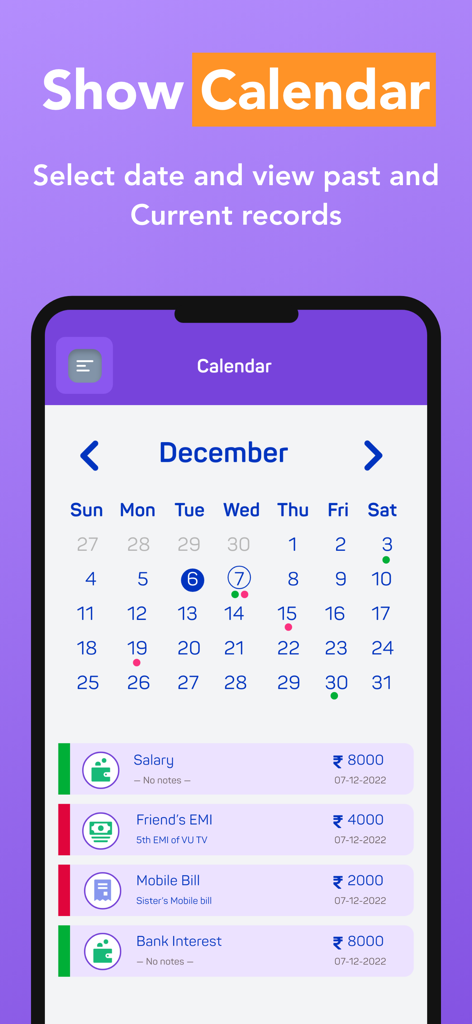
Expense Tracker:Budget Planner - Monthly calendar interface of the Expense Tracker app displaying income and expense transactions

Monthly calendar interface of the Expense Tracker app displaying income and expense transactions
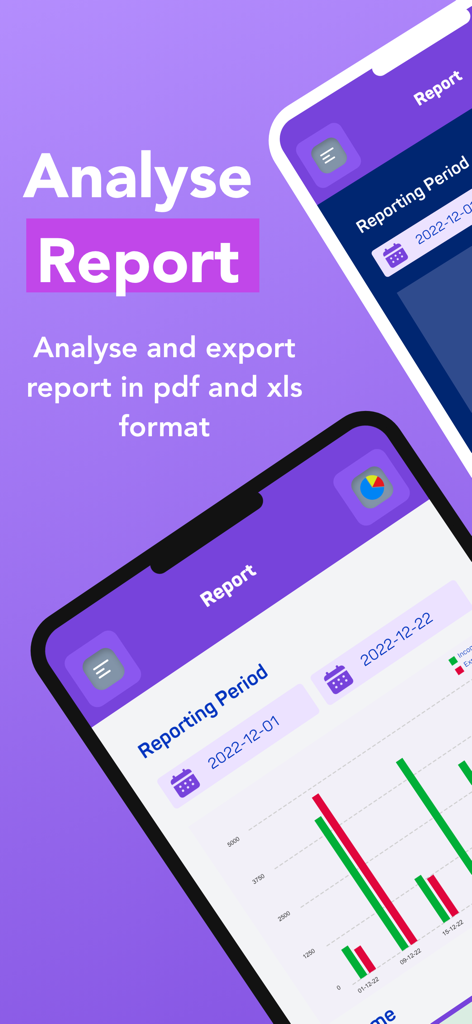
Expense Tracker:Budget Planner - Financial report screen showing income and expense bar charts with export options
Financial report screen showing income and expense bar charts with export options

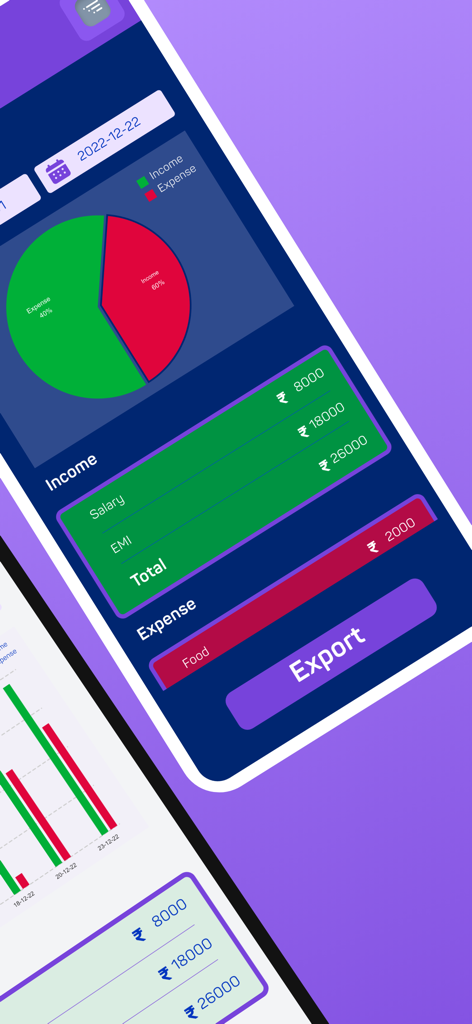
Expense Tracker:Budget Planner - Expense Tracker app showing income and expense pie chart reports and transaction summaries
Expense Tracker app showing income and expense pie chart reports and transaction summaries

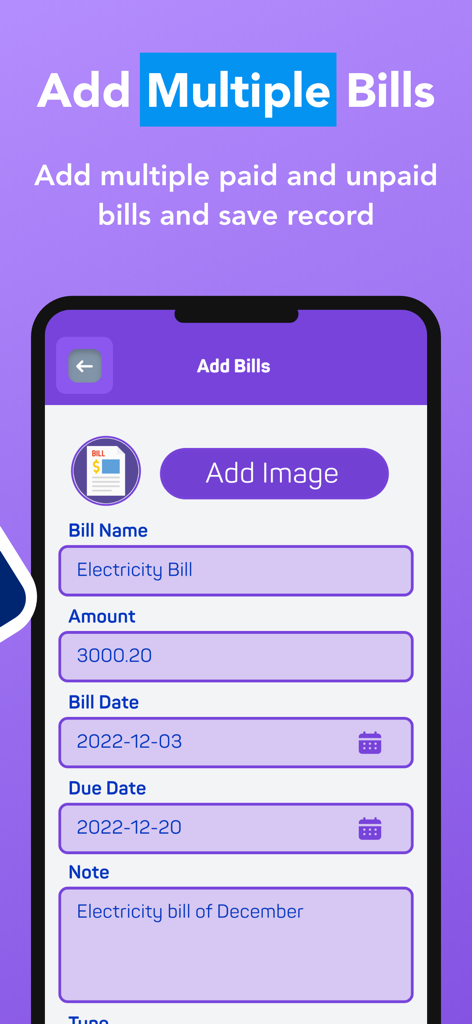
Expense Tracker:Budget Planner - Mobile interface to add and track bills with name amount and due date
Mobile interface to add and track bills with name amount and due date

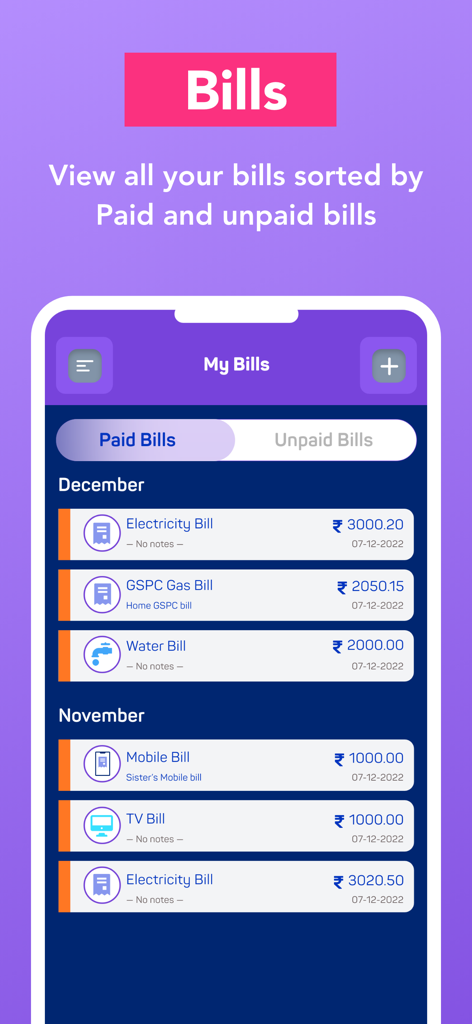
Expense Tracker:Budget Planner - Mobile app interface displaying a list of monthly paid and unpaid bills like electricity and water.

Mobile app interface displaying a list of monthly paid and unpaid bills like electricity and water.

Description

Take control of your finances with the #1 Expense Tracker app! Easily track expenses, create budgets, and plan your financial goals—all in one place. Whether you're managing personal finances or organizing your household budget, this app helps you save money, track spending, and achieve financial freedom. Key Features: Expense Tracking Made Easy: Log daily expenses and monitor where your money goes with a simple and intuitive interface. Customizable Budgets: Create monthly budgets for groceries, bills, travel, and more. Stay on track with smart notifications. Income & Expense Reports: Get detailed insights into your spending habits with clear charts and analytics. Secure & Private: Your financial data is stored securely, ensuring privacy at every step. Multi-Currency Support: Perfect for travelers or users dealing with multiple currencies. Set Financial Goals: Plan for savings and track progress toward your financial goals effortlessly. Why Choose Expense Tracker? Simple Yet Powerful: Designed for everyone—from budgeting beginners to financial pros. Stay Organized: Categorize expenses for better tracking. Save Money: Identify unnecessary spending and save smarter. Highly Rated: Trusted by thousands of users worldwide to manage personal and family finances. Who Is This App For? Students managing daily expenses Families tracking household budgets Professionals monitoring income and expenses Anyone looking to take control of their finances and save money Expense Tracker: Budget Planner App offers an auto-renewing subscription-based on in-app purchase. Subscription name: 1 month Subscription Subscription cost: $2.99 (USD) Subscription duration: 1 Month Subscription name: 1 year Subscription Subscription cost: $24.99 (USD) Subscription duration: 1 Year Subscription name: Lifetime Subscription Subscription cost: $29.99 (USD) Subscription duration: Lifetime Terms of Use: You can read your terms of use click on below link http://www.igeniusdev.com/terms Auto-renewing subscription: You subscription will be renewed every year i.e. you will be charged every year after Free Trial period. – Payment will be charged to iTunes Account at confirmation of purchase – Subscription automatically renews unless auto-renew is turned off at least 24-hours before the end of the current period – Account will be charged for renewal within 24-hours prior to the end of the current period, and identify the cost of the renewal – Subscriptions may be managed by the user and auto-renewal may be turned off by going to the user's Account Settings after purchase – You can read our privacy policy - http://www.igeniusdev.com/privacy – Any unused portion of a free trial period, if offered, will be forfeited when the user purchases a subscription to that publication, where applicable Would you like more features? Let us know, we are ready to improvise it for you.

Download

Download on App Store

This page is not an official page of the app or its developer, but an independent editorial publication created for informational and commentary purposes. Unless expressly stated otherwise, neither the app nor its developer is affiliated with, endorsed by, sponsored by, authorized by, or otherwise officially connected with MWM, Apple, Google Play, the app publisher, or the app's developer, and nothing on this page implies that the app was developed using MWM's services. Any trademarks, logos, screenshots, and other content remain the property of their respective owners.








