Expenses Tracker - Accountit
Download on App Store

This page is not an official page of the app or its developer, but an independent editorial publication created for informational and commentary purposes. Unless expressly stated otherwise, neither the app nor its developer is affiliated with, endorsed by, sponsored by, authorized by, or otherwise officially connected with MWM, Apple, Google Play, the app publisher, or the app's developer, and nothing on this page implies that the app was developed using MWM's services. Any trademarks, logos, screenshots, and other content remain the property of their respective owners.

Logo of Expenses Tracker - Accountit
Download on App Store

Expenses Tracker - Accountit

Take total control of your finances with a native Apple experience. Track transactions, manage budgets, and sync across all your devices without ever compromising your data privacy.

Key Figures

Downloads

57K+

User Rating

4.5/5

Total Ratings

500

Publisher

DesignTech SIA

Category

Finance

Locales

8

Latest Version

2.6.8

Size

133.1 MB

First Released

Jun 7, 2021
Features

Master Your Finances with Total Privacy

Experience the ultimate manual expense tracker designed specifically for the Apple ecosystem. Secure, intuitive, and completely under your control.

Privacy-First Tracking

No bank links or data harvesting. Your financial data is stored locally and synced via iCloud, ensuring your history remains for your eyes only.

Built for Your Apple Lifestyle

Log expenses on the go with Apple Watch, manage budgets on iPhone, and run deep analysis on your Mac with a seamless, native experience.

The following screenshots and description are sourced directly from the app's official store listing and are the property of the app developer.

App Store

Screenshots
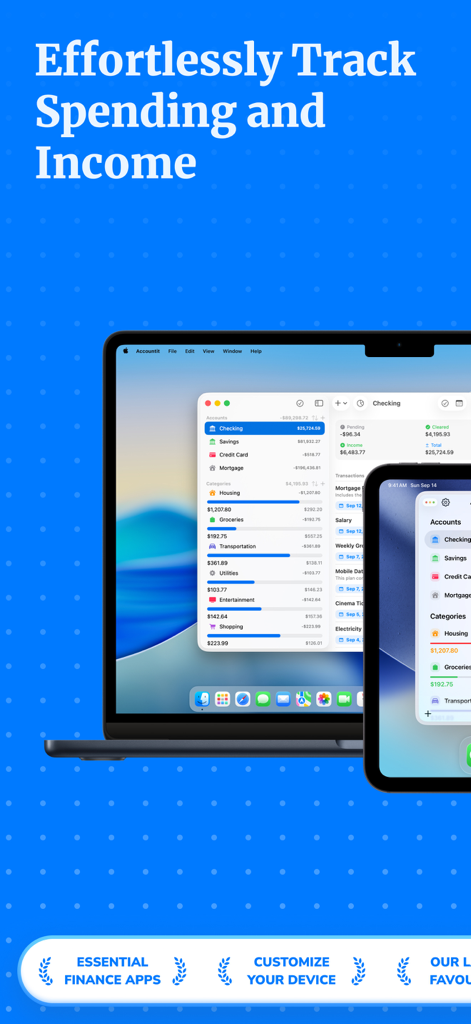
Expenses Tracker - Accountit - Accountit expenses tracker app interface on MacBook and iPhone
Accountit expenses tracker app interface on MacBook and iPhone

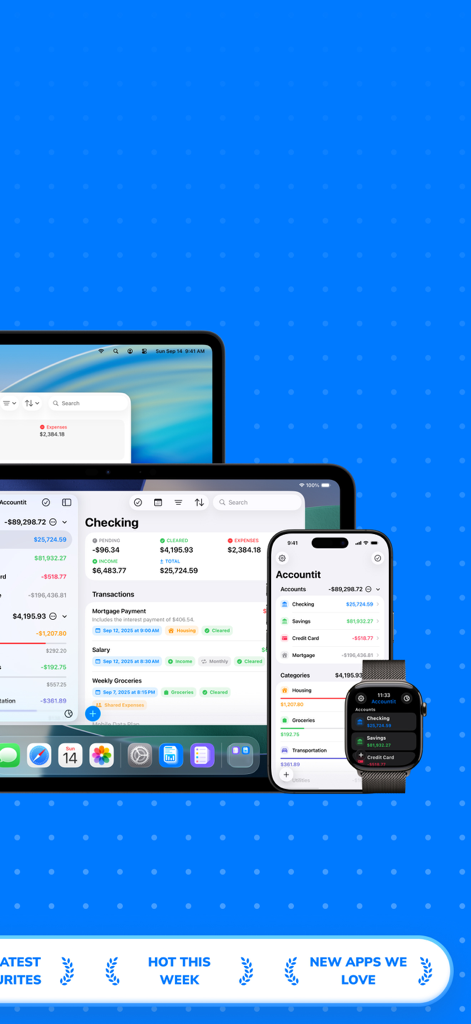
Expenses Tracker - Accountit - Accountit expense tracking app shown on Mac iPad iPhone and Apple Watch
Accountit expense tracking app shown on Mac iPad iPhone and Apple Watch

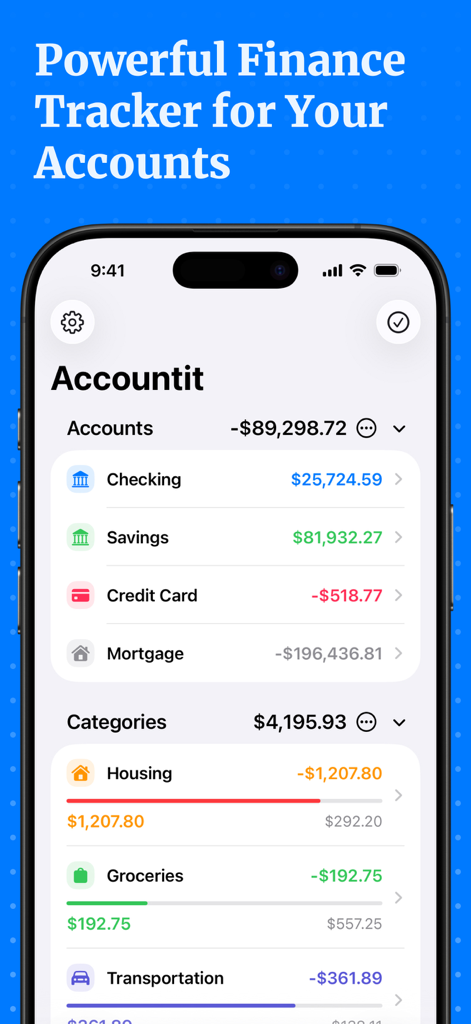
Expenses Tracker - Accountit - Accountit app interface showing checking and savings balances alongside categorized spending like housing and groceries
Accountit app interface showing checking and savings balances alongside categorized spending like housing and groceries

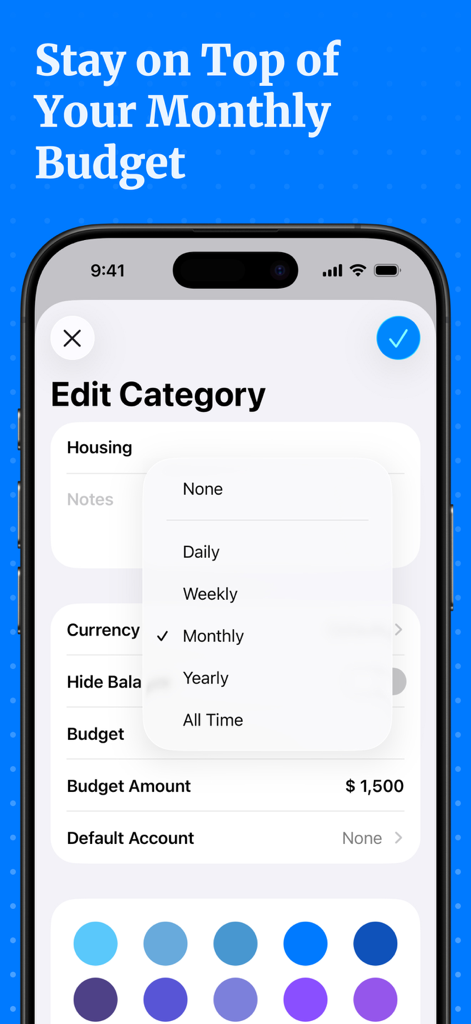
Expenses Tracker - Accountit - Accountit app interface for editing a category and setting a monthly budget amount
Accountit app interface for editing a category and setting a monthly budget amount

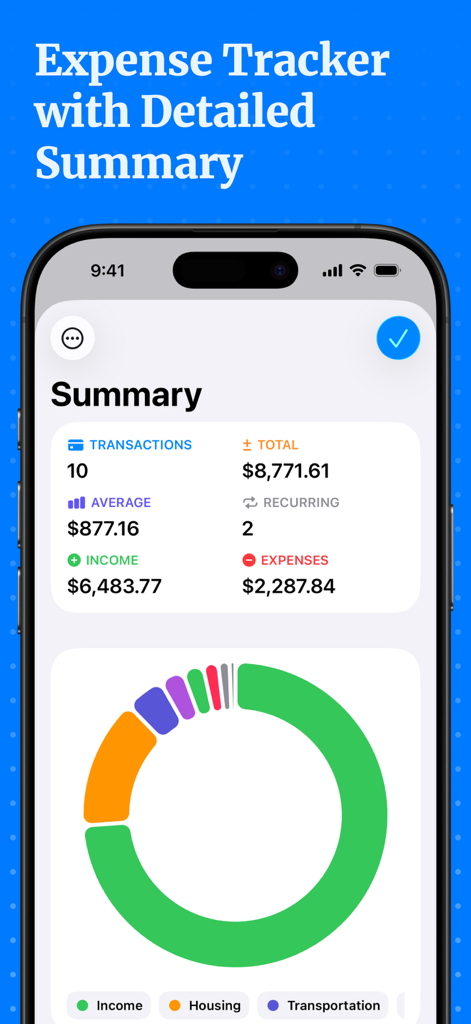
Expenses Tracker - Accountit - Detailed financial summary dashboard in the Accountit app featuring income and expense statistics and a category chart
Detailed financial summary dashboard in the Accountit app featuring income and expense statistics and a category chart

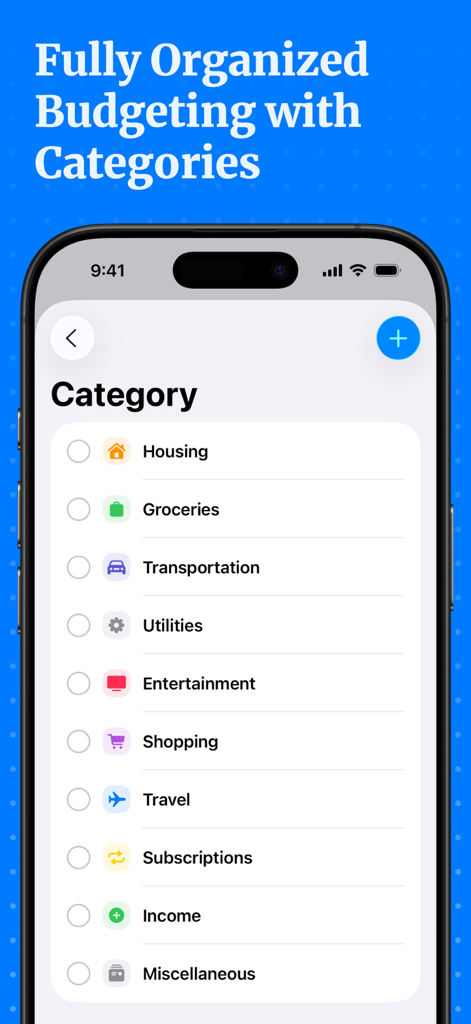
Expenses Tracker - Accountit - Screenshot of Accountit app showing a list of spending categories like Housing, Groceries, and Transportation for organized budgeting.

Screenshot of Accountit app showing a list of spending categories like Housing, Groceries, and Transportation for organized budgeting.

Description

Welcome to Accountit, a simple, but powerful daily transactions tracker that will definitely help you get a full picture of your finances. With Accountit, tracking and organizing all of your transactions becomes as effortless as possible, all thanks to the useful features that the app has on offer. Accountit lets you add an unlimited number of transactions that can be organized into different categories that you can create and customize yourself. With Accountit, you can also filter and organize all of your transactions even more efficiently using tags that you can create and assign to any of your transactions in the app. Don’t worry if you have any recurring transactions because we have got you covered too! Just mark a transaction as recurring and set the frequency when adding it, Accountit will handle the rest for you and you won’t need to manually add the same exact transactions every single time. With Accountit, you can also add various attachments, such as receipts, to your transactions in no time at all because you can scan receipts and take photos directly in the app. One of the main goals of the app is to help you quickly analyze all of your transactions and this is why Accountit offers a dedicated Summary screen that displays an extensive variety of information based on your transactions. Accountit is built with privacy and security in mind and it just doesn’t collect any personal data that can be linked to you. All of your data in the app is stored locally on your device and synced via iCloud if you have enabled this functionality in the settings of the app. We have designed Accountit to be as intuitive and easy to use as possible and it will definitely feel right at home on any of your Apple devices, all thanks to its native design. Accountit offers an extensive variety of features that you can use completely for free, but if you feel that the free functionality isn’t enough for your needs, you can always upgrade to Accountit Plus for even better experience. With Accountit Plus, you get an access to an unlimited number of accounts, categories, and tags, as well as various app customization options, and more. KEY FEATURES: - Unlimited number of transactions - iCloud sync - Ability to add notes to your transactions - Ability to add links to your transactions - Income, expense, and transfer transactions - 1 account - Budgets - Recurring transactions - Multiple sorting and filtering options to help you better organize your transactions - Transactions summary - CSV import and export - Beautiful and useful widgets - Available on iOS, iPadOS, macOS and watchOS PLUS FEATURES: - Unlimited number of accounts - Access to categories and tags - iCloud sharing - Ability to add attachments to transactions - 10 different app icons for you to pick the one that fits your home screen the most - 15 different tint colors that you can choose from to make the app feel more unique to you - Custom appearance (System, light, and dark) - More than 150 different currencies - Bulk editing If you have any questions about Accountit, you can just get in touch with us via email at info@designtech.so. We are always happy to help! Terms of service: https://designtech.notion.site/DesignTech-Terms-of-Service-18cc124eba4080c58316f2ed81f84bff. Privacy policy: https://designtech.notion.site/DesignTech-Privacy-Policy-18bc124eba40809eba48e6af249ebd2c.

Download

Download on App Store

This page is not an official page of the app or its developer, but an independent editorial publication created for informational and commentary purposes. Unless expressly stated otherwise, neither the app nor its developer is affiliated with, endorsed by, sponsored by, authorized by, or otherwise officially connected with MWM, Apple, Google Play, the app publisher, or the app's developer, and nothing on this page implies that the app was developed using MWM's services. Any trademarks, logos, screenshots, and other content remain the property of their respective owners.