
This page is not an official page of the app or its developer, but an independent editorial publication created for informational and commentary purposes. Unless expressly stated otherwise, neither the app nor its developer is affiliated with, endorsed by, sponsored by, authorized by, or otherwise officially connected with MWM, Apple, Google Play, the app publisher, or the app's developer, and nothing on this page implies that the app was developed using MWM's services. Any trademarks, logos, screenshots, and other content remain the property of their respective owners.


EZView UNV
Forget surveillance headaches. The app puts total control of your Uniview system directly in your hand.
Downloads
1M+User Rating
Total Ratings
736Publisher
Category
BusinessLocales
29Latest Version
2.60.100Size
108.1 MBFirst Released
Apr 6, 2015An Analytical Overview for Surveillance Professionals
Key Features of EZView UNV
Real-Time Alarm Notifications
The app provides immediate notifications for security breaches or detected anomalies, allowing users to respond quickly to critical events.
Real-Time Live Viewing
The app provides live, real-time video feeds from Uniview surveillance cameras, enabling continuous visual oversight of monitored areas.
Ubiquitous Mobile Access
It allows users to access and operate their entire surveillance system from any location using their mobile phone, ensuring constant connectivity and control.
Historical Video Playback
This tool features the ability to playback recorded video footage, which is essential for forensic analysis, incident review, and evidence collection.
Frequently Asked Questions
Everything you need to know about EZView UNV
What is the EZView UNV app?
EZView UNV is a mobile surveillance application that provides network access to Uniview surveillance products. Users can view live or recorded video, receive alarms, and manage cloud devices directly from their mobile phone.
Can I view live video with the EZView UNV app?
Yes, the EZView UNV app allows users to view live video from Uniview surveillance products through a network connection. This feature is directly accessible through the app's 'Live View' menu option.
Does EZView UNV allow recorded video playback?
Yes, EZView UNV supports viewing recorded video. The app enables users to access and play back video footage from their Uniview surveillance products at any time, as demonstrated by the 'Playback' feature.
How does the EZView UNV app handle alarms?
The EZView UNV app provides real-time alarm notifications. It allows users to receive and review push alarms, such as motion detection events, directly on their mobile phone for immediate awareness.
What surveillance products does EZView UNV access?
The EZView UNV app is designed to access Uniview surveillance products through a network. It facilitates viewing video, receiving alarms, and managing cloud devices associated with these specific products.
Can I manage cloud devices using EZView UNV?
Yes, the EZView UNV app enables users to manage cloud devices. This functionality is a core feature, allowing comprehensive control over surveillance infrastructure directly from a mobile phone.
The following screenshots and description are sourced directly from the app's official store listing and are the property of the app developer.
App Store
Screenshots
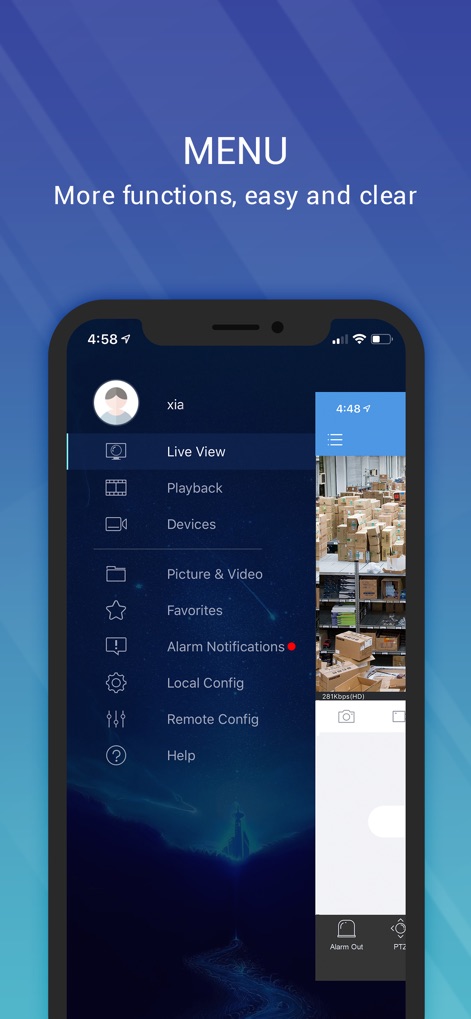
Users can effortlessly navigate through the app's robust features via the clear side menu, providing quick access to essential functions like Live View and Alarm Notifications.
Comprehensive Menu Access
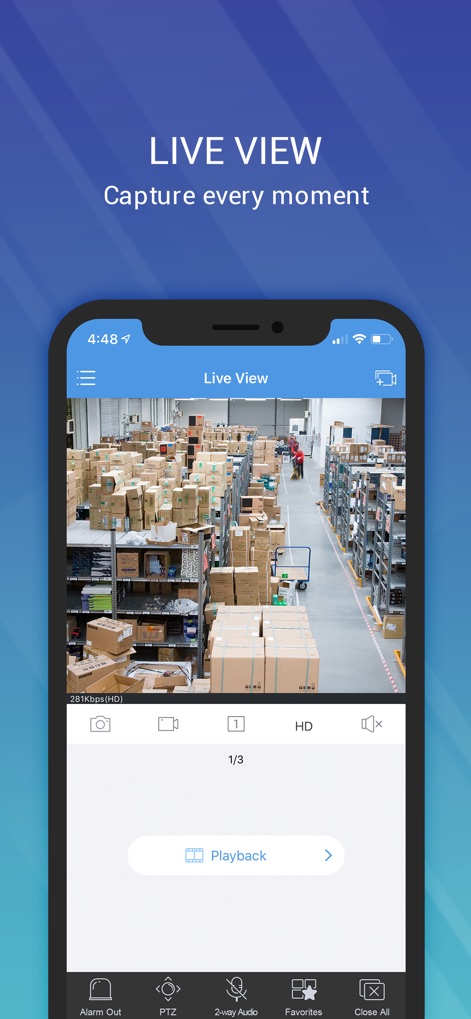
The app delivers crystal-clear live video feeds, allowing users to monitor their premises in real-time, complete with intuitive controls for capturing snapshots and utilizing PTZ functionality.
Dynamic Live Feed
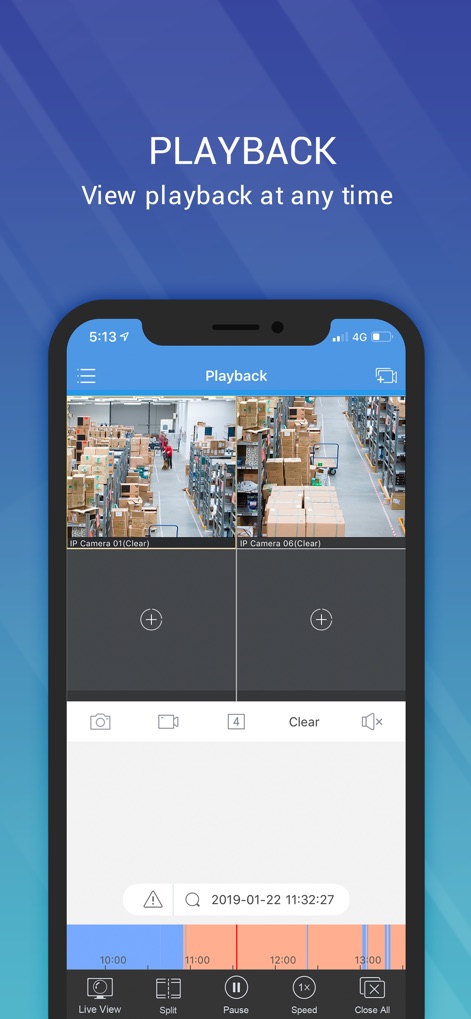
This tool enables thorough review of historical footage, presenting multiple camera playback simultaneously alongside a detailed timeline for precise event identification.
Event Playback Review
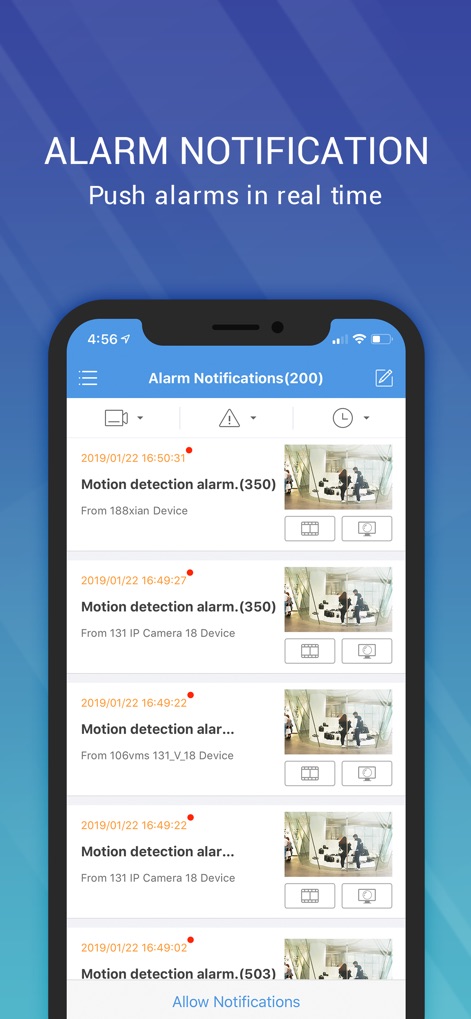
Users receive immediate notifications for security events, presented in an organized list with visual previews of motion detection alarms for quick assessment.
Instant Alert Management
Description
Download
More Like This
Apps with similar features and user experience

DMSS
Hangzhou Dong Bin Information Technology Co., Ltd.

Joolink
Shenzhen Jooan Technology Company

VicoHome: Smart Home Camera
PHOTON SAIL TECHNOLOGIES PTE. LTD.

Ubox
洪波 王

SimpliSafe Home Security App
SimpliSafe, Inc.

Active Mobile V4
JFL Equipamentos Eletronicos Industria e Comercio Ltda.

Dzees Home
Shenzhen Weixi Technology Co., Ltd

Ring - Always Home
Bot Home Automation, INC

Hik-Connect - for End user
Hangzhou Hikvision Digital Technology Co., Ltd.
This page is not an official page of the app or its developer, but an independent editorial publication created for informational and commentary purposes. Unless expressly stated otherwise, neither the app nor its developer is affiliated with, endorsed by, sponsored by, authorized by, or otherwise officially connected with MWM, Apple, Google Play, the app publisher, or the app's developer, and nothing on this page implies that the app was developed using MWM's services. Any trademarks, logos, screenshots, and other content remain the property of their respective owners.