FAX from iPhone: Fax App

FAX from iPhone: Fax App

Download on App Store
Logo of FAX from iPhone: Fax App

FAX from iPhone: Your Secure Pocket Fax Machine

Skip the trip to the office store. Scan, sign, and send critical documents instantly with real-time tracking and 100% delivery reliability.

Download on App Store

Publisher

DevMeApp LLC

Category

Business

Downloads

612K+

User Rating

4.6/5

Total Ratings

6K+

Locales

9

Your Pocket Fax Machine

Discover the interface used by 612K+ users.
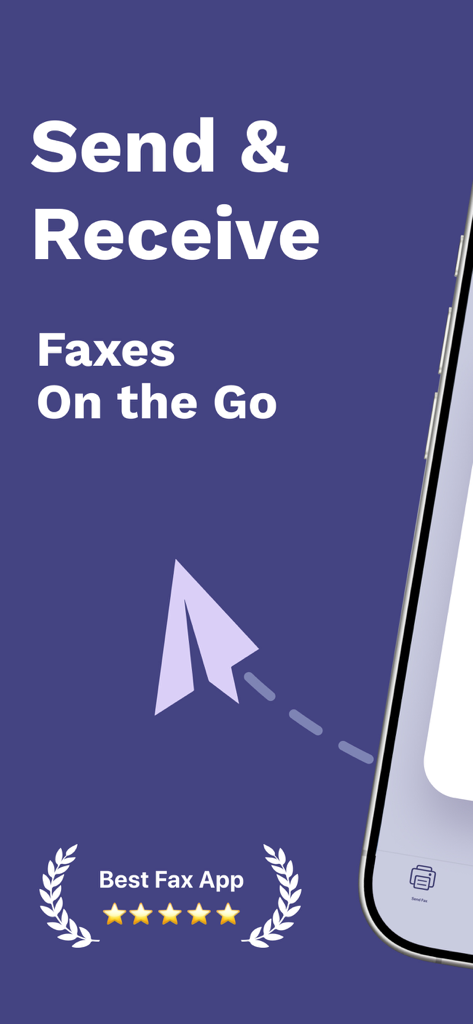
Promotional screen for a mobile fax app featuring text Send and Receive Faxes On the Go with a 5 star rating

Promotional screen for a mobile fax app featuring text Send and Receive Faxes On the Go with a 5 star rating

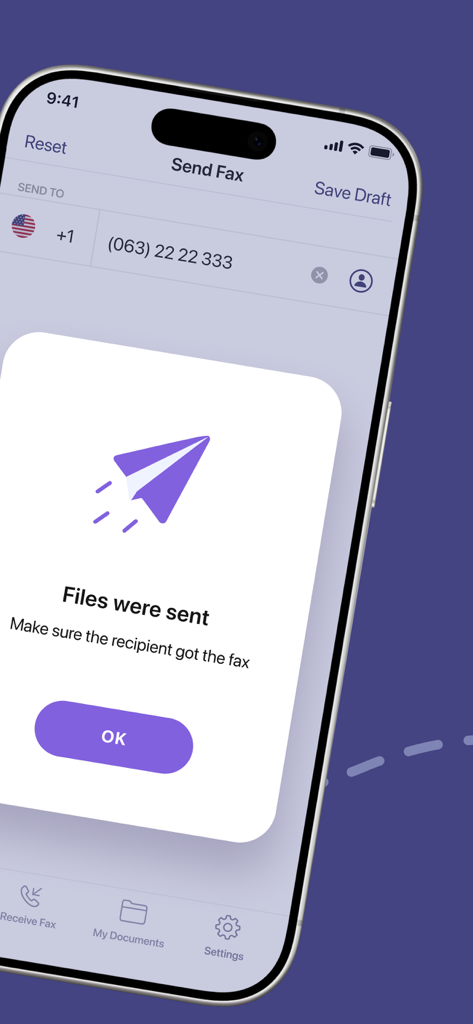
A mobile screen showing a successful fax transmission confirmation with the text Files were sent.

A mobile screen showing a successful fax transmission confirmation with the text Files were sent.

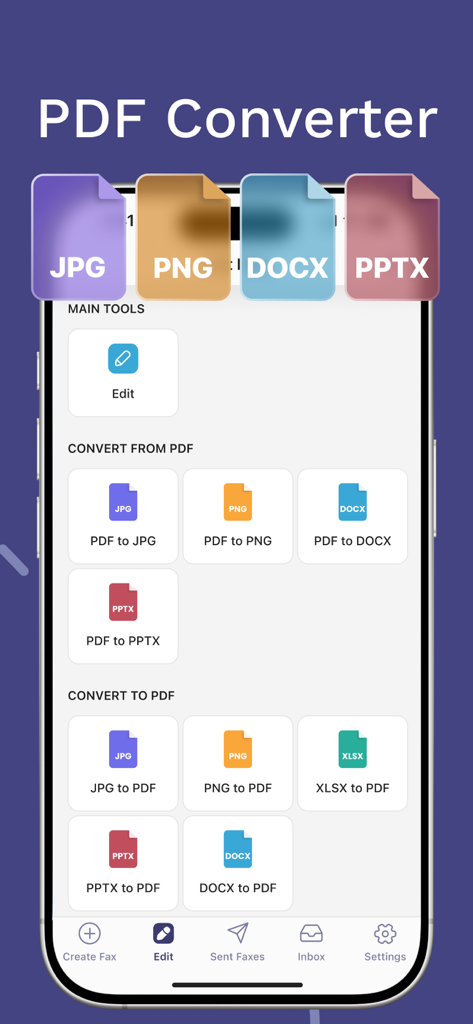
Interface showing various PDF conversion options within the FAX from iPhone mobile application

Interface showing various PDF conversion options within the FAX from iPhone mobile application

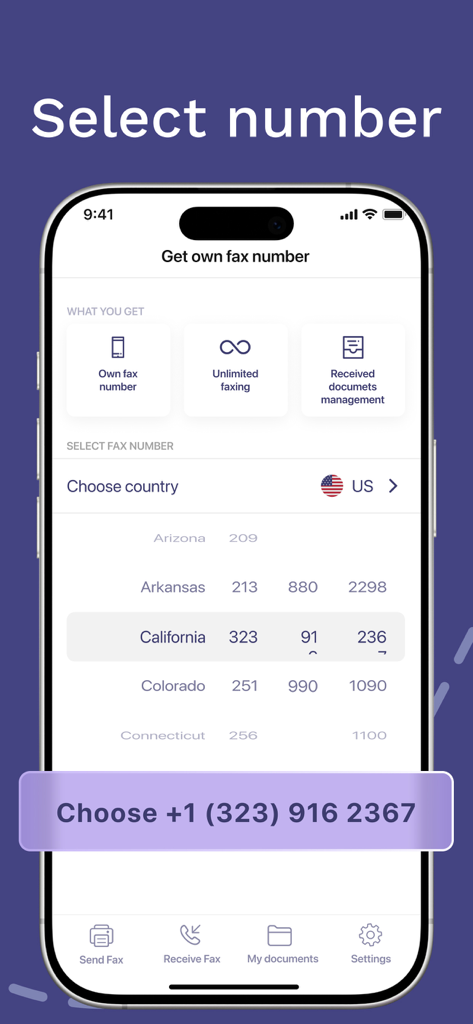
Mobile interface showing how to choose a personal fax number by state in the Fax from iPhone app

Mobile interface showing how to choose a personal fax number by state in the Fax from iPhone app

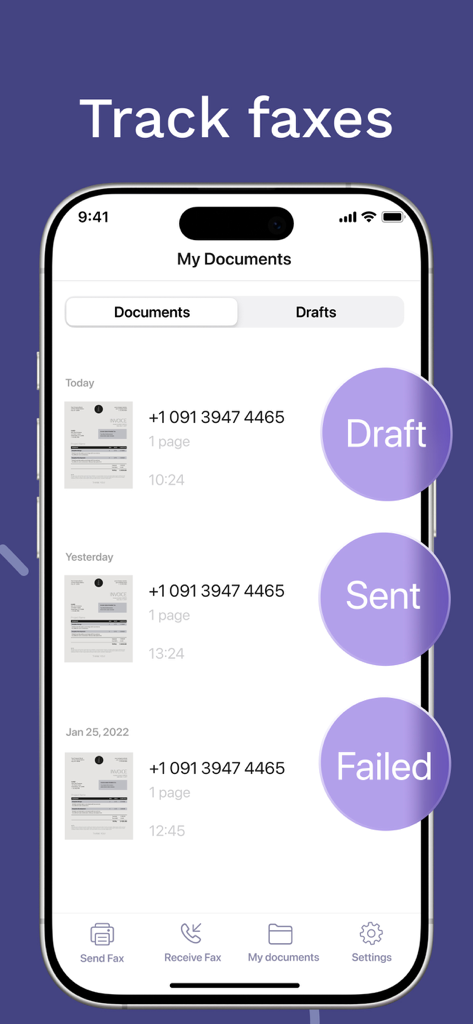
iPhone screen showing the track faxes feature with a list of documents and their status as draft, sent, or failed

iPhone screen showing the track faxes feature with a list of documents and their status as draft, sent, or failed

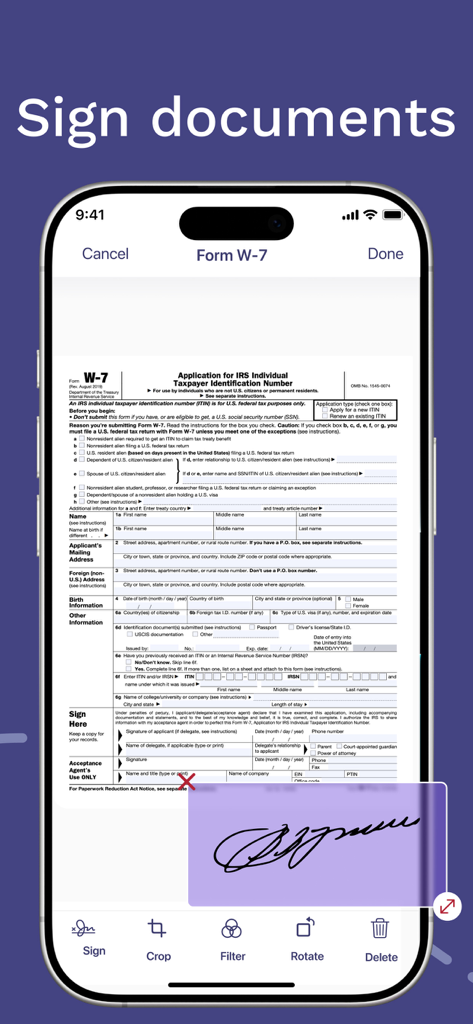
iPhone app interface showing a user signing an IRS document electronically

iPhone app interface showing a user signing an IRS document electronically

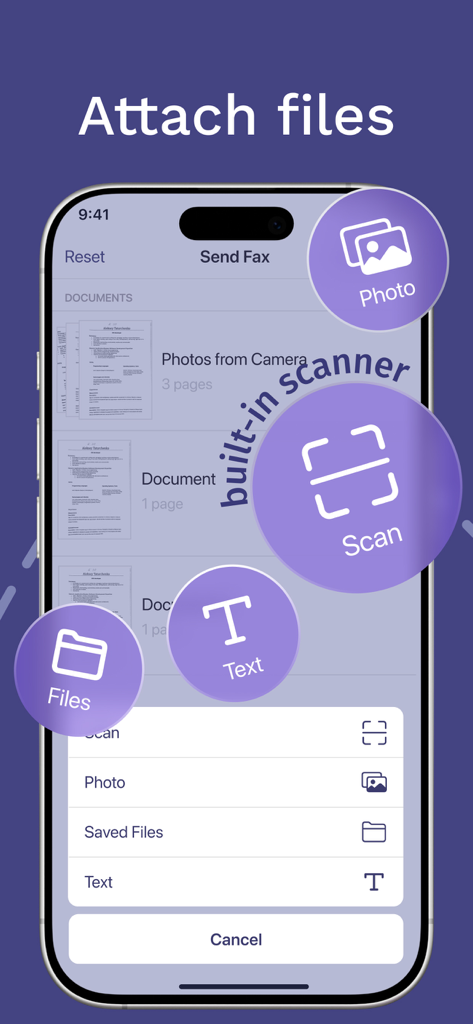
Interface of the fax app showing options to attach files or use the built-in scanner

Interface of the fax app showing options to attach files or use the built-in scanner

The Full-Scale Fax Machine in Your Pocket

The tools that make this app stand out, trusted by 612K+ users.

✍️

Integrated Scanner & E-Sign

Turn any physical document into a high-quality scan and add your legal signature instantly. Complete your entire paperwork workflow without ever needing a printer.

📡

Real-Time Delivery Confirmation

Stop wondering if your document arrived. Track the status of every fax in real-time and receive an instant notification once it is successfully printed at the recipient's end.

🔒

Secure & Global Transmission

Send sensitive legal, medical, or financial documents anywhere in the world. Your data is protected by enterprise-grade encryption to ensure complete privacy and compliance.

About the app

Everything you need to know about FAX from iPhone: Fax App.

Description

FAX from iPhone: Fax App Sending a fax today is an inconvenient task you face on almost a daily basis: sending paperwork gets really annoying as looking for a fax machine nearby takes much time. But it’s not a problem with a FAX from iPhone — a fax app that works as a powerful tool for sending fax online just from your iPhone. The fax app that makes your life easier Our fax app can become your ultimate solution for online faxes. FAX from iPhone offers such features as: Advanced document scanner. Turn a paper document into a digital one effortlessly. Support of multiple file formats. This fax app supports all common and uncommon file formats to send and receive faxes. Tracking a fax’ status. You can ensure your fax has reached the recipient. Electronic signature feature. If you need an electronic signature for a digital document, it can be easily done with our fax app! Convenient file import. With this fax app, importing files isn’t bothersome at all. Fast fax sending on previously used numbers. No need to enter one and same numbers over and over again as they’ll get saved in your faxing history. Reliable online fax service Sending fax from iPhone is a convenient fax service that is easy to use. With FAX from iPhone you will be able to: Save time. Send fax from iPhone in no time. Just attach the file and enter the recipients number — that’s all! Send faxes from everywhere. You don’t have to run back and forth looking for a fax to send an important document as you have a fax machine in your pocket. Save forests. You don’t have to use paper to send an online fax from iPhone. In such a way, this fax app is not only convenient but also eco-friendly. Secure your personal information. Sending online faxes with our fax app means that your information is encrypted, so nobody can intercept and read it. How to use FAX from iPhone app 1. Create an account. With FAX from iPhone, you can skip this step and start using the app immediately after installation — perfect for when you need to send a fax quickly. 2. Select or scan a document. If the document is already on your iPhone, tap “Add document” to choose from your storage or photo library. You can also pick a previously sent fax, create a new document, or scan a physical one. 3. Enter the fax number. Once your document is ready, simply input the recipient's fax number. This fax app supports worldwide faxing online, so you can send and receive faxes anywhere. 4. Send fax from iPhone. That’s it! Your document will be printed at the recipient’s fax machine. Start sending faxes from iPhone online today FAX from iPhone is a convenient way to send faxes online with no hassle. With user-friendly interface, convenient features, and 100% fax document delivery rate this fax app is your go-to solution. Try it for free right now and forget about fax machine searches once and for all! Subscription details The fax app download and install are free of charge, but certain features are available for premium subscribers only. If you have a premium subscription, please remember that: Your iTunes Account will be charged upon purchase confirmation. Subscriptions auto-renew at least 24 hours before the current period ends but can be turned off in settings. You can manage subscriptions and disable auto-renewal anytime in Account Settings after purchase. Your mobile faxing solution is one click ahead Don’t hesitate to download for free FAX from iPhone app to send faxes online anywhere in a matter of minutes with no fax machine needed! Our fax app offers a convenient and user-friendly fax service that will come in handy every time you need to send an important document but don’t have a fax machine nearby. Privacy Policy: https://fax-app.com/policy/ Terms of Use: https://fax-app.com/terms/ If you have any questions or suggestions, we are always ready to help: support@fax-app.com

Latest Version

1.33.0

Size

134.3 MB

First Released

Jun 11, 2021

Your Mobile Fax Machine is Ready

Join over 600,000 professionals and homeowners who have simplified their paperwork. Download now to scan, sign, and send your documents securely in seconds.

Download on App Store
FAQ

Frequently Asked Questions

Everything you need to know about FAX from iPhone: Fax App

What is the FAX from iPhone app?

The FAX from iPhone app enables users to send and receive faxes directly from their iPhone. It functions as a powerful tool for online faxing without requiring a physical fax machine.

Can I send faxes internationally with FAX from iPhone?

Yes, the FAX from iPhone app supports worldwide online faxing. Users send and receive faxes to and from any global location.

Does the FAX from iPhone app have a built-in document scanner?

Yes, the FAX from iPhone app includes an advanced, built-in document scanner. It effortlessly converts paper documents into digital format for faxing.

What types of files does FAX from iPhone support?

The FAX from iPhone app supports a wide range of common and uncommon file formats. This allows users to send and receive various document types.

How do I track a fax's status using the FAX from iPhone app?

The FAX from iPhone app features fax status tracking. Users monitor their faxes to ensure they reach the recipient, seeing statuses like Draft, Sent, or Failed.

Does FAX from iPhone allow electronic signatures?

Yes, the FAX from iPhone app provides an electronic signature feature. Users can easily sign digital documents directly within the application.

Is personal information secure when using the FAX from iPhone app?

Yes, the FAX from iPhone app ensures personal information security. It encrypts all online faxes, preventing unauthorized interception or reading.

Is the FAX from iPhone app free to download and install?

Yes, the FAX from iPhone app is free to download and install. Certain advanced features, however, require a premium subscription.

How are subscriptions managed in the FAX from iPhone app?

Subscriptions in FAX from iPhone auto-renew unless canceled at least 24 hours before the current period ends. Users manage auto-renewal and subscriptions in their Account Settings.

Can I get a dedicated fax number through the FAX from iPhone app?

Yes, the FAX from iPhone app offers the option to acquire a dedicated fax number. This feature is available to premium subscribers.

What PDF conversion capabilities does FAX from iPhone offer?

The FAX from iPhone app includes a PDF Converter. It converts files like JPG, PNG, DOCX, and PPTX to and from PDF, and XLSX to PDF.

Does FAX from iPhone guarantee fax delivery?

Yes, FAX from iPhone ensures a 100% fax document delivery rate. This guarantees reliable transmission of all faxes sent through the app.

App information, icons, screenshots, and descriptions displayed on this page are sourced from the Apple App Store and are the property of their respective developers. Download estimates and rankings are based on MWM's proprietary models and may not reflect actual figures. This page is provided for informational and analytical purposes only.

Believe this page infringes your intellectual property? File a dispute