FAX from iPhone・Send & Receive

FAX from iPhone・Send & Receive

Download on App Store
Logo of FAX from iPhone・Send & Receive

FAX from iPhone・Send & Receive: The Secure, Professional Fax Machine in Your Pocket

Skip the office trips and bulky hardware. Securely scan, send, and receive documents on the go with a dedicated fax number, professional templates, and real-time delivery tracking.

Publisher

PLEKMIN TRADE SL

Category

Business

Downloads

843K+

User Rating

4.7/5

Total Ratings

16K+

Locales

15

Your Portable Office

Discover the interface used by 843K+ users.

Send and receive fax from iPhone app with five star ratings and secure badge

Send and receive fax from iPhone app with five star ratings and secure badge

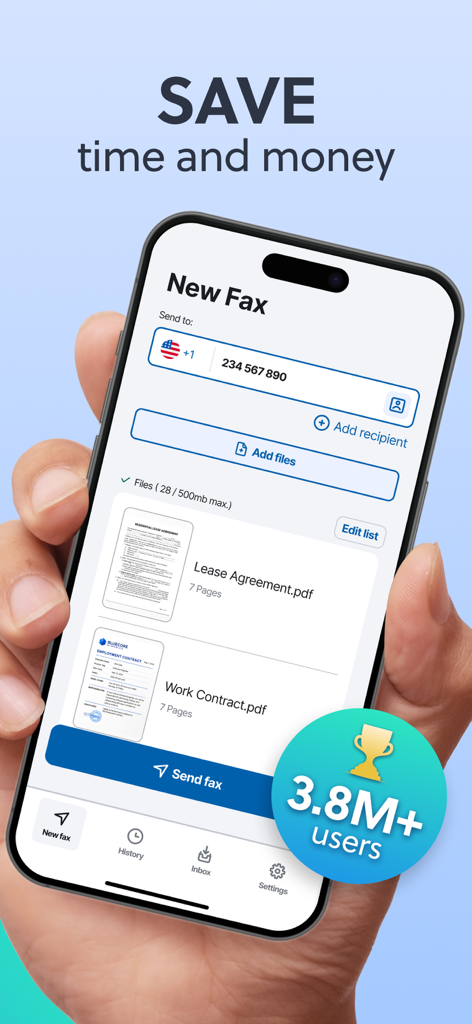
iPhone app interface showing a new fax screen with uploaded lease agreement and work contract documents

iPhone app interface showing a new fax screen with uploaded lease agreement and work contract documents

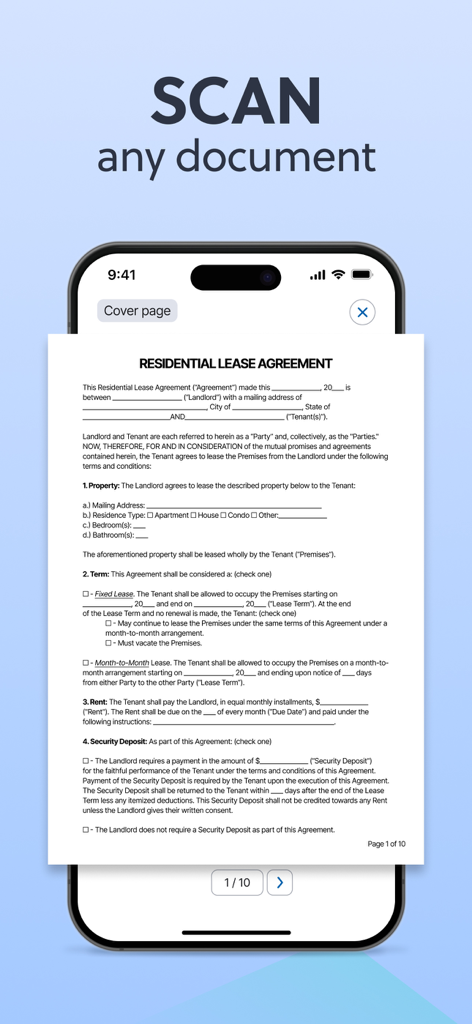
iPhone screen displaying a residential lease agreement being scanned for faxing

iPhone screen displaying a residential lease agreement being scanned for faxing

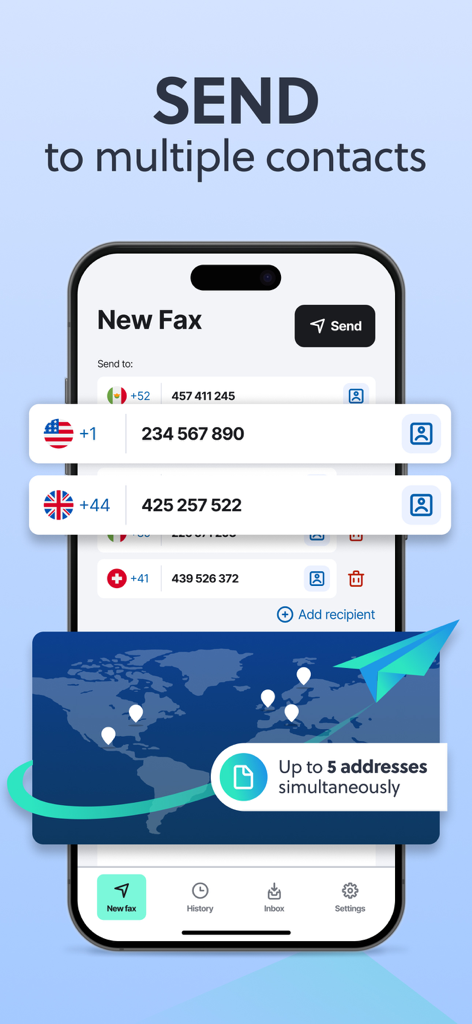
Mobile app screen showing the feature to send a fax to multiple international contacts at once

Mobile app screen showing the feature to send a fax to multiple international contacts at once

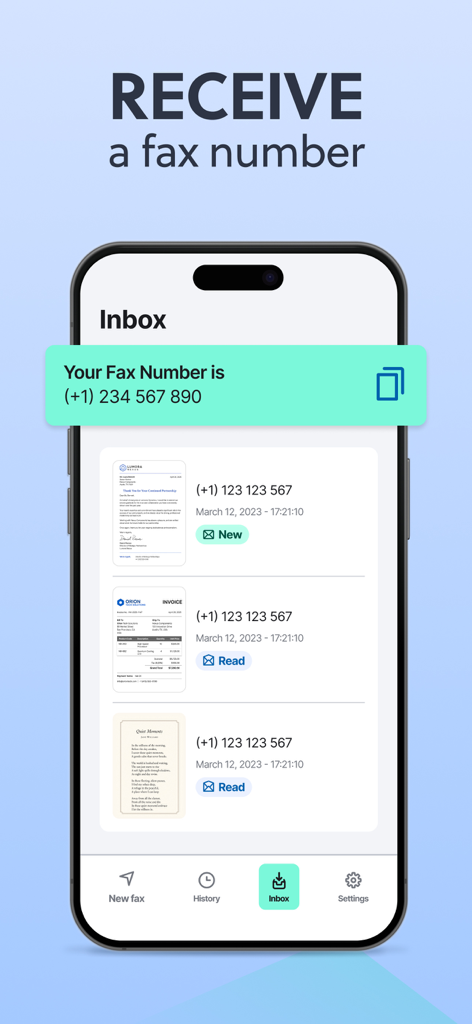
App interface showing a dedicated fax number and an inbox for received faxes

App interface showing a dedicated fax number and an inbox for received faxes

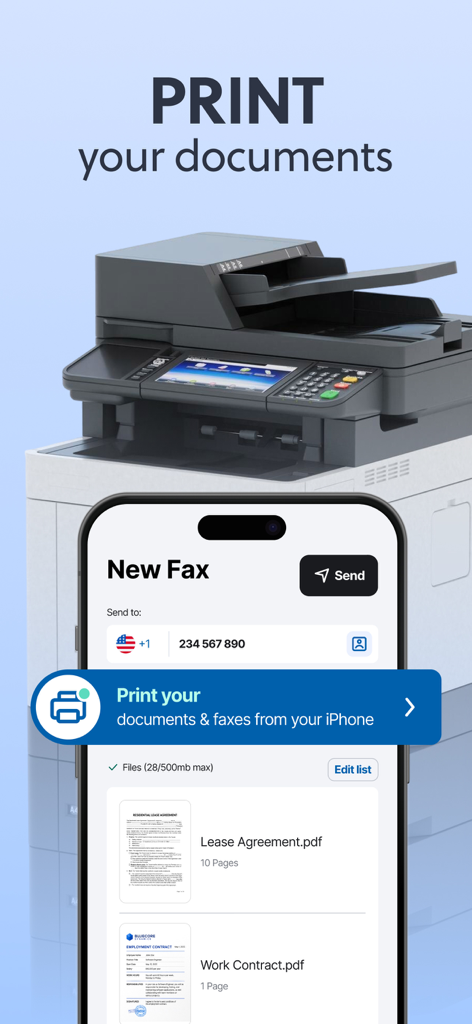
Interface of the Fax from iPhone app showing how to print documents and faxes directly from the device.

Interface of the Fax from iPhone app showing how to print documents and faxes directly from the device.

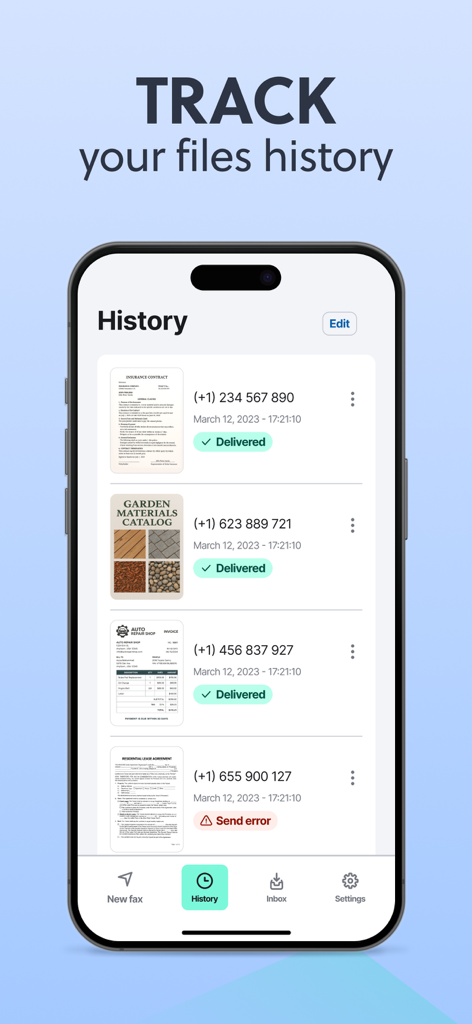
History screen of the Fax from iPhone app tracking sent and received faxes with delivery status

History screen of the Fax from iPhone app tracking sent and received faxes with delivery status

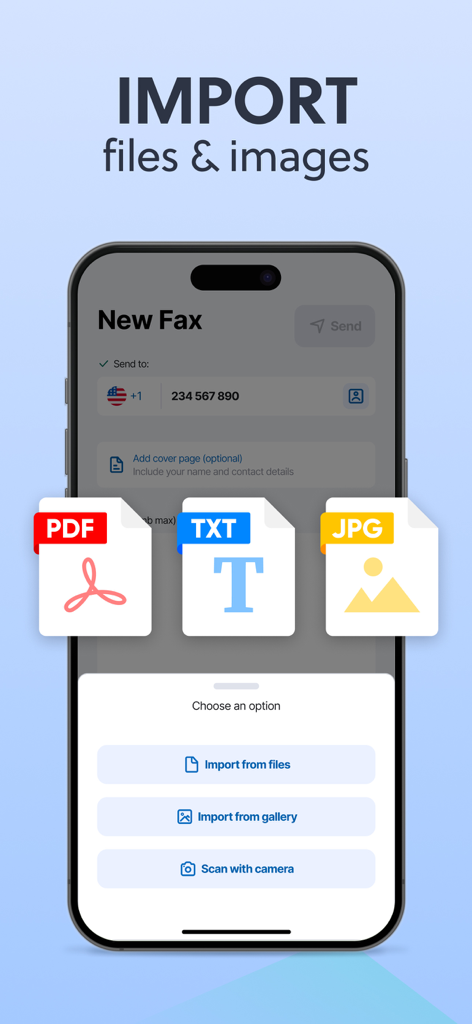
A mobile interface showing options to import PDF TXT or JPG files and scan documents to send a new fax

A mobile interface showing options to import PDF TXT or JPG files and scan documents to send a new fax

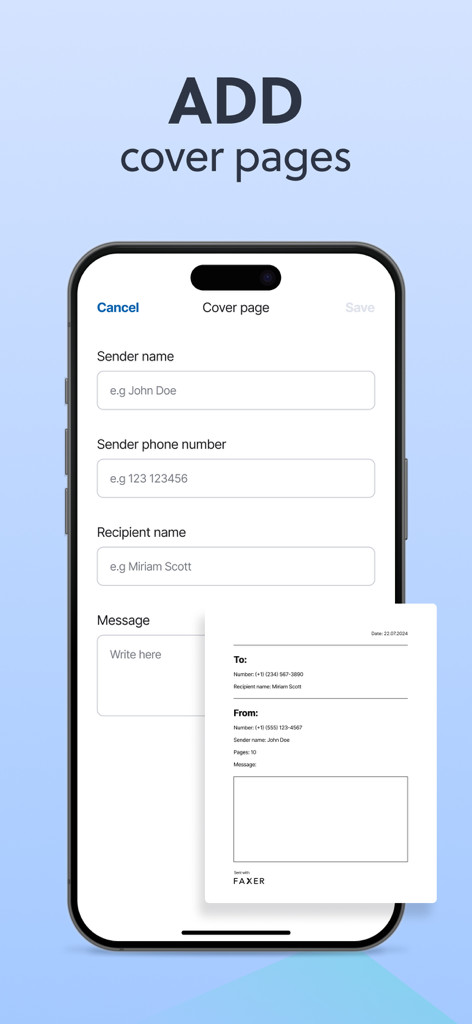
Interface for adding a professional fax cover page on an iPhone

Interface for adding a professional fax cover page on an iPhone

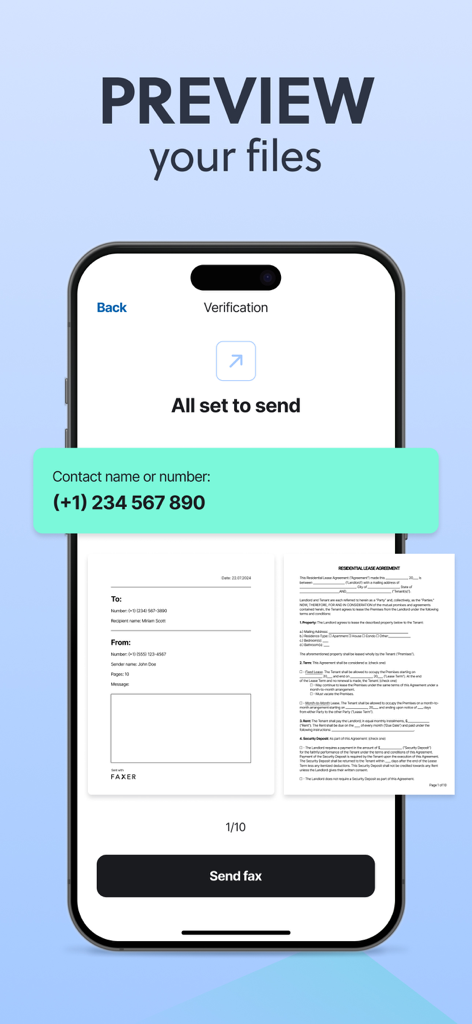
A mobile app screen previewing a residential lease agreement and cover page before sending a fax from an iPhone.

A mobile app screen previewing a residential lease agreement and cover page before sending a fax from an iPhone.

Your Mobile Office, Simplified

The tools that make this app stand out, trusted by 843K+ users.

📲

Scan & Send Anywhere

Use your camera to scan signed contracts or upload files from iCloud. Send high-resolution faxes globally without ever needing to find a FedEx or Staples office.

📥

Dedicated Fax Number

Claim your own private number to receive incoming faxes directly in the app. Keep sensitive business and medical records secure, organized, and accessible 24/7.

Real-Time Tracking

Stay informed with instant delivery notifications and a detailed history log. Get the professional peace of mind that comes with digital proof of delivery for every document.

About the app

Everything you need to know about FAX from iPhone・Send & Receive.

Description

Fax from your iPhone internationally — send and receive faxes quickly and easily! Turn your device into a portable fax and print machine for your pocket. Save time by avoiding trips to fax offices and the use of outdated machines. - Send documents and files on the go to any of your smartphone contacts, or add a recipient manually. - Receive faxes directly on your iPhone and turn it into your personal fax inbox, accessible anytime. - Print your documents directly from the app with just a few taps. ■ KEY FEATURES: › SEND ANY TYPE OF FILE Upload and send documents in the most common formats (PDF, JPEG, DOC, DOCX, TXT, XLS and XLXS). Best possible fax quality for all document types. Deliver faxes to up to 5 addresses at the same time. › RECEIVE FAXES ON YOUR DEVICE Get your own dedicated fax number and receive faxes anywhere, anytime. View incoming faxes within the app, save them and keep your digital records organized. No need for a physical machine — just your phone. › PRINT DOCUMENTS Send your documents directly to a printer from the app. Works with all major printer brands, including Canon, Epson, HP, Brother, Kodak, Samsung and more. › UNLIMITED UPLOAD OPTIONS Directly scan documents with your camera. Upload images from your media and photo library. Add files from your document archives. › GET NOTIFICATIONS Get instant notifications when your fax has been successfully sent or if there have been any errors during the process. Receive alerts when a new fax has arrived in your inbox. › ADD A COVER PAGE TO YOUR FAXES Include a cover page when sending files to provide more information. Add a text message to your fax. Quickly and easily fill in our professional template with the name and contact of the recipient. › POWERFUL TRACKING Track and manage all your faxes in chronological order. Review your sent documents and the faxes which are currently being sent. Check important information such as fax number, sending status, fax time and date. Access your received faxes at any time and download or share them when needed. ■ MORE INFO: Activate and cancel your subscription according to your needs. Terms of use: https://faxer.app/terms-of-use Privacy policy: https://faxer.app/privacy-policy For app support please contact us at: info@faxer.app Download now and turn your mobile device into a portable fax machine!

Latest Version

2.6.3

Size

129.0 MB

First Released

Sep 12, 2023

Stop Searching for a Fax Machine

Join 843,000+ busy professionals who manage secure documents on the go. Download now and turn your iPhone into a portable, high-quality fax station.

Download on App Store
FAQ

Frequently Asked Questions

Everything you need to know about FAX from iPhone・Send & Receive

What is FAX from iPhone・Send & Receive?

FAX from iPhone・Send & Receive transforms your iPhone into a portable fax and print machine. It allows users to send and receive faxes internationally, eliminating the need for outdated physical fax machines and offices.

How do I send a fax using the FAX from iPhone・Send & Receive app?

Yes, you can send faxes using the FAX from iPhone app by uploading documents (PDF, JPEG, DOC, etc.) or scanning them. Send faxes to contacts or manually added recipients, and track their status in-app.

Can I receive faxes with the FAX from iPhone・Send & Receive app?

Yes, the FAX from iPhone app enables you to receive faxes directly on your iPhone. Users receive a dedicated fax number and can easily view, save, and organize all incoming faxes within the application.

Does FAX from iPhone・Send & Receive support adding cover pages?

Yes, FAX from iPhone allows you to include a cover page with your faxes. You can add a personalized text message and fill in a professional template with recipient and sender details for each fax.

What document formats can I send with FAX from iPhone・Send & Receive?

The FAX from iPhone app supports sending documents in multiple common formats. These include PDF, JPEG, DOC, DOCX, TXT, XLS, and XLXS, ensuring compatibility and optimal fax quality for diverse files.

Can FAX from iPhone・Send & Receive send faxes to multiple addresses simultaneously?

Yes, FAX from iPhone allows you to send faxes to multiple recipients simultaneously. Users can deliver faxes to up to 5 addresses at the same time, optimizing efficiency for mass transmissions.

Can I print documents directly from the FAX from iPhone・Send & Receive app?

Yes, you can print documents directly from the FAX from iPhone app with ease. It is compatible with all major printer brands, including Canon, Epson, HP, Brother, Kodak, and Samsung.

How do I track the status of my faxes in FAX from iPhone・Send & Receive?

Yes, the FAX from iPhone app features powerful tracking capabilities. You can manage and review all faxes chronologically in the history, viewing their number, sending status, time, and date.

Is the FAX from iPhone・Send & Receive app secure?

Yes, the FAX from iPhone app is trustworthy and secure. This status ensures that your document transmissions and personal information are protected, providing a safe faxing environment for users.

How do I manage my subscription for FAX from iPhone・Send & Receive?

You can activate and cancel your subscription for FAX from iPhone according to your individual needs. The app's "More Info" section provides details on terms of use and privacy policy.

App information, icons, screenshots, and descriptions displayed on this page are sourced from the Apple App Store and are the property of their respective developers. Download estimates and rankings are based on MWM's proprietary models and may not reflect actual figures. This page is provided for informational and analytical purposes only.

Believe this page infringes your intellectual property? File a dispute