
This page is not an official page of the app or its developer, but an independent editorial publication created for informational and commentary purposes. Unless expressly stated otherwise, neither the app nor its developer is affiliated with, endorsed by, sponsored by, authorized by, or otherwise officially connected with MWM, Apple, Google Play, the app publisher, or the app's developer, and nothing on this page implies that the app was developed using MWM's services. Any trademarks, logos, screenshots, and other content remain the property of their respective owners.

Felor PDF Maker-Save&View
Transform your iPhone into a mobile workstation. Instantly convert images to PDF, design professional business cards, and manage work logs in seconds without ever needing a desk.
Downloads
78K+User Rating
Total Ratings
0Publisher
Category
Graphics & DesignLocales
1Latest Version
1.0.6Size
53.1 MBFirst Released
Nov 8, 2024Your Mobile Business Toolkit
Felor PDF Maker streamlines your professional workflow by turning your iPhone into a powerful engine for creating high-quality documents, logs, and business cards in seconds.
Instant Image-to-PDF
Convert photos of receipts, sketches, or physical notes into high-quality PDFs ready to share with clients via Slack or email instantly.
Branded Business Cards
Design professional business cards on the fly using ready-made templates that give your micro-business a polished, big-company feel.
Frequently Asked Questions
Everything you need to know about Felor PDF Maker-Save&View
What is Felor PDF Maker?
Felor PDF Maker is a powerful and easy-to-use PDF creation tool. It converts text and images into high-quality PDFs, and provides templates for business cards and various logs, making PDF creation seamless for personal and study use.
Can Felor PDF Maker convert images to PDF?
Yes, Felor PDF Maker converts images to PDFs. Users can easily transform images into PDF documents for various uses, ensuring high-quality output.
Does Felor PDF Maker support text-to-PDF conversion?
Yes, Felor PDF Maker supports text-to-PDF conversion. It allows users to easily convert text into PDF documents, providing a smooth and efficient way to create high-quality PDFs.
How much does Felor PDF Maker subscription cost?
A weekly subscription for Felor PDF Maker costs $3.99. Payment is charged to the iTunes Account at purchase confirmation and automatically renews unless turned off.
How do I cancel my Felor PDF Maker subscription?
Users can cancel their Felor PDF Maker subscription by turning off auto-renewal through their iTunes account settings. This must be done 24 hours before the period ends to avoid charges.
Does Felor PDF Maker offer business card templates?
Yes, Felor PDF Maker offers business card templates. It allows users to generate professional-looking business cards using ready-made templates directly within the app.
Can I create log PDFs with Felor PDF Maker?
Yes, Felor PDF Maker enables users to create structured log PDFs. It provides various log templates for different purposes, including work, sleep, fitness, travel, study, and diet tracking.
Does Felor PDF Maker keep a history of created PDFs?
Yes, Felor PDF Maker includes a history tracking feature. It keeps a record of all previously created PDFs for easy access and management within the app.
How can I contact support for Felor PDF Maker?
Users can contact support for Felor PDF Maker by emailing L429TLGZ@163.com. This email address handles issues, feedback, suggestions, or general inquiries.
Is there a free trial for Felor PDF Maker?
Yes, Felor PDF Maker may offer a free trial period. Any unused portion of a free trial is forfeited upon purchasing a subscription to the publication.
Can Felor PDF Maker scan documents to PDF?
Yes, Felor PDF Maker scans documents to PDF. The app features a "Scan to PDF" function, allowing users to convert physical documents into digital PDF files.
The following screenshots and description are sourced directly from the app's official store listing and are the property of the app developer.
App Store
Screenshots
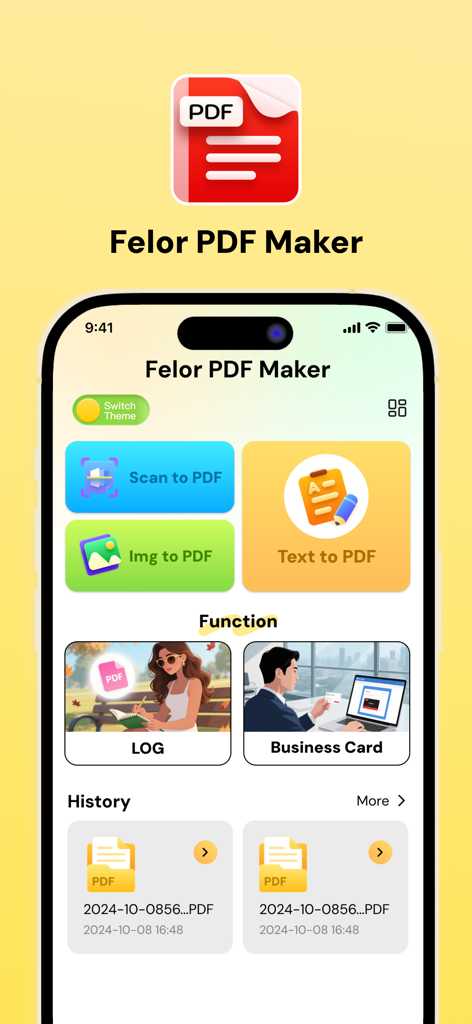
Main interface of the Felor PDF Maker app showing options for scanning, image to PDF, and business card templates
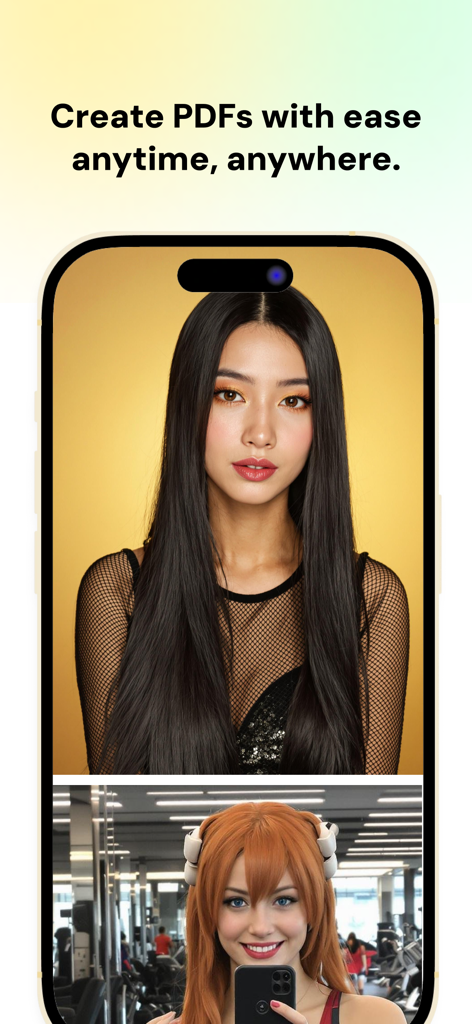
A mobile app screen for Felor PDF Maker with the headline Create PDFs with ease anytime anywhere.
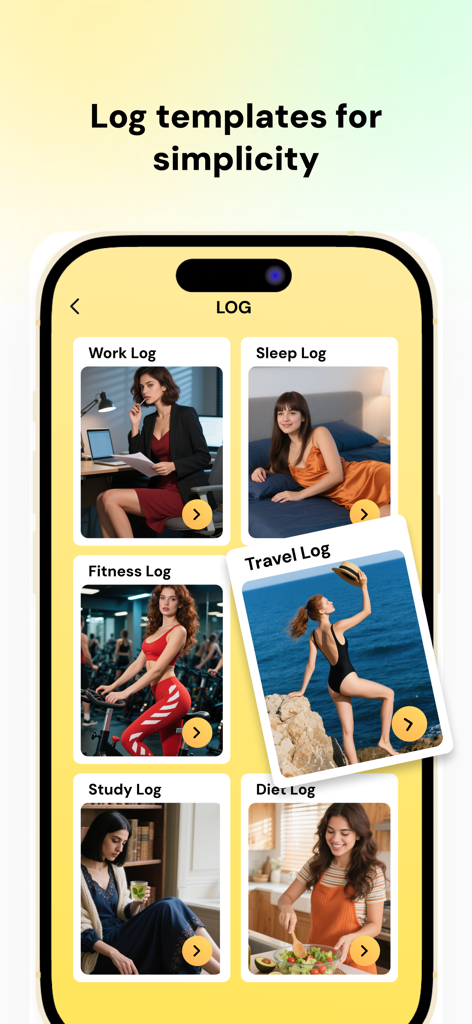
Felor PDF Maker interface displaying a selection of log templates including work fitness and travel tracking.
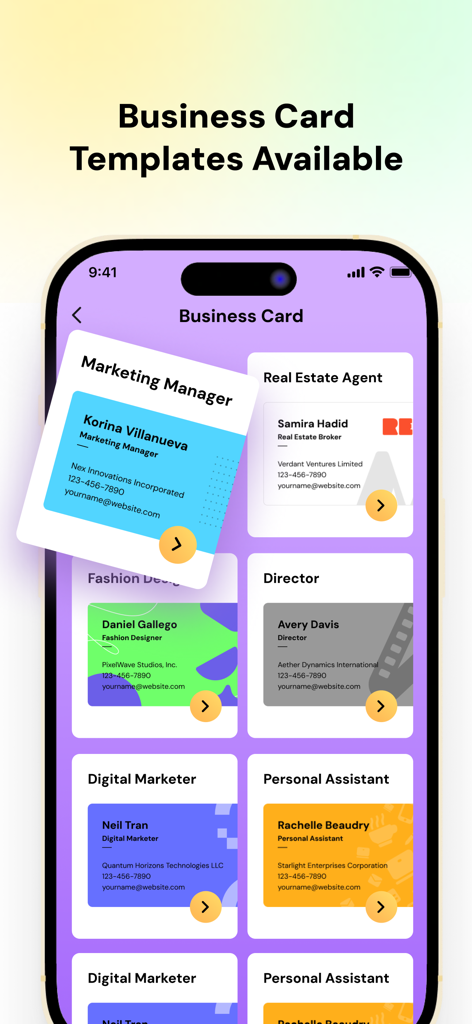
A variety of professional business card templates available in the Felor PDF Maker app interface
Description
Download
More Like This
Apps with similar features and user experience
This page is not an official page of the app or its developer, but an independent editorial publication created for informational and commentary purposes. Unless expressly stated otherwise, neither the app nor its developer is affiliated with, endorsed by, sponsored by, authorized by, or otherwise officially connected with MWM, Apple, Google Play, the app publisher, or the app's developer, and nothing on this page implies that the app was developed using MWM's services. Any trademarks, logos, screenshots, and other content remain the property of their respective owners.