File Converter to the Formats
Download on App Store

This page is not an official page of the app or its developer, but an independent editorial publication created for informational and commentary purposes. Unless expressly stated otherwise, neither the app nor its developer is affiliated with, endorsed by, sponsored by, authorized by, or otherwise officially connected with MWM, Apple, Google Play, the app publisher, or the app's developer, and nothing on this page implies that the app was developed using MWM's services. Any trademarks, logos, screenshots, and other content remain the property of their respective owners.

Logo of File Converter to the Formats
Download on App Store

File Converter to the Formats

The ultimate Swiss Army knife for mobile professionals. Convert images, videos, audio, and documents instantly and privately without ever uploading your sensitive data to the cloud.

Key Figures

Downloads

0

User Rating

4.2/5

Total Ratings

0

Publisher

AlgoTwist Ltd

Category

Photo & Video

Locales

12

Latest Version

1.8.1

Size

17.8 MB

First Released

Feb 16, 2019
Features

One Powerful Tool for Every File

Transform images, videos, documents, and archives in seconds—directly on your iPhone or iPad without ever sacrificing your privacy.

100% On-Device & Private

Your files never leave your device. All conversions happen locally, ensuring your sensitive data remains completely secure and offline.

Any Format, Any Time

Whether it's a Word doc for work, a video for social media, or a RAR archive, convert between hundreds of formats with just two taps.

The following screenshots and description are sourced directly from the app's official store listing and are the property of the app developer.

App Store

Screenshots
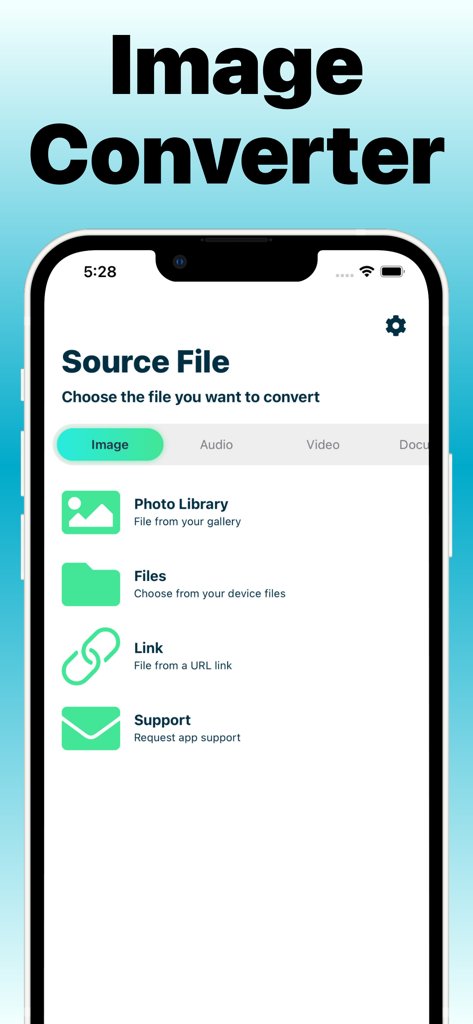
File Converter to the Formats - Mobile app interface showing options to select an image from the photo library or files for conversion
Mobile app interface showing options to select an image from the photo library or files for conversion

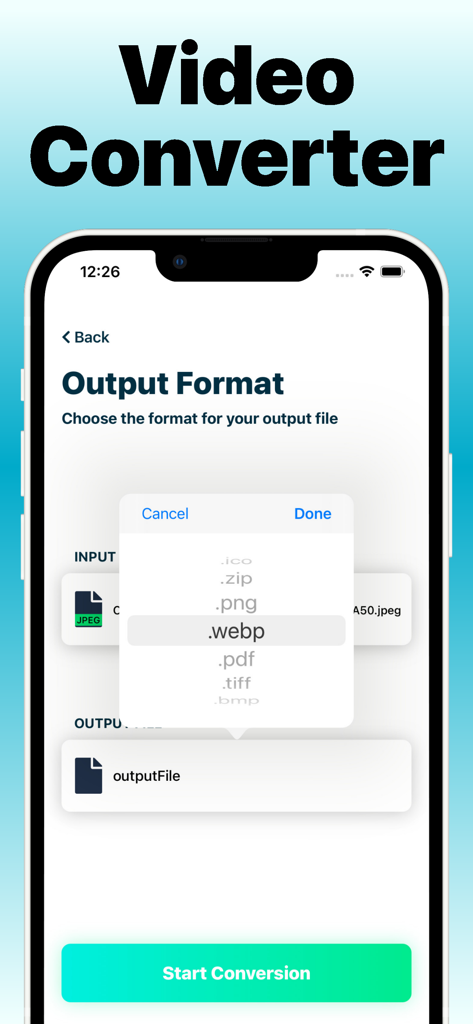
File Converter to the Formats - Mobile app interface showing the selection of webp as the output format for a file conversion

Mobile app interface showing the selection of webp as the output format for a file conversion
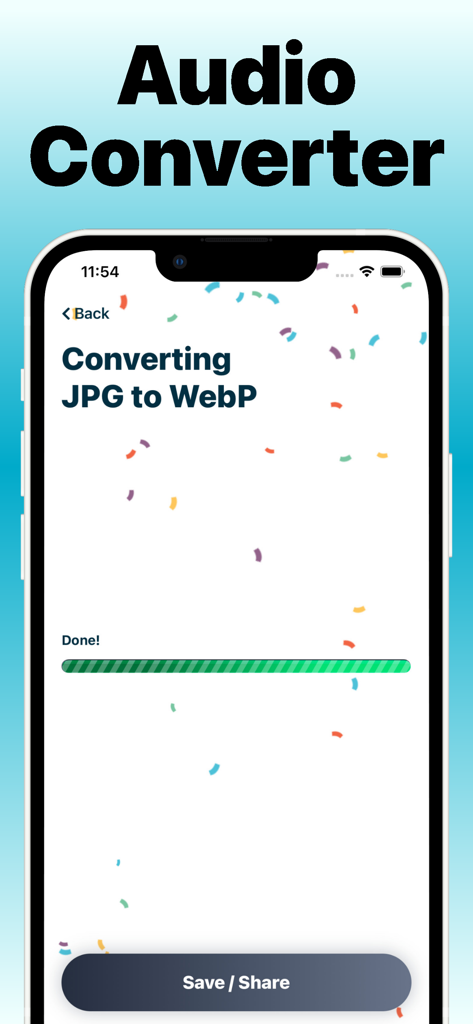
File Converter to the Formats - Mobile app interface showing a successful file conversion from JPG to WebP with a progress bar marked as Done and a Save or Share button
Mobile app interface showing a successful file conversion from JPG to WebP with a progress bar marked as Done and a Save or Share button

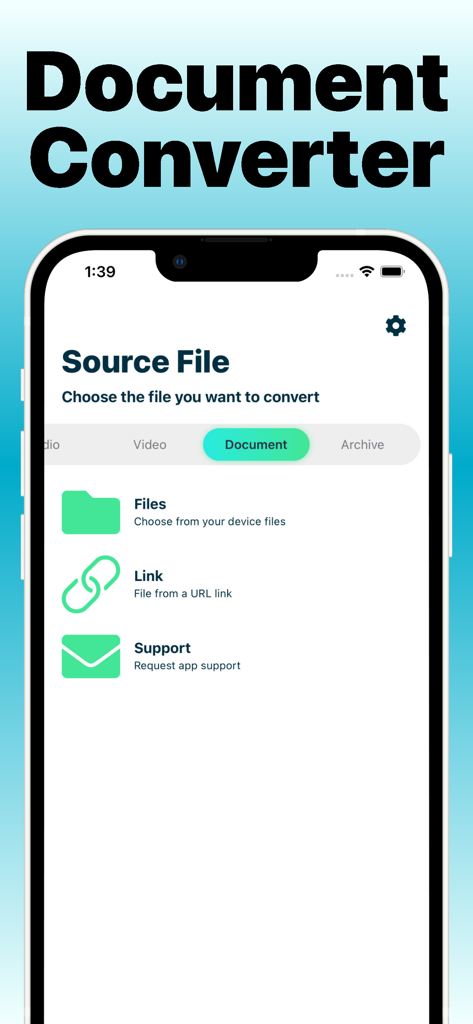
File Converter to the Formats - A screenshot of the File Converter app interface for selecting a document source file from device files or a link.
A screenshot of the File Converter app interface for selecting a document source file from device files or a link.

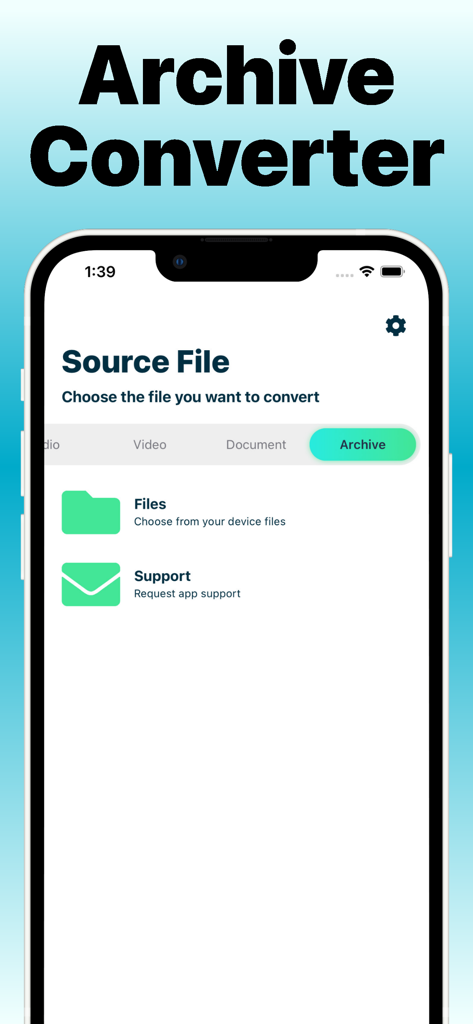
File Converter to the Formats - Screenshot of the File Converter app showing the Archive Converter section for selecting source files from the device.

Screenshot of the File Converter app showing the Archive Converter section for selecting source files from the device.

Description

Convert many formats easily, you are few taps away from your desired format! The app contains many great formats for many file types such as images, videos, audio files and archives. You can select input files in many ways such as: * Photo Library * Video Library * Link (Not for all types) * Files app * Import from other apps * iTunes Library After choosing your input file you'll select your desired output format and start converting! Conversion doesn't happen on any server but only on your device so it is fully secured and no one will have access to your files! There are many ways to contact support inside the app so if you've got any questions / requests / ideas, feel free to share it with us! Hope you'll have a great time converting files with the app! Currently Available Formats Conversion List: ************************* *** Images Conversion *** ************************* * BMP, PNG, WebP, JPG, TIFF, ICO -- to --> BMP, PNG, WebP, JPG, TIFF, ICO, Zip, 7z * BMP, PNG, WebP, JPG, TIFF, ICO -- to --> PDF * SVG -- to --> BMP, PNG, WebP, JPG, TIFF, ICO, Zip, 7z ************************** *** Archives Conversion *** ************************** * Videos, Images, Audio Files to 7z / zip * RAR -- to --> Zip, 7z * TAR -- to --> Zip, 7z * 7z -- to --> Zip * Zip -- to --> 7z ************************* *** Audio Conversion *** ************************* * Audio -- to --> Zip, 7z * MP3 -- to --> CAF, M4A, AIFF, WAV, OGG * CAF, WAV, AIFF, M4A, OGG -- to --> CAF, WAV, AIFF, M4A, OGG * MOV, M4V, MP4 -- to --> CAF, WAV, AIFF, M4A, OGG ************************* **** Video Conversion **** ************************* * Video -- to --> Zip, 7z * Video -- to --> Audio (file types below) * MOV, M4V, MP4 -- to --> CAF, WAV, AIFF, M4A, OGG * MOV, M4V, MP4, 3GP, 3G2 -- to --> GIF, APNG, Live Photo * MOV, MP4, M4V -> MOV, MP4, M4V * MOV, MP4, M4V -> 3GP * GIF -> MOV, MP4, M4V, 3GP, APNG, Live Photo **************************** *** Document Conversion *** **************************** * Word (docx / doc) -- to --> PDF, Zip, 7z, PNGs, JPGs * Powerpoint format (pptx / ppt) -- to --> PDF, Zip, 7z, PNGs, JPGs * PDF -- to --> Zip, 7z, PNGs, JPGs ************************** Subscriptions & Terms ************************** The usage of the File Converter to the Formats app requires a valid subscription. Our subscription plan is billed monthly. Free trial automatically converts to a paid subscription unless canceled at least 24-hours before the end of the trial period. Payment will be charged to iTunes Account at confirmation of purchase. All subscriptions automatically renew if it is not cancelled within 24 hours before the end of the current subscription period. Your account will be charged for the next subscription period up to 24 hours prior to the current subscription expiring. It is not possible to cancel an existing in-app subscription. You can disable the automatic renewal function at any time by adjusting your account settings. Any unused portion of a free trial period, if offered, will be forfeited when the user purchases a subscription to that publication, where applicable. Subscriptions may be managed by the user and auto-renewal may be turned off by going to the user's Account Settings after purchase. Privacy Policy and Terms of Use: https://www.algotwist.com/apps/file-converter/privacy-policy-and-terms-of-use

Download

Download on App Store

This page is not an official page of the app or its developer, but an independent editorial publication created for informational and commentary purposes. Unless expressly stated otherwise, neither the app nor its developer is affiliated with, endorsed by, sponsored by, authorized by, or otherwise officially connected with MWM, Apple, Google Play, the app publisher, or the app's developer, and nothing on this page implies that the app was developed using MWM's services. Any trademarks, logos, screenshots, and other content remain the property of their respective owners.