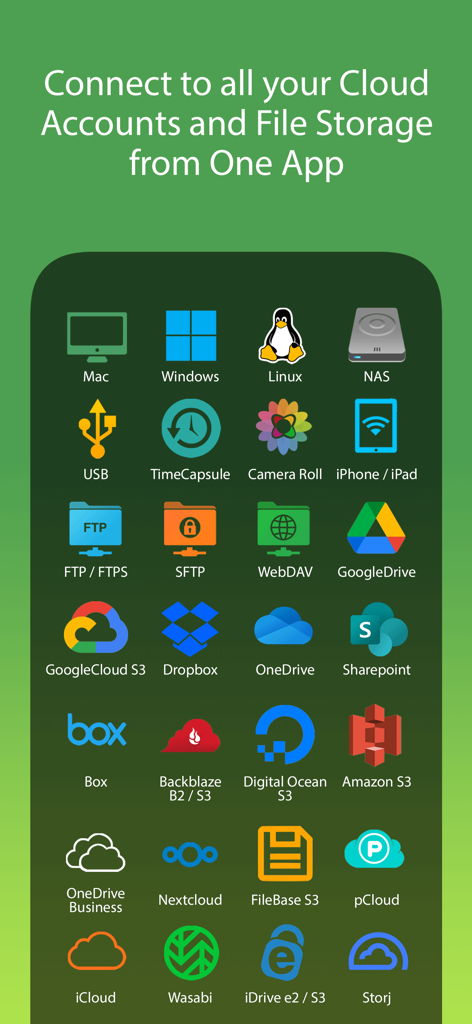
FileBrowser Professional

FileBrowser Professional

Download on App Store
Logo of FileBrowser Professional

FileBrowser Professional: Desktop-Class File Management for Pro Users

The ultimate tool for IT admins and creative professionals. Securely connect to NAS, servers, and 20+ cloud providers with bi-directional sync, in-place editing, and zero data tracking.

Download on App Store

Publisher

Stratospherix

Category

Business

Downloads

312K+

User Rating

4.7/5

Total Ratings

3K+

Locales

9

Efficiency Visualized

Discover the interface used by 312K+ users.

A grid of icons representing over 20 supported cloud and network storage platforms including Google Drive, Dropbox, Amazon S3, and NAS drives for FileBrowser Professional.
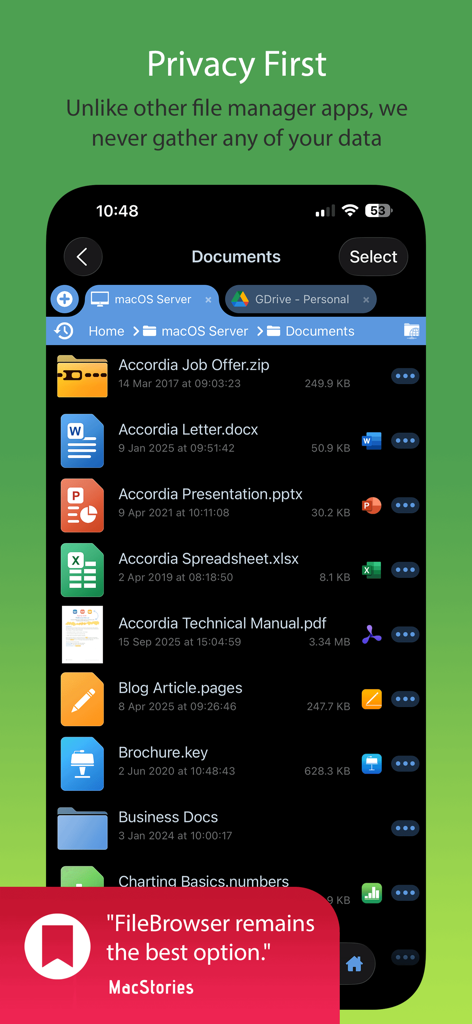
A grid of icons representing over 20 supported cloud and network storage platforms including Google Drive, Dropbox, Amazon S3, and NAS drives for FileBrowser Professional.

FileBrowser Professional app interface highlighting privacy and document management
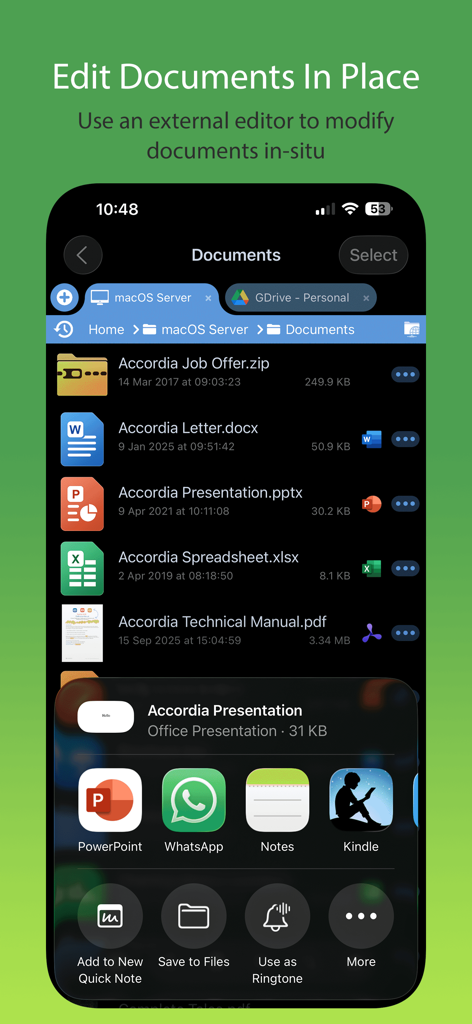
FileBrowser Professional app interface highlighting privacy and document management

FileBrowser Professional mobile app interface showing document management and in-place editing features
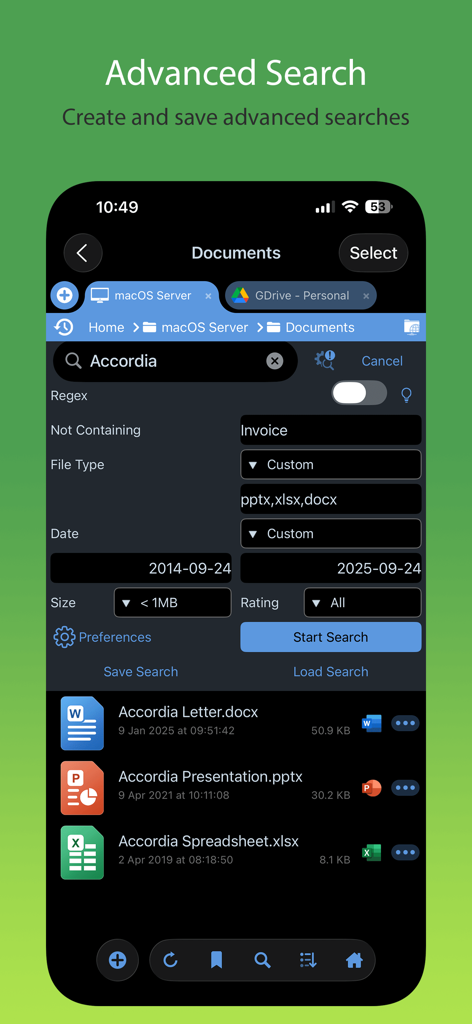
FileBrowser Professional mobile app interface showing document management and in-place editing features

Advanced search interface in FileBrowser Professional app showing filters for file types and dates
Advanced search interface in FileBrowser Professional app showing filters for file types and dates

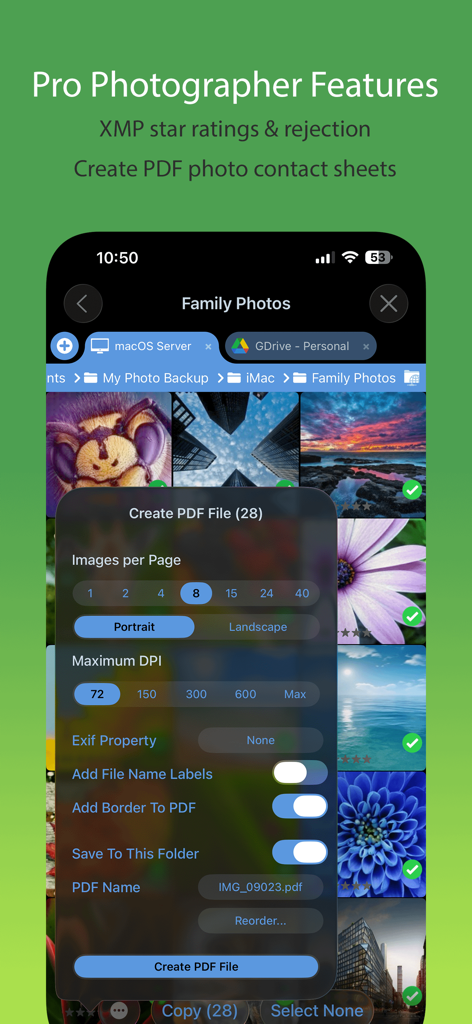
FileBrowser Professional app interface showing photo contact sheet creation and XMP rating features
FileBrowser Professional app interface showing photo contact sheet creation and XMP rating features

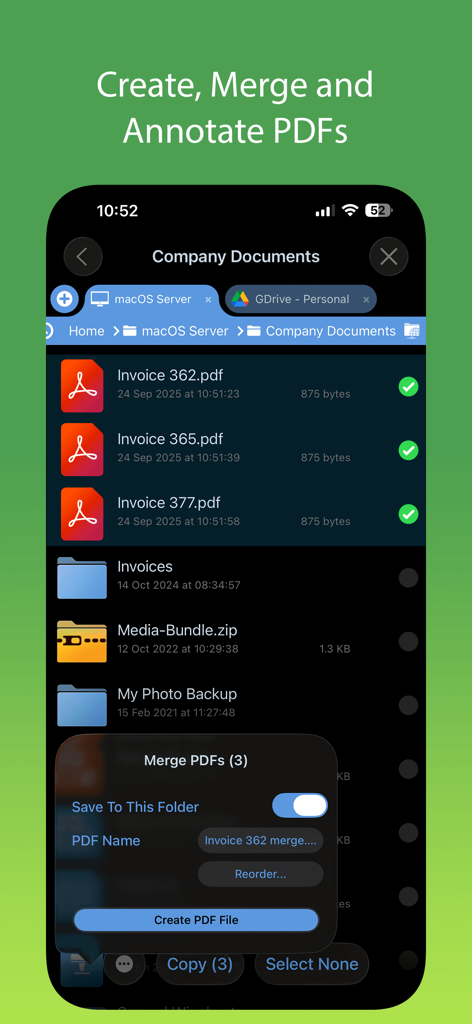
Interface for merging and managing PDF files in FileBrowser Professional.
Interface for merging and managing PDF files in FileBrowser Professional.

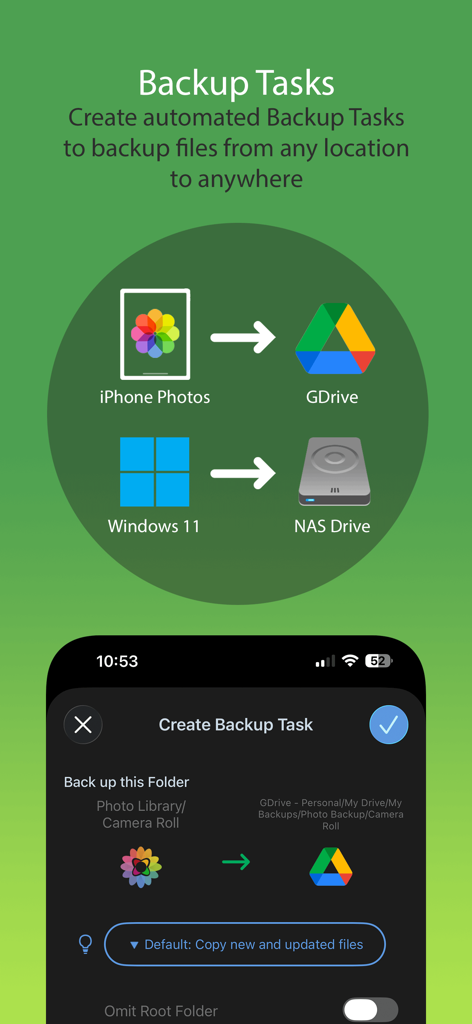
FileBrowser Professional interface showing automated backup tasks from mobile to cloud and NAS storage
FileBrowser Professional interface showing automated backup tasks from mobile to cloud and NAS storage

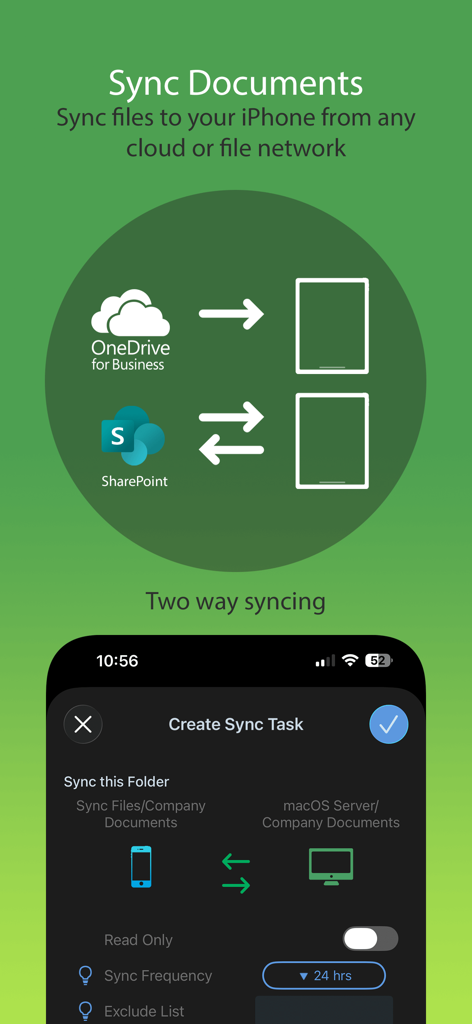
Graphic explaining two-way document syncing from cloud storage to iPhone within the FileBrowser Professional app
Graphic explaining two-way document syncing from cloud storage to iPhone within the FileBrowser Professional app

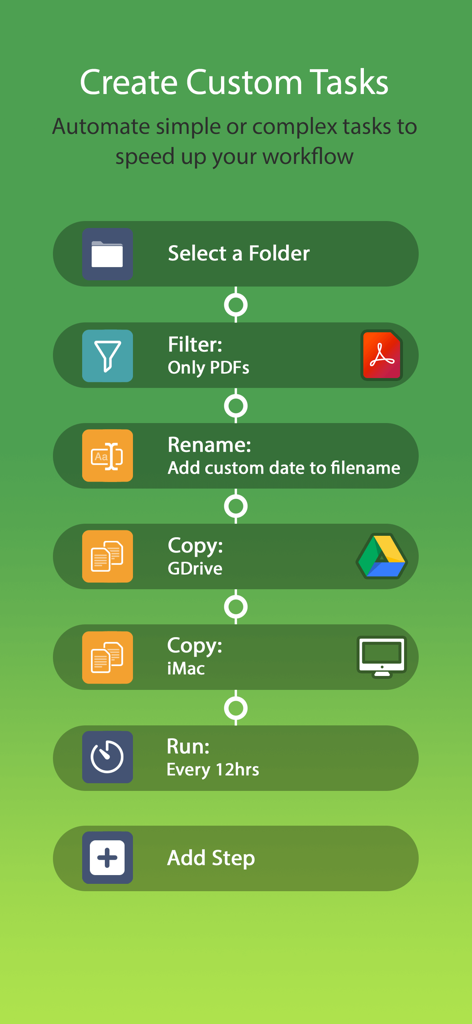
A flowchart showing how to create custom automation tasks in FileBrowser Professional including filtering PDFs, renaming, and copying to cloud and local storage.
A flowchart showing how to create custom automation tasks in FileBrowser Professional including filtering PDFs, renaming, and copying to cloud and local storage.

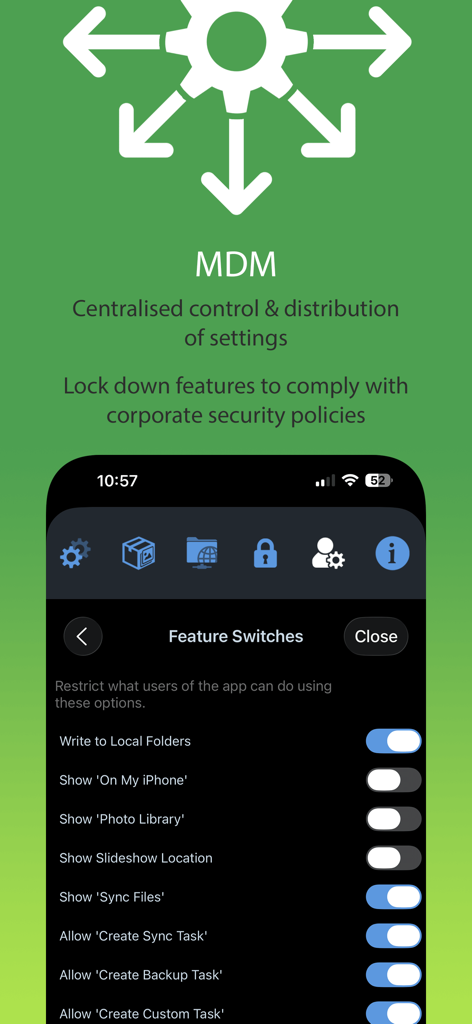
FileBrowser Professional MDM integration screen showing centralized feature switches and corporate security settings

FileBrowser Professional MDM integration screen showing centralized feature switches and corporate security settings

Desktop-Class Power for Your Mobile Workflow

The tools that make this app stand out, trusted by 312K+ users.

🌐

Universal Connectivity

Directly access Macs, PCs, NAS drives, and over 20 cloud services including OneDrive, SharePoint, and Amazon S3 in one unified interface.

Seamless In-Place Editing

Eliminate document duplication. Launch apps to edit files directly on your server and have changes save back automatically to the original source.

🔒

Privacy-First Security

Your data stays yours. We require no accounts and track no data, all while offering hardware encryption and full MDM integration for corporate compliance.

About the app

Everything you need to know about FileBrowser Professional.

Description

Professional document management for iOS, with bulk rename, backup and sync tasks. Edit your documents in-place, stream your media files and connect to over 20 different network and cloud storage locations. “Maximize the potential of what you can do with files on iOS” - Cult of Mac “FileBrowser remains the best option” - MacStories Direct and secure file access to your computers, servers and other storage devices on home or company networks. Core Features - Access file servers and cloud storage - View documents and optionally store them for offline viewing - Present a video, PowerPoint or Keynote direct from the server - Copy and move between any type of storage, from single files to whole directories - Bi-directional automatic sync of network folders to your iPad/iPhone - Backup local files to a network file server or cloud storage - Integrates with other apps allowing you to edit, save and share files while on the go - Integrates with your existing infrastructure, including Active Directory - Integrates with iOS data protection, utilising hardware-based encryption to secure content - Pro photographer XMP sidecar file support for rating images - VPN on-demand support for third-party VPN clients - Supports Microsoft Distributed File System (DFS) - Requires no additional software on company servers Office App Integration - No more duplication of documents between apps - Launch an Office app to edit a network document in-place - Changes are automatically saved to the original document - Scan documents or images direct to multi page PDF - Automatic colour and perspective correction of scanned documents MDM Integration - Centralised distribution of FileBrowser configuration settings - Enforced security lockdown - Conform to corporate Mobile Security Policies - Prevent users from changing local settings - Selectively override any local configuration setting - Distribute file server connection details - Control whether offline viewing/storage is permitted - Control whether content can be shared FileBrowser Professional uses the SMB1, SMB2, and SMB3 network access protocols (also known as CIFS or Windows File Sharing) to connect to: - Macs - PCs - NAS drives - Windows File Servers (including Windows Server Clusters) Access local storage - USB Drives - SD Cards - Folders of other apps - iCloud Drive folders of other apps - iOS Photo Library You can also connect to the following cloud storage - Microsoft OneDrive - Microsoft OneDrive for Business - Microsoft SharePoint 2013 or later - Box.com - Google Drive (including Shared Team Drives) - Dropbox (including Dropbox for Business) - Backblaze B2 - Amazon S3 - Nextcloud - pCloud - Digital Ocean S3 - FileBase S3 - Google Cloud S3 - iDrive Cloud S3 - Storj S3 - Wasabi S3 - WebDAV servers - FTP/FTPS servers - SFTP servers Unlike other file manager apps, we never gather any of your data. We also don't require you to create an account or register an email address with us. For fast friendly support please email support@stratospherix.com. We are happy to receive support emails in any language, but are only able to reply in English.

Latest Version

25.12

Size

78.2 MB

First Released

Apr 18, 2014

Master Your Mobile Workflow Today

Join over 312,000 professionals who trust FileBrowser Pro for desktop-grade file management, secure server access, and total privacy on iOS.

Download on App Store

App information, icons, screenshots, and descriptions displayed on this page are sourced from the Apple App Store and are the property of their respective developers. Download estimates and rankings are based on MWM's proprietary models and may not reflect actual figures. This page is provided for informational and analytical purposes only.

Believe this page infringes your intellectual property? File a dispute