Find My Earbuds: Device Finder

Find My Earbuds: Device Finder

Download on App Store
Logo of Find My Earbuds: Device Finder

Find My Earbuds: Locate Your Lost Headphones and Wearables in Seconds

Stop searching and start finding. Use our precision radar, directional compass, and haptic feedback to pinpoint your AirPods, Fitbit, or any Bluetooth device before the battery runs out.

Download on App Store

Publisher

LSA MANAGEMENT SERVICES AUSTRALIA PTY LTD

Category

Utilities

Downloads

5K+

User Rating

4.8/5

Total Ratings

0

Locales

1

Precision at a Glance

Discover the interface used by 5K+ users.

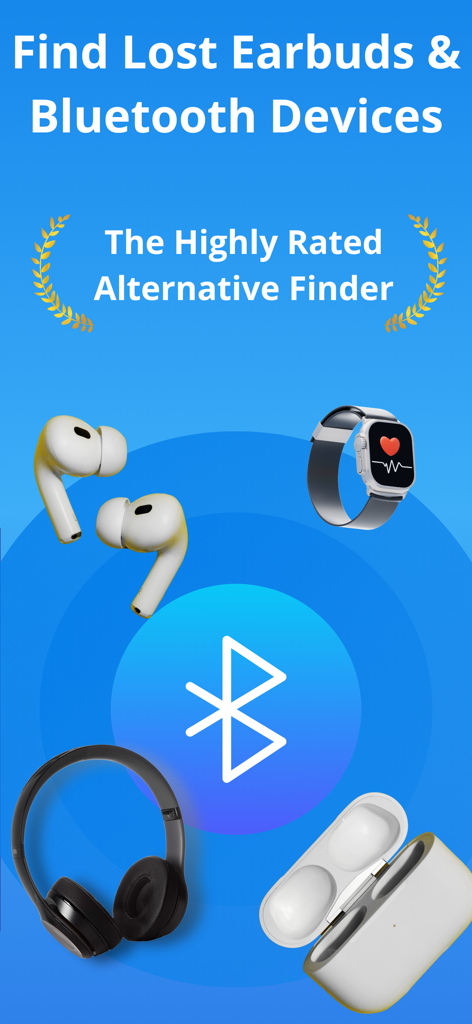
App screen for finding lost earbuds and Bluetooth devices showing icons of headphones and smartwatches
App screen for finding lost earbuds and Bluetooth devices showing icons of headphones and smartwatches

Smartphone screen showing a Bluetooth signal radar interface to track lost earbuds
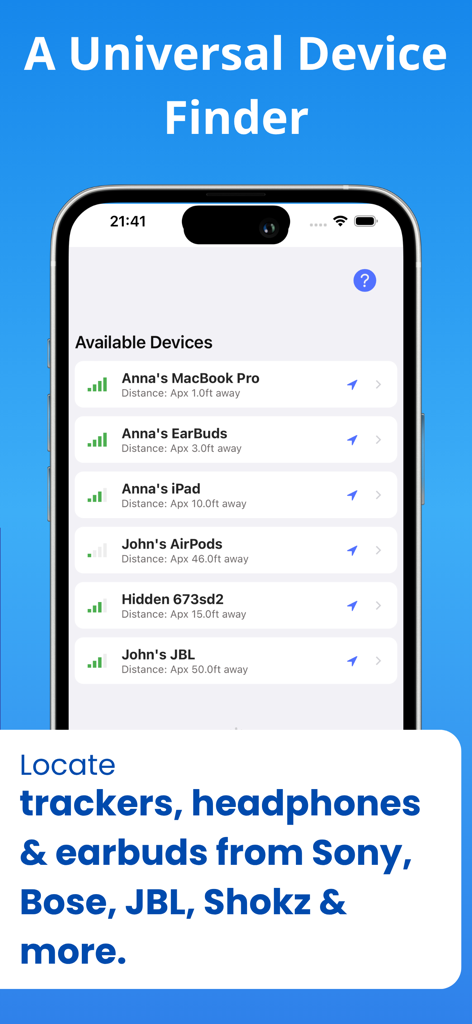
Smartphone screen showing a Bluetooth signal radar interface to track lost earbuds

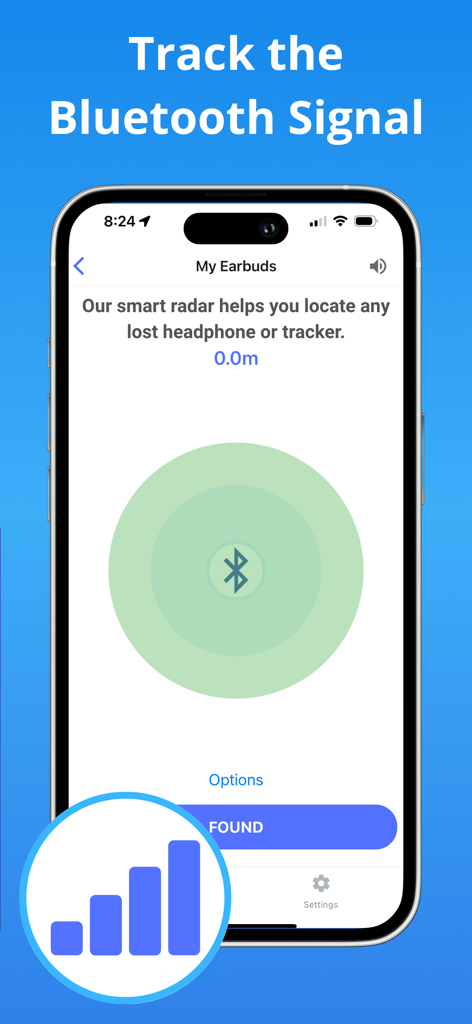
Find My Earbuds app showing a list of discovered Bluetooth devices with signal strength and distance
Find My Earbuds app showing a list of discovered Bluetooth devices with signal strength and distance

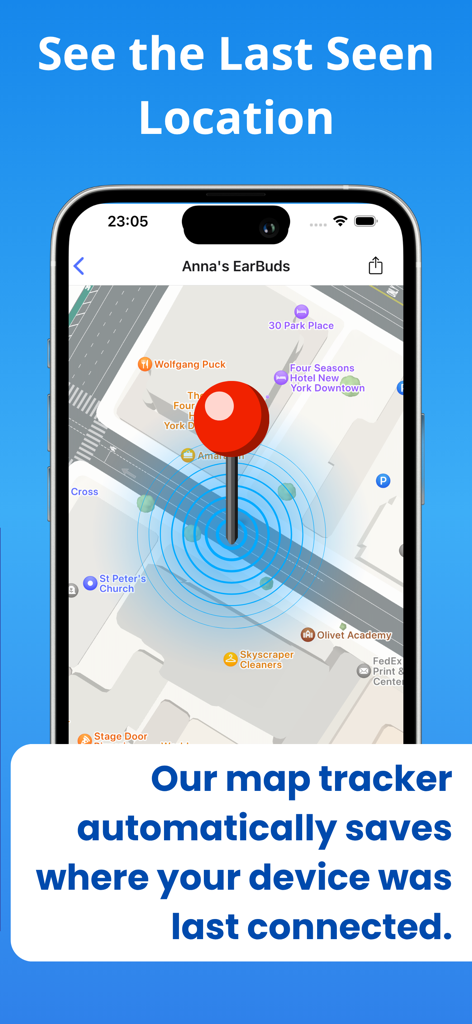
Map view in the app showing the last seen location of a lost device
Map view in the app showing the last seen location of a lost device

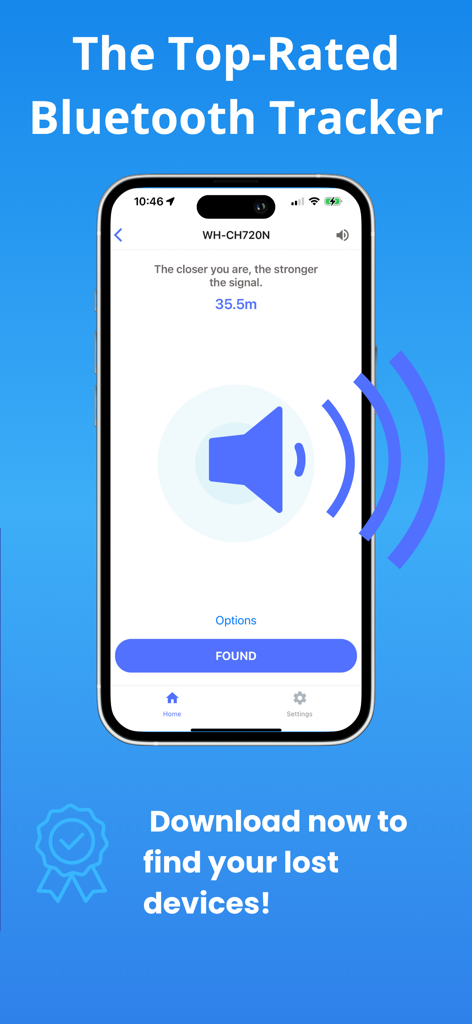
The tracking interface of the Find My Earbuds app showing signal strength for lost headphones

The tracking interface of the Find My Earbuds app showing signal strength for lost headphones

Stop Searching, Start Finding

The tools that make this app stand out, trusted by 5K+ users.

📡

Universal Device Recognition

Identify your devices by name—from Sony and Bose to Apple and Fitbit—instead of seeing confusing technical MAC addresses.

🧭

Smart Directional Compass

Eliminate the guesswork with a visual arrow and 'Hot or Cold' radar that leads you directly to your device’s exact hiding spot.

📳

Haptic Geiger Counter

Search eyes-free using audio and vibration cues that intensify as you get closer, perfect for finding items hidden under car seats or pillows.

About the app

Everything you need to know about Find My Earbuds: Device Finder.

Description

FIND LOST HEADPHONES, WATCHES & TRACKERS IN SECONDS. Lost your AirPods? Can't find your Fitbit? Dropped a specialized earbud in the couch? EarBuddy turns your iPhone into a high-powered Bluetooth scanner to track down your lost device before the battery runs out. HOW TO FIND YOUR LOST DEVICE: Open & Scan: Launch EarBuddy and grant Bluetooth access. The app will immediately start scanning for nearby signals. Find Your Item: Look for your device name in the list. Tip: Use the "Headphones" or "Watches" tabs to filter the list. If you don't see your device, tap the filter button to "Show Unnamed" devices. Enable Precision: Tap on your device. For the best results, allow "Always" location access so EarBuddy can track your movement accurately on the map. Follow the Signal: Walk around slowly. Watch the Signal Radar — the circle fills up and turns green as you get closer. Use the Compass: Switch to the Compass tab. If the signal is stable, the arrow will point you directly to your lost item. Check the Map: Tap the Map view to see the device’s last known pin and track your own movement path towards it. Found It! Once you recover your device, tap the "Found" button. (And if we saved your day, we’d love a review!)Don't spend hundreds of dollars on a replacement. EarBuddy uses advanced Bluetooth Low Energy (BLE) physics to pinpoint the exact location of your device. WORKS WITH VIRTUALLY ANY BLUETOOTH DEVICE Unlike other apps that only work with Apple products, EarBuddy is a universal scanner. We have tuned our radar to track: Audio: AirPods (All Gens), Beats, Sony, Bose, JLab, Tozo, Skullcandy, Jabra, Samsung Galaxy Buds. Fitness: Fitbit (Versa, Charge, Inspire), Garmin, Xiaomi Mi Band, Whoop. Smart Tags: Tile, Chipolo, Pebblebee, Samsung SmartTags. Other: Apple Pencil, iPad, Apple Watch, and portable speakers. KEY FEATURES: DIRECTION COMPASS (NEW!) Stop walking in circles. Our new Compass Mode analyzes signal shifts to point you in the right direction. Just follow the arrow to your lost item. PRECISION "HOT/COLD" RADAR Watch the signal strength meter move from "Cold" to "Hot" as you walk. Our Smart Signal Smoothing technology removes the "jitter" found in other apps, giving you a steady, reliable reading. "LAST SEEN" PIN DROP EarBuddy runs efficiently in the background. If your device disconnects (e.g., you left it at the gym), we automatically drop a pin on the Apple Map so you know exactly where to start looking. INTELLIGENT DEVICE RECOGNITION Tired of seeing "Unknown Device" or random MAC addresses? EarBuddy decodes the signal to tell you exactly what is nearby (e.g., "JLab JBuds Air" or "Fitbit Charge 5"). HAPTIC & AUDIO FEEDBACK Search without looking at your screen. The "Geiger Counter" mode beeps and vibrates faster as you get closer to your device—perfect for finding earbuds wedged deep under car seats or beds. LOVED BY USERS "I thought my $200 earbuds were gone forever. The radar led me right to the coat pocket I forgot I wore yesterday." "Finally, a scanner that actually names my Tozo headphones instead of just showing numbers!" TRANSPARENT & SECURE We believe in earning your trust. No Accounts Required: Just open and scan. No Data Selling: Your location data stays on your phone. Subscription Control: Manage your premium features directly from the Settings menu (See Image 2). Download EarBuddy now and find what you lost! Terms of Use: https://find-48e69.web.app/terms.html Privacy Policy: https://find-48e69.web.app

Latest Version

1.5.4

Size

50.0 MB

First Released

May 22, 2023

Stop Searching and Start Finding

Don't spend hundreds of dollars on a replacement. Download EarBuddy now to pinpoint your AirPods, Fitbit, or any Bluetooth device with high-precision radar.

Download on App Store

App information, icons, screenshots, and descriptions displayed on this page are sourced from the Apple App Store and are the property of their respective developers. Download estimates and rankings are based on MWM's proprietary models and may not reflect actual figures. This page is provided for informational and analytical purposes only.

Believe this page infringes your intellectual property? File a dispute