Find My Phone & Device
Download on App Store

This page is not an official page of the app or its developer, but an independent editorial publication created for informational and commentary purposes. Unless expressly stated otherwise, neither the app nor its developer is affiliated with, endorsed by, sponsored by, authorized by, or otherwise officially connected with MWM, Apple, Google Play, the app publisher, or the app's developer, and nothing on this page implies that the app was developed using MWM's services. Any trademarks, logos, screenshots, and other content remain the property of their respective owners.

Logo of Find My Phone & Device
Download on App Store

Find My Phone & Device

Stop panicking over misplaced electronics. Use our high-sensitivity radar and sound alarm to track down your headphones, watch, or phone before the battery runs out.

Key Figures

Downloads

147K+

User Rating

4.5/5

Total Ratings

3K+

Publisher

Raymond NG

Category

Lifestyle

Locales

1

Latest Version

2.2.8

Size

2.6 MB

First Released

Oct 11, 2019
Features

Find Your Devices in Seconds

Stop the panic and save your money. Our advanced Bluetooth tracker helps you locate lost AirPods, headphones, and wearables before the battery runs out.

Visual Signal Radar

Stop searching blindly. Our precision radar provides real-time distance feedback so you know exactly when you're getting warmer.

Remote Sound Alarm

Found the right room but still can't see them? Trigger a loud alarm to pinpoint earbuds hidden deep under cushions or inside bags.

The following screenshots and description are sourced directly from the app's official store listing and are the property of the app developer.

App Store

Screenshots
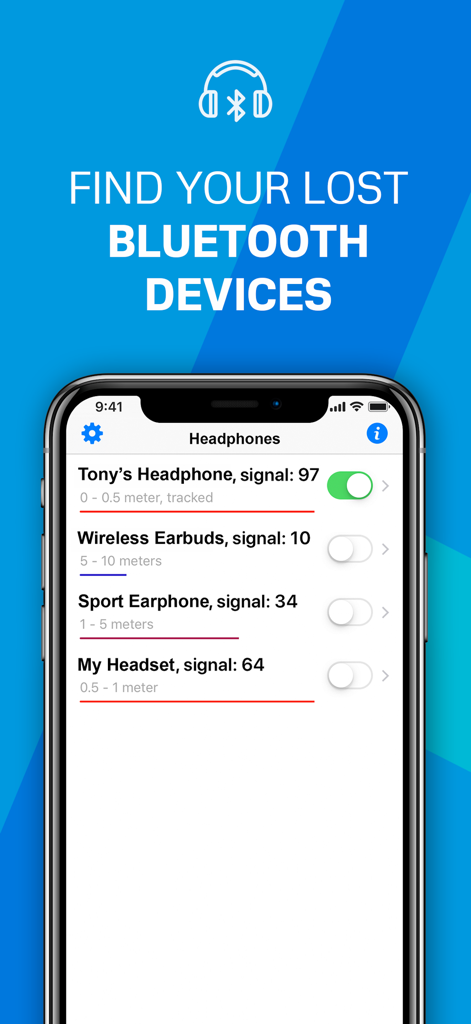
Find My Phone & Device - Interface of Find My Phone app showing a list of nearby Bluetooth devices with signal strength and distance
Interface of Find My Phone app showing a list of nearby Bluetooth devices with signal strength and distance

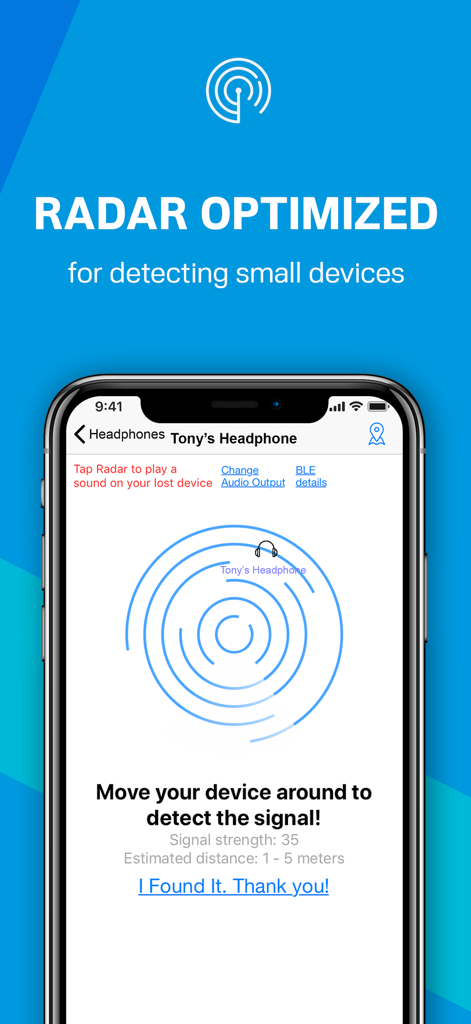
Find My Phone & Device - iPhone screen showing a Bluetooth radar interface for locating a lost headphone with signal strength and distance estimation
iPhone screen showing a Bluetooth radar interface for locating a lost headphone with signal strength and distance estimation

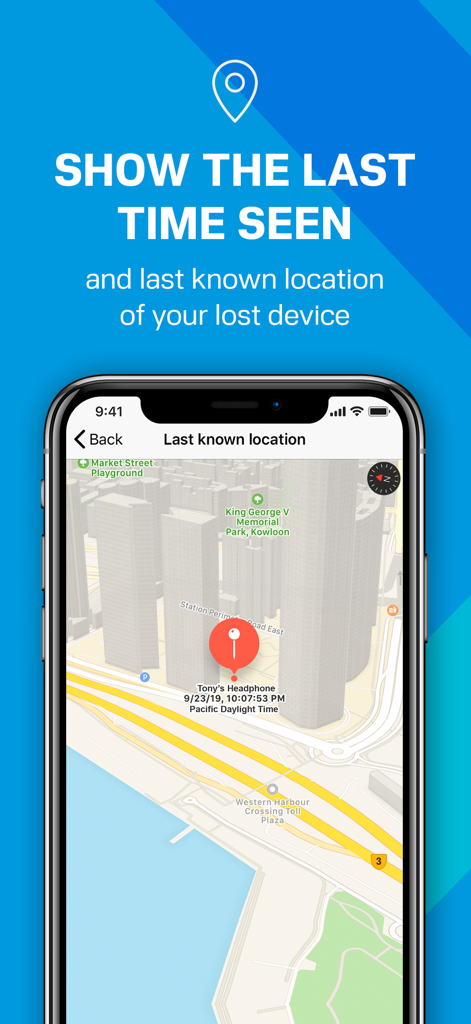
Find My Phone & Device - A map display within the app showing the last known location and timestamp of a lost Bluetooth device
A map display within the app showing the last known location and timestamp of a lost Bluetooth device

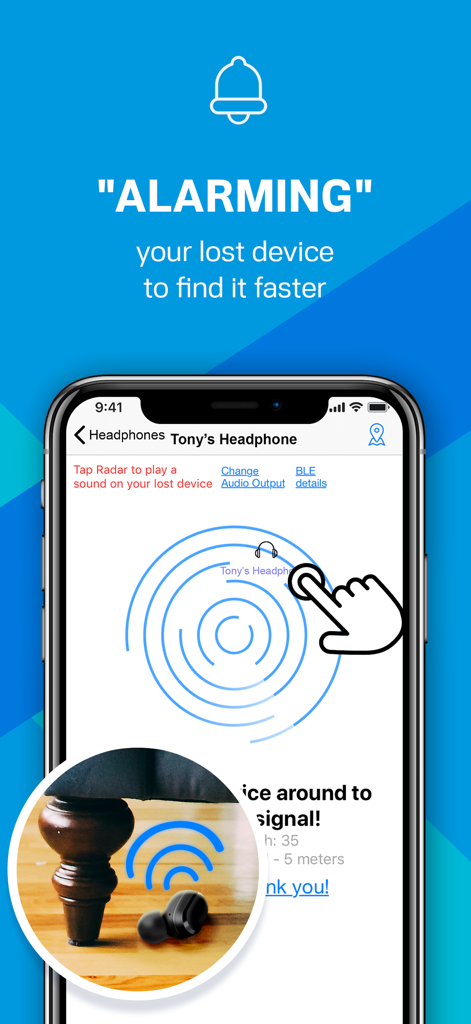
Find My Phone & Device - Find My Phone and Device app showing a radar interface and alarm feature to locate a lost earbud under a chair
Find My Phone and Device app showing a radar interface and alarm feature to locate a lost earbud under a chair

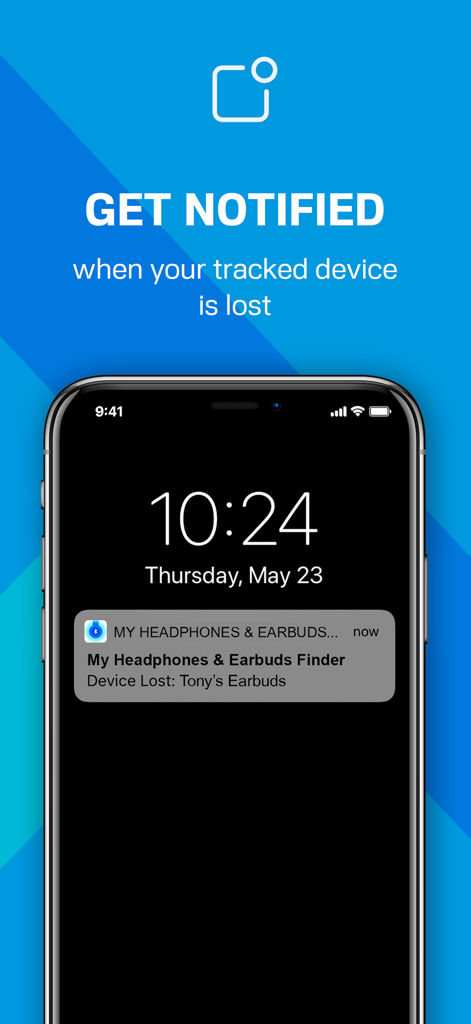
Find My Phone & Device - iPhone lock screen showing a notification alert for a lost Bluetooth earbud from the Find My Phone app
iPhone lock screen showing a notification alert for a lost Bluetooth earbud from the Find My Phone app

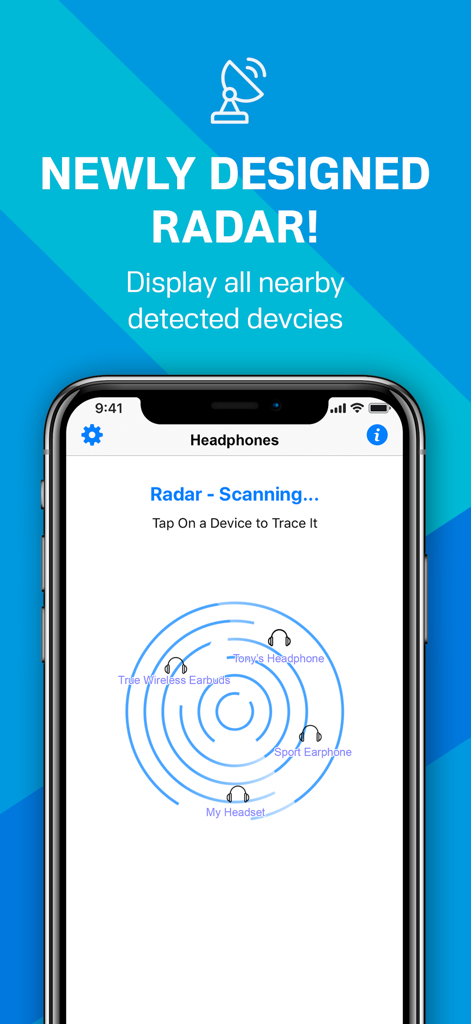
Find My Phone & Device - Screenshot of the Find My Phone and Device app showing a newly designed radar interface for locating nearby Bluetooth devices like headphones and earbuds.

Screenshot of the Find My Phone and Device app showing a newly designed radar interface for locating nearby Bluetooth devices like headphones and earbuds.

Description

Lost your Bluetooth Headphone, Earbud, Phone, or Device? If you want to find it, install this app! It'll help you find your lost device in seconds! Take action now, before the battery runs out! This app works with any BLE (Bluetooth Low Energy 4.0) Headphone, Earbud, Phone, or Device, including AirPods, Apple, Beats, Bose, Samsung, B&O, JBL, Sony, Jabra, and many other Bluetooth devices. Use it whenever you or your family misplace a device – and save the money you'd otherwise need to spend on a new one! "ALARMING" THE LOST HEADPHONE: When the signal strength is high, but you still can't see your headphone, you can use the app to play a sound alarm on your lost headphone so you can follow the sound. This help you find your lost headphone faster and more easily than just randomly looking around. To play a sound on your lost headphone, please tap "Change Audio Output" on the Radar screen and select your lost headphone as the audio output. Increase the volume to maximum, then tap the radar to play the alarm sound on your lost headphone. RADAR OPTIMIZED FOR DETECTING HEADPHONES: Some small headphones may radiate a weaker Bluetooth BLE signal compared to normal Bluetooth devices. To better detect these headphones and find them more easily, turn ON the "Optimize the sensitivity" option in the Settings screen. This will increase the sensitivity of the signal detection, so the reported signal strength will be more accurate. TRACKING FUNCTION: You can enable tracking for devices in the background by turning on the switch next to the device on the list, the application will then ping the tracked devices from time to time and remember the last location and time the device was seen. This is very useful when you’re travelling and want to keep your devices safe. You will receive a notification when your tracked device is disconnected or lost. When you tap the notification message on the Lock screen, it will open the app and shows the last known location and time of your lost device on a map. MORE APP FEATURES: • Find your lost device using our exclusively designed radar. It's fun! No need to read a manual. • Show hints, signal strength, and the estimated distance between you and your lost device to help you find it quickly. • Show the last seen (detected) time and last known location of your lost device on a map. • Show your device's BLE details such as UUID, RSSI, Services, etc. • The following Bluetooth devices can be found/tracked by this app: - AirPods, AirTag, iPhone, iPad, MacBook, Apple Watch, etc. - Beats Solo (Buds), Powerbeats Pro, Beats Studio Pro (Buds), Beats Fit Pro, Beats Fit Pro, Pill, etc. - Bose Noise Cancelling Earbuds & Headphones, QuietComfort, SoundLink, Sport, QuietControl, etc. - Sony Wireless Noise Cancelling Headphones, Truly Wireless, WF-1000XM, WH-1000XM, LinkBuds, etc. - Jabra Elite, Active, Evolve, Move, Classic, Storm, Extreme, PRO, etc. - Many other Bluetooth headphones, earbuds, and speakers (e.g., Audio-Technica, B&O, Google, Jaybird, JBL, Samsung, Sennheiser, etc.). NOTE: The app can locate any Bluetooth device that is broadcasting a BLE signal. FAQ: What is the difference between "Bluetooth BLE Device Finder" app and this "Find My Phone & Device" app? This app provides more functions (e.g. Alarming Headphone, New Radar). Also, it is optimized for detecting small headphones/earbuds/devices that radiates a weaker Bluetooth signal compared to normal Bluetooth devices. To better detect these headphones/earbuds/devices and help users find them more easily, users can turn ON the "Optimize the sensitivity" option in the Settings screen. This will increase the sensitivity of the signal detection, so the reported signal strength will be more accurate for small Bluetooth devices with a weak BLE signal. Privacy Policy: http://www.99mobileapp.com/pp.html Terms: http://www.99mobileapp.com/terms/index.html

Download

Download on App Store

This page is not an official page of the app or its developer, but an independent editorial publication created for informational and commentary purposes. Unless expressly stated otherwise, neither the app nor its developer is affiliated with, endorsed by, sponsored by, authorized by, or otherwise officially connected with MWM, Apple, Google Play, the app publisher, or the app's developer, and nothing on this page implies that the app was developed using MWM's services. Any trademarks, logos, screenshots, and other content remain the property of their respective owners.








