
This page is not an official page of the app or its developer, but an independent editorial publication created for informational and commentary purposes. Unless expressly stated otherwise, neither the app nor its developer is affiliated with, endorsed by, sponsored by, authorized by, or otherwise officially connected with MWM, Apple, Google Play, the app publisher, or the app's developer, and nothing on this page implies that the app was developed using MWM's services. Any trademarks, logos, screenshots, and other content remain the property of their respective owners.

Flamingo Scooters
Skip the traffic and enjoy the ride. Join over 500,000 users who choose the highest-rated scooter app for effortless, eco-friendly urban travel.
Downloads
513K+User Rating
Total Ratings
4K+Publisher
Category
TravelLocales
1Latest Version
2.15.1Size
86.2 MBFirst Released
Jun 3, 2019Ride Smarter, Move Faster
Join thousands of urban commuters who choose Flamingo for a seamless, eco-friendly, and traffic-free way to navigate the city.
Instant Unlock
Skip the paperwork. Download, scan, and start your ride in four easy steps designed for life on the move.
Beat the Traffic
Zip past gridlock and avoid expensive parking. Reach your destination faster and with zero stress.
Frequently Asked Questions
Everything you need to know about Flamingo Scooters
What is the Flamingo app?
The Flamingo app provides electric scooter and bike share services, allowing users to find, unlock, and ride scooters or bikes through a simple four-step process.
How do I start riding a Flamingo scooter?
To start riding a Flamingo scooter, users download the app, create an account, then find and unlock a scooter or bike via the app.
Does Flamingo Scooters offer bike sharing?
Yes, the Flamingo app offers both electric scooter and bike share services, as indicated by the app's description and interface.
Is Flamingo Scooters a New Zealand company?
Flamingo Scooters is proudly Kiwi owned and operated. The company is based in New Zealand.
How do I unlock a scooter using the Flamingo app?
Users unlock a Flamingo scooter or bike by scanning the QR code located on the handlebars directly through the Flamingo app.
Can I track my ride distance and time with the Flamingo app?
Yes, the Flamingo app displays ride details such as the vehicle's range and the elapsed time during a trip.
Does the Flamingo app have a beginner mode for scooters?
Yes, the Flamingo app features a "Beginner Mode" which reduces the scooter's speed and acceleration, designed for new riders.
The following screenshots and description are sourced directly from the app's official store listing and are the property of the app developer.
App Store
Screenshots
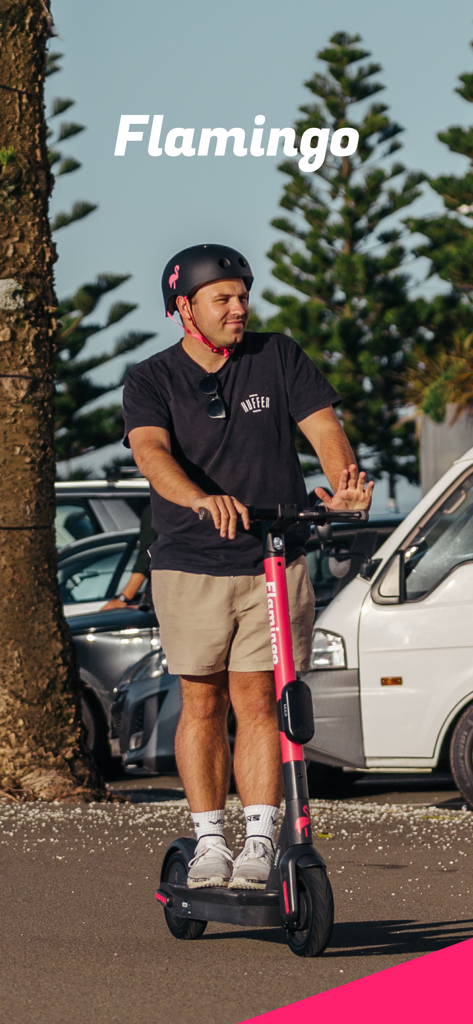
A man wearing a helmet riding a pink Flamingo electric scooter in a city setting
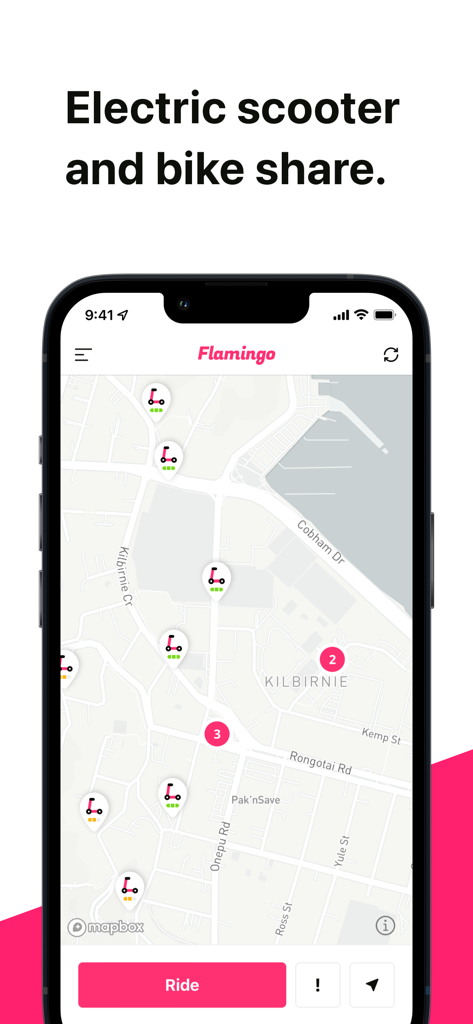
Interface of Flamingo Scooters app displaying a map with available electric scooters for rent
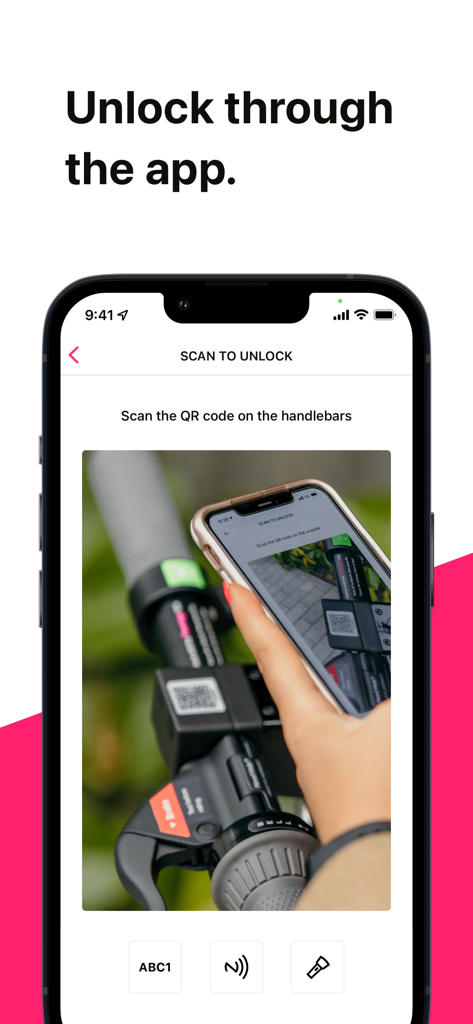
A smartphone screen displaying the scan to unlock feature for a Flamingo scooter with a QR code.
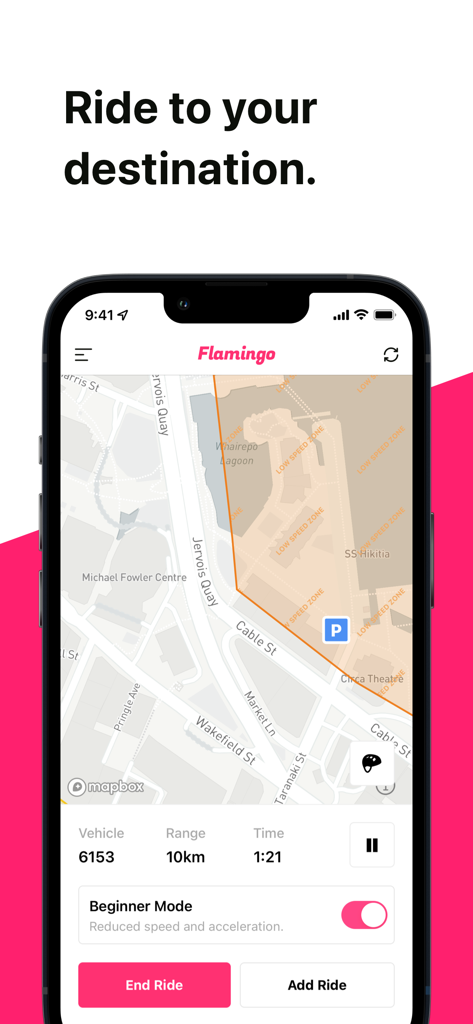
Flamingo Scooters app interface showing an active ride map with vehicle range and beginner mode enabled.
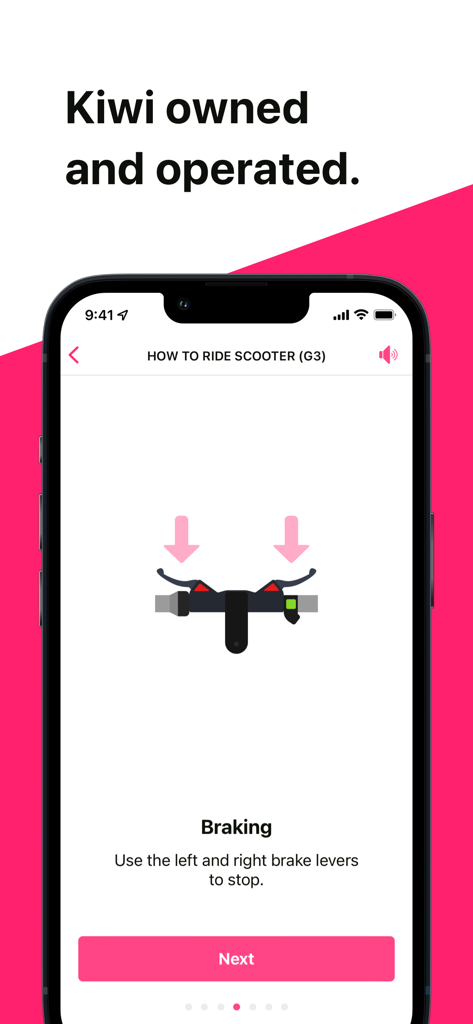
Flamingo Scooters app tutorial screen showing how to use the brake levers to stop

Flamingo Scooters app splash screen featuring a white flamingo logo on a bright pink background
Description
Download
More Like This
Apps with similar features and user experience

Lime - #RideGreen
Neutron Holdings. Inc.

Whoosh.bike
VUSH, OOO

Voi – e-scooters & e-bikes
VOI Technology AB

HelloRide-Enjoy your ride
HELLOBIKESG PTE. LTD.
Bird — Ride Electric
Blue Jay Transit Inc.

Anywheel
Anywheel Pte. Ltd.
Beam - Escooter Sharing
APAC Escooters Pte. Ltd.

Veo
VEORIDE INC
Rabbit Mobility
Rabbit Mobility B.V.
This page is not an official page of the app or its developer, but an independent editorial publication created for informational and commentary purposes. Unless expressly stated otherwise, neither the app nor its developer is affiliated with, endorsed by, sponsored by, authorized by, or otherwise officially connected with MWM, Apple, Google Play, the app publisher, or the app's developer, and nothing on this page implies that the app was developed using MWM's services. Any trademarks, logos, screenshots, and other content remain the property of their respective owners.