
This page is not an official page of the app or its developer, but an independent editorial publication created for informational and commentary purposes. Unless expressly stated otherwise, neither the app nor its developer is affiliated with, endorsed by, sponsored by, authorized by, or otherwise officially connected with MWM, Apple, Google Play, the app publisher, or the app's developer, and nothing on this page implies that the app was developed using MWM's services. Any trademarks, logos, screenshots, and other content remain the property of their respective owners.


Lime - #RideGreen
Urban sprawl surrenders. The app equips users with instant, emissions-free transport access, transforming city navigation into a personal command.
Downloads
50M+User Rating
Total Ratings
4.5MPublisher
Category
TravelLocales
26Latest Version
3.256.0Size
189.8 MBFirst Released
May 9, 2017Lime - #RideGreen: Key Feature Analysis
An evaluation of core functionalities driving urban micro-mobility adoption.
On-Demand E-Mobility Access
The app provides immediate access to a shared fleet of e-bikes and e-scooters, enabling convenient and flexible short-distance urban travel.
Sustainable Transport Solution
The app provides access to emissions-free e-bikes and e-scooters, supporting sustainable and environmentally conscious urban commuting.
Real-time Vehicle Locator
It allows users to easily locate and view the real-time availability of nearby Lime vehicles on an interactive map, ensuring quick access when needed.
Flexible Unlocking Options
This tool features diverse options for unlocking vehicles, including QR code scanning, manual plate number entry, or a simple in-app button, enhancing user convenience.
Safety & Responsibility Guidance
It outlines and promotes responsible riding practices, such as using bike lanes and proper parking, contributing to rider safety and community respect.
User Account Management
The app provides a straightforward process for users to create an account, accept terms, and access their profile for managing rides and preferences.
Frequently Asked Questions
Everything you need to know about Lime - #RideGreen
What is the Lime app?
The Lime app provides access to emissions-free e-bikes and e-scooters for shared, affordable, and carbon-free urban transportation. Users locate and unlock nearby vehicles for their journeys.
How do I start a ride with the Lime app?
To start a Lime ride, download the app, create an account, then find a nearby vehicle on the map. Unlock it by scanning the QR code, entering the plate number, or tapping a button in the app.
What types of vehicles does Lime offer for sharing?
The Lime app offers emissions-free e-bikes and e-scooters for shared transportation. Vehicle availability depends on your city and supply.
How do users find available Lime vehicles?
Users find available Lime vehicles on the in-app map. Vehicle availability varies by city and supply. The app displays nearby e-bikes and e-scooters.
How do I unlock a Lime e-bike or e-scooter?
You unlock your Lime vehicle by scanning the QR code, entering the plate number, or by tapping a button directly on the app screen.
What are the safety rules for riding Lime e-bikes and e-scooters?
Lime requires riders to ride in bike lanes (never on sidewalks), wear a helmet, and park clear of walkways, driveways, and access ramps. Additional safety information is available online.
Does the Lime app support group rides?
Yes, the Lime app supports group rides. Users can initiate a 'Group ride' feature within the app to ride with friends.
How does Lime calculate its pricing for rides?
Lime calculates its prices based on factors detailed in its terms and conditions. Users can find more information about pricing models on the official Lime user agreement page.
Does Lime offer discounts or ride passes?
Yes, Lime offers 'Lime Prime' for discounts and exclusive perks, and 'Ride Passes' for unlimited rides at a single price. These options allow users to save on rides.
Where can I find the Lime app's privacy policy?
The Lime app's privacy policy is available online. Users can access the full details at the provided URL: https://www.li.me/legal/privacy-policy/.
The following screenshots and description are sourced directly from the app's official store listing and are the property of the app developer.
App Store
Screenshots

Urban Mobility Freedom
Discover how two users are prepared for their journey, showcasing the app's provision of readily available Lime e-scooters for urban exploration.
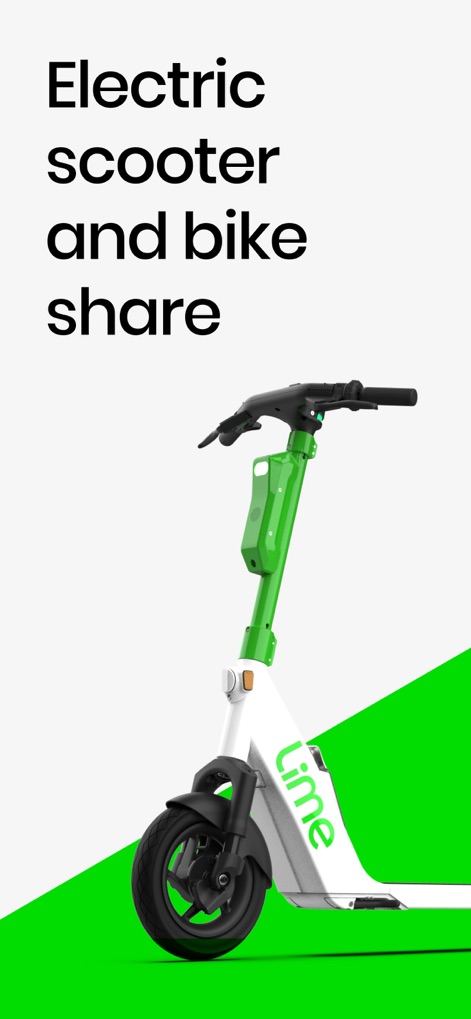
Eco-Ride Options
Explore the variety of sustainable transportation options offered, specifically highlighting the sleek Lime e-scooter and the clear 'Electric scooter and bike share' description.

Locate Your Ride
The app simplifies finding available transportation, illustrating how users can quickly locate nearby Lime vehicles on an interactive map, including both bike and scooter options.

Dynamic Map View
Experience uninterrupted urban travel as the app displays the user's real-time location and provides detailed available vehicle information, including battery levels.

Unlock Simplicity
Gain immediate access to a ride by utilizing the app's straightforward 'Scan to unlock' interface and its integrated QR code scanner.
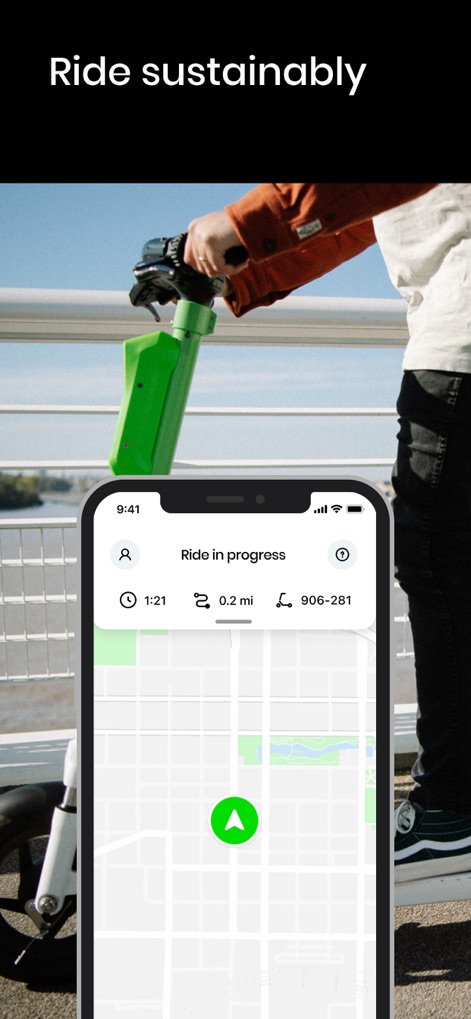
Track Your Progress
Monitor your journey effortlessly with the app, which clearly displays active ride details like the elapsed time and the distance covered.

Social Riding
Facilitate shared experiences with friends, as the app features a dedicated 'My group' section and displays multiple rider profiles within a single session.

Savings & Perks
Unlock greater value with the app's financial incentives, including detailed information on 'Lime Prime' benefits and various 'Ride Passes' options.
Description
Download
More Like This
Apps with similar features and user experience

Whoosh.bike
VUSH, OOO

Voi – e-scooters & e-bikes
VOI Technology AB

HelloRide-Enjoy your ride
HELLOBIKESG PTE. LTD.

Bird — Ride Electric
Blue Jay Transit Inc.

Flamingo Scooters
FLAMINGO TECHNOLOGIES LIMITED

Anywheel
Anywheel Pte. Ltd.

Beam - Escooter Sharing
APAC Escooters Pte. Ltd.

Veo
VEORIDE INC

Rabbit Mobility
Rabbit Mobility B.V.
This page is not an official page of the app or its developer, but an independent editorial publication created for informational and commentary purposes. Unless expressly stated otherwise, neither the app nor its developer is affiliated with, endorsed by, sponsored by, authorized by, or otherwise officially connected with MWM, Apple, Google Play, the app publisher, or the app's developer, and nothing on this page implies that the app was developed using MWM's services. Any trademarks, logos, screenshots, and other content remain the property of their respective owners.