
This page is not an official page of the app or its developer, but an independent editorial publication created for informational and commentary purposes. Unless expressly stated otherwise, neither the app nor its developer is affiliated with, endorsed by, sponsored by, authorized by, or otherwise officially connected with MWM, Apple, Google Play, the app publisher, or the app's developer, and nothing on this page implies that the app was developed using MWM's services. Any trademarks, logos, screenshots, and other content remain the property of their respective owners.


Veo
Skip the traffic and reduce your carbon footprint with the top-rated app for e-scooters and e-bikes. Scan, unlock, and reach your destination faster.
Downloads
5M+User Rating
Total Ratings
106K+Publisher
Category
TravelLocales
12Latest Version
4.51.0Size
136.8 MBFirst Released
Oct 21, 2017The Smarter Way to Navigate Your City
Join millions of urban explorers and commuters using Veo to skip traffic, save time, and enjoy the ride with our diverse fleet of e-scooters and bikes.
A Ride for Every Need
Choose from stand-up e-scooters for quick hops or premium seated e-bikes for a more comfortable, professional commute.
Beat the Traffic
Zip past congestion and arrive to class or work on time without the stress of parking fees or expensive ride-shares.
Frequently Asked Questions
Everything you need to know about Veo
What is Veo and what does the Veo app do?
Veo makes commuting easier by providing access to e-scooters, bikes, and e-bikes. The app allows users to find, unlock, and ride these vehicles, then park them in designated zones.
What types of vehicles does Veo offer through its app?
Veo offers a variety of personal electric vehicles, including e-scooters, bikes, and e-bikes. These options are available for users to find and ride using the Veo app.
How do I start a ride with a Veo e-scooter or bike?
To start a Veo ride, first find the closest e-scooter, bike, or e-bike using the app. Then, scan its QR code or enter the vehicle's ID number within the app to unlock it.
How do I end my ride using the Veo app?
To end your Veo ride, park the vehicle in a designated zone shown in the app. Then, tap the "End Ride" button within the app or push down the lever on a bike lock to stop the fare.
Does Veo require users to park in specific areas?
Yes, Veo requires users to park their e-scooters, bikes, or e-bikes in designated parking zones. These zones are clearly indicated within the Veo app for convenience.
How can I contact Veo customer support for questions about the app or service?
For any questions regarding Veo, you can send an email to hello@veoride.com. Additionally, you can visit their official website at www.veoride.com for more information.
What benefits does a VeoPlus monthly membership offer?
A VeoPlus monthly membership includes benefits like no unlock fees, Bluetooth usage for music or directions, potential free months for frequent riders, and perks in every Veo city, with options to cancel anytime.
How do VeoPasses work for discounted rides?
VeoPasses offer free unlocks and discounted ride minutes, available in bundles like 30, 60, or 140 minutes. Each pass has a specific validity period, such as one, three, or seven days.
Does the Veo app support group rides?
Yes, the Veo app supports group rides. Users can manage a group directly from the app interface, as indicated by the "Manage Group" option visible during a ride.
The following screenshots and description are sourced directly from the app's official store listing and are the property of the app developer.
App Store
Screenshots
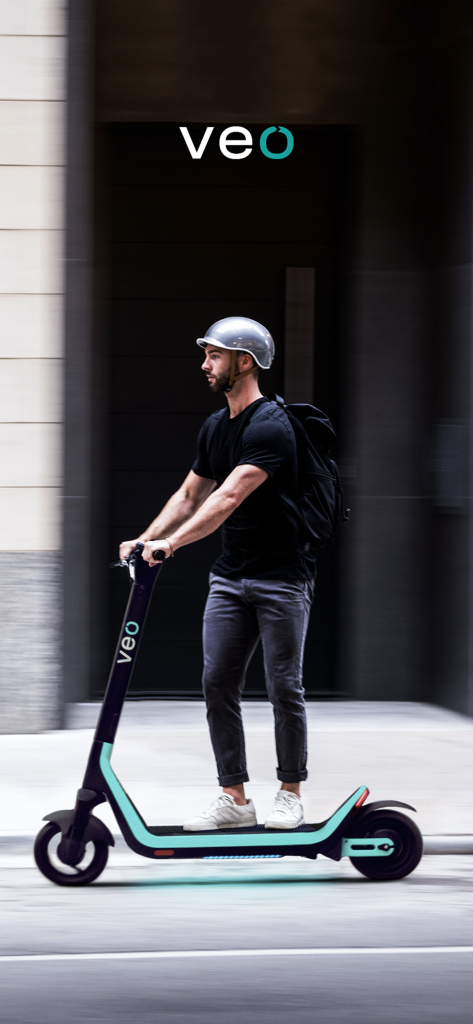
A young man wearing a helmet and backpack riding a Veo electric scooter in a city
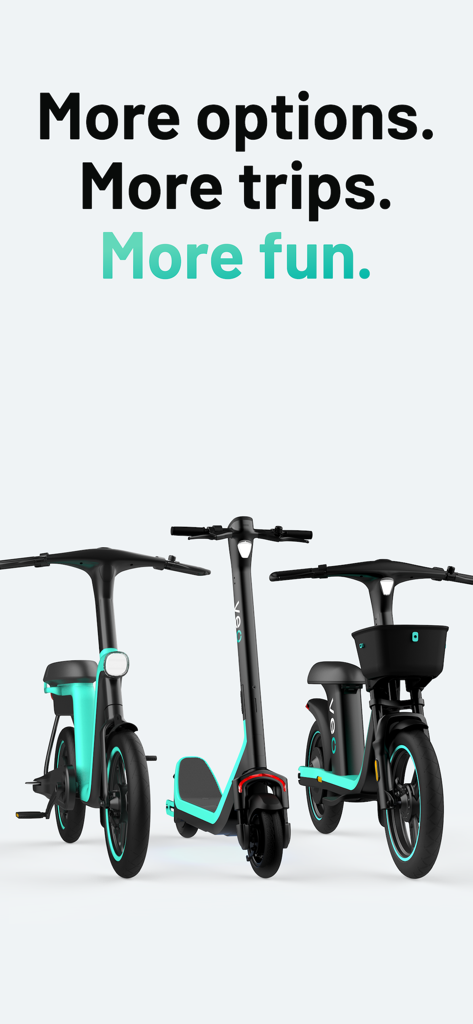
Three Veo electric vehicles including a standing e-scooter and two seated scooters with the text More options More trips More fun
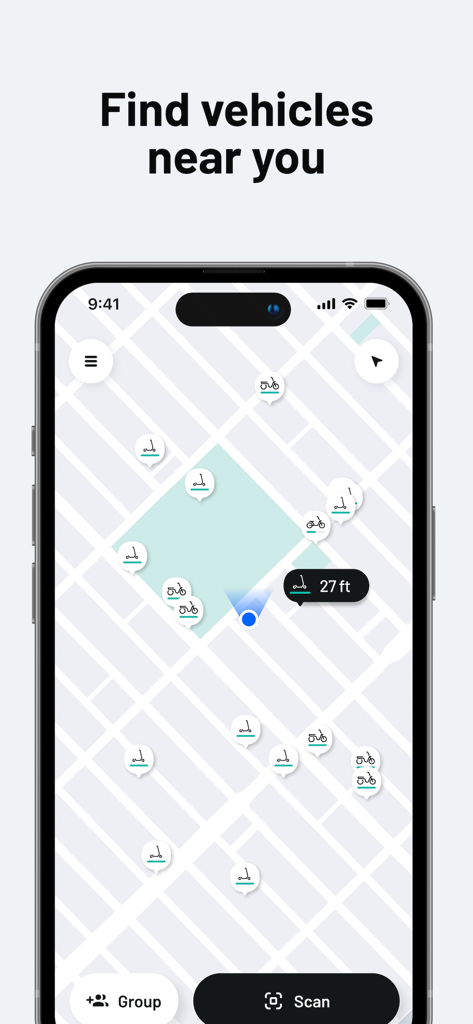
Veo app interface displaying a map with nearby e-scooters and bikes
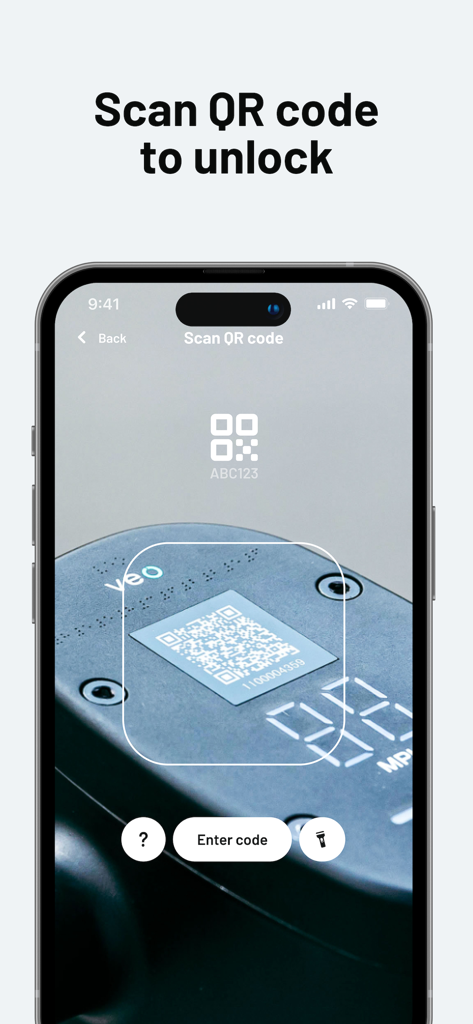
A smartphone screen displaying the Veo app scanning a QR code on a vehicle to unlock it
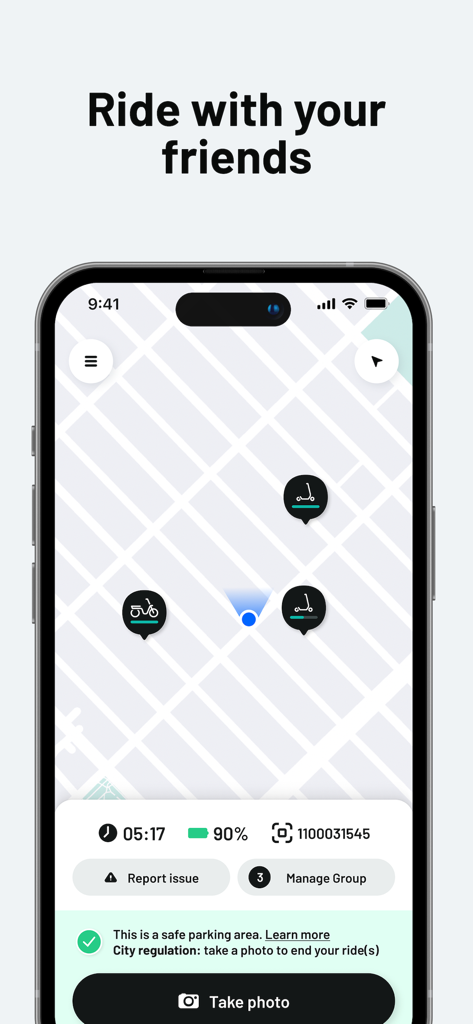
Veo app map interface showing e-scooter and bike locations with group ride management options.
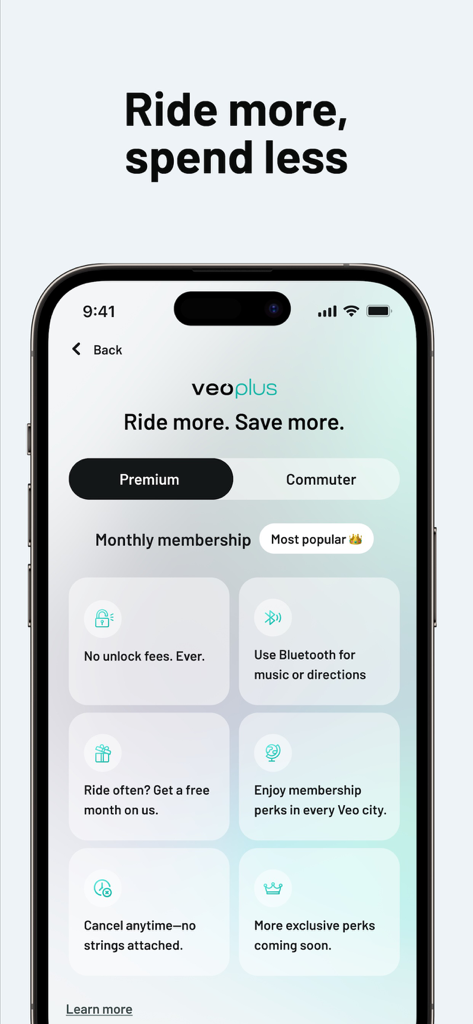
Veo app screen showing veoplus monthly membership options and perks like no unlock fees
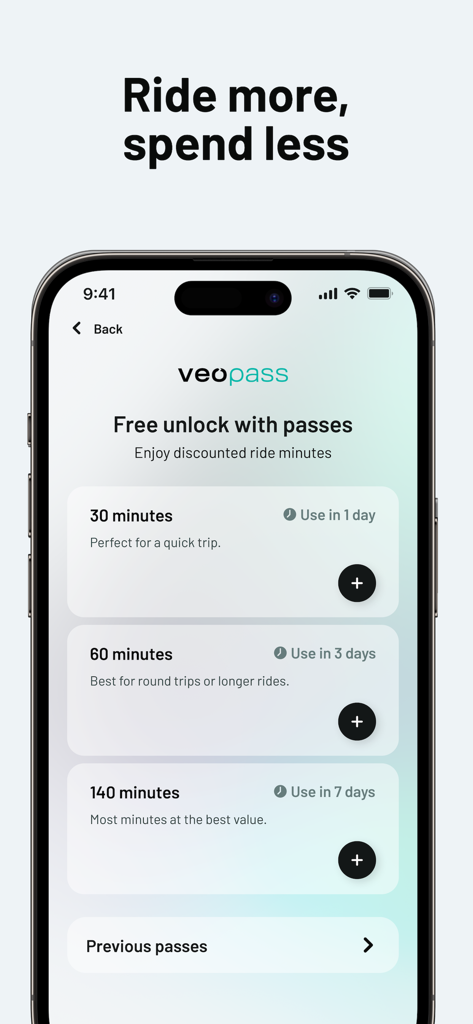
Veo app interface showing various ride pass options and pricing for e-scooters and bikes
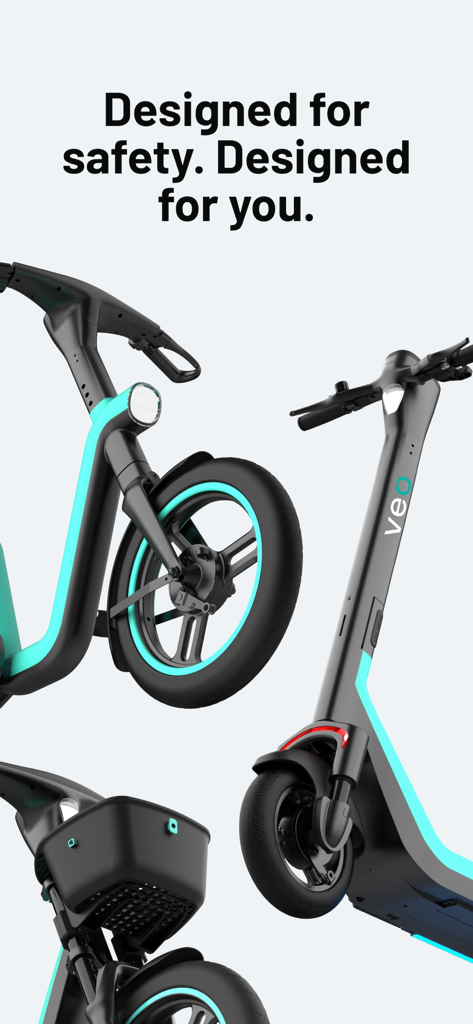
Veo electric scooter and bike designed for safety
Description
Download
More Like This
Apps with similar features and user experience

Lime - #RideGreen
Neutron Holdings. Inc.

Whoosh.bike
VUSH, OOO

Voi – e-scooters & e-bikes
VOI Technology AB

HelloRide-Enjoy your ride
HELLOBIKESG PTE. LTD.

Bird — Ride Electric
Blue Jay Transit Inc.

Flamingo Scooters
FLAMINGO TECHNOLOGIES LIMITED

Anywheel
Anywheel Pte. Ltd.

Beam - Escooter Sharing
APAC Escooters Pte. Ltd.

Rabbit Mobility
Rabbit Mobility B.V.
This page is not an official page of the app or its developer, but an independent editorial publication created for informational and commentary purposes. Unless expressly stated otherwise, neither the app nor its developer is affiliated with, endorsed by, sponsored by, authorized by, or otherwise officially connected with MWM, Apple, Google Play, the app publisher, or the app's developer, and nothing on this page implies that the app was developed using MWM's services. Any trademarks, logos, screenshots, and other content remain the property of their respective owners.