Flashcards - Build Your Own
Download on App Store

This page is not an official page of the app or its developer, but an independent editorial publication created for informational and commentary purposes. Unless expressly stated otherwise, neither the app nor its developer is affiliated with, endorsed by, sponsored by, authorized by, or otherwise officially connected with MWM, Apple, Google Play, the app publisher, or the app's developer, and nothing on this page implies that the app was developed using MWM's services. Any trademarks, logos, screenshots, and other content remain the property of their respective owners.


Logo of Flashcards - Build Your Own
Download on App Store

Flashcards - Build Your Own

Transform your notes into powerful study decks. Use active recall, document scanning, and data-driven accuracy tracking to eliminate blind spots and ace your toughest courses.

Key Figures

Downloads

3K+

User Rating

4.8/5

Total Ratings

0

Publisher

Alysha Kwok

Category

Education

Locales

1

Latest Version

3.6.1

Size

7.7 MB

First Released

May 24, 2021
Features

Master Challenging Subjects with Data-Driven Focus

The ultimate active recall companion for high-achieving students. Build a personalized study system that tracks your progress and eliminates your blind spots.

Visual Active Recall

Instantly turn complex textbook diagrams or lecture notes into study cards using built-in document scanning and photo support—perfect for STEM and Med students.

Accuracy-Based Analytics

Visualize your mastery with color-coded indicators. Our accuracy tracker allows you to focus 100% of your energy on the specific concepts you haven't mastered yet.

The following screenshots and description are sourced directly from the app's official store listing and are the property of the app developer.

App Store

Screenshots
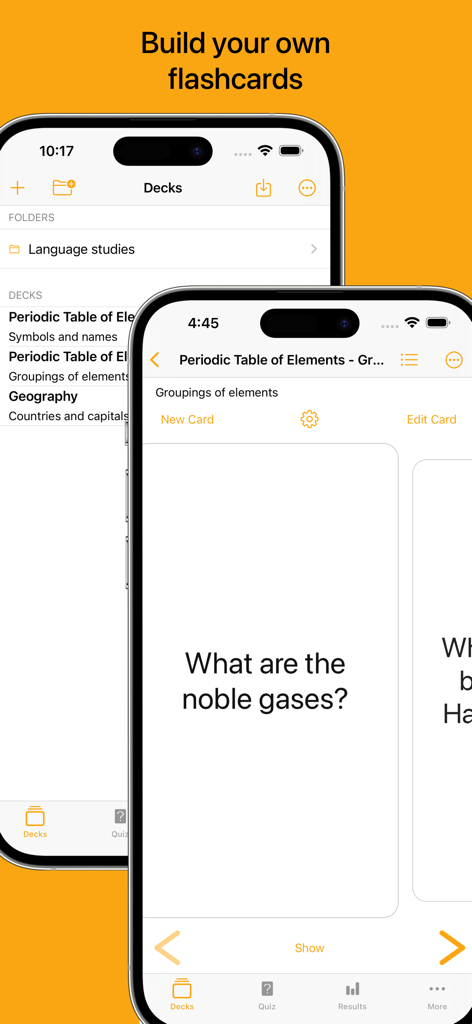
Flashcards - Build Your Own - iPhone screens displaying the Flashcards app interface with custom study decks and a chemistry flashcard
iPhone screens displaying the Flashcards app interface with custom study decks and a chemistry flashcard

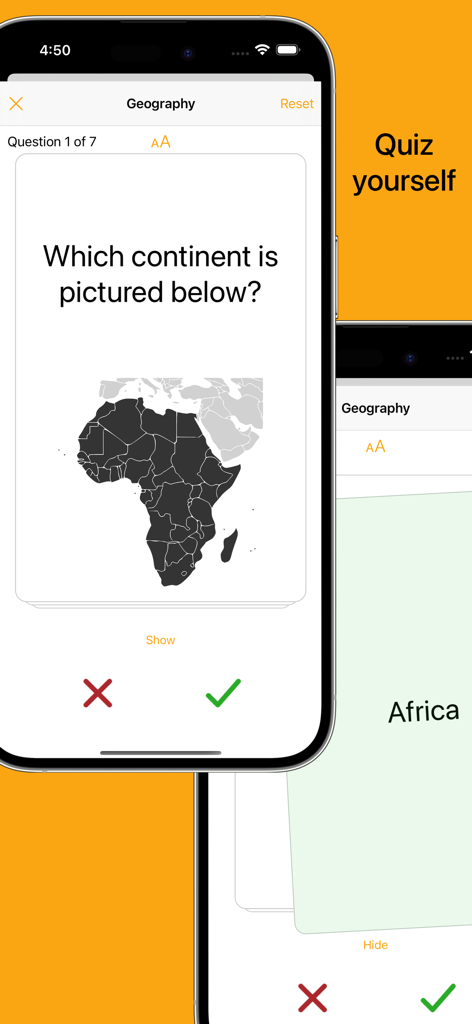
Flashcards - Build Your Own - Mobile app interface showing a geography flashcard quiz with a map of Africa and accuracy tracking buttons
Mobile app interface showing a geography flashcard quiz with a map of Africa and accuracy tracking buttons

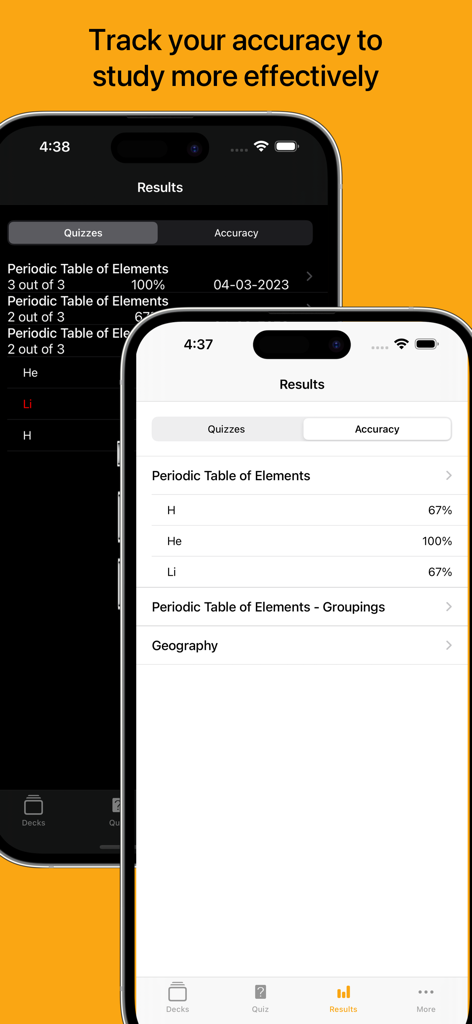
Flashcards - Build Your Own - Two iPhone screens displaying flashcard quiz results and accuracy percentages for study sessions

Two iPhone screens displaying flashcard quiz results and accuracy percentages for study sessions
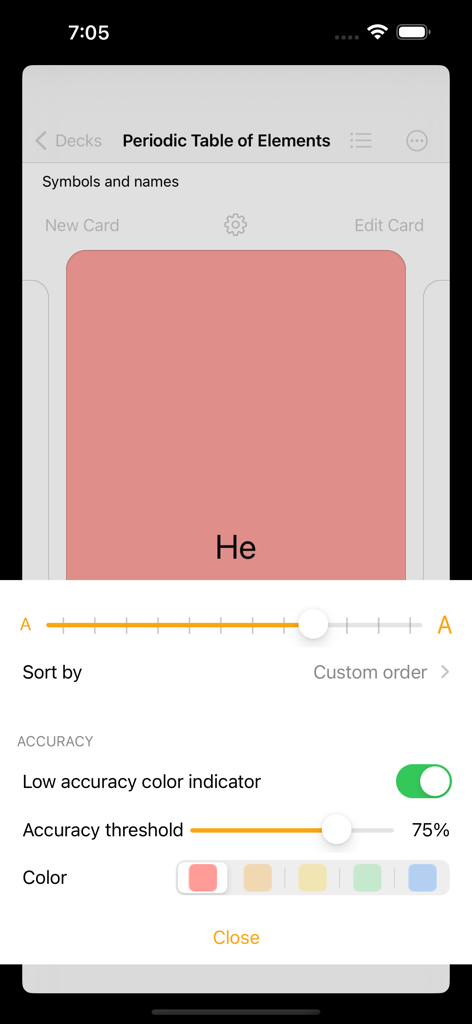
Flashcards - Build Your Own - Flashcards app interface showing settings for low accuracy color indicator and accuracy threshold for a periodic table deck
Flashcards app interface showing settings for low accuracy color indicator and accuracy threshold for a periodic table deck

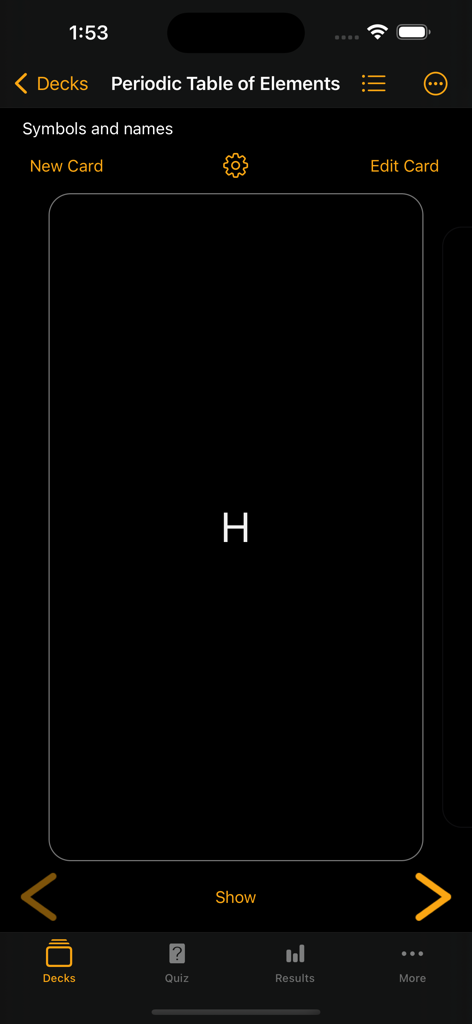
Flashcards - Build Your Own - Dark mode interface of a flashcard app showing a Periodic Table of Elements deck with a card for Hydrogen
Dark mode interface of a flashcard app showing a Periodic Table of Elements deck with a card for Hydrogen

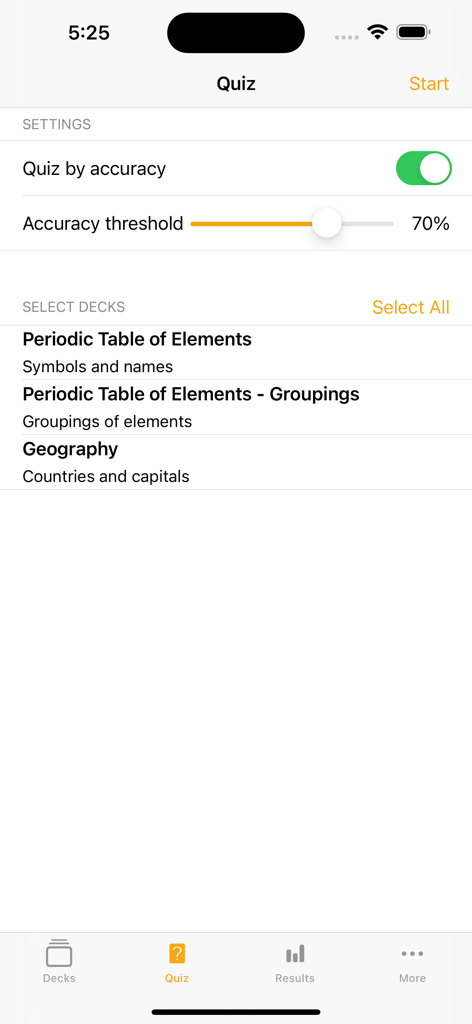
Flashcards - Build Your Own - A quiz configuration screen in the flashcard app showing settings for accuracy threshold and deck selection.
A quiz configuration screen in the flashcard app showing settings for accuracy threshold and deck selection.

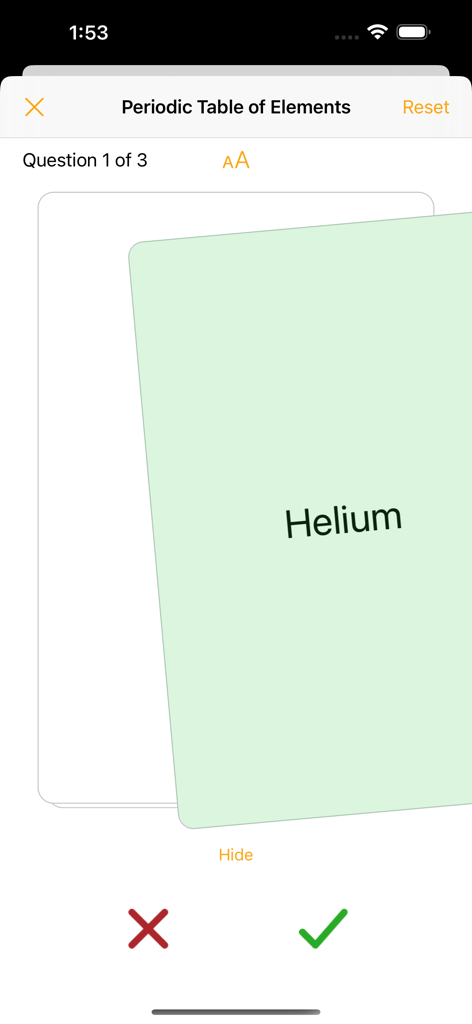
Flashcards - Build Your Own - Flashcards app quiz interface showing a study card for Helium from a Periodic Table deck with correct and incorrect marking buttons.
Flashcards app quiz interface showing a study card for Helium from a Periodic Table deck with correct and incorrect marking buttons.

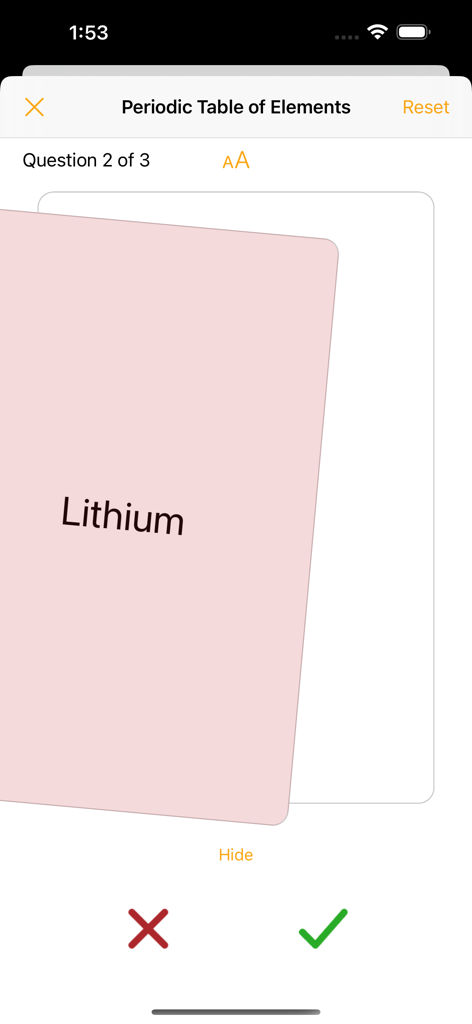
Flashcards - Build Your Own - A quiz screen in the Flashcards app showing a Lithium card from the Periodic Table of Elements deck with buttons to mark the answer correct or incorrect.
A quiz screen in the Flashcards app showing a Lithium card from the Periodic Table of Elements deck with buttons to mark the answer correct or incorrect.

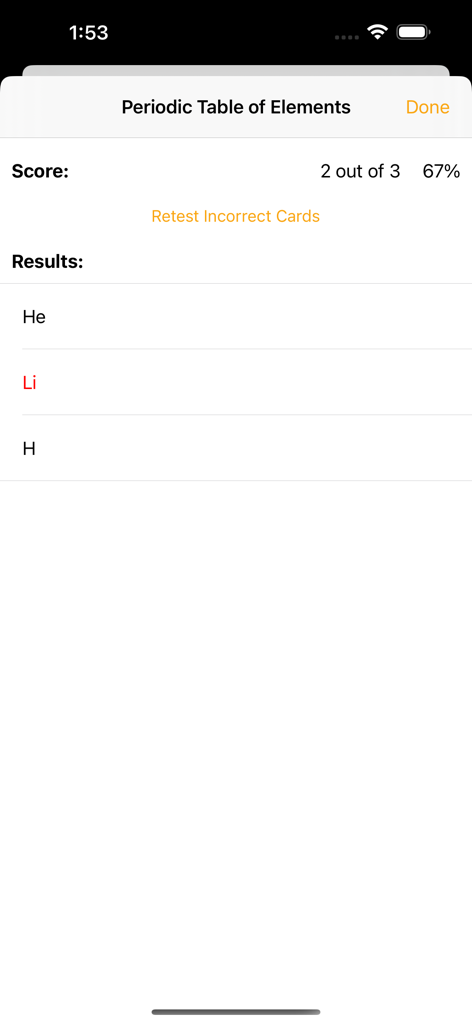
Flashcards - Build Your Own - Quiz results screen in the Flashcards app showing a 67 percent score for a Periodic Table deck and an option to retest incorrect cards.
Quiz results screen in the Flashcards app showing a 67 percent score for a Periodic Table deck and an option to retest incorrect cards.

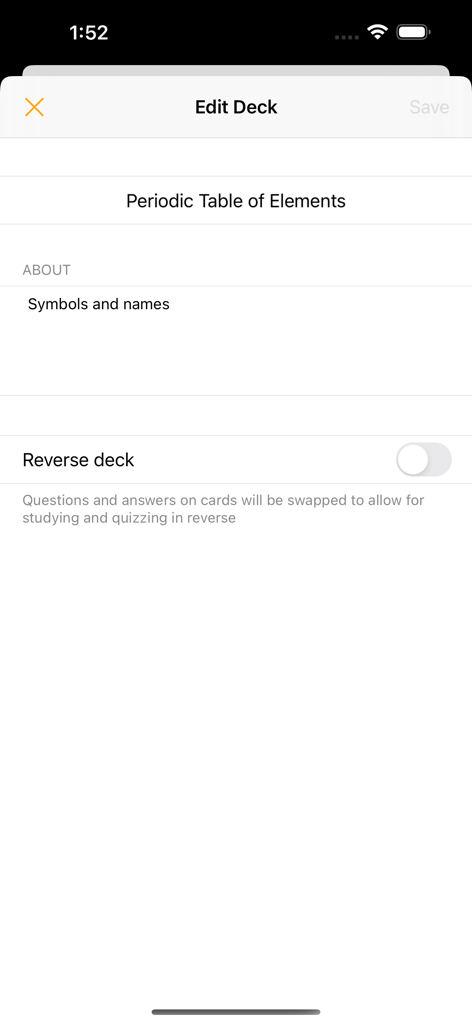
Flashcards - Build Your Own - The Edit Deck screen for a Periodic Table of Elements flashcard deck with a reverse deck toggle.

The Edit Deck screen for a Periodic Table of Elements flashcard deck with a reverse deck toggle.

Description

Build your own flashcards Create your own study decks and cards. Use the cards to help you study, quiz yourself, and use the accuracy tracker to determine which areas you need to focus on. Swipe through cards Study flashcards by swiping through the deck, tapping to reveal the card’s answer. Adjust text size to make your content easy-to-read. Quiz yourself Test yourself with shuffled decks, swiping right or left to indicate if you got the answer right or wrong. At the end of the quiz, you can choose to retest yourself on the incorrect subset as many times as you’d like or until you no longer have answered any incorrectly. Track your accuracy View your quiz results and use the card accuracy calculated from the results to help identify which cards to focus on. Use the accuracy indicator to help color-code cards when studying that fall below your specified accuracy threshold. Flashcards features: - Create flashcard decks and cards - Add photos to cards (take photos, select from your photo library, scan a document) - Setting to study and quiz in reverse (flip the question and answer shown on the cards) - List view of cards to easily jump to a position in the deck - Search functionality to sift through cards - Reorder cards in a deck - Archive cards you no longer need to study or quiz yourself on - Study cards in a swipeable view, tapping to switch between showing the card’s question or answer (buttons are also available to move between cards and show or hide the answer) - Settings allow you to adjust font-size - Accuracy indicator allows you to specify a color to color-code cards that have an accuracy below your set accuracy threshold - Quiz yourself on a deck or multiple decks in an easy-to-use flashcard style - Deck(s) will be shuffled for the quiz and tapping will reveal the card’s answer - Swipe right or left to indicate if you got the answer correct or incorrect to log the result using the honour system (buttons are available to also indicate correct and incorrect answers) - Option to reset a quiz, reshuffling the cards - Once the quiz is finished, results are shown and option given to retest yourself on only the incorrectly answered cards. This retest option is available for as many rounds as long as at least one card was answered incorrectly. Retest results do not impact the card accuracy calculated from results. - View history of results from quizzes - View the card accuracy that is calculated from the quiz results - Option available to reset results (results can be reset for an individual deck or all decks) - Dark mode available for all your studying preferences Upgrade features: - Create an unlimited number of decks. Non-upgraded versions are limited to 3 created decks. There is no limit for number of received decks even if upgrade is not purchased. - Unlock the accuracy indicator feature. When on, cards are color-coded as you studied. Cards that have an accuracy below your set accuracy threshold will be shown in your selected color. - Unlock quiz by accuracy settings. Quiz yourself on a subset of cards within a deck based on your accuracy from your previous results. - Received timers are editable Subscription - syncing, importing, and sharing decks: - Decks will be automatically synced across all your devices - Create cards quickly by importing csv files - Share decks with other users - No restrictions on number of decks shared or content of decks - Receiving decks is free (received decks will be view/use only for non-upgraded users but fully editable for users that have purchased the one-time upgrade) - If timers are shared via email, message will auto-populate with link to download the app and instructions on how to open the deck --- Privacy Policy: https://alysha.dev/flashcards-privacy-policy Terms of Use: https://alysha.dev/flashcards-terms-of-use

Download

Download on App Store

This page is not an official page of the app or its developer, but an independent editorial publication created for informational and commentary purposes. Unless expressly stated otherwise, neither the app nor its developer is affiliated with, endorsed by, sponsored by, authorized by, or otherwise officially connected with MWM, Apple, Google Play, the app publisher, or the app's developer, and nothing on this page implies that the app was developed using MWM's services. Any trademarks, logos, screenshots, and other content remain the property of their respective owners.