Flipagṙam
Flipagṙam
Download on App Store

This page is not an official page of the app or its developer, but an independent editorial publication created for informational and commentary purposes. Unless expressly stated otherwise, neither the app nor its developer is affiliated with, endorsed by, sponsored by, authorized by, or otherwise officially connected with MWM, Apple, Google Play, the app publisher, or the app's developer, and nothing on this page implies that the app was developed using MWM's services. Any trademarks, logos, screenshots, and other content remain the property of their respective owners.

Logo of Flipagṙam
Download on App Store

Flipagṙam

Build your brand with desktop-grade tools right on your phone. From cinematic YouTube intros to viral Reels, master your content with keyframe animations, green screen, and 1,000+ premium assets.

Key Figures

Downloads

0

User Rating

1.0/5

Total Ratings

0

Publisher

GLOBAL DIGITAL KNOWLEDGE COMPANY LIMITED

Category

Photo & Video

Locales

31

Latest Version

1.2.1

Size

175.7 MB

First Released

Jun 2, 2025
Features

Professional Editing, Simplified

Transform your smartphone into a high-end production suite with everything you need to create viral-ready content for YouTube, TikTok, and Instagram.

1,000+ Pro Templates

Hook your audience instantly with cinematic intros and outros designed specifically for creators and vlogger workflows.

Desktop Power on Mobile

Unlock advanced tools like keyframe animations, chroma key, and layer-based editing without the steep learning curve.

The following screenshots and description are sourced directly from the app's official store listing and are the property of the app developer.

App Store

Screenshots
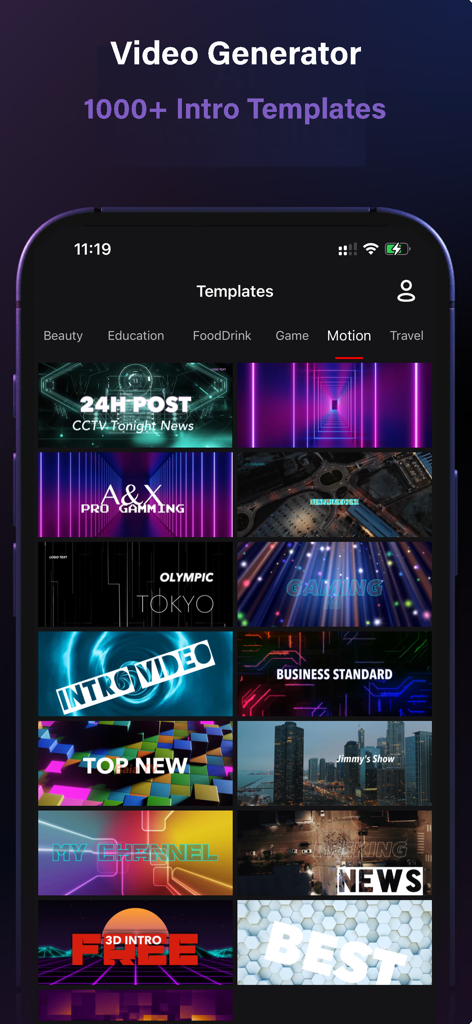
Flipagṙam - A gallery of professional video intro templates within the GenVideo app for content creators
A gallery of professional video intro templates within the GenVideo app for content creators

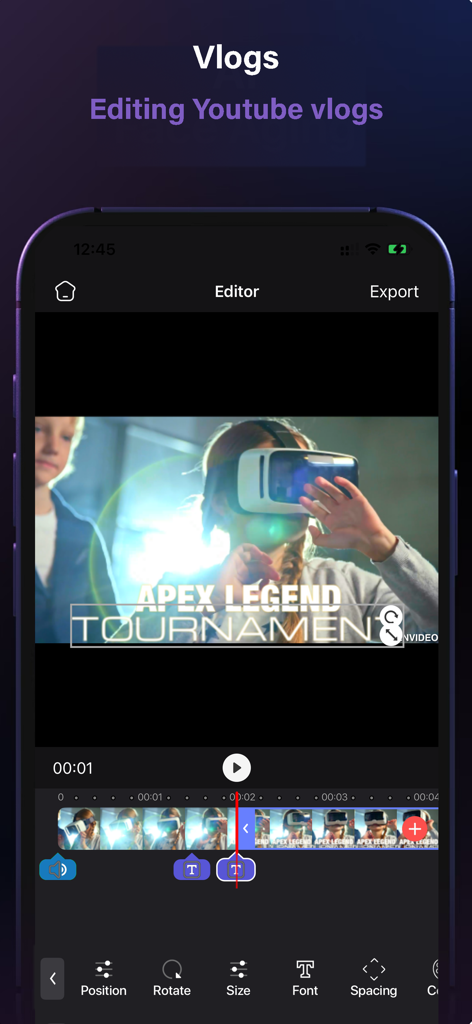
Flipagṙam - Mobile video editor interface for YouTube vlogs with text and timeline features
Mobile video editor interface for YouTube vlogs with text and timeline features

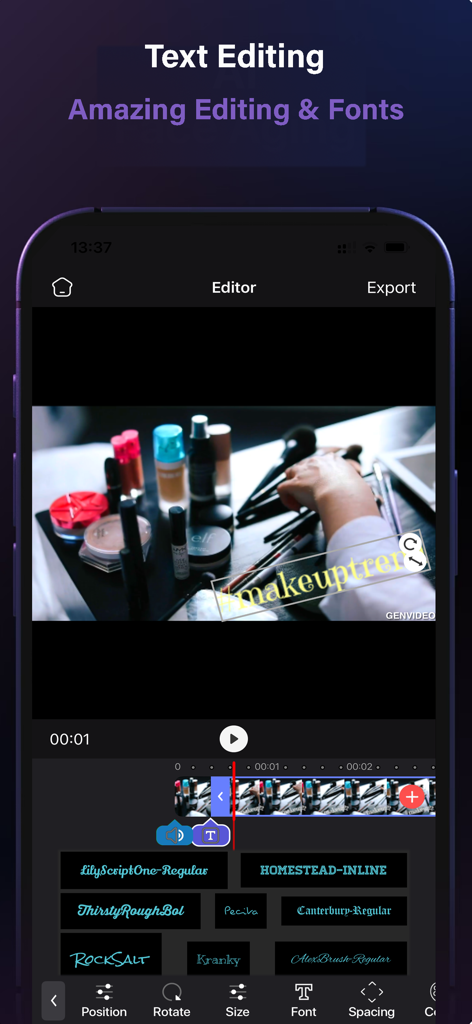
Flipagṙam - Mobile video editor screen showing text editing tools and various font styles for a makeup vlog
Mobile video editor screen showing text editing tools and various font styles for a makeup vlog

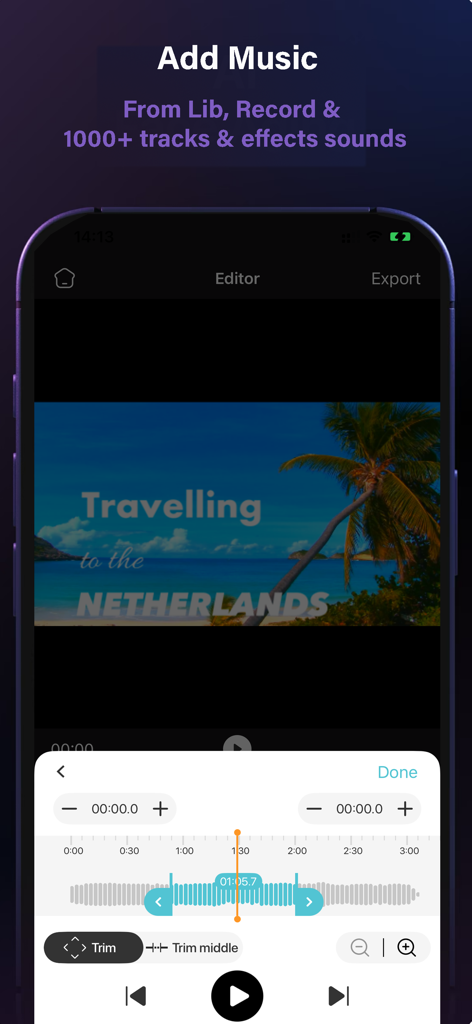
Flipagṙam - A mobile video editor interface showing music selection and audio trimming tools for a travel vlog project.
A mobile video editor interface showing music selection and audio trimming tools for a travel vlog project.

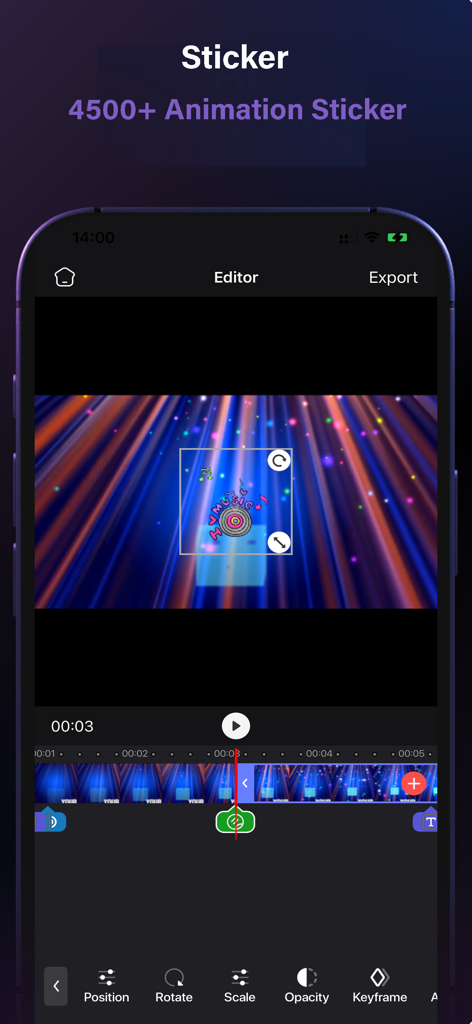
Flipagṙam - A mobile interface of the GenVideo app showing a music-themed animated sticker being edited over a video background with timeline controls
A mobile interface of the GenVideo app showing a music-themed animated sticker being edited over a video background with timeline controls

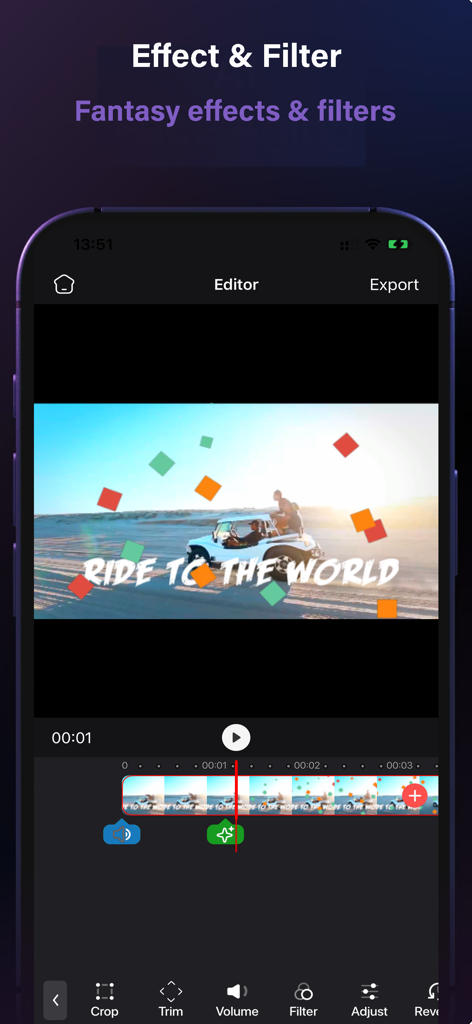
Flipagṙam - Flipagṙam GenVideo editor interface showing fantasy filters and effects applied to a video timeline.

Flipagṙam GenVideo editor interface showing fantasy filters and effects applied to a video timeline.

Description

GenVideo is the easiest and the best app to create cool intros and outros for your Youtube and iMovie videos. GenVideo making pros can take advantage of powerful high-end editing features. Beginners and casual users will have fun cutting and combining clips simply. Edit movies or create videos for Instagram, Youtube with pro quality video editing tools. Add video effects, sounds effects, filters, green screen and more to create beautiful movies. There are 1000+ cool HD intro & outro templates, 100+ fonts, 1000+ musics, 1000+ sound effects, lots of cool YouTube pictures and animation stickers in our Youtube video maker app. Editing Tools: • Keyframe animations. • Green screen/chroma key compositing. • Fit video clips to format - place clips on blank or colored canvas. • Non-destructive video editing. • Unlimited undo/redo. • Intuitive timeline with zoom for frame by frame precision. Video Special Effects: • Prism, Defocus, Colorful, Pixelate, Chromatic Aberration and more! • Text: variety of fonts, emojis, shadow, colors, opacity, and blending. • Unique, adjustable film filters for every moment. Creative Cinematic Compositions: • Mix videos & images together to create double exposures and artistic looks. • Layer-based editing! Add videos, effects, text and images then reorder them however you like. • Customize layers with transformation, masking, and blending modes. • Apply seamless, cinematic transitions to your clips. Precise Video Editing & Rich Possibilities: • Clip editing: trim, split, duplicate, flip, mirror, transform. • Color correction: adjust brightness, contrast, saturation and more. • Change aspect ratio and fit clips automatically. Sound Editing: • 100 custom composed thematic music tracks • 100 Sound Effects Collection • Trim audio tracks with a fade in / out option • Adjust auto track playback speed • Volume control • Audiometer assisted voiceovers Text Overlays: - 100 classic fonts - 10 standard text animation options - Adjustable text duration - Text stroke option (white / black) - Foreground and background color adjustment - Recent color category persistent across projects Illustrations & Stickers: - 200+ gorgeous illustration and labels - 700+ animated stickers - Pan, pinch and rotate gestures to reposition, resize, and rotate text - Adjustable duration - Foreground and background color adjustment Access Subscription: • Subscription weekly: $1.99 USD • Subscription monthly: $5.99 USD • Subscription yearly: $19.99 USD • You can subscribe for unlimited access to all features and content offered for purchase within Filmmaker Pro. • Subscriptions are billed monthly or annually at the rate selected depending on the subscription plan. • Subscriptions auto-renew at the cost of the chosen package, unless cancelled 24-hours prior to the end of the current period. The subscription fee is charged to the iTunes account at confirmation of purchase. You may manage your subscription and turn off auto-renewal by going to your Account Settings after purchase. • Once purchased, refunds will not be provided for any unused portion of the term. Privacy Policy: https://www.vnios.com/privacy/ Terms of Use: https://www.vnios.com/terms-of-use/

Download

Download on App Store

This page is not an official page of the app or its developer, but an independent editorial publication created for informational and commentary purposes. Unless expressly stated otherwise, neither the app nor its developer is affiliated with, endorsed by, sponsored by, authorized by, or otherwise officially connected with MWM, Apple, Google Play, the app publisher, or the app's developer, and nothing on this page implies that the app was developed using MWM's services. Any trademarks, logos, screenshots, and other content remain the property of their respective owners.