FlixGRADE  - a teacher planner
FlixGRADE - a teacher planner
Download on App Store

This page is not an official page of the app or its developer, but an independent editorial publication created for informational and commentary purposes. Unless expressly stated otherwise, neither the app nor its developer is affiliated with, endorsed by, sponsored by, authorized by, or otherwise officially connected with MWM, Apple, Google Play, the app publisher, or the app's developer, and nothing on this page implies that the app was developed using MWM's services. Any trademarks, logos, screenshots, and other content remain the property of their respective owners.


Logo of FlixGRADE  - a teacher planner
Download on App Store

FlixGRADE - a teacher planner

Master your classroom management with interactive seating plans and real-time participation tracking. Secure, server-free documentation that puts student growth and data privacy first.

Key Figures

Downloads

700

User Rating

3.8/5

Total Ratings

0

Publisher

Mitarbeitsapp GmbH

Category

Education

Locales

-

Latest Version

3.5.0 PlusPflege

Size

81.1 MB

First Released

Sep 23, 2019
Features

Master Your Classroom with Ease

Focus on teaching, not paperwork. FlixGRADE streamlines participation tracking and classroom management while keeping your student data 100% private and secure.

Visual Participation Tracking

Record grades directly from your seating plan. Turn subjective observations into objective data with a single tap while you move around the classroom.

Privacy-First Architecture

Keep student data local and encrypted on your device. With no central server, you maintain total control and meet the highest security standards effortlessly.

The following screenshots and description are sourced directly from the app's official store listing and are the property of the app developer.

App Store

Screenshots
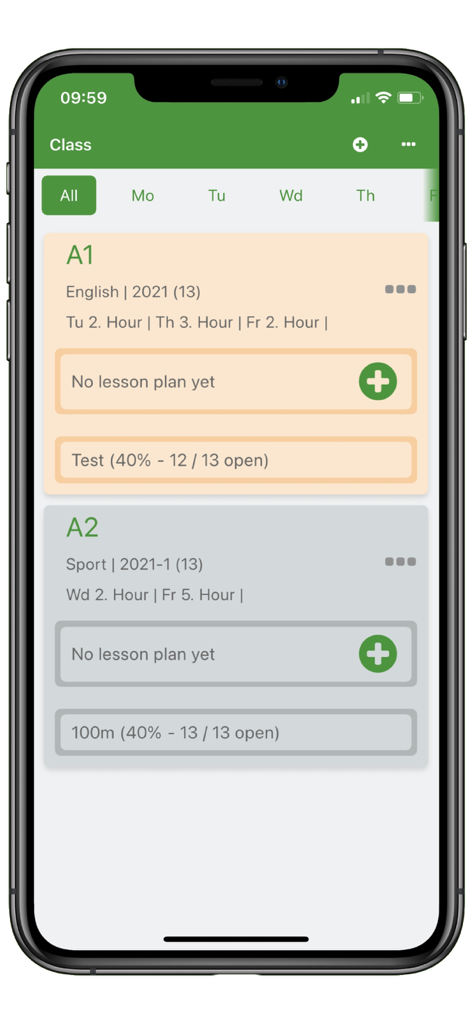
FlixGRADE  - a teacher planner - Smartphone screen displaying the FlixGRADE teacher app with a list of scheduled classes and assessment tracking.
Smartphone screen displaying the FlixGRADE teacher app with a list of scheduled classes and assessment tracking.

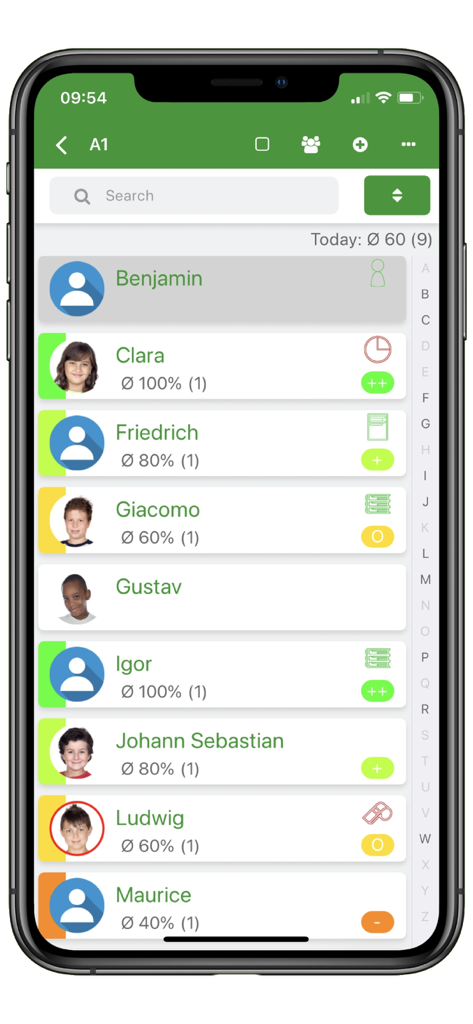
FlixGRADE  - a teacher planner - FlixGRADE teacher app interface displaying a student list with participation grades and performance levels
FlixGRADE teacher app interface displaying a student list with participation grades and performance levels

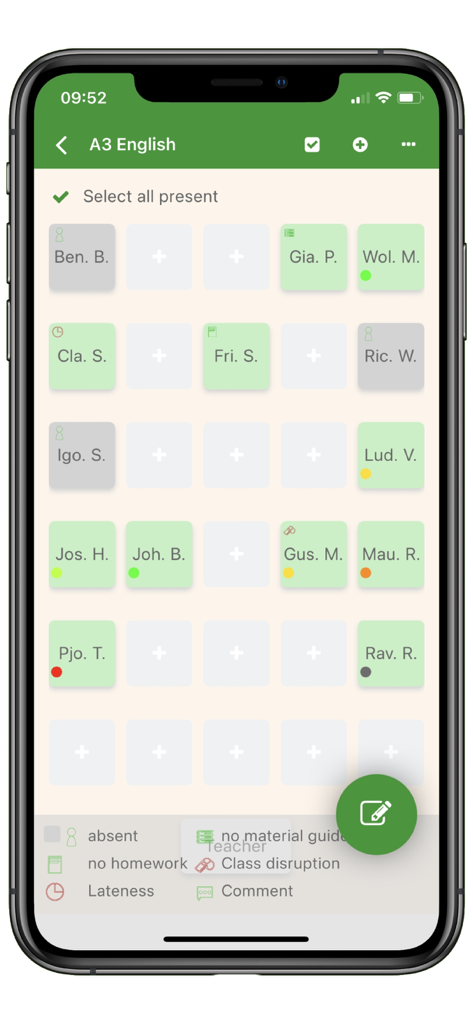
FlixGRADE  - a teacher planner - A smartphone screen displaying the FlixGRADE app's interactive classroom seating plan for an English class with color coded student performance indicators.
A smartphone screen displaying the FlixGRADE app's interactive classroom seating plan for an English class with color coded student performance indicators.

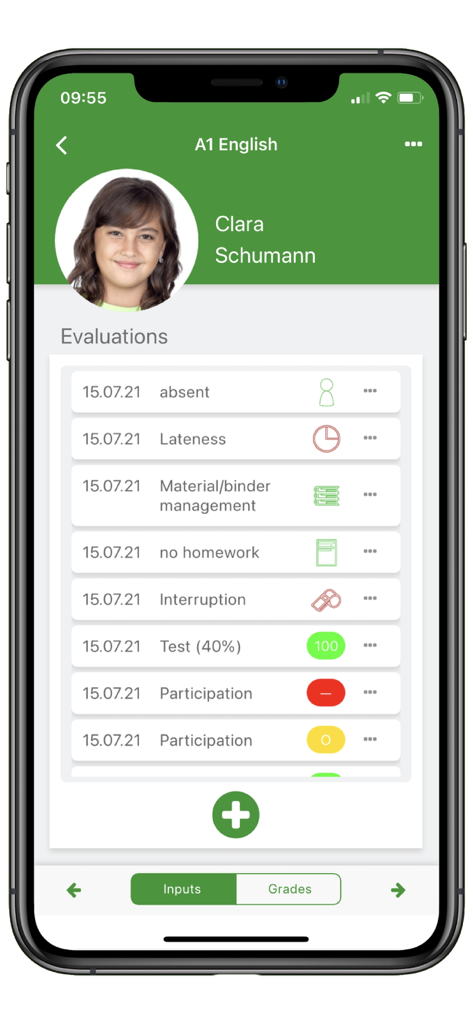
FlixGRADE  - a teacher planner - Mobile view of the FlixGRADE app showing a student evaluation screen with participation and attendance records
Mobile view of the FlixGRADE app showing a student evaluation screen with participation and attendance records

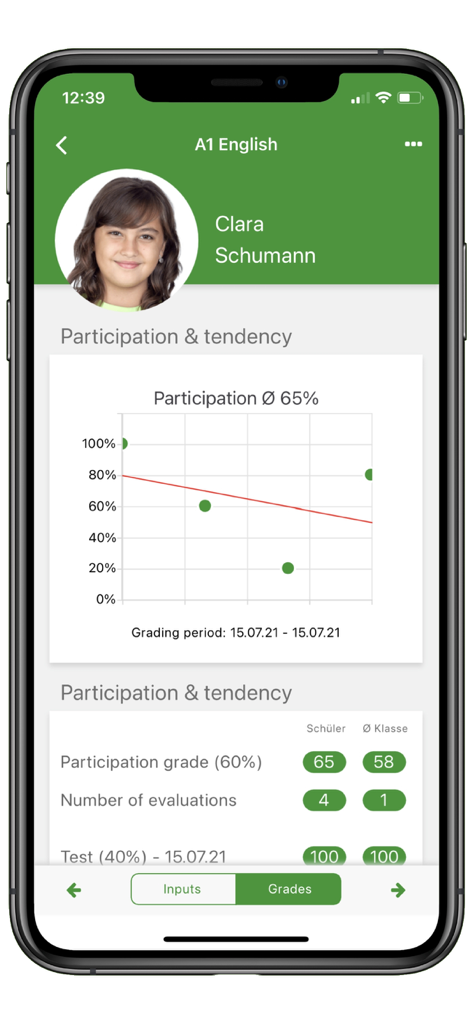
FlixGRADE  - a teacher planner - A student profile in FlixGRADE showing a participation trend graph with a regression line.
A student profile in FlixGRADE showing a participation trend graph with a regression line.

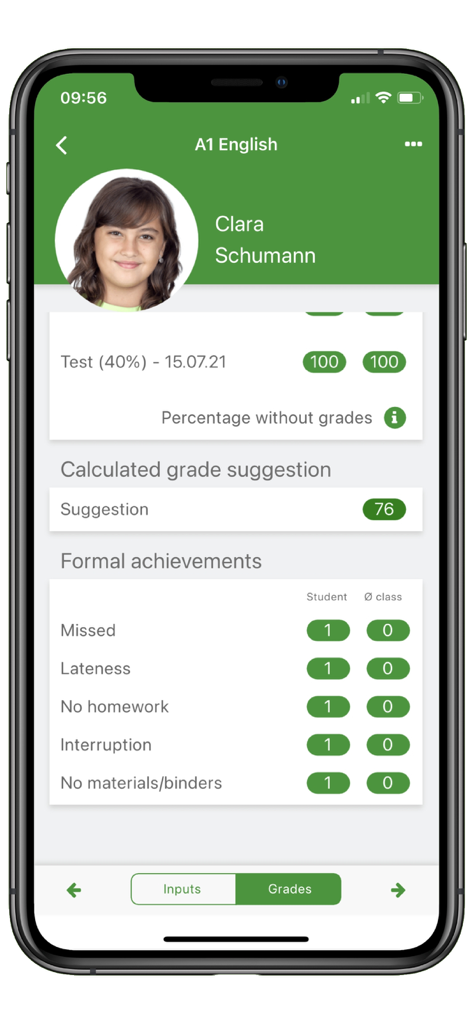
FlixGRADE  - a teacher planner - Interface of FlixGRADE teacher app showing a student's grades and attendance records
Interface of FlixGRADE teacher app showing a student's grades and attendance records

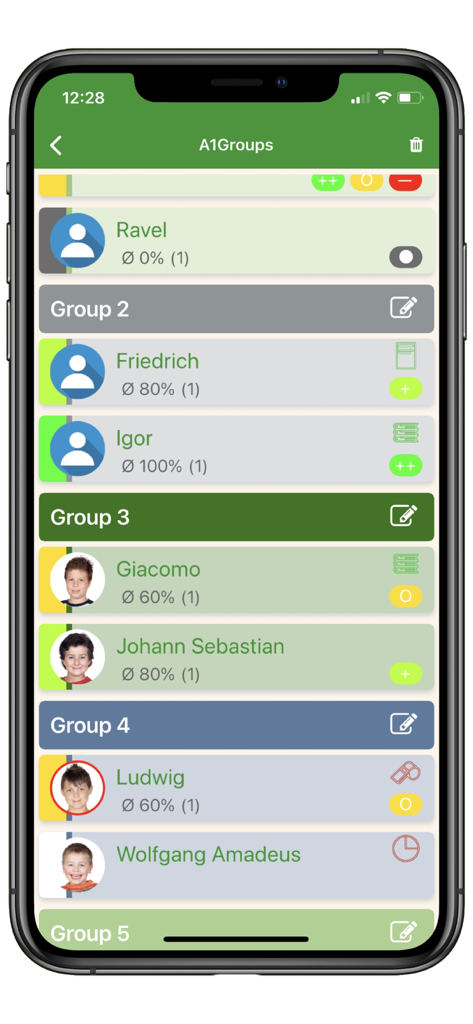
FlixGRADE  - a teacher planner - FlixGRADE mobile app interface showing students organized in groups with participation percentages and status icons.

FlixGRADE mobile app interface showing students organized in groups with participation percentages and status icons.

Description

FlixGRADE is a teacher app that provides teachers with comprehensive support for the classroom management. The focus is on recognizing and documenting the student participation. This is supported by a functional seating plan with all input and display options. FlixGRADE impresses with its wide range of functions and flexible setup options. Easy to use: - For smartphones and tablets - No need to create lessons - No need to create participation grades A lesson begins when a class is opened and a student is entered. All entries are simply saved with the current date. Also, grades do not have to be created beforehand for the evaluation of the participation - they can be entered directly. Other teaching services, such as a vocabulary test, are defined once and can then be used multiple times for grade entries. Clear display - All entries for a teaching day - The current grade level - The number of assessments - Inclusive students - All active checklists with processing status - The last entries and remarks about the student All entries start with the student, - in the seating plan or the student list, and are displayed there on a screen for the current teaching day. The following day, the entries can be found on the students' detail pages. The lists and the seating plan are again free of entries. The teacher can then easily see which assessments they have entered for that day. Large range of functions - Multiple selection - Series entries - Group assistant - Seating plan - Random generator - Tendency of cooperation through regression line - Freely definable grading systems - Calculation of suggested grades - Timetable with information for organising lessons - Documentation of the course of instruction as a course book Entries can be made for several students at the same time. The serial input is available for the systematic evaluation of the cooperation. A group assistant puts together groups that are homogeneous in terms of performance and facilitates the organisation of lessons during group work. All entries can also be made in the seating plan. FlixGRADE the teacher app calculates a grade suggestion based on the selected grading system or in percentages (default). Seven grading systems are created. In addition, you can define your own grading systems. The tendency of the participation grades is clearly shown with a regression line. The course of the lesson and important information are clearly displayed in the teacher calendar for the current day of the lesson. New data protection concept - Minimal data framework - Encrypted data - No central server - Automatic deletion The teacher app FlixGRADE has a comprehensive data protection concept in accordance with the European Data Protection Act. The student data remains on the mobile device. With current operating systems, they are stored there in encrypted form. They are not transmitted to a central server and cannot be sent or exported by e-mail. Since the data is not stored centrally on a server, it does not represent an economically interesting target for improper use. FlixGRADE the teacher app restricts itself to the most necessary data ("first name", "last name") and uses neutral descriptions ("deviating performance assessment") in accordance with data protection requirements from the outset. All entries for a student are automatically deleted after a defined period of time. The default setting for the "shelf life" of the data is one year. This makes it easier to work safely and, as far as I know, is an absolutely unique feature for a teacher's calendar. FlixGRADE - the teacher app, is free for up to three study groups and 80 students. In addition it can be activated for as many students and classes as desired through an in-app purchase. Have fun with the teacher's calendar, teacher's planner, course book and digital grade book for teachers. Best wishes by Stefan Heizmann

Download

Download on App Store

This page is not an official page of the app or its developer, but an independent editorial publication created for informational and commentary purposes. Unless expressly stated otherwise, neither the app nor its developer is affiliated with, endorsed by, sponsored by, authorized by, or otherwise officially connected with MWM, Apple, Google Play, the app publisher, or the app's developer, and nothing on this page implies that the app was developed using MWM's services. Any trademarks, logos, screenshots, and other content remain the property of their respective owners.








