FlowSavvy: AI Schedule Planner

FlowSavvy: AI Schedule Planner


Download on App Store
Logo of FlowSavvy: AI Schedule Planner

FlowSavvy: AI Schedule Planner turns your to-do list into the perfect calendar automatically

Stop playing "Calendar Tetris." FlowSavvy's intelligent AI takes your tasks and fits them into your busy schedule, automatically recalculating everything when life happens so you can stay productive without the planning fatigue.

Download on App Store

Publisher

Schezzy LLC

Category

Productivity

Downloads

1K+

User Rating

4.8/5

Total Ratings

400

Locales

1

Your Day, Visualized

Discover the interface used by 1K+ users.
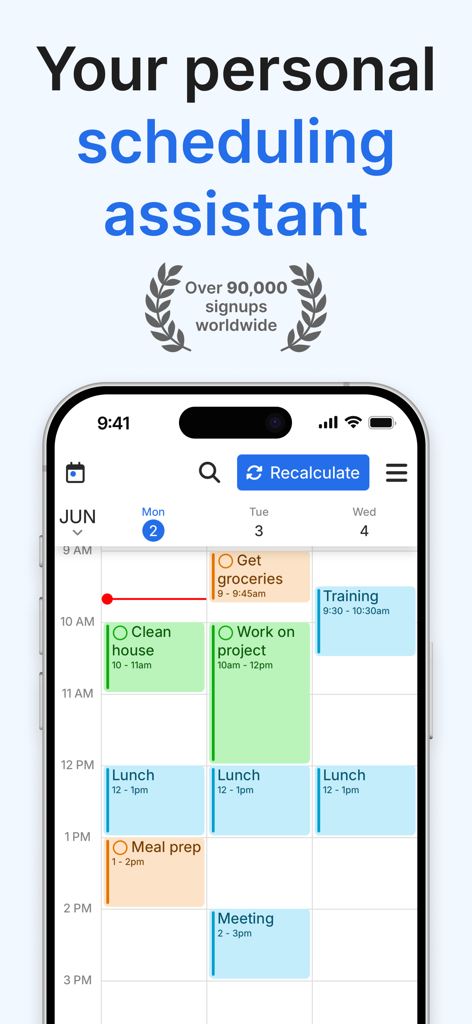
FlowSavvy AI schedule planner app interface showing time blocked tasks on a calendar

FlowSavvy AI schedule planner app interface showing time blocked tasks on a calendar

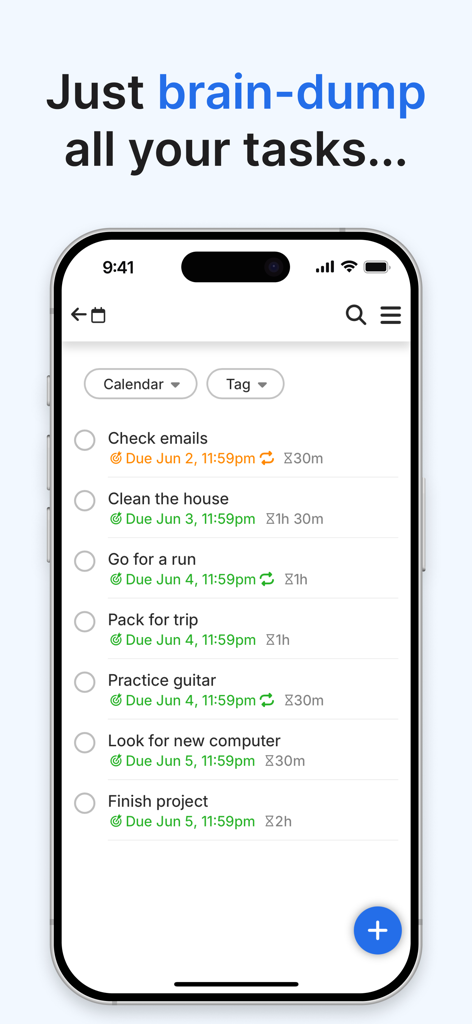
FlowSavvy interface for brain-dumping tasks into a list with due dates and durations

FlowSavvy interface for brain-dumping tasks into a list with due dates and durations

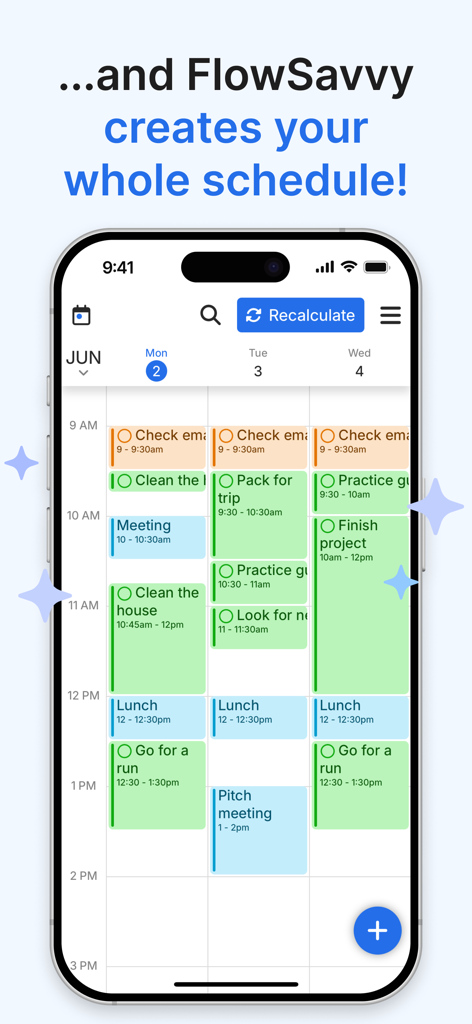
FlowSavvy mobile app interface displaying an AI-generated weekly schedule with color-coded time-blocked tasks

FlowSavvy mobile app interface displaying an AI-generated weekly schedule with color-coded time-blocked tasks

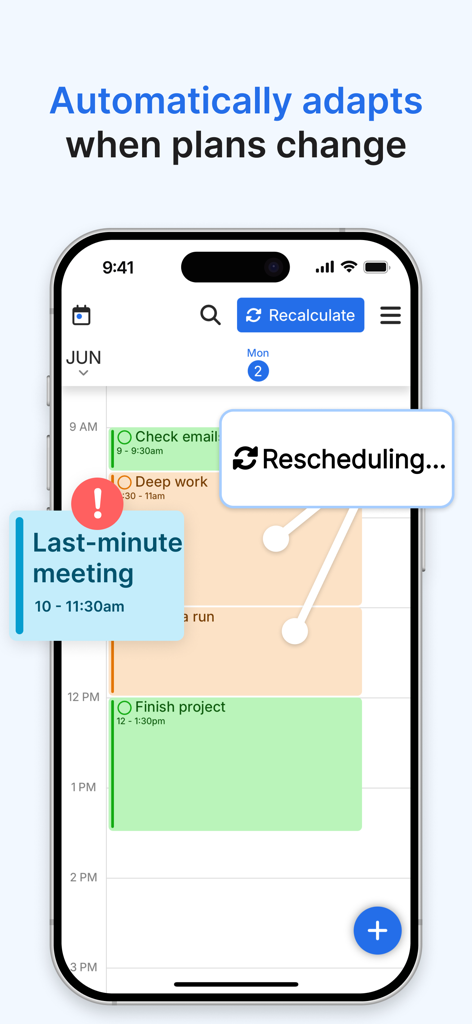
FlowSavvy mobile app interface demonstrating automatic schedule recalculation when a last minute meeting is added.

FlowSavvy mobile app interface demonstrating automatic schedule recalculation when a last minute meeting is added.

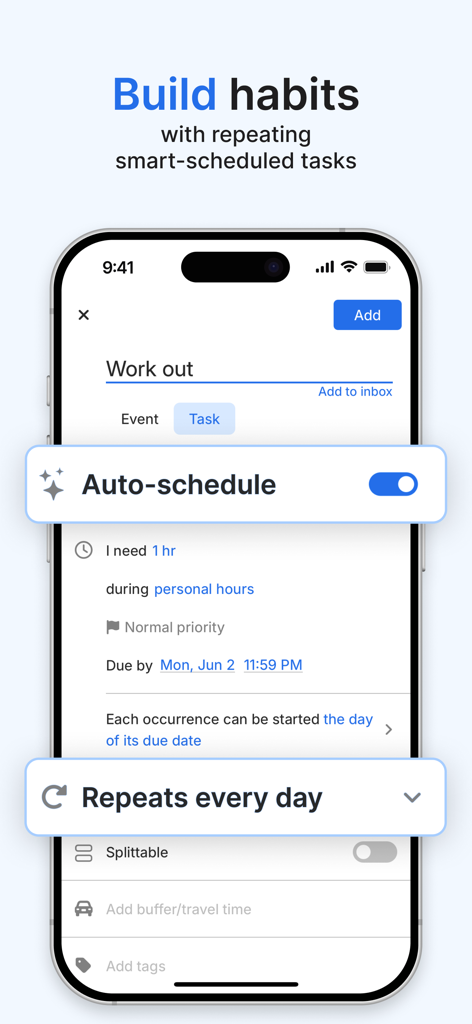
A smartphone screen showing the FlowSavvy app interface for creating a daily workout habit with auto-scheduling enabled.

A smartphone screen showing the FlowSavvy app interface for creating a daily workout habit with auto-scheduling enabled.

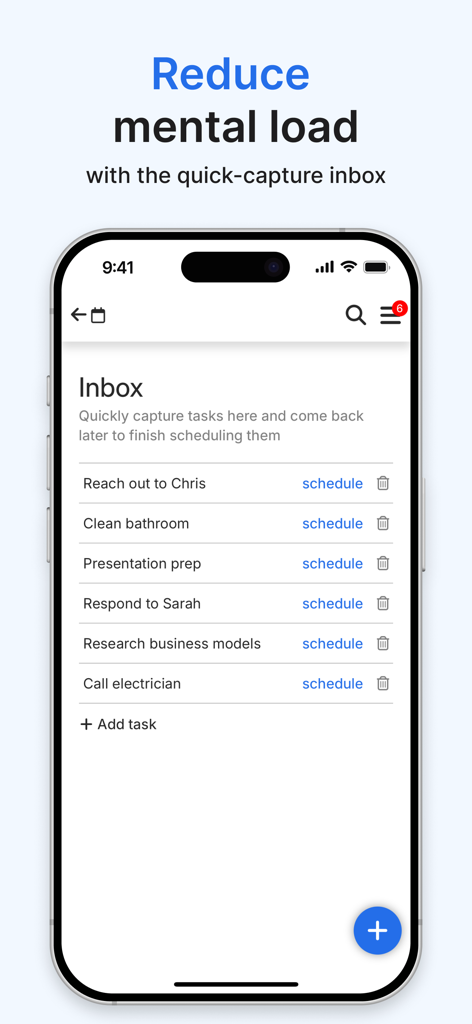
FlowSavvy app interface showing the quick capture task inbox.

FlowSavvy app interface showing the quick capture task inbox.

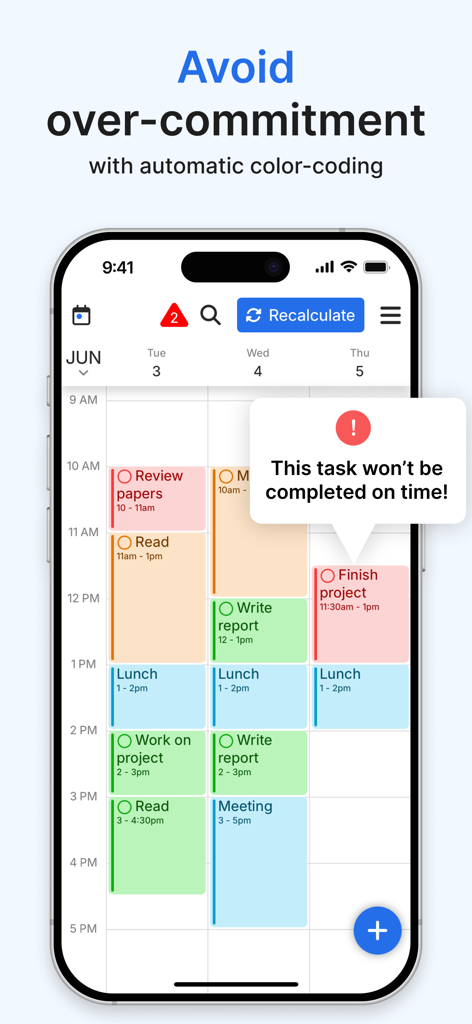
FlowSavvy mobile app interface displaying a calendar with a warning about task completion time

FlowSavvy mobile app interface displaying a calendar with a warning about task completion time

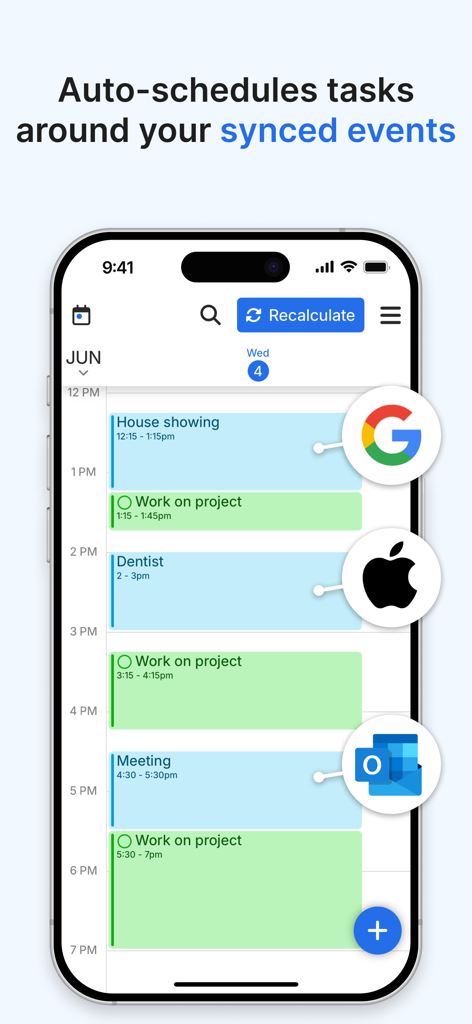
FlowSavvy app interface showing tasks auto scheduled around synced events from Google Apple and Outlook calendars

FlowSavvy app interface showing tasks auto scheduled around synced events from Google Apple and Outlook calendars

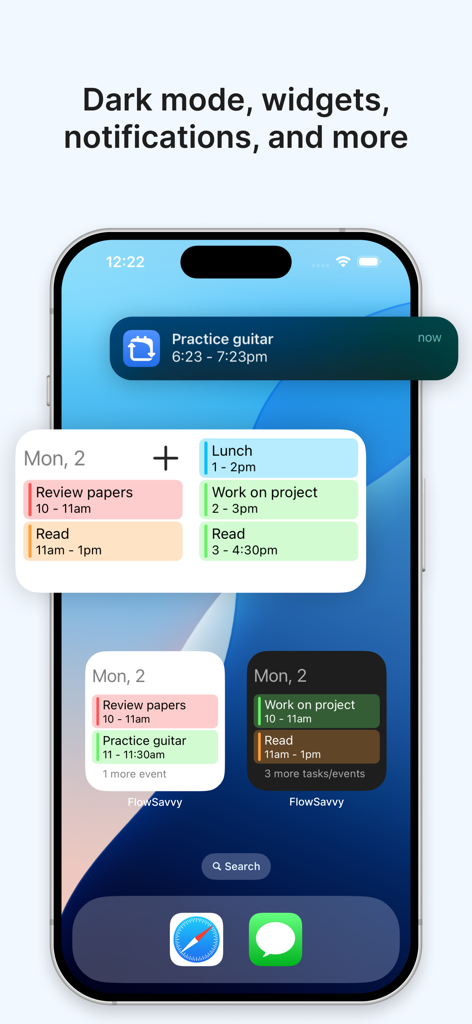
FlowSavvy app home screen showing productivity widgets and task notifications on an iPhone.

FlowSavvy app home screen showing productivity widgets and task notifications on an iPhone.

Master Your Time, Not Your To-Do List

The tools that make this app stand out, trusted by 1K+ users.

🗓️

Intelligent Auto-Scheduling

Stop wasting hours on manual time-blocking. Our AI analyzes your deadlines and available gaps to build a realistic, high-performance daily plan for you.

🔄

One-Click Recalculation

Life is unpredictable. When a meeting runs long or you get behind, hit one button to instantly rebuild your entire schedule and get back on track without the guilt.

⚖️

Dynamic Workload Balancing

Prevent burnout before it starts. FlowSavvy automatically splits large tasks and balances your workload over multiple days to ensure your goals remain achievable.

About the app

Everything you need to know about FlowSavvy: AI Schedule Planner.

Description

FlowSavvy is an AI Schedule that intelligently plans tasks from your to-do list into your calendar so you can see exactly what needs to get done and when. Advanced Auto-Scheduling: • Automatically split tasks when they don’t fit in your schedule • Automatically balance your workload over multiple days • Automatically rebuild your schedule whenever you make a change • 1-click recalculate your entire schedule when you get behind • Generate your perfect schedule from your to do list up to 8 weeks ahead • Customizable auto-scheduling settings • Customizable scheduling hours (Work hours, Personal hours, etc.) Task/Event Features: • Set due dates and durations and have FlowSavvy decide where to schedule them or fix them to a specific time • Repeating events and tasks • Partial completes and progress tracking • Complete tasks directly from the calendar • All day events and busy/free events Other features: • Push notification reminders • Sync with Google Calendar, iCloud, and Outlook • Multiple calendar views and to-do list views • Unlimited events, tasks, and calendars • Quick capture tasks in the inbox, schedule them later • Dark mode and custom colors for events and tasks • Home screen widgets that show your schedule offline for a week Terms of Use: https://www.apple.com/legal/internet-services/itunes/dev/stdeula/

Latest Version

3.8

Size

48.2 MB

First Released

Apr 23, 2022

Stop Planning. Start Achieving.

Join thousands of high-achievers who automate their time blocking with FlowSavvy. Download now and let AI handle the 'when' so you can focus on the 'what'.

Download on App Store

App information, icons, screenshots, and descriptions displayed on this page are sourced from the Apple App Store and are the property of their respective developers. Download estimates and rankings are based on MWM's proprietary models and may not reflect actual figures. This page is provided for informational and analytical purposes only.

Believe this page infringes your intellectual property? File a dispute