FlutterFlow - Build Different

FlutterFlow - Build Different

Download on App Store
Logo of FlutterFlow - Build Different

FlutterFlow - Build Professional Apps at the Speed of Thought

Design stunning interfaces, integrate powerful backends, and deploy to app stores in record time. Export clean Flutter code whenever you need it—no platform lock-in, just pure performance.

Publisher

FlutterFlow, Inc.

Category

Developer Tools

Downloads

26K+

User Rating

4.2/5

Total Ratings

200

Locales

1

Visualize Your Build

Discover the interface used by 26K+ users.
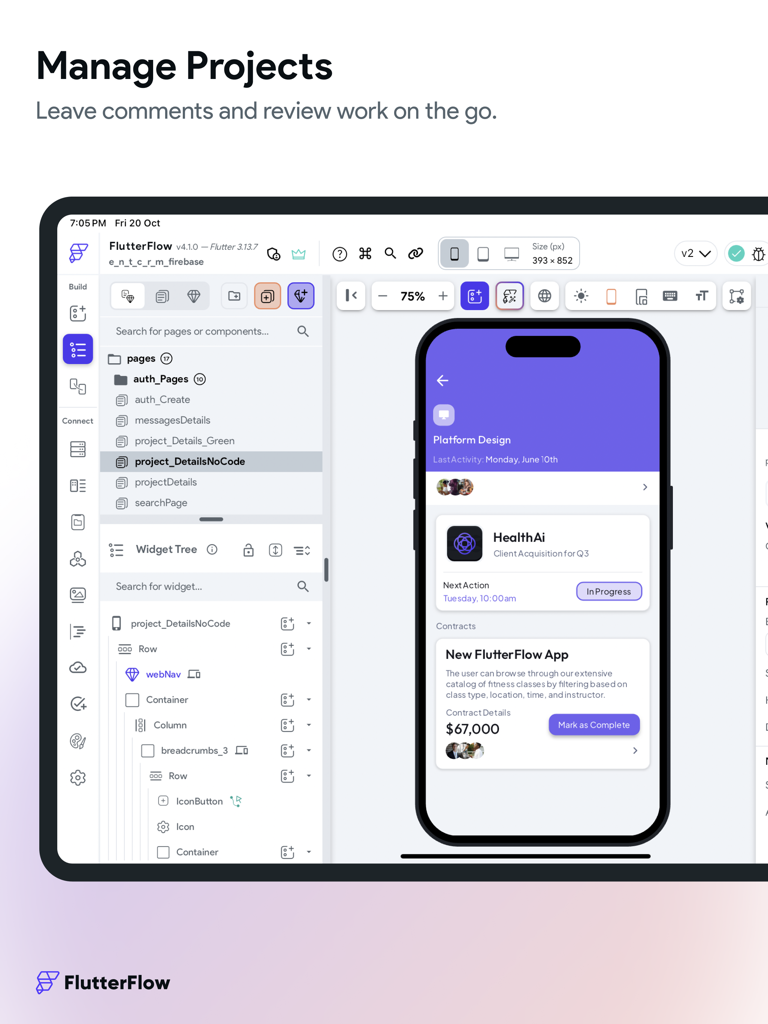
FlutterFlow visual app builder interface on an iPad showing a project editor with a widget tree and mobile preview

FlutterFlow visual app builder interface on an iPad showing a project editor with a widget tree and mobile preview

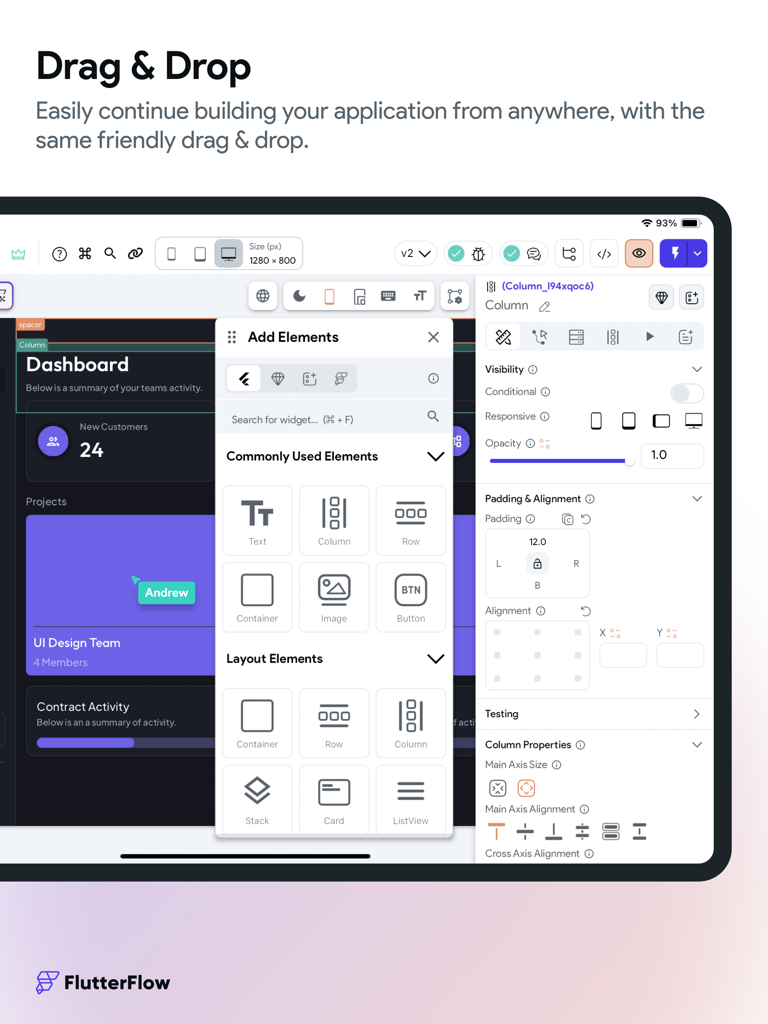
FlutterFlow iPad app visual builder showing drag and drop components for mobile app development

FlutterFlow iPad app visual builder showing drag and drop components for mobile app development

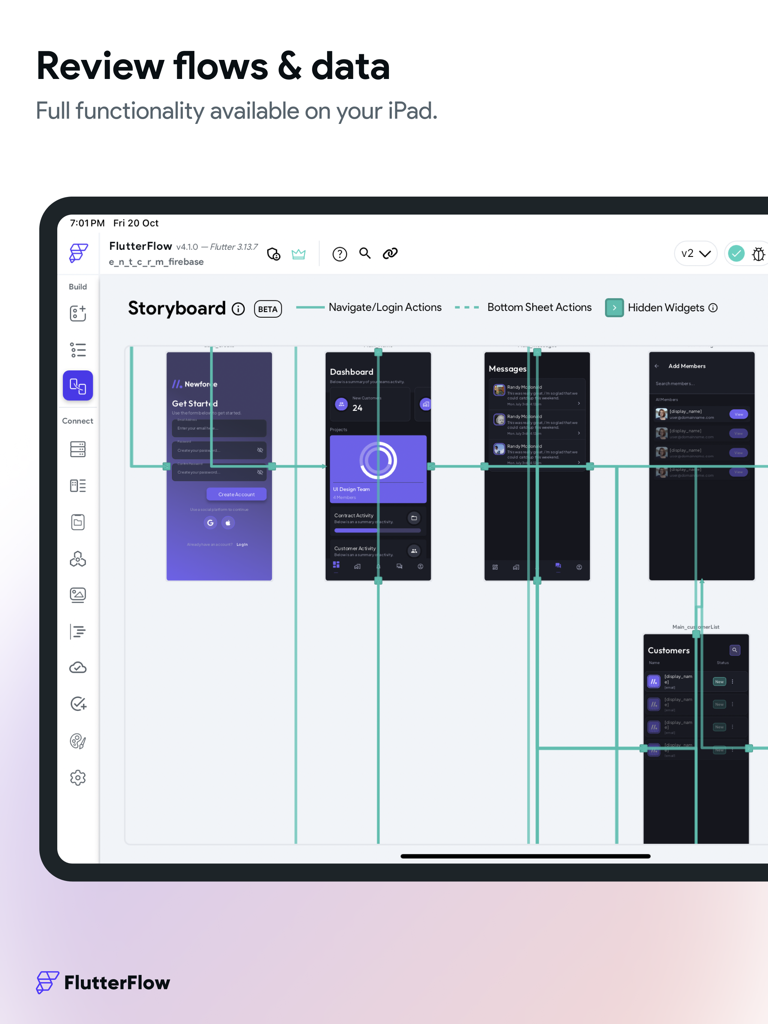
FlutterFlow iPad app showing the storyboard interface for visual app development and flow review

FlutterFlow iPad app showing the storyboard interface for visual app development and flow review

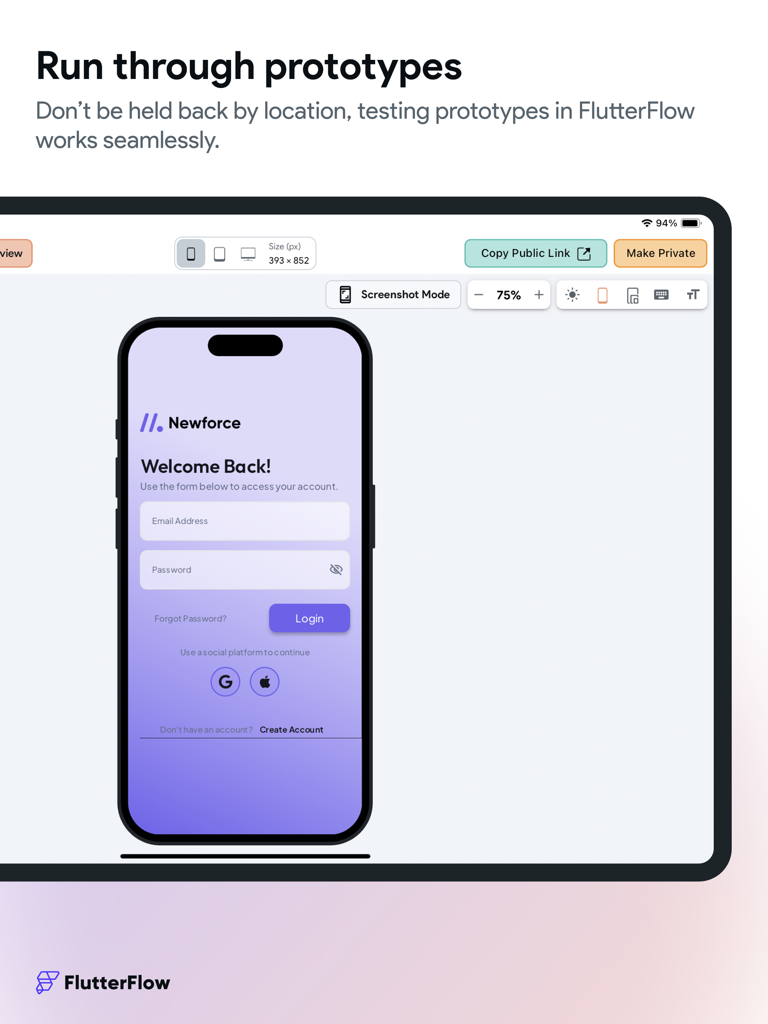
FlutterFlow iPad interface showcasing a mobile app login screen prototype for testing

FlutterFlow iPad interface showcasing a mobile app login screen prototype for testing

Build Professional Apps at Warp Speed

The tools that make this app stand out, trusted by 26K+ users.

🎨

Visual-First Development

Bridge the gap between Figma and production. Build pixel-perfect, responsive interfaces with a drag-and-drop builder designed for professional-grade UIs.

💻

Clean Code, No Lock-In

Own your work. We generate human-readable Flutter code as you build. Export your entire source code or extend it with custom Dart functions whenever you need.

🚀

Ready to Scale Instantly

Skip the complex backend setup. Connect seamlessly to Firebase or Supabase and deploy directly to the App Store with one click.

About the app

Everything you need to know about FlutterFlow - Build Different.

Description

FlutterFlow is a low-code platform for building beautiful cross-platform apps. Create beautiful UI, generate clean code, and deploy to the app stores or web in one click. Fully extensible with custom code. Unlike other no-code tools, FlutterFlow makes it easy to view and export Flutter code that can be customized. Key Features: 1. Visual Builder: Create beautiful and responsive user interfaces with our drag-and-drop designer. Choose from a wide selection of pre-built widgets or create your own custom components. 2. Powerful Backend: FlutterFlow provides easy integration with Firebase, Supabase, or REST APIs. No need to write complex server-side code – we've got you covered! 3. Deploy to Mobile App Stores and Web: With FlutterFlow, you can streamline the process of getting your app to the users. You even have the ability to use custom domains for your web applications, scaling to professional-grade web apps out of the box. 4. 170+ Prebuilt Components: Drag and drop cards, user profiles, list items, and other pre-designed components to help build your app. We are adding more every week! 5. Custom Code: Add advanced functionality without downloading and modifying the code! Add Flutter and Dart code inside FlutterFlow by creating Custom Functions, Widgets, and Actions. 6. Download Code: As you build in FlutterFlow, we automatically create the code for your app. With one click, you can download your entire source code! 7. 3rd Party Integrations: Algolia to power search, Braintree/PayPal to process payments, and a lot more in store! 8. Github Integration: Use our integration with GitHub to easily deploy the latest changes to your repository. Design system: Our new Themes V2 feature gives you the power to take advantage of default widget styling, robust color system, typographic styles, and design libraries all within FlutterFlow. • Manage Theme Colors like a Pro: Import theme colors and font styles from Figma or easily create and manage them within FlutterFlow. • Typographic Styles: Implement proper typographic styles so that your designs remain consistent across device sizes. • Atomic Level Styling: With our default widget styling, control different variations of widgets like buttons, textfields, containers, and choice chips to keep consistent styling across your applications. • Save & Share Design Libraries: Easily share design systems across projects by creating design libraries, which allow you to implement the same theme across multiple projects. Storyboarding: Our new Storyboard view allows you to visualize the design and navigation of your entire application. By mapping out the screens and user interactions, you can ensure that your app's navigation is intuitive and user-friendly. Storyboards can also help you identify and resolve potential navigation issues or dead-ends. Build Collaboratively: Work with a team to build even faster. • Commenting: Leave feedback directly in projects, assign users to specific comments, and iterate faster than ever. • Shareable Project Links: Shareable links connected to live data make testing and collecting user feedback easy. • Teams: Easily add team members to a project and manage project permissions. Work together on your project at the same time. This is great for agencies and companies. • Version Control: Save named versions and easily revert to previous versions. Along with having access to Snapshots which are saved every 10 minutes! With the FlutterFlow app for iPad, you can create apps for any industry – from e-commerce and social media to healthcare and education. Whether you're a startup looking to bring your app idea to life or a business seeking a powerful tool to streamline app development, FlutterFlow is the perfect solution. Download the FlutterFlow app today and experience the future of app development at your fingertips! FlutterFlow Terms of Service: https://flutterflow.io/tos FlutterFlow Privacy Policy: https://flutterflow.io/pp

Latest Version

6.4.110

Size

255.5 MB

First Released

Sep 14, 2023

Build Like a Pro, Ship Like a Startup

Join thousands of builders turning visions into production-ready apps. Design, code, and deploy your next big idea directly from your iPad with FlutterFlow.

Download on App Store
FAQ

Frequently Asked Questions

Everything you need to know about FlutterFlow - Build Different

What is FlutterFlow?

FlutterFlow is a low-code platform for building beautiful cross-platform apps. It allows users to create UI, generate clean Flutter code, and deploy to app stores or the web.

Does FlutterFlow offer a drag-and-drop visual builder for app development?

Yes, FlutterFlow features a drag-and-drop visual designer. Users can create responsive user interfaces using a wide selection of pre-built widgets or custom components.

Does FlutterFlow integrate with external backend services like Firebase?

Yes, FlutterFlow provides easy integration with Firebase, Supabase, or REST APIs. This eliminates the need to write complex server-side code for backend functionality.

Can FlutterFlow deploy applications to both mobile app stores and the web?

Yes, FlutterFlow allows one-click deployment of apps to mobile app stores and the web. It also supports custom domains for professional-grade web applications.

Is it possible to use custom code within FlutterFlow projects?

Yes, users can add custom Flutter and Dart code inside FlutterFlow. This includes creating Custom Functions, Widgets, and Actions to extend app functionality.

Can I download the full source code of my application from FlutterFlow?

Yes, FlutterFlow automatically generates the app's source code. Users can download their entire source code with a single click at any point during development.

What third-party integrations does FlutterFlow support?

FlutterFlow integrates with 3rd party services like Algolia for search and Braintree/PayPal for payment processing, along with other integrations.

Does FlutterFlow provide integration with GitHub for version control?

FlutterFlow offers a GitHub integration to easily deploy the latest changes to a user's repository, streamlining version control and collaboration.

What is the purpose of the Themes V2 feature in FlutterFlow?

The Themes V2 feature in FlutterFlow provides robust color systems, typographic styles, and design libraries. It allows managing theme colors and fonts, and atomic-level widget styling.

How does the Storyboard view assist in app development within FlutterFlow?

The Storyboard view in FlutterFlow visualizes the app's design and navigation. It helps map screens and user interactions to ensure intuitive navigation and resolve potential issues.

Can multiple users collaborate on a single project in FlutterFlow?

Yes, FlutterFlow supports collaborative building with features like commenting, shareable project links, and team management for project permissions and simultaneous work.

Does FlutterFlow include version control and automatic saving features?

FlutterFlow includes version control allowing users to save named versions and revert to previous ones. It also saves automatic snapshots every 10 minutes.

App information, icons, screenshots, and descriptions displayed on this page are sourced from the Apple App Store and are the property of their respective developers. Download estimates and rankings are based on MWM's proprietary models and may not reflect actual figures. This page is provided for informational and analytical purposes only.

Believe this page infringes your intellectual property? File a dispute