Fly Go 4: Drone Mobile Camera

Fly Go 4: Drone Mobile Camera

Download on App Store
Logo of Fly Go 4: Drone Mobile Camera

Fly Go 4: Drone Mobile Camera โ€” The Ultimate Professional Flight Controller

Unlock the full potential of your drone with real-time HD transmission, intelligent cinematic modes, and precision controls for over 34 DJI models. Experience the reliable, all-in-one co-pilot built for creators and pros.

Publisher

COOLDEV CO., LTD

Category

Photo & Video

Downloads

32K+

User Rating

4.0/5

Total Ratings

400

Locales

6

Your Command Center

Discover the interface used by 32K+ users.
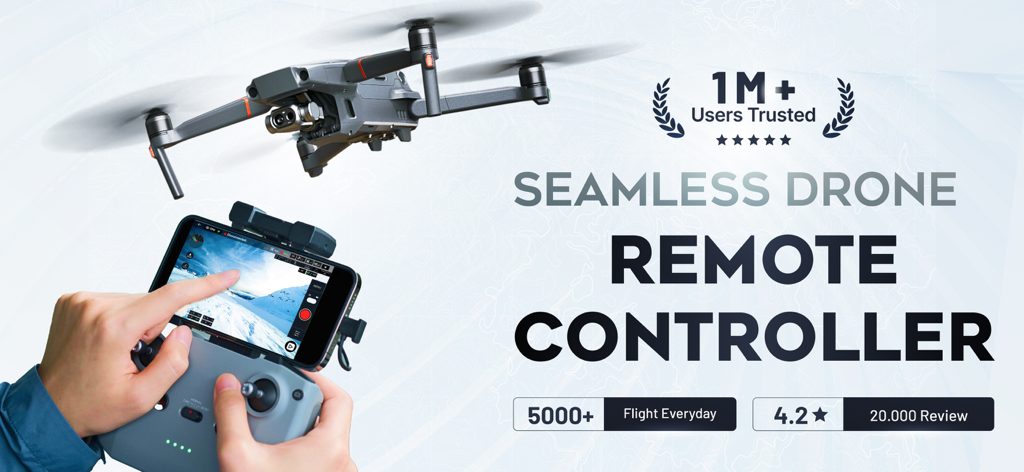
A person using the Fly Go 4 app on a remote controller to fly a drone with a live camera view.

A person using the Fly Go 4 app on a remote controller to fly a drone with a live camera view.

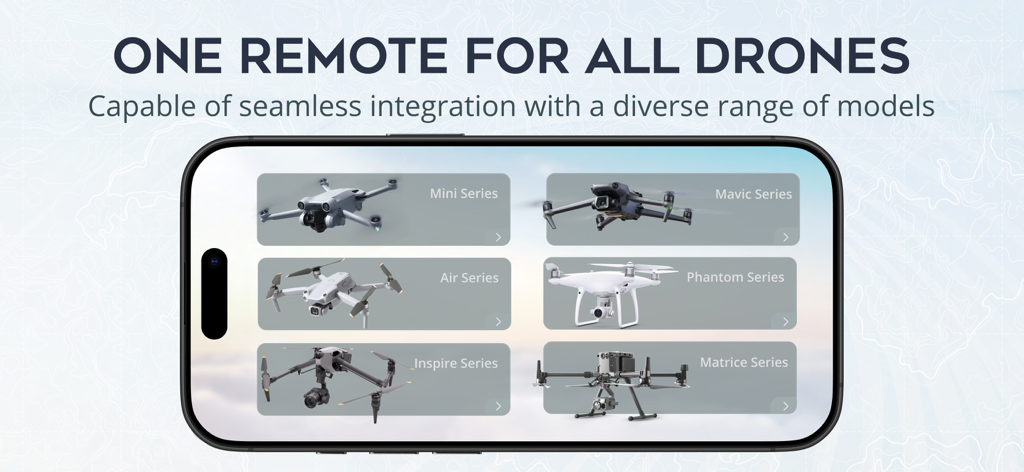
Smartphone screen displaying the Fly Go 4 app compatibility with various drone series like Mavic Phantom and Mini

Smartphone screen displaying the Fly Go 4 app compatibility with various drone series like Mavic Phantom and Mini

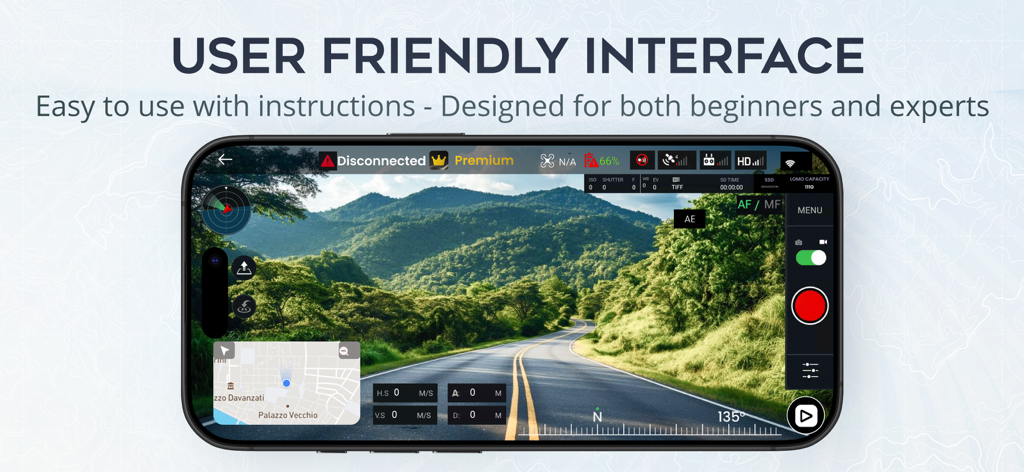
Drone camera app interface displaying a real-time aerial view of a road through green mountains

Drone camera app interface displaying a real-time aerial view of a road through green mountains

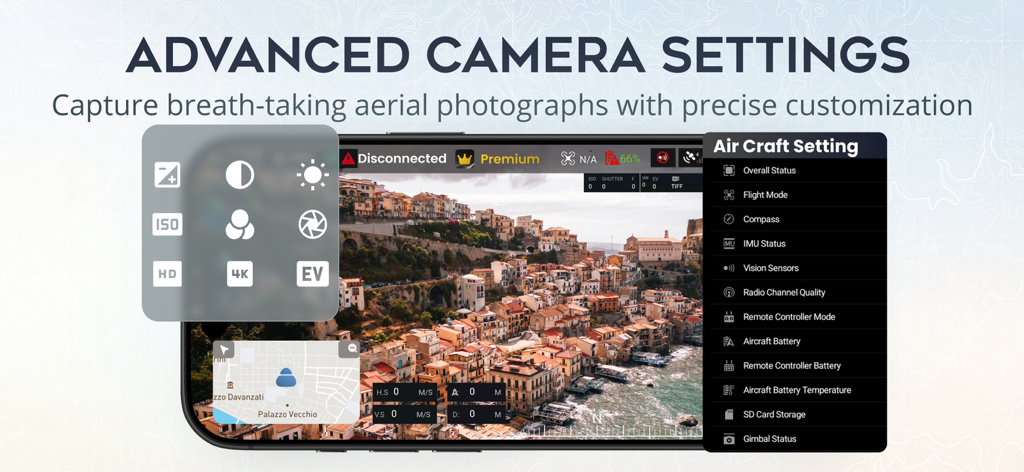
Interface of the Fly Go 4 app showing advanced camera settings and aircraft status menu over a scenic aerial drone view

Interface of the Fly Go 4 app showing advanced camera settings and aircraft status menu over a scenic aerial drone view

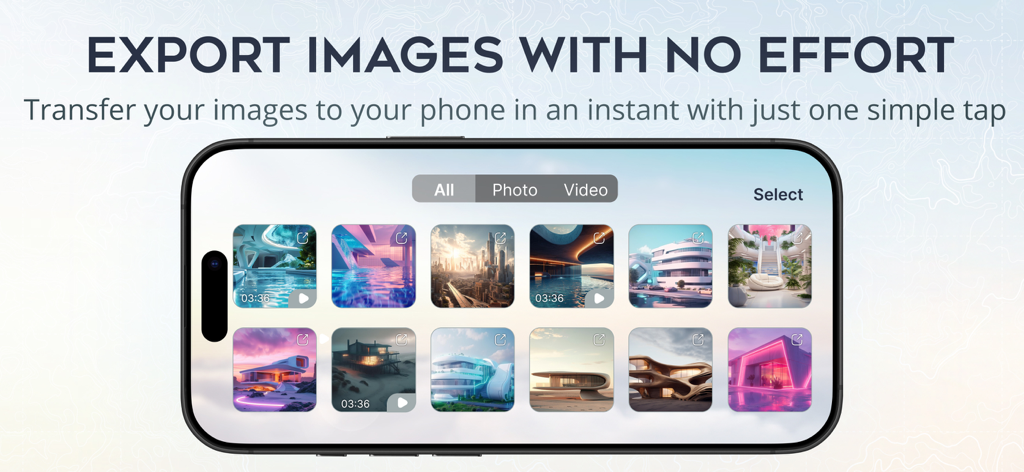
Fly Go 4 app interface showing a gallery of drone photos and videos for quick export to a smartphone.

Fly Go 4 app interface showing a gallery of drone photos and videos for quick export to a smartphone.

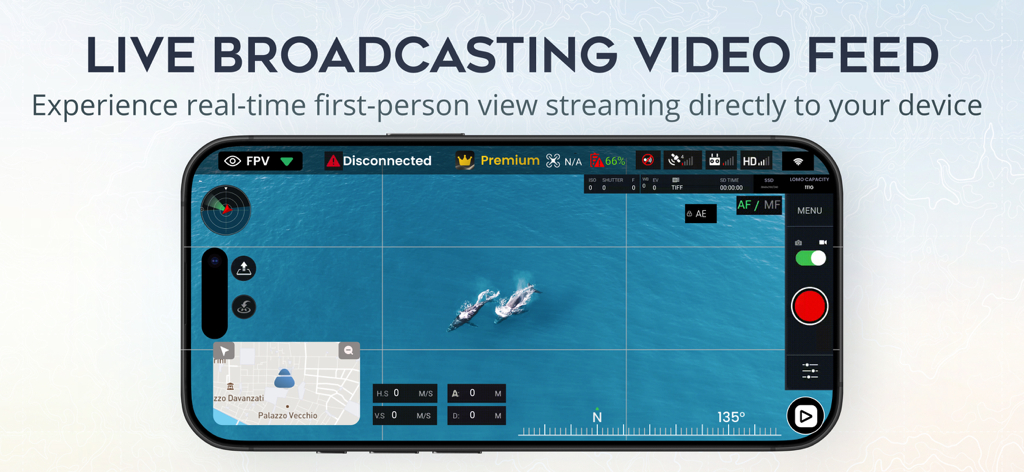
Fly Go 4 drone app displaying a live first person view camera feed of whales

Fly Go 4 drone app displaying a live first person view camera feed of whales

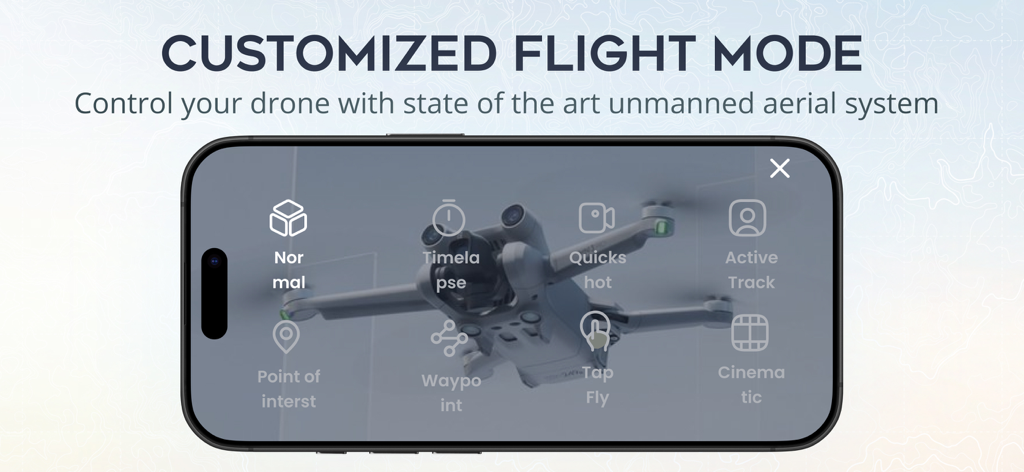
Interface of the Fly Go 4 app displaying various customized flight modes for drone control on a smartphone screen

Interface of the Fly Go 4 app displaying various customized flight modes for drone control on a smartphone screen

Master Every Mission

The tools that make this app stand out, trusted by 32K+ users.

๐Ÿš

Universal Fleet Control

Command 34+ drone models from one interface. Whether flying a legacy Phantom or a modern Mavic, enjoy a consistent, reliable flight experience.

๐Ÿ“ถ

Ultra-Stable HD Link

Experience low-latency, real-time video transmission. Monitor your flight with crystal clarity to make split-second decisions and frame the perfect shot.

๐ŸŽฏ

Intelligent Cinema Modes

Capture professional-grade footage with AI-powered flight paths. Use ActiveTrack and Point of Interest to get studio-quality results with zero effort.

About the app

Everything you need to know about Fly Go 4: Drone Mobile Camera.

Description

Unlock the skies with Fly Go 4: Drone Mobile Deploy and take your drone experience to new heights! Compatibility: Fly Go 4: Drone Mobile Deploy is built on Mobile SDK v4.16.2, which supports a wide range of drones. There are 34 drone models supported in this version: - Mavic Air - Mavic Air 2 - Mavic Mini - Mavic 2 Enterprise - Mavic 2 Enterprise Dual - Mavic 2 Pro - Mavic 2 Zoom - Mavic Pro - Phantom 3 Standard - Phantom 3 Advanced - Phantom 3 Professional - Phantom 3 4K - Phantom 4 - Phantom 4 Advanced - Phantom 4 Professional - Phantom 4 Professional V2 - Phantom 4 RTK - Phantom 4 Multispectral - Inspire 1 - Inspire 1 Pro/Raw - Inspire 2 - Matrice 100 - Matrice 200 - Matrice 200 V2 - Matrice 210 - Matrice 210 V2 - Matrice 210 RTK - Matrice 210 RTK V2 - Matrice 300 RTK - Matrice 600 - Spark - Mini 2 - Mini SE - Air 2S *For Mavic users, there are some features our app hasn't supported yet: Low Battery Warning, Critical Low Battery Warning, Time to Discharge, Sync Gimbal with Aircraft Heading, Lock Gimbal When Shooting, Gimbal Mode. Play media, Preview media, On/Off Head LEDs & Camera Forward/Down (Mavic Air 2S: double tap is C2, 1-tap is C1). Disclaimer: We would like to clarify that this application is not an official app, but rather a support app utilizing the official Mobile SDK provided by the manufacturer. Still, this app can work perfectly with all drone models above and their RCs. Additionally, it is not affiliated with or endorsed by any mentioned company, and it is not an official product of that company or its affiliates. Fly Go 4: Drone Mobile Deploy is the ultimate companion app for your drones, designed to offer unparalleled control, ease of use, and a seamless flying experience. Whether a beginner or a seasoned drone pilot, Fly Go 4: Drone Mobile Deploy provides the tools and features to explore the skies confidently and creatively. Why Choose Fly Go 4: Drone Mobile Deploy? - Intuitive Interface: Our user-friendly interface ensures easy drone operation, providing clear information for a smooth flying experience, whether you're a beginner or an experienced pilot. - Advanced Flight Controls: Take full control of your drones with Drone Mobile Deploy - Skylink's advanced flight features, which allow for precision and accuracy in complex maneuvers and effortless aerial shot capture. - Real-Time Video Transmission: Experience real-time HD video transmission directly to your mobile device. With Drone Mobile Deploy - Skylink, you can see exactly what your drone sees, allowing you to make quick decisions and adjustments for the best possible footage. - Smart Flight Modes: Capture professional-quality videos and photos with intelligent flight modes like ActiveTrack, FocusTrack, Point of Interest , QuickShot, Spotlight,... It is ideal for dynamic action scenes or serene landscapes. - Comprehensive Flight Data: Keep track of all your flight details with in-depth flight data logging. Drone Mobile Deploy - Skylink records your drone's flight path, altitude, speed, and more, providing valuable insights to improve your flying skills. - Easy Media Management: Manage your photos and videos directly within the app with QuickTransfer. Access, edit, and share your stunning aerial footage with friends and family, or upload it to social media to showcase your skills. - Safe Flying: Safety is our priority. Fly Go 4: Drone Mobile Deploy includes built-in safety features like obstacle detection, return-to-home (RTH), and flight zone restrictions to ensure that your flights are safe and secure. LICENSED APPLICATION END USER LICENSE AGREEMENT: https://www.apple.com/legal/internet-services/itunes/dev/stdeula/ Take your drone experience to new heights! Download Fly Go 4: Drone Mobile Deploy now and explore endless aerial possibilities!

Latest Version

2.0.16

Size

191.9 MB

First Released

Dec 11, 2023

Ready to Master the Skies?

Join thousands of pro pilots who trust Fly Go 4 for professional-grade control, seamless HD transmission, and cinematic precision on over 34 drone models.

Download on App Store

App information, icons, screenshots, and descriptions displayed on this page are sourced from the Apple App Store and are the property of their respective developers. Download estimates and rankings are based on MWM's proprietary models and may not reflect actual figures. This page is provided for informational and analytical purposes only.

Believe this page infringes your intellectual property? File a dispute