FlyBy E6B
FlyBy E6B
Download on App Store

This page is not an official page of the app or its developer, but an independent editorial publication created for informational and commentary purposes. Unless expressly stated otherwise, neither the app nor its developer is affiliated with, endorsed by, sponsored by, authorized by, or otherwise officially connected with MWM, Apple, Google Play, the app publisher, or the app's developer, and nothing on this page implies that the app was developed using MWM's services. Any trademarks, logos, screenshots, and other content remain the property of their respective owners.


Logo of FlyBy E6B
Download on App Store

FlyBy E6B

Master your cockpit math with over 70 precision tools designed by a professional airline pilot. From student flight training to commercial operations, get the reliability and features you need to fly safer and smarter.

Key Figures

Downloads

220K+

User Rating

4.7/5

Total Ratings

200

Publisher

Lonnie Ganz

Category

Navigation

Locales

1

Latest Version

2025.31

Size

23.7 MB

First Released

Jun 21, 2010
Features

Professional Precision for Every Phase of Flight

Built by veteran airline pilots, FlyBy E6B delivers 70+ specialized aviation tools designed to eliminate manual math and reduce cognitive load, from flight school exams to complex commercial operations.

Advanced Navigation & VNAV

Go beyond basic math with professional-grade tools for Critical Point, Point of No Return, and precise Vertical Navigation (VNAV) descent profiles.

Real-Time Wind & Airspeed

Instant calculations for True Airspeed (TAS), Ground Speed, and Headwind/Crosswind components to ensure you stay ahead of the aircraft.

The following screenshots and description are sourced directly from the app's official store listing and are the property of the app developer.

App Store

Screenshots
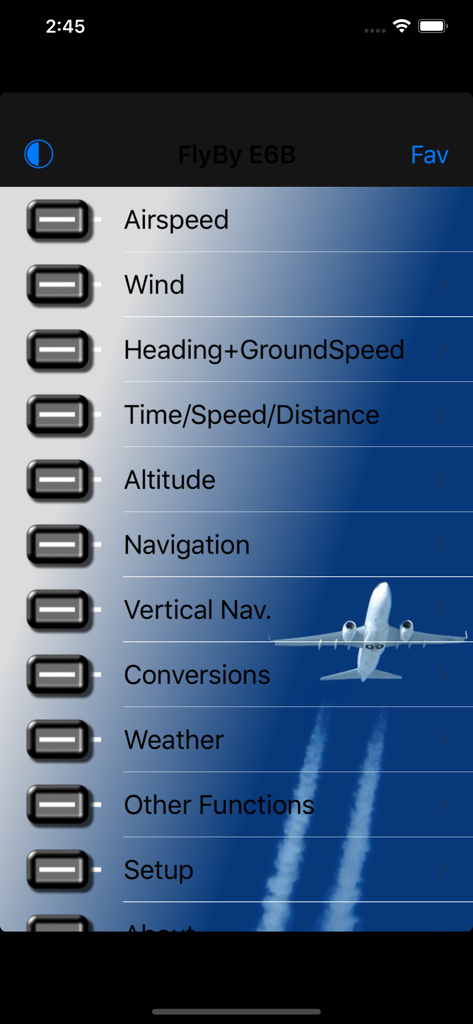
FlyBy E6B - FlyBy E6B main menu interface displaying aviation calculation options
FlyBy E6B main menu interface displaying aviation calculation options

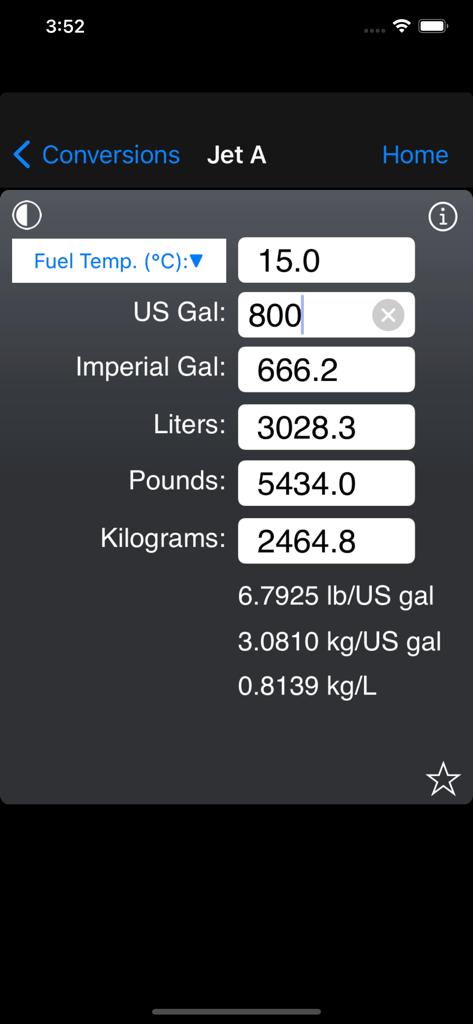
FlyBy E6B - FlyBy E6B app interface showing Jet A fuel volume and weight conversion screen
FlyBy E6B app interface showing Jet A fuel volume and weight conversion screen

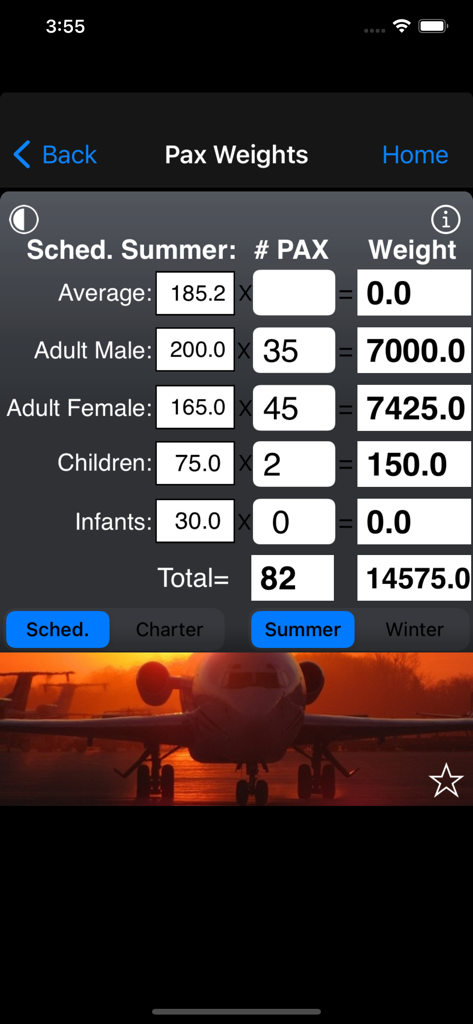
FlyBy E6B - Aviation passenger weight calculation screen for flight planning in the FlyBy E6B app.
Aviation passenger weight calculation screen for flight planning in the FlyBy E6B app.

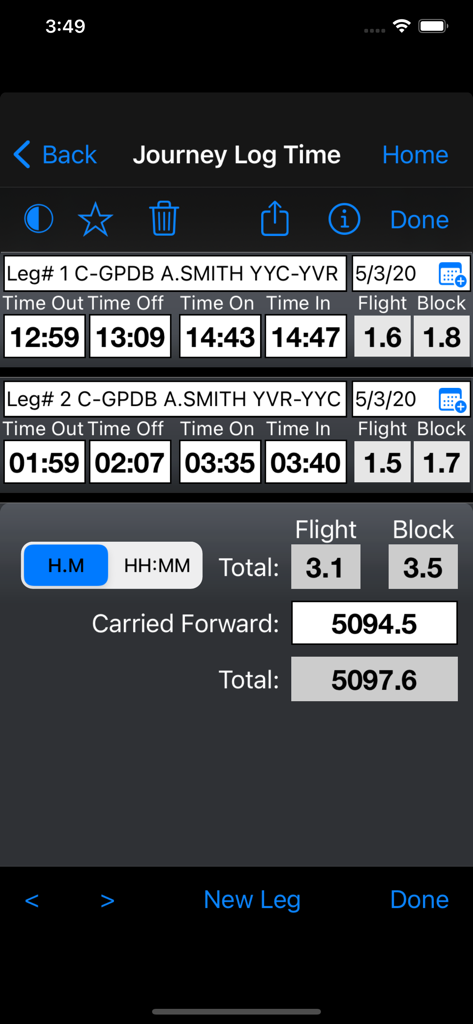
FlyBy E6B - FlyBy E6B app interface showing the journey log time feature with flight and block time calculations for multiple legs
FlyBy E6B app interface showing the journey log time feature with flight and block time calculations for multiple legs

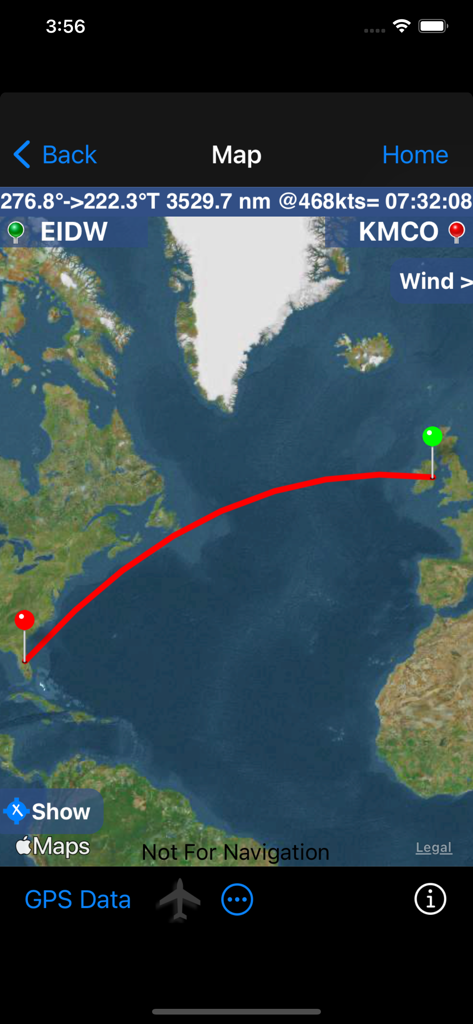
FlyBy E6B - FlyBy E6B app map interface showing a flight route from Dublin to Orlando with distance and time details
FlyBy E6B app map interface showing a flight route from Dublin to Orlando with distance and time details

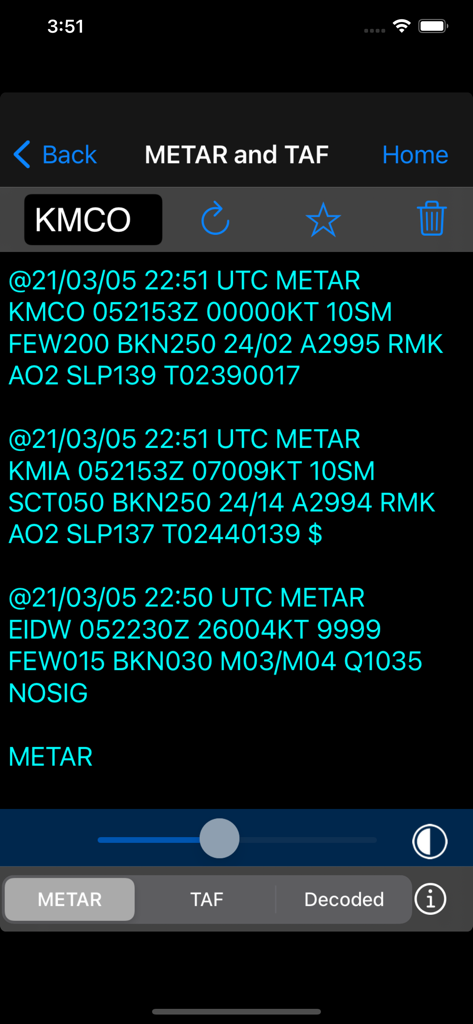
FlyBy E6B - Aviation weather report screen showing METAR and TAF data in FlyBy E6B app
Aviation weather report screen showing METAR and TAF data in FlyBy E6B app

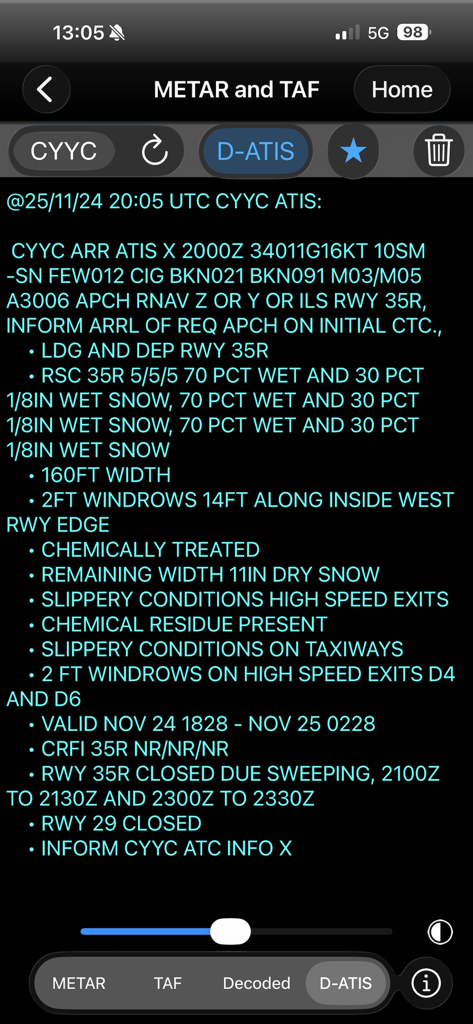
FlyBy E6B - FlyBy E6B app displaying a detailed D-ATIS weather report and runway conditions
FlyBy E6B app displaying a detailed D-ATIS weather report and runway conditions

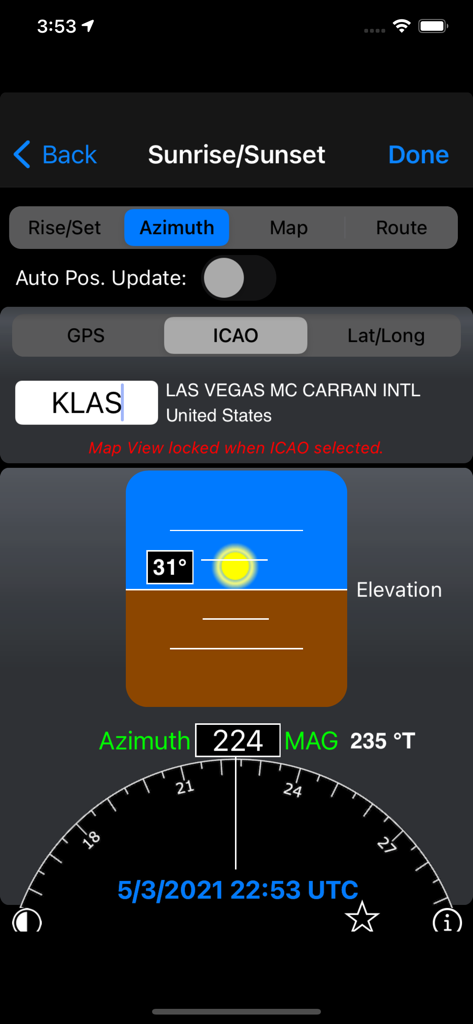
FlyBy E6B - Sunrise and sunset azimuth calculation for Las Vegas airport in FlyBy E6B app

Sunrise and sunset azimuth calculation for Las Vegas airport in FlyBy E6B app

Description

FlyBy E6B is an essential application for all pilots. Designed by a professional airline pilot it includes many features not found in the "other" E6B programs. If you are considering a career in aviation FlyBy E6B has functions that you can use in every aircraft you will fly. FlyBy E6B was one of the very first applications of its kind published for the Palm Pilot. Used by thousands of pilots the world over, it has evolved from the suggestions and feedback we have received. Please visit our web site for more detail and screen shots. FlyBy E6B Features (70+): Airspeed Calculations: - True Airspeed using Calibrated Airspeed - True Airspeed using Mach# - Calibrated Airspeed using TAS - IAS Using MACH# - Equivalent Airspeed using CAS - Mach# Using TAS - Mach Crossover Altitude - Planned MACH# - Planned TAS - Vref CAS Wind Calculation: - Find Wind Direction and Speed - Find Wind Component (headwind and crosswind) Heading and Ground Speed: - Find Heading, Ground Speed, ETE and Fuel Burned Time-Speed-Distance: - Find Estimated Time Enroute - Find Ground Speed - Find Distance - Find Fuel Time - Find Fuel Flow - Find Fuel Burned - Find Estimated Time of Arrival - Journey Log Time - Time Adder - Fixed GroundSpeed (Find a True Airspeed given a track, wind and required groundspeed) - Crew Rest Altitude Calculations: - Density Altitude - Pressure Altitude - True Altitude - Cold Temperature Altitude Correction - China RVSM Airspace - Device Altitude (If device has pressure sensor) Vertical Navigation Calculations: - Distance and Time using Altitude Change, Ground Speed, Vertical Speed - Rate of Descent using Altitude Change, Ground Speed, Distance - Rate of Descent using Altitude Change, Ground Speed, Descent Angle - Feet/Nm using Vertical Speed, Ground Speed - Feet/Nm (%) using Gradient %, Ground Speed - Rate of Climb using Required Climb Gradient and Ground Speed - SCDA (Constant Descent Angle) - VDP (Visual Descent Point) - VPA Deviation (Vertical Path Angle Deviation) Navigation Calculations: - Critical Point - Equal Time Point - Point of No Return - Time to Minimum Descent Altitude - Track and Distance between two points with map plotting of the great circle track. Map plotting includes movable pin locations with instant trip information: Distance, Track and time enroute. - Map GPS mode. Displays device Speed, True Course, Altitude, Distance Remaining, Track to Destination, cross track error, estimated time remaining and estimated time of arrival. - Map closest airport feature will display airports close to your current GPS location or a dropped pin location. - Fix. Calculate a map point based on a Fix, Radial and Distance. - Rate One Turn - Radius of Turn - Turning Stall Speed - DME Arc distance and time - VOR Nav Conversions: - Distance: Nautical Miles/ Knots Statute Miles/ Mph Kilometers/ Kph Feet Meters Meters/Second Feet/Second Feet/Minute - Volume: US Gallons Imperial Gallons Liters - Temperature: Celsius Fahrenheit Kelvin - Weight: Pounds Kilograms - Altimeter: Inches Hg Millibars/Hectopascals mmHg - Fuel, Temperature Corrected, JetA, JetB, AvGas: US Gallons Imperial Gallons Liters Pounds Kilograms - QFE/QNH airfield altitude conversion - DMS/DM.m/DM.m and D.d coordinate conversion - VNAV Gradient% Feet per NM Angle Weather: - Relative Humidity, Heat Index, Cumulus cloud base, Wind Chill - NOAA METAR/TAF and D-ATIS access - ISA Temperature Deviation Other Functions: - Linear Interpolation - Minimum Floor Load Limit (Cargo) - Maximum Cargo Weight - Runway Slope - PAX Weight - C.G. Change - Weight to Shift - Distance to Shift - Sunrise/Sunset: Civil Day/Night, Azimuth, Apex, Elevation, for any location and time/date. Includes a unique sunset ETA function that calculates your current flights sunset time.

Download

Download on App Store

This page is not an official page of the app or its developer, but an independent editorial publication created for informational and commentary purposes. Unless expressly stated otherwise, neither the app nor its developer is affiliated with, endorsed by, sponsored by, authorized by, or otherwise officially connected with MWM, Apple, Google Play, the app publisher, or the app's developer, and nothing on this page implies that the app was developed using MWM's services. Any trademarks, logos, screenshots, and other content remain the property of their respective owners.