Focus Interval Timer ChronoCat

Focus Interval Timer ChronoCat

Download on App Store
Logo of Focus Interval Timer ChronoCat

ChronoCat: The Smart Time Blocker That Adapts to Your Life

Stop fighting rigid calendars. Plan your day instantly with natural language and enjoy a flexible schedule that automatically shifts when you go overtime, keeping you focused and guilt-free.

Download on App Store

Publisher

HABITEDGE PTY LTD

Category

Productivity

Downloads

100

User Rating

4.9/5

Total Ratings

0

Locales

1

Your Day, Visualized

Discover the interface used by 100 users.
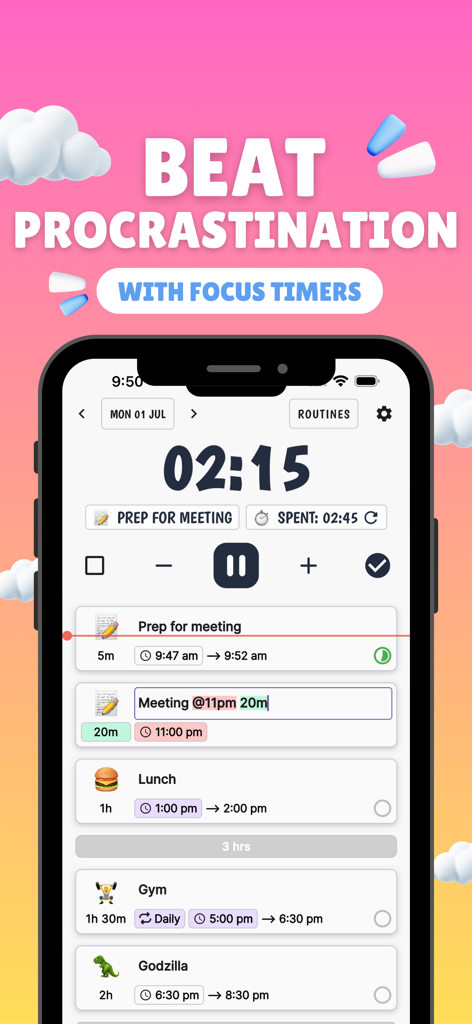
Mobile app interface of ChronoCat showing a countdown focus timer and a chronological list of daily tasks with emojis

Mobile app interface of ChronoCat showing a countdown focus timer and a chronological list of daily tasks with emojis

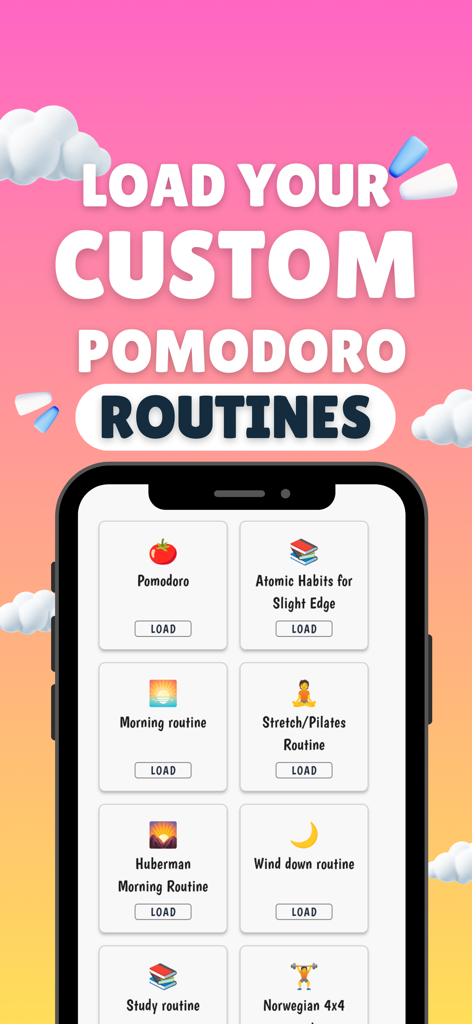
ChronoCat app screen showing customizable pomodoro routines like Huberman Morning and Atomic Habits

ChronoCat app screen showing customizable pomodoro routines like Huberman Morning and Atomic Habits

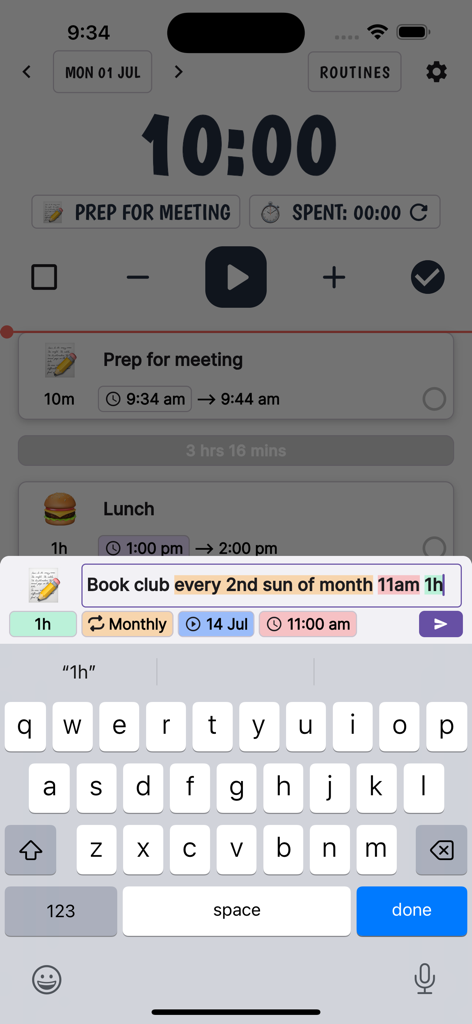
A screenshot of the ChronoCat app showing natural language parsing to schedule a recurring book club task.

A screenshot of the ChronoCat app showing natural language parsing to schedule a recurring book club task.

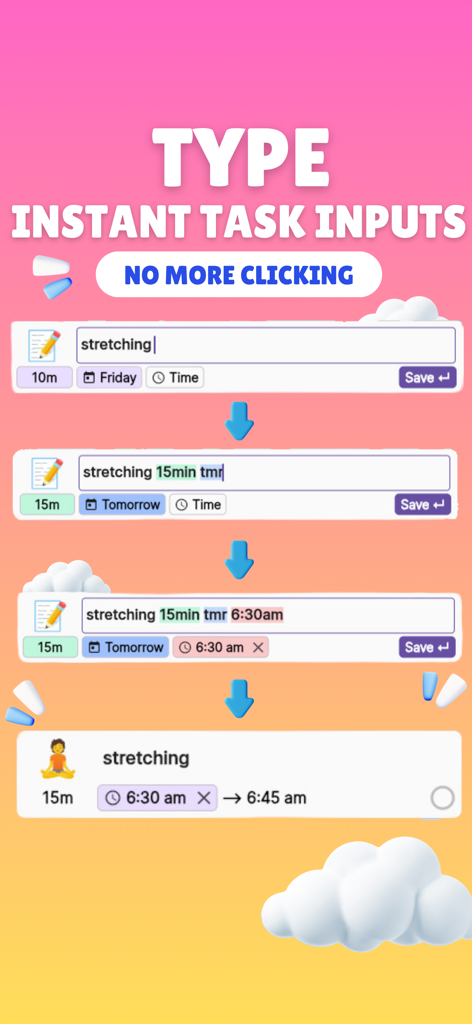
ChronoCat app interface demonstrating natural language parsing to quickly type and schedule a stretching task with automatic emoji generation

ChronoCat app interface demonstrating natural language parsing to quickly type and schedule a stretching task with automatic emoji generation

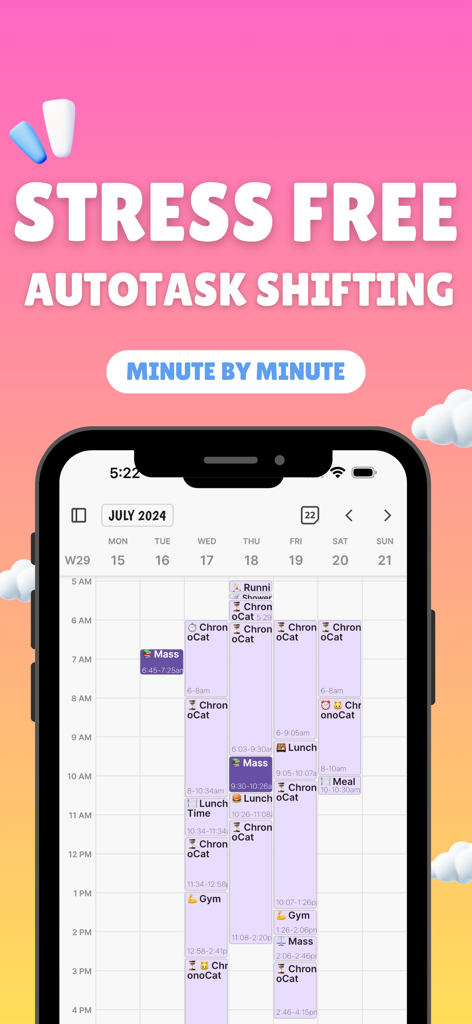
A smartphone screen displaying the ChronoCat app weekly calendar view with the text Stress Free Autotask Shifting Minute by Minute.

A smartphone screen displaying the ChronoCat app weekly calendar view with the text Stress Free Autotask Shifting Minute by Minute.

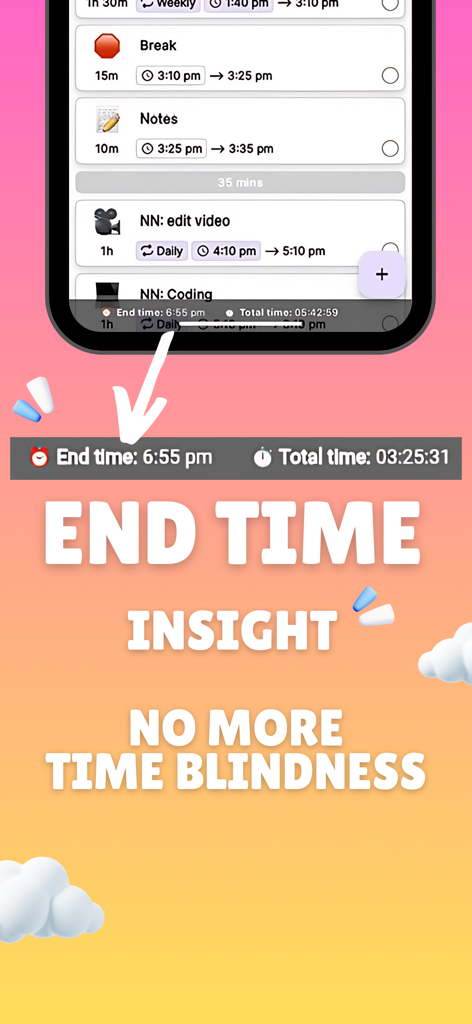
Screenshot of ChronoCat productivity app displaying end time insights and a chronological task list to help users manage time blindness.

Screenshot of ChronoCat productivity app displaying end time insights and a chronological task list to help users manage time blindness.

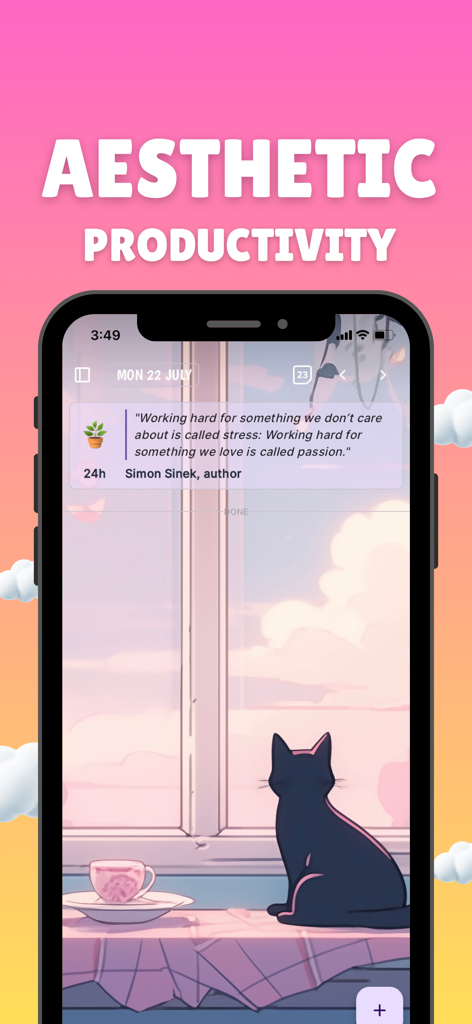
ChronoCat app interface featuring a scenic cat background and a motivational quote for aesthetic productivity

ChronoCat app interface featuring a scenic cat background and a motivational quote for aesthetic productivity

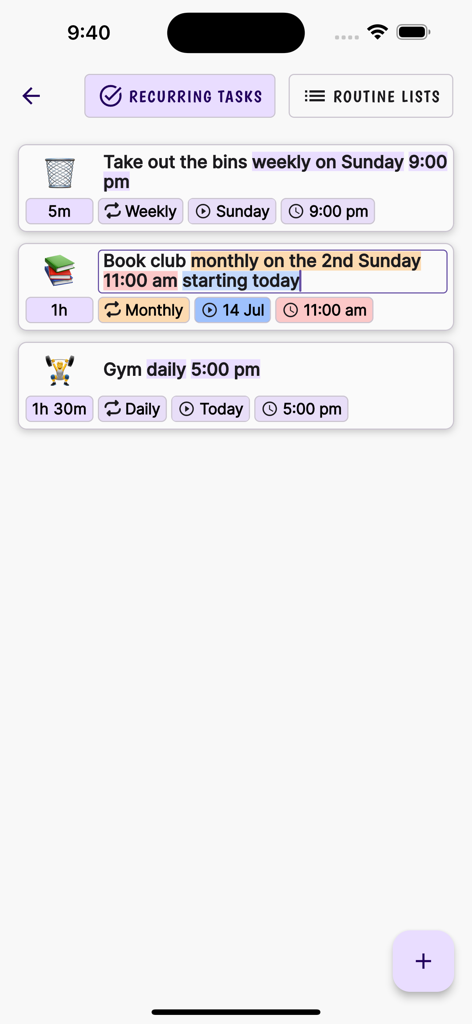
Screenshot of ChronoCat recurring tasks screen showing automated scheduling for chores, book club, and gym using natural language input.

Screenshot of ChronoCat recurring tasks screen showing automated scheduling for chores, book club, and gym using natural language input.

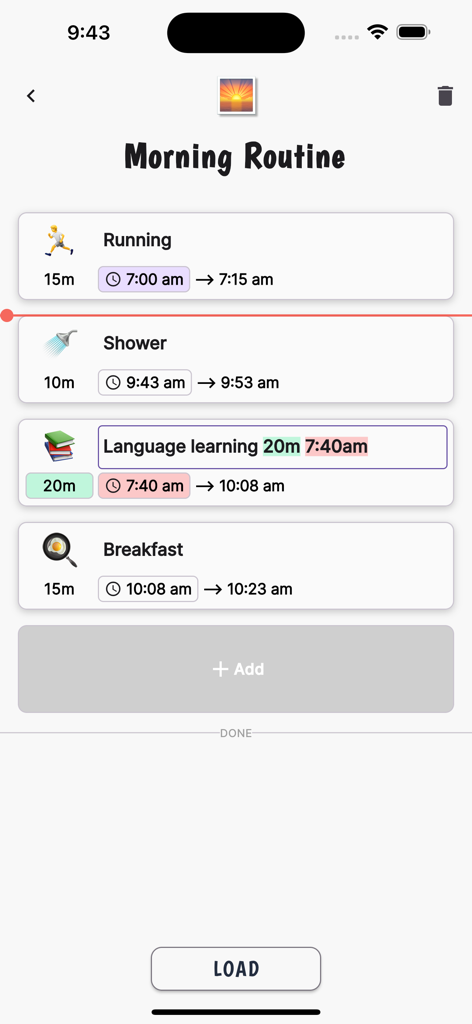
ChronoCat app interface showing a morning routine with scheduled tasks like running and shower using automatic time blocking

ChronoCat app interface showing a morning routine with scheduled tasks like running and shower using automatic time blocking

Effortless Planning, Zero Friction

The tools that make this app stand out, trusted by 100 users.

💬

Type Like You Talk

Just type 'Meeting @10 for 30m' and let AI build your schedule instantly. No more tedious menus or manual entry.

🌊

Schedules That Bend, Never Break

Life happens. If you go overtime, your entire day automatically recalibrates, removing the guilt of falling behind.

🚀

Crush Procrastination

Stay in the flow with auto-starting tasks and gentle nudges that keep you moving from one win to the next.

About the app

Everything you need to know about Focus Interval Timer ChronoCat.

Description

ChronoCat is a natural language powered time blocking app with a focus timer. It lets you quickly plan your day with statements like 'Meeting every thurs @11 for 1h 30m'. Tasks without a start time automatically adjust times making it flexible to unforeseen changes. Going Overtime? No worries. See how your remaining task's start and end times are affected automatically. Natural language parsing: Create tasks like messaging an assistant "Meeting @12 for 30m" Recurring events/tasks: Naturally say 'every 2nd Sun of the month' to set a recurring event/task Routines: Create routine lists to quickly add a list of tasks to the current day. Calendar week view Emoji-Enhanced Tasks: Auto-generated emojis for each task. Flexible Scheduling: Easily adjust and transfer tasks across days for ultimate flexibility. Intuitive Timer: Stay focused with a simple press of the 'play' button. Gentle Alarms: Customize your alarm to signal task completion, a gentle nudge towards your next activity. Chronological daily planner Cross Platform sync Templates for routines Estimated time for tasks Automatic starting of next task to stop procrastination Push back times for following tasks if run overtime (Flexible Calendar) Templates for pomodoro Optional chime that plays during task at custom intervals to keep you on track Give you updated times of when you'll start your next time by the minute Give you updated estimated time of completion of ALL your tasks for your current day. Automatic AI emojis to save you time

Latest Version

7.16.11

Size

107.5 MB

First Released

Jan 31, 2024

Stop Fighting Your Calendar. Start Flowing With It.

Join thousands of agile achievers who use ChronoCat to eliminate productivity guilt. Plan in seconds with natural language and let our flexible timer automatically adjust your day when life happens.

Download on App Store

App information, icons, screenshots, and descriptions displayed on this page are sourced from the Apple App Store and are the property of their respective developers. Download estimates and rankings are based on MWM's proprietary models and may not reflect actual figures. This page is provided for informational and analytical purposes only.

Believe this page infringes your intellectual property? File a dispute