FoodShot AI: Food Photo Editor

FoodShot AI: Food Photo Editor

Download on App Store
Logo of FoodShot AI: Food Photo Editor

FoodShot AI: Professional Menu Photos in Seconds, Not Hours

Transform phone snaps into studio-quality visuals with AI-powered lighting and texture. The ultimate tool for restaurants, ghost kitchens, and creators to build high-converting menus for DoorDash, Instagram, and beyond.

Download on App Store

Publisher

Ali Tanis

Category

Photo & Video

Downloads

800

User Rating

4.8/5

Total Ratings

0

Locales

1

Pro Results, No Studio Needed

Discover the interface used by 800 users.
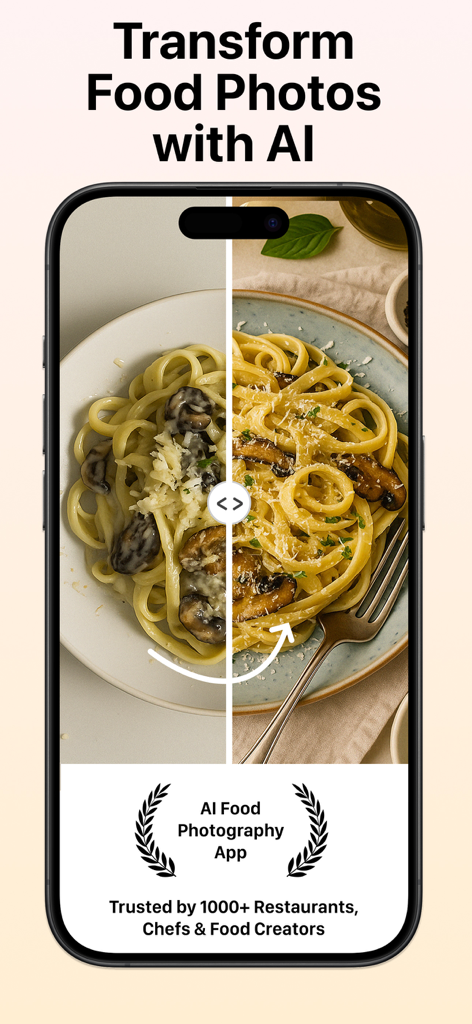
Before and after comparison of a mushroom pasta dish using FoodShot AI app

Before and after comparison of a mushroom pasta dish using FoodShot AI app

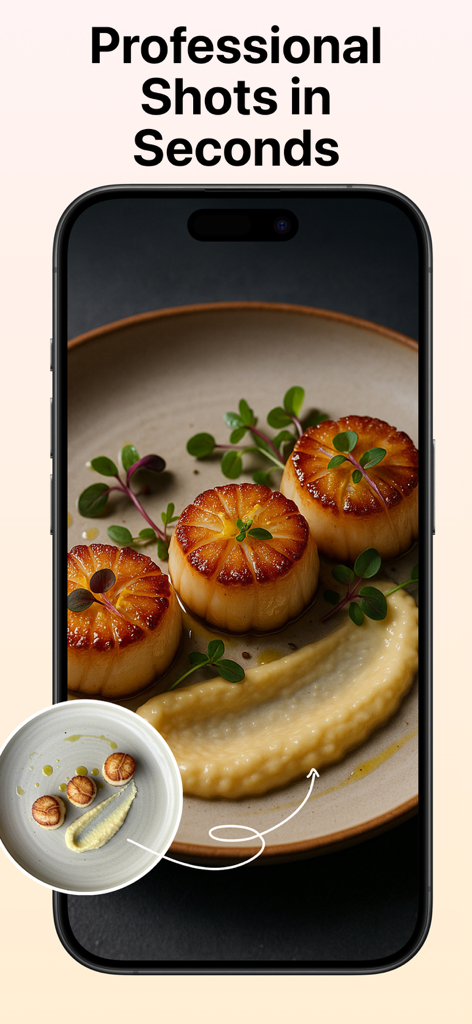
Before and after comparison of a food photo showing AI enhanced lighting and texture on a dish of scallops

Before and after comparison of a food photo showing AI enhanced lighting and texture on a dish of scallops

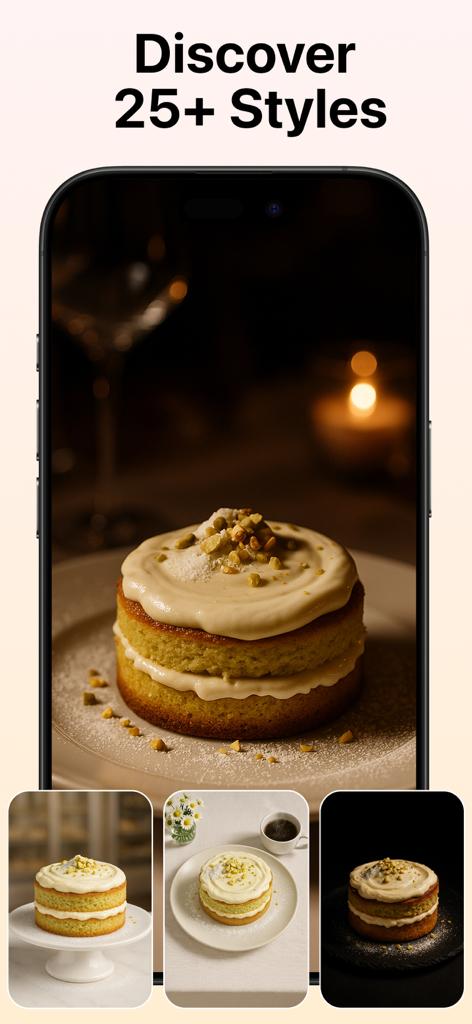
FoodShot AI app interface showing various professional photography styles for a cake

FoodShot AI app interface showing various professional photography styles for a cake

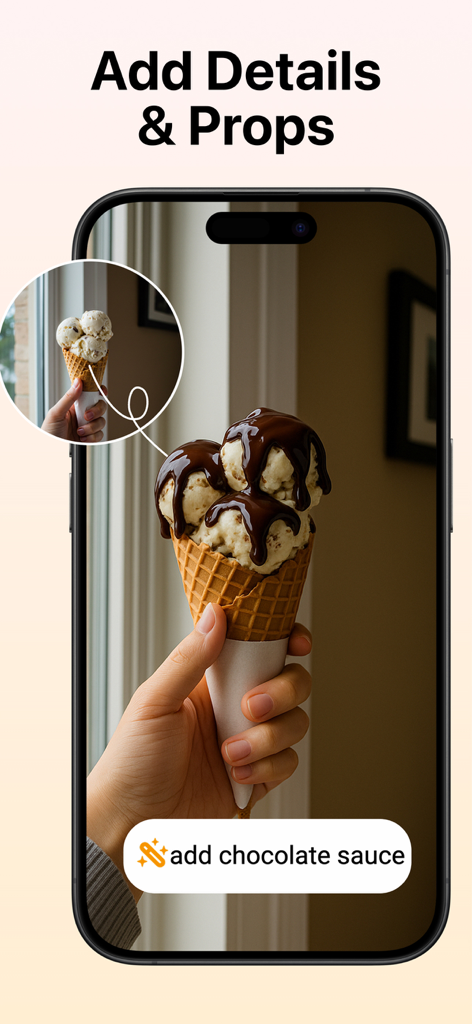
AI food photo editor interface showing chocolate sauce being added to an ice cream cone

AI food photo editor interface showing chocolate sauce being added to an ice cream cone

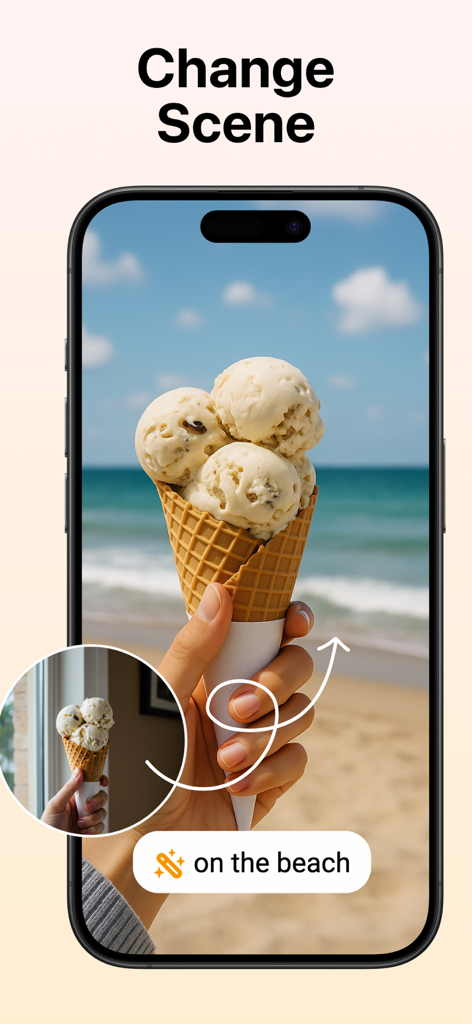
A mobile app showing an AI feature that changes an ice cream cone background from a window view to a tropical beach scene.

A mobile app showing an AI feature that changes an ice cream cone background from a window view to a tropical beach scene.

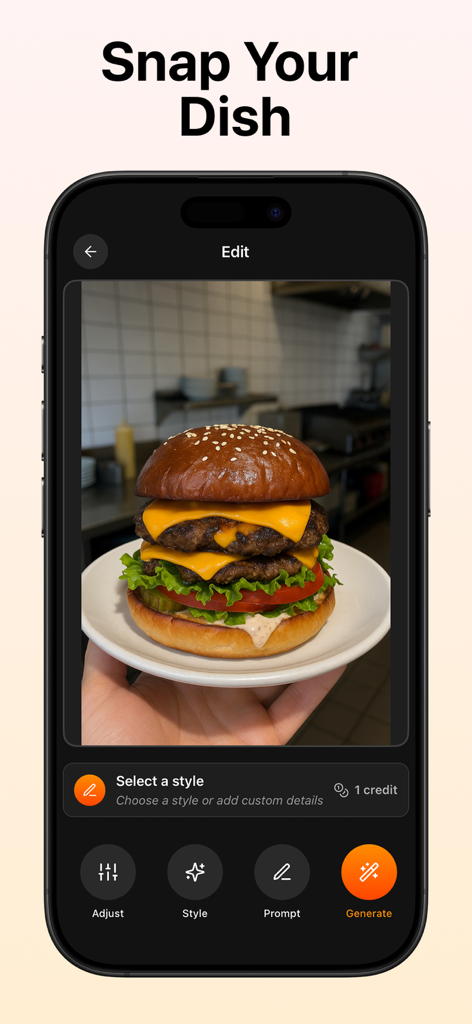
Interface of FoodShot AI app showing a double cheeseburger photo being edited for a professional menu look.

Interface of FoodShot AI app showing a double cheeseburger photo being edited for a professional menu look.

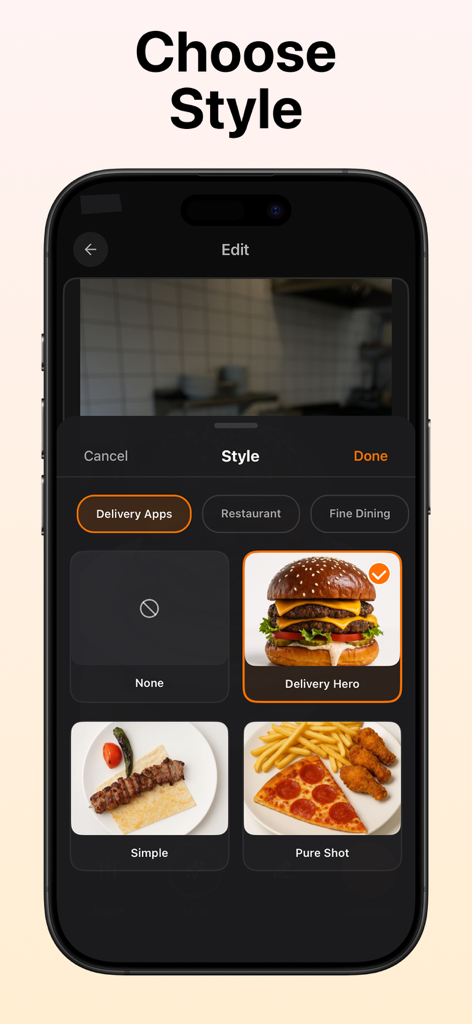
Interface of FoodShot AI app showing food photo style options like Delivery Hero and Pure Shot

Interface of FoodShot AI app showing food photo style options like Delivery Hero and Pure Shot

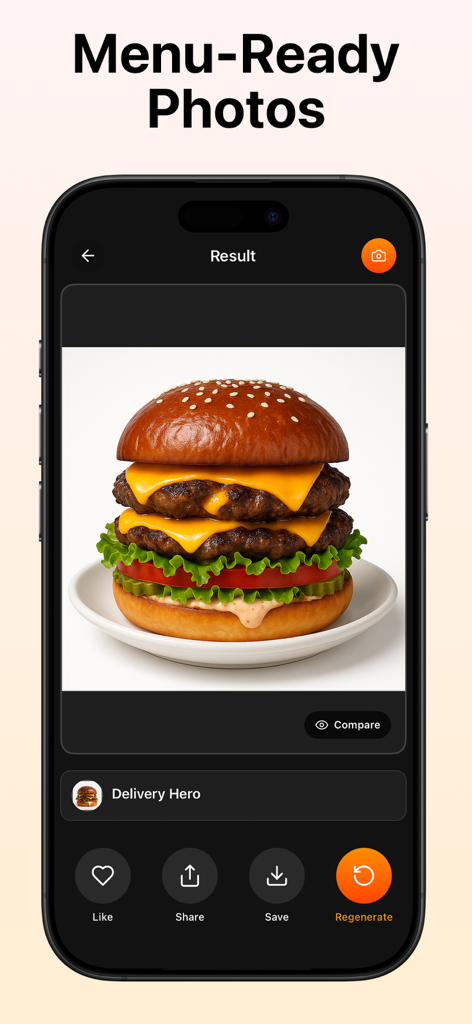
Smartphone screen displaying a professional AI generated double cheeseburger photo for a restaurant menu.

Smartphone screen displaying a professional AI generated double cheeseburger photo for a restaurant menu.

Turn Every Dish into a Best-Seller

The tools that make this app stand out, trusted by 800 users.

🪄

Studio Lighting, Zero Equipment

Instantly fix dim kitchen lights or harsh yellow tints. Our AI enhances natural food textures—making fried items look crispy and desserts look perfectly glossy.

🍽️

Clean, Pro-Grade Backgrounds

No more cluttered counters or messy kitchen backgrounds. Automatically isolate your dish for a clean, professional look that meets every delivery app guideline.

⏱️

Built for the Daily Hustle

Go from a quick phone snap to a high-resolution export in one tap. Perfect for daily specials, seasonal updates, and refreshing your UberEats or DoorDash storefront.

About the app

Everything you need to know about FoodShot AI: Food Photo Editor.

Description

Create professional menu photos in seconds with AI food photography. FoodShot is an AI food photo editor for restaurants, cafés, cloud kitchens, caterers, marketplaces, and creators who need consistent, high-quality visuals—fast. If you want to edit a food picture or edit a food photo without a studio, just upload, choose a style, and export sharp, menu-ready images. Works Perfectly with Your Menu Tools Use FoodShot to produce the images your menu maker needs. Generate polished AI food photos, then publish them in your menu builder, QR/PDF tool, or POS catalog. FoodShot fits right into flows for delivery platforms and website menus—so your visuals are consistent everywhere. What FoodShot Does Best • AI food photo quality: realistic lighting, lifelike textures, accurate colors. • Edge-aware cleanup: remove messy backgrounds, crumbs, and color casts—no haloing on plate rims. • One-tap enhancement: fix dark, yellow, or mixed restaurant lighting instantly. • Styles for menus: 20+ looks optimized for menu photography and delivery listings. • High-resolution export: crisp images for delivery apps, websites, and social media. • Before/After preview: compare results and keep your brand’s look consistent. Who It’s For • Owners & marketers refreshing delivery/app menu photos. • Chefs documenting new dishes with a consistent visual language. • Creators/bloggers upgrading phone shots to clean, professional images. • Caterers, pop-ups, and dark kitchens producing many items with uniform presentation. Why FoodShot Alongside a Menu Maker Generic editors aren’t tuned for food. FoodShot specializes in AI food photography—preserving appetizing texture (crispy, glossy, juicy), correcting exposure/white balance for kitchen and dining-room lighting, and simplifying backgrounds for legible menu photos. Pair it with any menu maker to complete your workflow end-to-end. Core Use Cases • Delivery listings: clean, passable photos aligned with common app guidelines. • Website & QR menus (with your menu maker): unify style across dozens of dishes. • Social & ads: turn quick phone shots into scroll-stopping visuals. • Seasonal updates: roll out new items without a studio reshoot. How It Works Upload any dish photo (phone or camera). Pick a style (or Auto) to set lighting and mood. Generate to see an instant Before/After. Export a high-resolution menu photo—ready to publish in seconds. Editing Controls You’ll Love • Natural color, contrast, and white-balance correction tailored for food. • Background simplification that keeps focus on the dish. • Subtle presentation guidance—elevate the same dish; don’t replace it. • Sharpening tuned for food texture (never plastic). Results You Can Expect • Faster processing and sharper output with each update. • Realistic, appetizing visuals that stay faithful to your dish. • Consistency across categories (burgers, sushi, salads, desserts, drinks). Popular AI Food Photography Use Cases • Fine dining & restaurant menu photography. • Delivery app listing food photos. • Café & bakery; dessert/pastry food photos. • QR/PDF menu photos (with your menu maker). • Lifestyle & social media food photography. • E-commerce/marketplace food photos. • Bars & beverages; hotel/room service. • Cloud/dark kitchens; catering & events. Create the AI food photos you need—then publish them in your menu maker, in seconds. If You’re Searching For… • “AI food photo” or “AI food photography” → professional-looking food photos in seconds. • “Edit food picture/photo” → studio-like results without complex sliders. • “Menu maker” → create the photos your menu maker or QR/PDF tool needs, then publish in your builder. Try FoodShot free and upgrade your first menu photo today. The fastest way to create consistent AI food photos for any menu maker—from delivery listings to websites. Terms of Use: https://www.apple.com/legal/internet-services/itunes/dev/stdeula/ Privacy Policy: https://foodshot.ai/privacy

Latest Version

2.0.5

Size

58.2 MB

First Released

May 1, 2025

Ready to Turn Your Phone Shots into Studio-Quality Menu Photos?

Join thousands of restaurant owners and creators who use FoodShot AI to boost their delivery orders and social media presence in seconds. No studio required.

Download on App Store

App information, icons, screenshots, and descriptions displayed on this page are sourced from the Apple App Store and are the property of their respective developers. Download estimates and rankings are based on MWM's proprietary models and may not reflect actual figures. This page is provided for informational and analytical purposes only.

Believe this page infringes your intellectual property? File a dispute