
This page is not an official page of the app or its developer, but an independent editorial publication created for informational and commentary purposes. Unless expressly stated otherwise, neither the app nor its developer is affiliated with, endorsed by, sponsored by, authorized by, or otherwise officially connected with MWM, Apple, Google Play, the app publisher, or the app's developer, and nothing on this page implies that the app was developed using MWM's services. Any trademarks, logos, screenshots, and other content remain the property of their respective owners.


GA Auto Clicker
Repetitive tasks vanish. The app bestows superhuman speed, automating the mundane with precision.
Downloads
500k+User Rating
Total Ratings
136Publisher
Category
ProductivityLocales
21Latest Version
1.0.10Size
56.2 MBFirst Released
Sep 8, 2024An Analytical Overview for Mobile Automation and Gaming
Key Features of GA Auto Clicker
Advanced Anti-Detection
This tool features anti-detection settings, including random click ranges and configurable runtime, to help users avoid detection in various applications and maintain a competitive edge.
Automatic Tapping
The app provides comprehensive automatic tapping capabilities, simulating manual clicks to free up users' hands for repetitive in-game actions, grinding, or general mobile tasks.
Customizable Click Parameters
It allows users to freely set precise click speeds and durations, ensuring actions are executed faster and more efficiently than manual input, which is crucial for optimal performance in games and tasks.
Flexible UI Adjustment
The app enables users to adjust the size of the click target and the floating menu, optimizing screen visibility and providing precise control without obstructing important in-game or app elements.
Frequently Asked Questions
Everything you need to know about GA Auto Clicker
What is GA Auto Clicker?
GA Auto Clicker simulates manual clicking and performs repetitive tap operations. It allows users to set click speed and duration, serving as an auto assistant for various tasks and games.
Does GA Auto Clicker support multiple click modes?
Yes, GA Auto Clicker supports multiple click modes, including Single point mode for repeated clicks at one location and Multipoint mode for clicking multiple locations in sequence.
Can I customize the click speed in GA Auto Clicker?
Yes, GA Auto Clicker allows users to freely set the click speed and duration. This customization enables faster-than-manual clicking operations within the app.
How does GA Auto Clicker help avoid detection in games or apps?
GA Auto Clicker includes an anti-detection feature. Users can set a range for random clicks and define the automatic clicking runtime to help avoid detection by specific applications.
What UI customization options does GA Auto Clicker offer?
GA Auto Clicker offers UI customization options. Users can adjust the size of the floating click target and the floating menu to ensure it does not obstruct the phone screen.
Does GA Auto Clicker include a CPS Click Test?
Yes, GA Auto Clicker includes a CPS Click Test. This feature accurately measures the user's click rate, providing precise results for performance analysis.
How do subscriptions work for GA Auto Clicker?
GA Auto Clicker subscriptions automatically renew unless canceled at least 24 hours before the current period ends. Your account is charged the renewal fee within 24 hours before the period ends.
Can GA Auto Clicker be used for games?
Yes, GA Auto Clicker is an auto clicker app designed for games. It assists with automatic clicking, accepting tasks, and auto-following/liking while playing games, such as Cookie Clicker.
Where can I find the Privacy Policy for GA Auto Clicker?
The Privacy Policy for GA Auto Clicker is available on the following website: https://sites.google.com/view/gaautoclicker/privacy-policy.
Does GA Auto Clicker have a flashlight feature?
Yes, GA Auto Clicker includes a multi-function Flashlight. This feature offers an SOS distress signal, customizable blinking intervals, adjustable brightness, and built-in light color settings.
The following screenshots and description are sourced directly from the app's official store listing and are the property of the app developer.
App Store
Screenshots
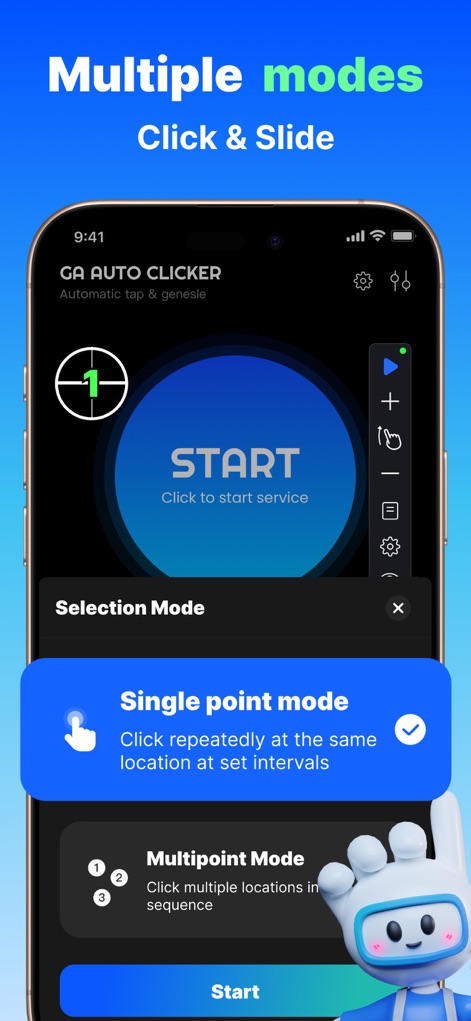
Users can select between "Single point mode" for consistent tapping and "Multipoint Mode" to define complex click sequences directly from the app's initial setup screen.
Flexible Automation Modes
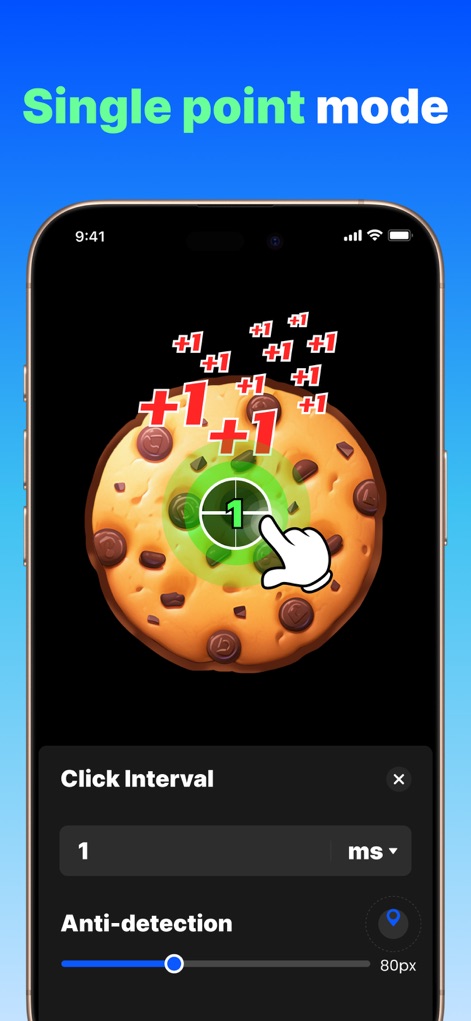
This tool excels in "Single point mode," demonstrating rapid "+1" score increases in games like Cookie Clicker, alongside adjustable "Click Interval" and "Anti-detection" settings for tailored performance.
Precision Single-Tap
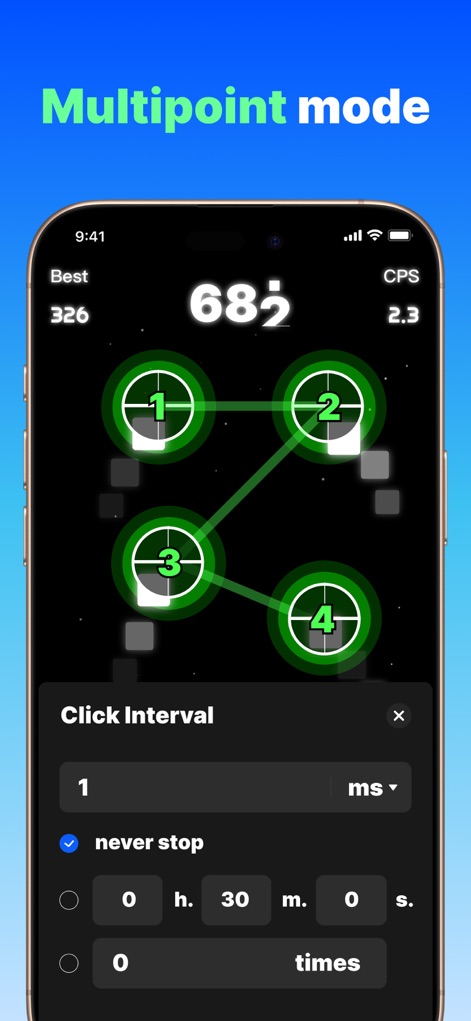
Observe the "Multipoint mode" in action, where users define a series of interconnected click targets (1-4) and precisely control the "Click Interval" and duration for automated tasks.
Advanced Sequence Tapping
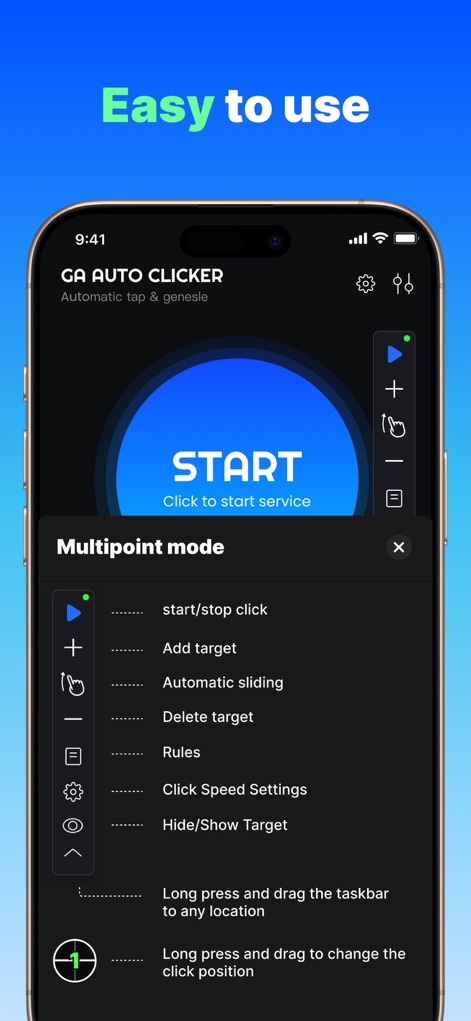
The app presents an "Easy to use" floating menu, clearly outlining functions like "start/stop click" and "Automatic sliding" with descriptive text for seamless operation.
Intuitive Control Panel
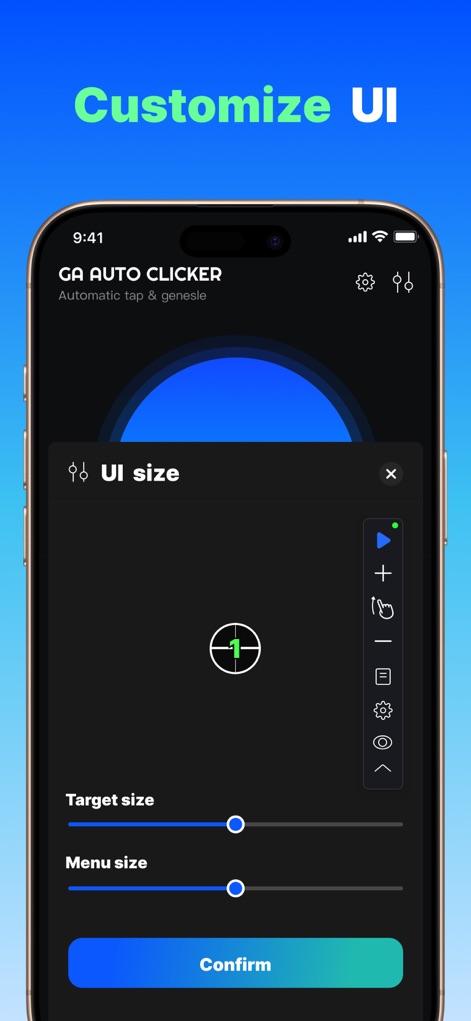
Users can "Customize UI" elements by adjusting the "Target size" slider for click points and the "Menu size" slider for the floating control panel, optimizing screen real estate.
Personalized Interface
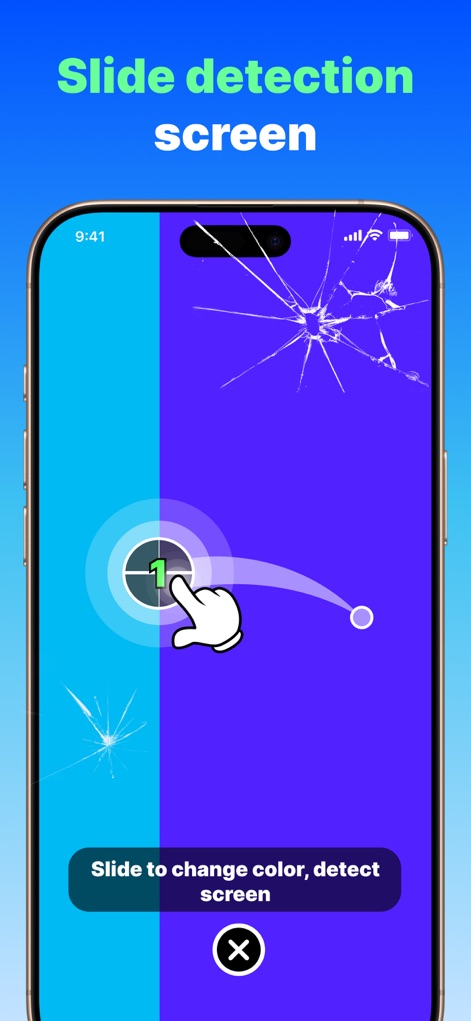
The "Slide detection screen" demonstrates the app's utility features, such as identifying display issues or enabling unique interactions through the "slide to change color" functionality.
Screen Utility Features
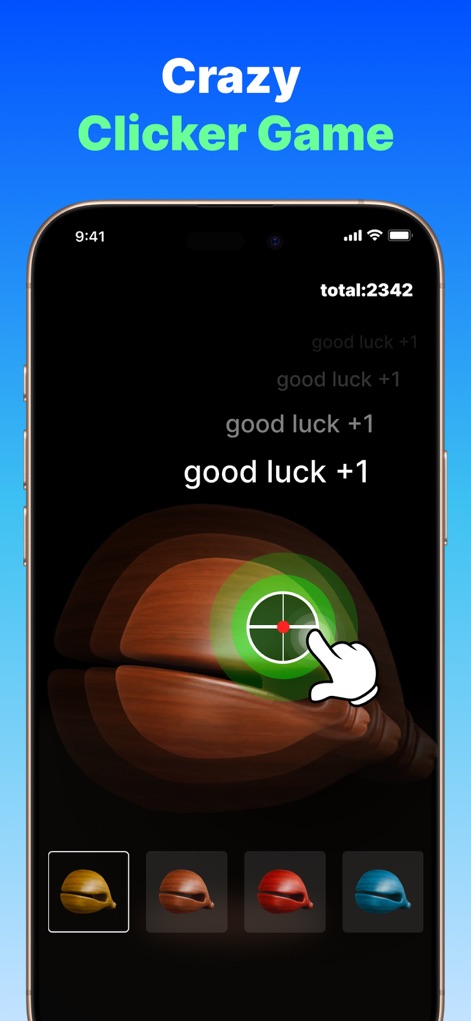
Users can enjoy a "Crazy Clicker Game" integrated within the app, demonstrating quick score accumulation to "total:2342" and testing the app's core clicking capabilities.
Engaging Clicker Games
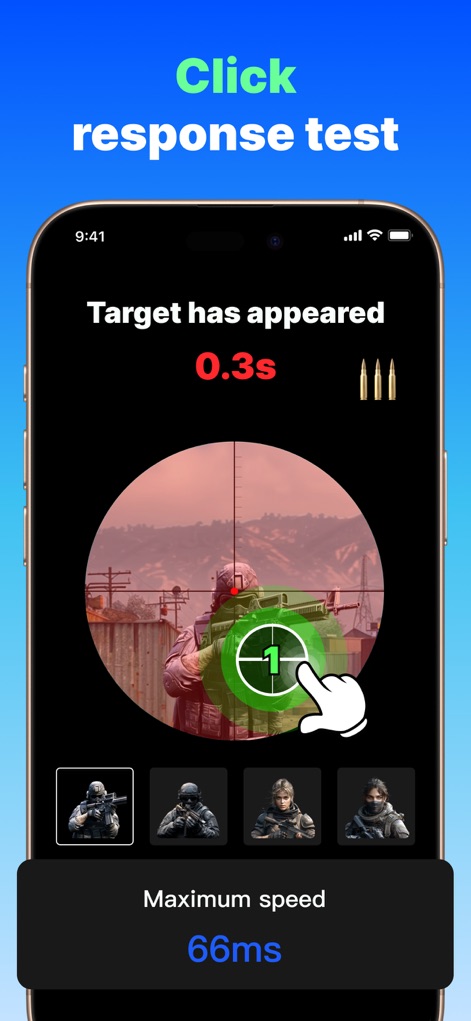
The "Click response test" feature accurately measures user interaction, displaying the "Target has appeared" time and reporting the "Maximum speed" of clicks for performance analysis.
Performance Click Test
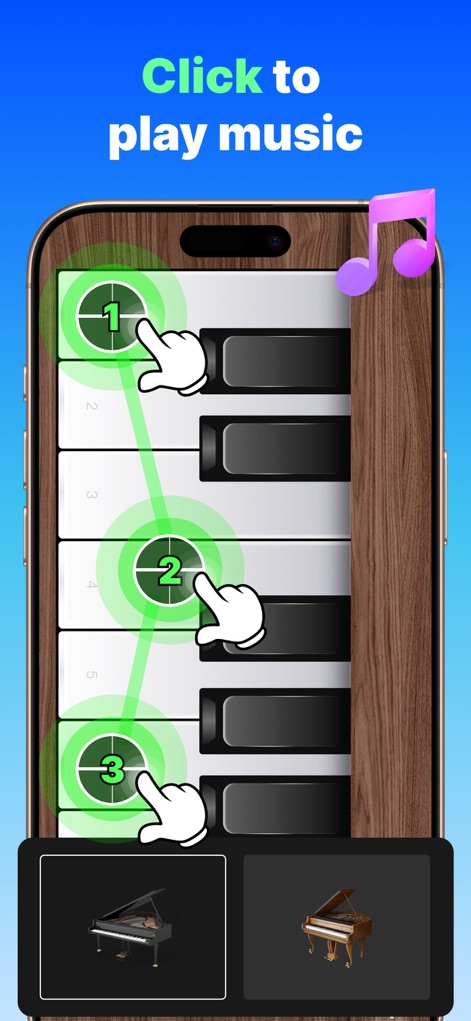
This tool extends beyond gaming, allowing users to "Click to play music" on a virtual piano keyboard by setting "numbered click targets" to automate melodies.
Creative Musical Taps
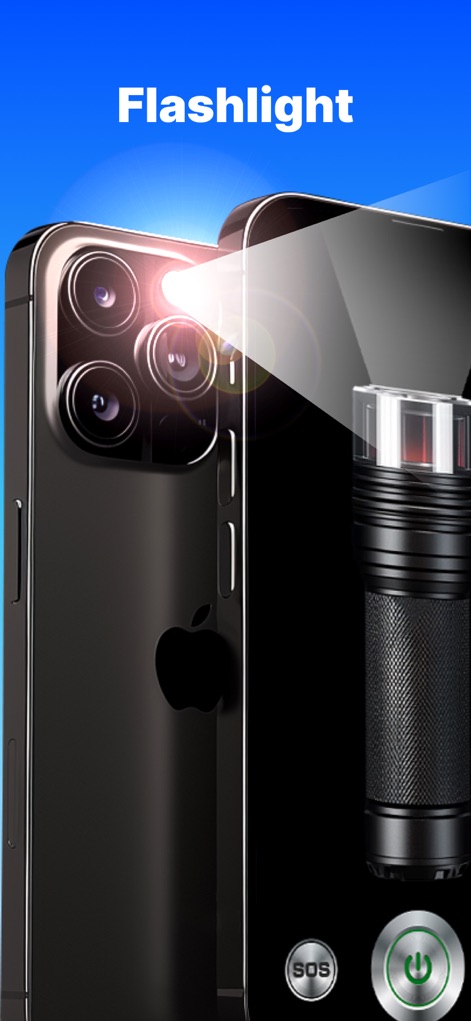
Beyond automation, the app includes practical "Flashlight" functionality, featuring "SOS" mode activation and adjustable brightness controls for everyday utility.
Versatile Utility Tools
Description
Download
More Like This
Apps with similar features and user experience

自动ּ连点器 - 自动点击器
壮壮 彭

连点器-高效自动点击按键辅助工具
和圆 魏

连点器 - 自动点击持续滚动刷新&旋转指针工具
源 韦

自动点击器·连点器
磊 赵

Auto Clicker-Auto Tapper tool
佳豪 张

Auto Clicker: Click Automatic
RH LANDSCAPING LLC

连点器-自动连点神器&点赞抢购助手
倩格 刘

Auto Clicker - Tap Assistant
乐飞 张

Auto Tapper Assistant App
KUPERTINO BIL. YAZ. HALIL IBRAHIM KARAHAN SAFFET ARSLAN MUSTAFA AYTEN MUHAMMET YALCIN OZDEMIR K. S.
This page is not an official page of the app or its developer, but an independent editorial publication created for informational and commentary purposes. Unless expressly stated otherwise, neither the app nor its developer is affiliated with, endorsed by, sponsored by, authorized by, or otherwise officially connected with MWM, Apple, Google Play, the app publisher, or the app's developer, and nothing on this page implies that the app was developed using MWM's services. Any trademarks, logos, screenshots, and other content remain the property of their respective owners.