Glucose Monitor: Blood Sugar

This page is not an official page of the app or its developer, but an independent editorial publication created for informational and commentary purposes. Unless expressly stated otherwise, neither the app nor its developer is affiliated with, endorsed by, sponsored by, authorized by, or otherwise officially connected with MWM, Apple, Google Play, the app publisher, or the app's developer, and nothing on this page implies that the app was developed using MWM's services. Any trademarks, logos, screenshots, and other content remain the property of their respective owners.
Logo of Glucose Monitor: Blood Sugar

Glucose Monitor: Blood Sugar

Easily track glucose, insulin, and meals in one simple place. Get clear visual insights and professional reports to stay organized and share your progress with your doctor.

Key Figures

Downloads

0

User Rating

1.0/5

Total Ratings

0

Publisher

GenAI GmbH

Category

Medical

Locales

1

Latest Version

1.0.0

Size

5.5 MB

First Released

Mar 5, 2026
Features

Take Charge of Your Diabetes Management

Simplify your daily routine with a comprehensive logbook designed to track your glucose, predict your A1C, and keep your healthcare team informed.

Smart Visual Insights

Understand your health at a glance with intuitive charts and statistics that highlight your blood sugar trends and daily patterns.

Estimated A1C Tracking

Get a clear picture of your progress between lab tests with our built-in calculator, helping you stay motivated and on track.

The following screenshots and description are sourced directly from the app's official store listing and are the property of the app developer.

App Store

Screenshots
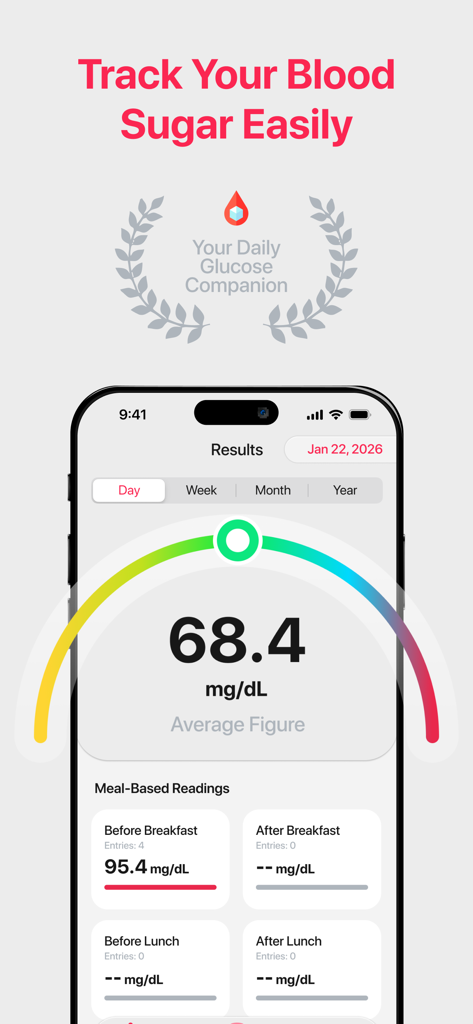
Glucose Monitor: Blood Sugar - Interface of the Glucose Monitor app displaying average blood sugar levels and daily readings
Interface of the Glucose Monitor app displaying average blood sugar levels and daily readings

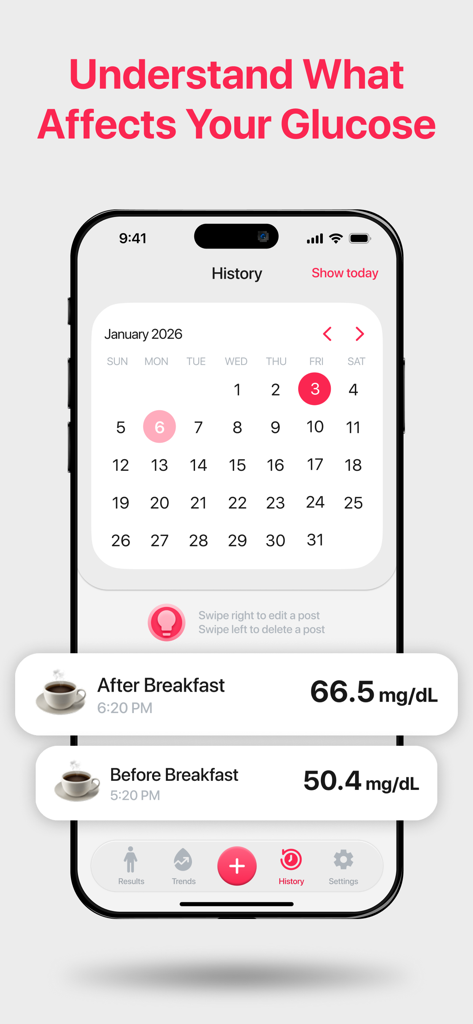
Glucose Monitor: Blood Sugar - Mobile app interface showing a blood sugar history calendar with daily glucose logs for before and after breakfast
Mobile app interface showing a blood sugar history calendar with daily glucose logs for before and after breakfast

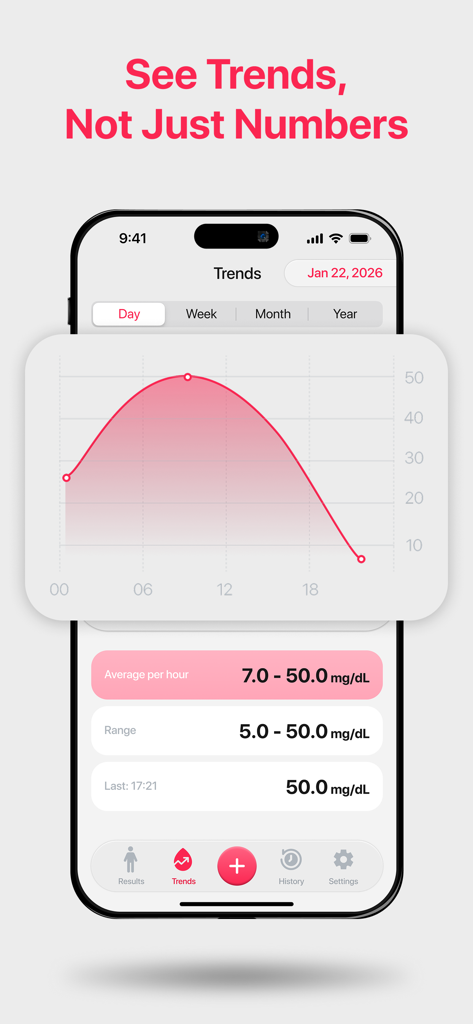
Glucose Monitor: Blood Sugar - A mobile interface of the Glucose Monitor app displaying a daily blood sugar trend line graph with average hourly readings and range statistics.
A mobile interface of the Glucose Monitor app displaying a daily blood sugar trend line graph with average hourly readings and range statistics.

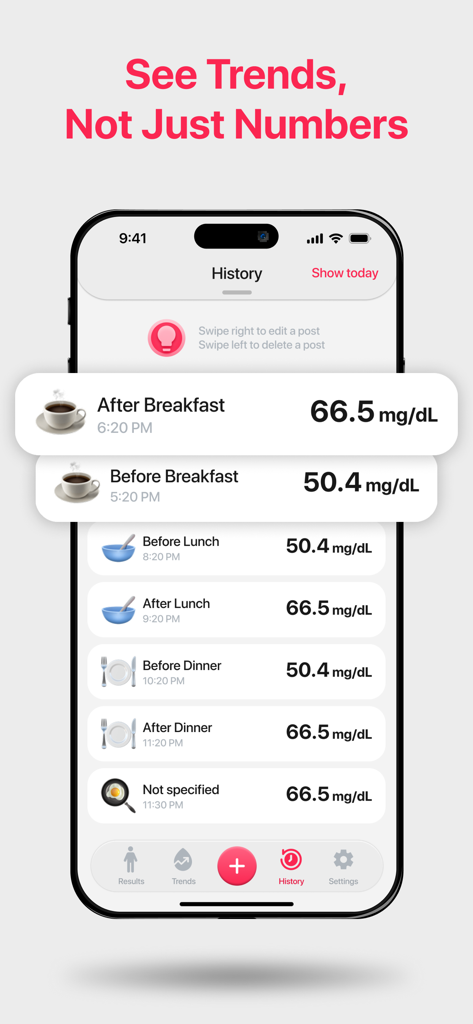
Glucose Monitor: Blood Sugar - A mobile app interface displaying a history of blood glucose readings organized by meal times like before and after breakfast
A mobile app interface displaying a history of blood glucose readings organized by meal times like before and after breakfast

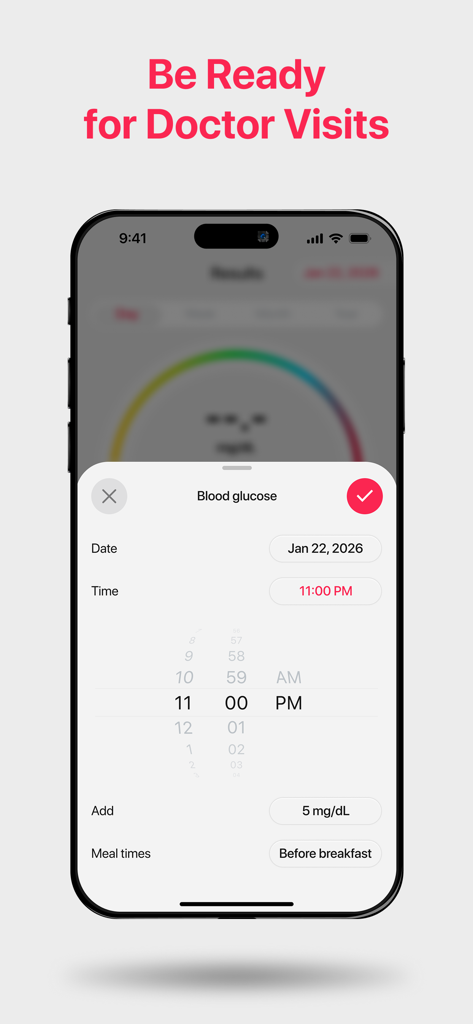
Glucose Monitor: Blood Sugar - Interface of Glucose Monitor app showing how to log blood sugar levels and meal times

Interface of Glucose Monitor app showing how to log blood sugar levels and meal times

Description

Glucose Monitor: Blood Sugar is your trusty diabetes companion. Glucose Monitor is a convenient and reliable app designed to help you track and understand your blood glucose levels with ease. Whether you are managing diabetes, prediabetes, or simply monitoring your health, the app provides a clear and organized way to log and review your data in one place. Record your blood sugar readings and instantly view trends through easy-to-read charts and statistics. Visual insights help you better understand changes over time and stay consistent with your daily routine. You can also export reports and share them with family members or healthcare professionals when needed. Add context to each entry by selecting the time of day — such as morning, before meals, or bedtime — and include personal notes to keep track of important details. The app also allows you to log related health information including insulin, medications, blood pressure, carbohydrates, weight, ketones, and A1C values, giving you a comprehensive overview of your health. Stay on schedule with customizable reminders that prompt you to check and record your glucose levels regularly. An estimated A1C calculator helps you monitor progress between lab tests (for informational purposes only and not for diagnosis). Take control of your daily tracking with Glucose Monitor: Blood Sugar — a simple tool for staying informed and organized. Important Note: This app is not intended to provide medical diagnoses or treatment advice. Always consult your doctor or a qualified healthcare provider for medical advice, diagnosis, or treatment decisions. This application is not intended for medical use. It does not provide medical advice, diagnosis, or treatment. The information provided is for informational purposes only and should not be used as a substitute for professional medical judgment or consultation. Always seek the advice of a qualified healthcare provider with any questions you may have regarding a medical condition. Payment will be charged to your iTunes account at confirmation of purchase. Subscriptions will automatically renew unless auto-renew is turned off at least 24 hours before the end of the current period. Your account will be charged for renewal, in accordance with your plan, within 24 hours prior to the end of the current period. You can manage or turn off auto-renew in your Apple ID account settings any time after purchase. Terms of use: https://docs.google.com/document/d/e/2PACX-1vSDgypHZOjleacCQzDYkk1ab_4RKoPTu5ywjCD1VqOw6kFVviOLf2XoXaP7QygG0B7FSqaswxBuU0YZ/pub Privacy policy: https://docs.google.com/document/d/e/2PACX-1vSDgypHZOjleacCQzDYkk1ab_4RKoPTu5ywjCD1VqOw6kFVviOLf2XoXaP7QygG0B7FSqaswxBuU0YZ/pub

Download

This page is not an official page of the app or its developer, but an independent editorial publication created for informational and commentary purposes. Unless expressly stated otherwise, neither the app nor its developer is affiliated with, endorsed by, sponsored by, authorized by, or otherwise officially connected with MWM, Apple, Google Play, the app publisher, or the app's developer, and nothing on this page implies that the app was developed using MWM's services. Any trademarks, logos, screenshots, and other content remain the property of their respective owners.