GoodLinks
GoodLinks
Download on App Store

This page is not an official page of the app or its developer, but an independent editorial publication created for informational and commentary purposes. Unless expressly stated otherwise, neither the app nor its developer is affiliated with, endorsed by, sponsored by, authorized by, or otherwise officially connected with MWM, Apple, Google Play, the app publisher, or the app's developer, and nothing on this page implies that the app was developed using MWM's services. Any trademarks, logos, screenshots, and other content remain the property of their respective owners.

Logo of GoodLinks
Download on App Store

GoodLinks

The ultimate bookmarking app for the Apple ecosystem. Save articles, remove web clutter, and sync across your iPhone, iPad, and Mac—no accounts, no tracking, and no hidden subscriptions.

Key Figures

Downloads

120K+

User Rating

4.7/5

Total Ratings

1K+

Publisher

Ngoc Luu

Category

News

Locales

5

Latest Version

3.0.5

Size

119.5 MB

First Released

Jun 10, 2020
Features

Effortless Organization. Distraction-Free Reading.

The private, Apple-native way to save and read the content that matters most to you, across all your devices, without ever creating an account.

Privacy First, No Accounts

Your data stays yours. Sync seamlessly via iCloud with no new passwords to manage, no tracking, and absolutely no data collection.

Clutter-Free Focus

Strip away ads, cookie banners, and distractions. Transform any link into a clean, readable article with customizable fonts and themes.

The following screenshots and description are sourced directly from the app's official store listing and are the property of the app developer.

App Store

Screenshots
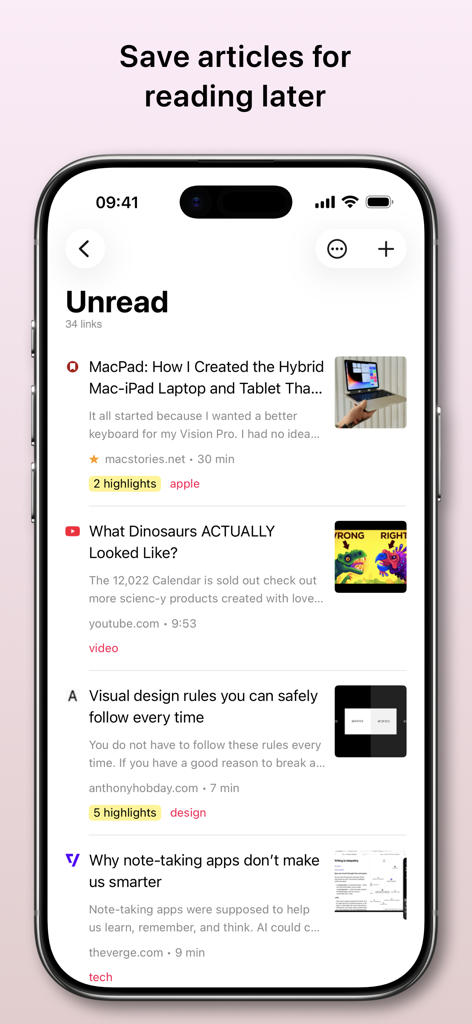
GoodLinks - GoodLinks mobile app interface showing a list of saved unread articles with tags and highlights

GoodLinks mobile app interface showing a list of saved unread articles with tags and highlights
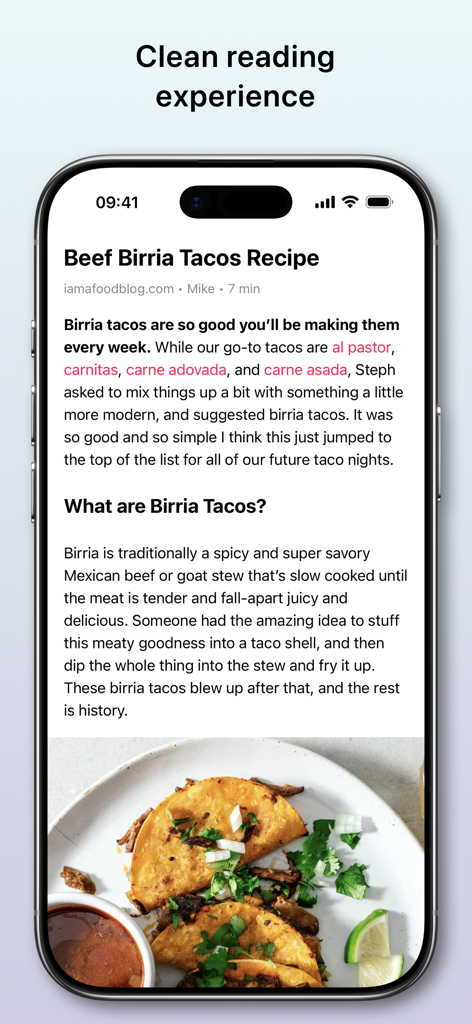
GoodLinks - An iPhone screen displaying the GoodLinks app in its distraction-free reading mode showing a recipe for Beef Birria Tacos.
An iPhone screen displaying the GoodLinks app in its distraction-free reading mode showing a recipe for Beef Birria Tacos.

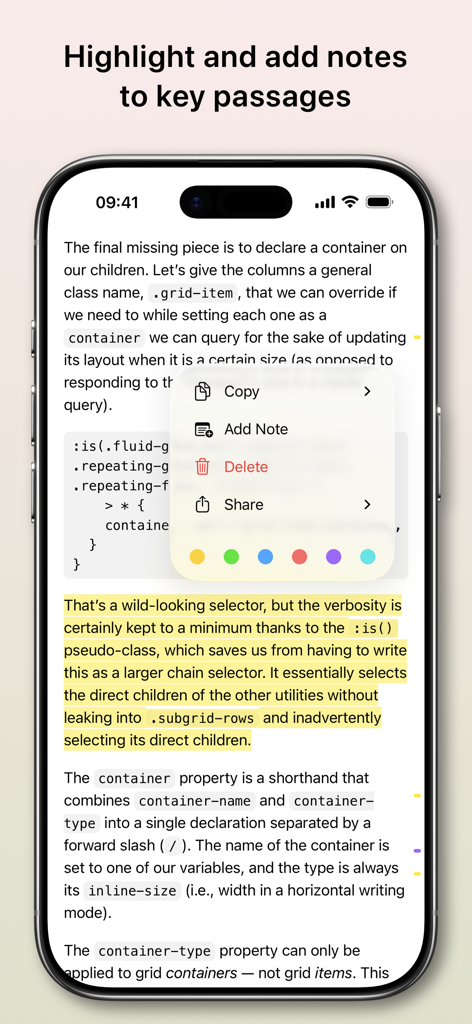
GoodLinks - GoodLinks app interface showing a highlighted article passage with a context menu for adding notes and selecting colors.
GoodLinks app interface showing a highlighted article passage with a context menu for adding notes and selecting colors.

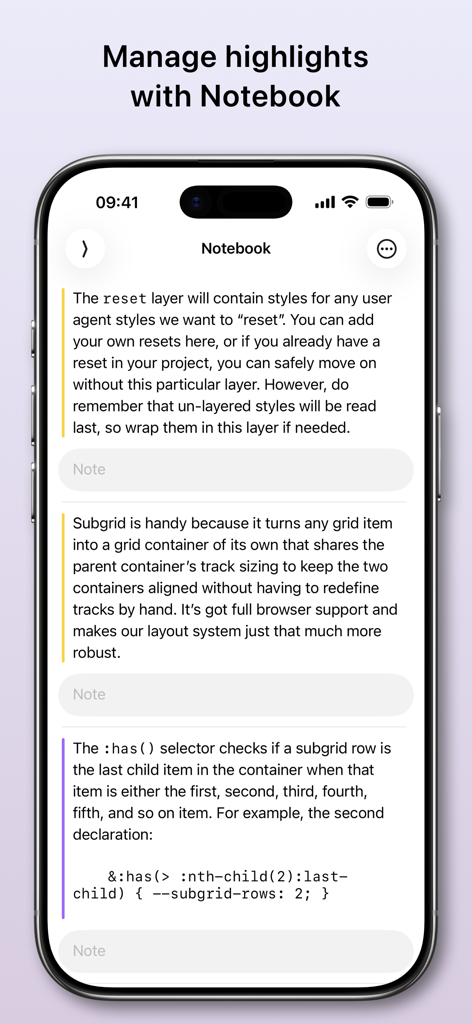
GoodLinks - iPhone screen showing the GoodLinks notebook interface with highlighted article text and empty note fields.
iPhone screen showing the GoodLinks notebook interface with highlighted article text and empty note fields.

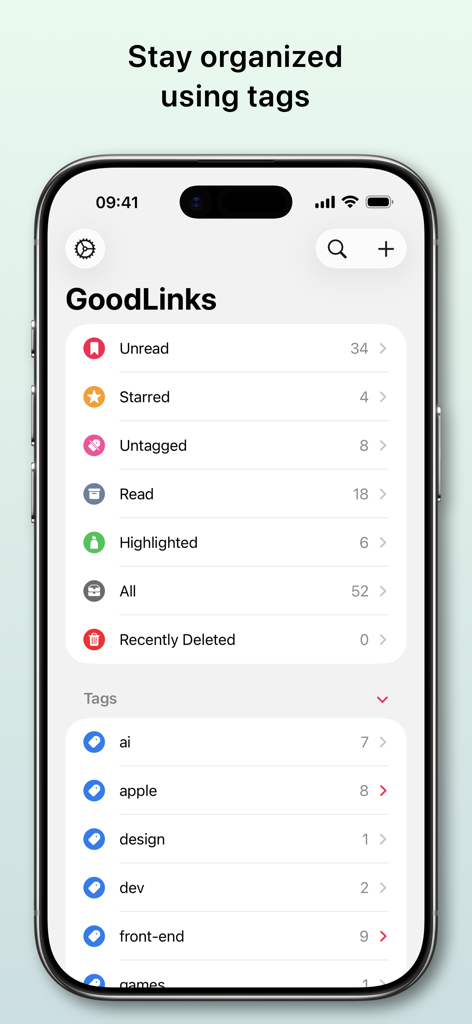
GoodLinks - GoodLinks app interface showing categories and tags for link organization on iPhone
GoodLinks app interface showing categories and tags for link organization on iPhone

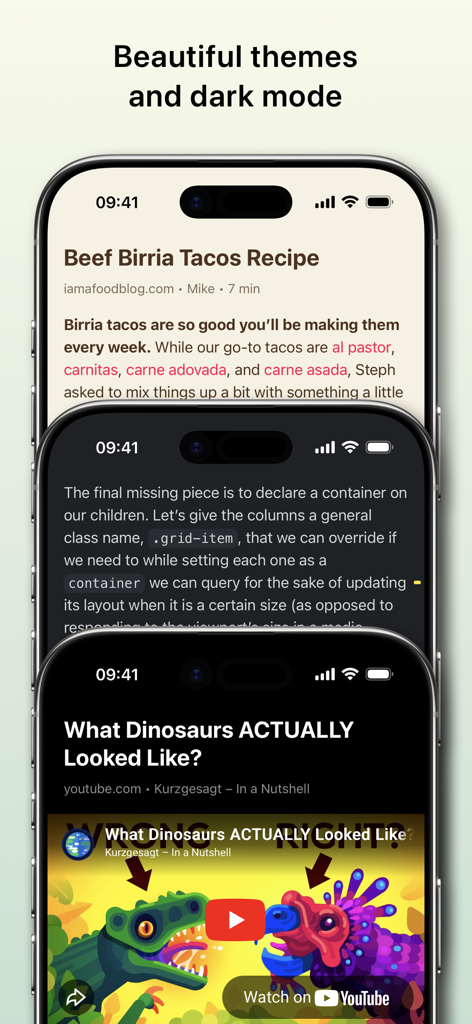
GoodLinks - Three iPhones showing GoodLinks in different reading themes including light and dark mode
Three iPhones showing GoodLinks in different reading themes including light and dark mode

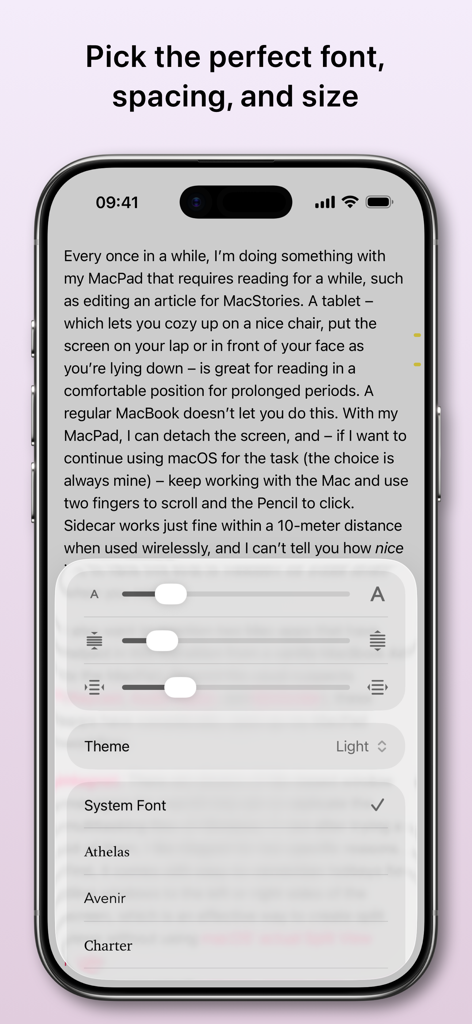
GoodLinks - iPhone screenshot of the GoodLinks app showing readability settings to customize font type size and line spacing for articles
iPhone screenshot of the GoodLinks app showing readability settings to customize font type size and line spacing for articles

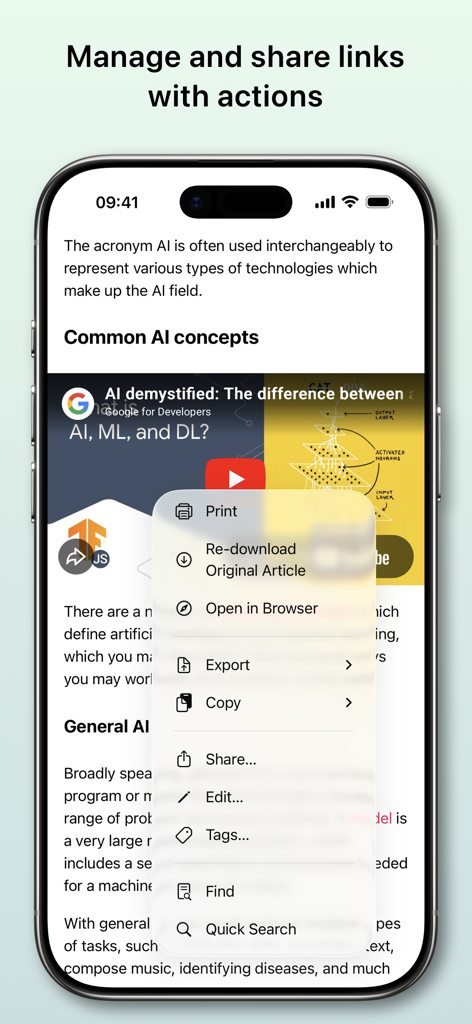
GoodLinks - GoodLinks app interface showing a menu of link management actions like Print Export and Share on an iPhone
GoodLinks app interface showing a menu of link management actions like Print Export and Share on an iPhone

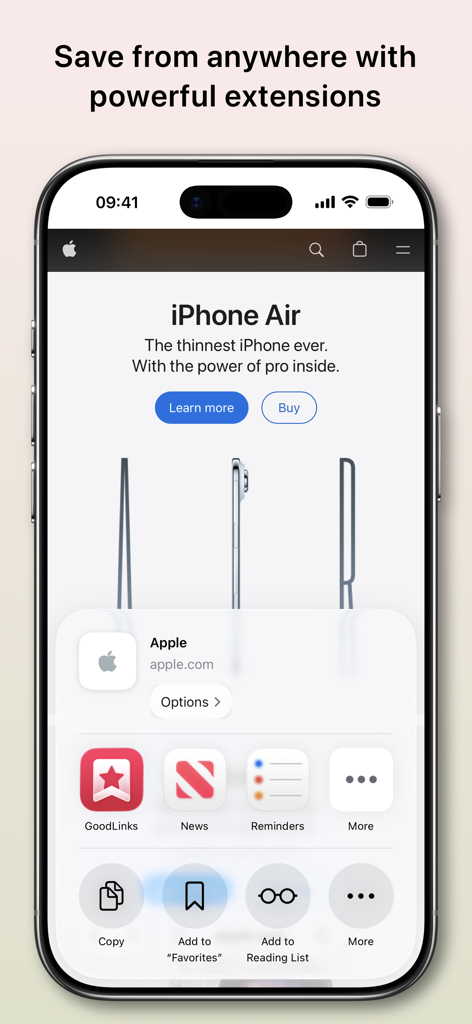
GoodLinks - GoodLinks share sheet extension on an iPhone saving a website link
GoodLinks share sheet extension on an iPhone saving a website link

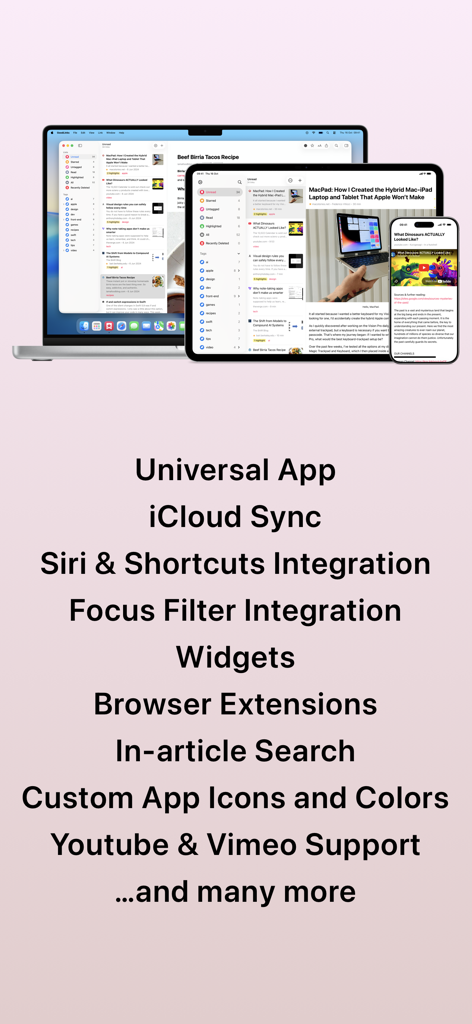
GoodLinks - GoodLinks app interface displayed on a MacBook, iPad, and iPhone showcasing universal sync and key features

GoodLinks app interface displayed on a MacBook, iPad, and iPhone showcasing universal sync and key features

Description

Save links effortlessly. View them later, from anywhere, on all your devices. Sync, organize, and share your links—privately, without ever creating an account. GoodLinks is a powerful bookmarking app with a sleek reading experience. Save the content of the link while eliminating the ads and other clutter. Adding and viewing links is super simple and lightning fast. If you want to dig deeper, GoodLinks can be fully customized. No account. No ads. No creepy spying. GoodLinks just works. KEY FEATURES • Universal App :: GoodLinks is a single app that works on all of your iOS and macOS devices, so you can access your articles anywhere. • No Account :: Sync links, tags, and reading position without needing another web service account. iCloud Sync means all you have to do is install the app. • Simple :: Save articles from anywhere with a powerful Share Sheet extension. GoodLinks is so easy it feels like part of the operating system. • Readability :: Put the emphasis where it belongs—on the article you want to read. GoodLinks extracts the article text and removes web advertisements and other distractions to provide a wonderful reading experience. Pick the perfect font, spacing, and size. • Highlight & Note :: Highlight important information within articles and add notes to them, making it easier for you to remember key passages. • Organize :: Tame a large list with tags and starred articles, so you can always find what you need. You can also search based on title, author, and description. • Actions :: Actions help you manage and share links. You can add article to Starred, share to other apps, export to PDF, plain text or Markdown... Build your own actions to export and share your saved links. • Customize :: Adjust how your links and lists look, change swipe behavior, and more. Tailor GoodLinks to fit your style. • Themes :: Switch between beautiful themes: Light and Sepia for light mode, Dark and Night for dark mode. • Siri Shortcuts :: Deep support of iOS Shortcuts. Save a new link, query links, open a specific view, and more. • Log in to Sites :: Log in to paywalled sites to get full access to their content. • Widgets :: Get quick access to a list, or open a random unread link from your home screen. • Archive :: The full rich text of each article gets saved in GoodLinks, and your reading history provides a natural archive if you need it. Save as many links as you want. • Private :: Your reading history and favorite articles should only be private by default. GoodLinks doesn’t track you or your information, and nothing is shared online unless you choose to share it. • VoiceOver :: GoodLinks is fully accessible via VoiceOver. GOODLINKS PREMIUM When you purchase GoodLinks today, you will get *permanent* access to all the current features, including any new ones released one year from your date of purchase. After your one year of feature upgrades is up, any new features introduced will require the GoodLinks Premium subscription to unlock. Once unlocked, those features are yours to keep *forever*, even if you choose to unsubscribe right after subscribing. Terms: https://www.apple.com/legal/internet-services/itunes/dev/stdeula/ Privacy Policy: https://goodlinks.app/privacy/

Download

Download on App Store

This page is not an official page of the app or its developer, but an independent editorial publication created for informational and commentary purposes. Unless expressly stated otherwise, neither the app nor its developer is affiliated with, endorsed by, sponsored by, authorized by, or otherwise officially connected with MWM, Apple, Google Play, the app publisher, or the app's developer, and nothing on this page implies that the app was developed using MWM's services. Any trademarks, logos, screenshots, and other content remain the property of their respective owners.