
This page is not an official page of the app or its developer, but an independent editorial publication created for informational and commentary purposes. Unless expressly stated otherwise, neither the app nor its developer is affiliated with, endorsed by, sponsored by, authorized by, or otherwise officially connected with MWM, Apple, Google Play, the app publisher, or the app's developer, and nothing on this page implies that the app was developed using MWM's services. Any trademarks, logos, screenshots, and other content remain the property of their respective owners.


InstaGet Instagram Video Saver
From viral Reels to essential research, keep your favorite links, videos, and articles perfectly organized in one clean, minimal personal library.
Downloads
395K+User Rating
Total Ratings
4K+Publisher
Category
Social NetworkingLocales
1Latest Version
1.0.3Size
91.4 MBFirst Released
Oct 1, 2025Curate Your Digital Discoveries
Turn social media inspiration into a structured personal library. Save videos, organize resources, and find exactly what you need in seconds.
Instant One-Tap Saving
Capture Reels, posts, and articles directly as you browse. No more switching apps or losing track of your favorite content.
Smart Folder Organization
Categorize your digital life with custom tags and folders. Perfect for managing research, recipes, or project mood boards.
Frequently Asked Questions
Everything you need to know about InstaGet Instagram Video Saver
What is InstaGet Instagram Video Saver?
InstaGet is an Instagram video saver designed to help users easily and quickly save and organize their favorite Instagram videos. It offers a clean and minimal design.
Does InstaGet Instagram Video Saver require Instagram login?
No, InstaGet does not require an Instagram login to save videos. The app prioritizes user security and privacy by allowing direct saving without credentials.
How do I save Instagram videos using InstaGet?
InstaGet allows users to save Instagram videos by pasting the Instagram post link into the designated field within the app. Users then tap 'Find' to process.
Can I save unlimited videos with InstaGet Instagram Video Saver?
Yes, InstaGet Instagram Video Saver allows users to bookmark an unlimited number of videos. There are no restrictions on how many videos a user can save.
Can users organize saved Instagram videos in InstaGet?
Yes, InstaGet enables users to create and manage collections. This feature helps organize saved Instagram videos into custom categories for easy access and retrieval.
The following screenshots and description are sourced directly from the app's official store listing and are the property of the app developer.
App Store
Screenshots
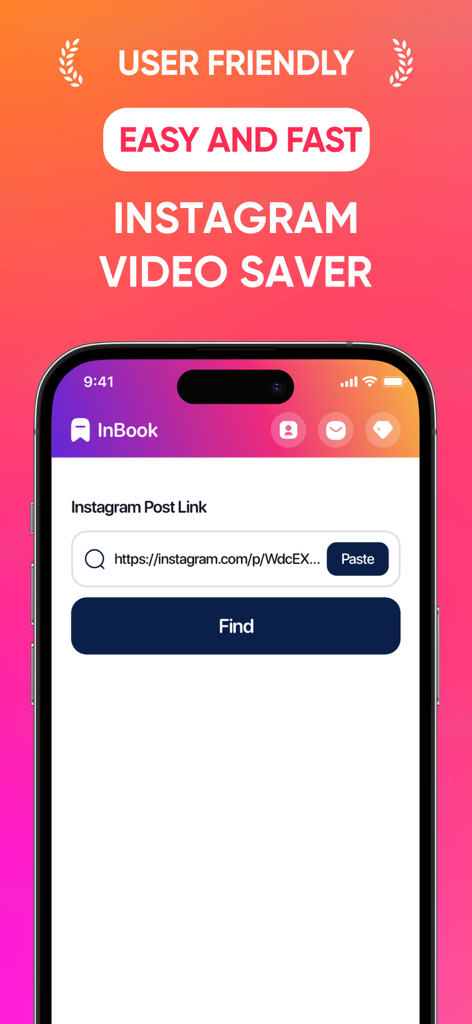
InstaGet mobile app screen showing the easy and fast Instagram video saver interface with a link paste field and find button
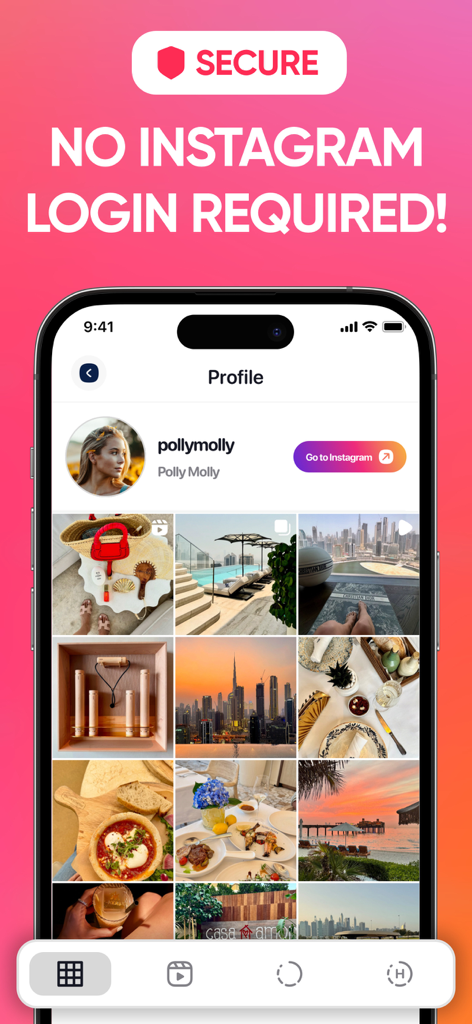
InstaGet app interface showing secure Instagram profile browsing without requiring a login

InstaGet app screenshot promoting the unlimited video bookmarking feature

InstaGet app screen demonstrating how to create collections from saved Instagram content

InstaGet app interface showing organized food bookmarks in a collection folder
Description
Download
More Like This
Apps with similar features and user experience

Matter: Reading App
Dig Wells, Inc.

GoodLinks
Ngoc Luu

Readwise Reader
Readwise, Inc

Instapaper
Instant Paper, Inc.

딸깍 - 링크, 스크린샷, 메모 한 곳에 저장
minseok choi

Offline Pages
Codium Labs LLC

Wayback Machine
Internet Archive

Send to Kindle by KTool
Long Nguyen Hai

Black CirkleAI Pro
Rizwana Sultan
This page is not an official page of the app or its developer, but an independent editorial publication created for informational and commentary purposes. Unless expressly stated otherwise, neither the app nor its developer is affiliated with, endorsed by, sponsored by, authorized by, or otherwise officially connected with MWM, Apple, Google Play, the app publisher, or the app's developer, and nothing on this page implies that the app was developed using MWM's services. Any trademarks, logos, screenshots, and other content remain the property of their respective owners.