
This page is not an official page of the app or its developer, but an independent editorial publication created for informational and commentary purposes. Unless expressly stated otherwise, neither the app nor its developer is affiliated with, endorsed by, sponsored by, authorized by, or otherwise officially connected with MWM, Apple, Google Play, the app publisher, or the app's developer, and nothing on this page implies that the app was developed using MWM's services. Any trademarks, logos, screenshots, and other content remain the property of their respective owners.

Google Home
The promise of a smart home often devolves into fragmented control and endless app-swapping. The app delivers a single, decisive command post, giving users unmatched authority over their entire connected dwelling.
Downloads
100M+User Rating
Total Ratings
2.9MPublisher
Category
LifestyleLocales
56Latest Version
4.13.57Size
582.6 MBFirst Released
Aug 27, 2013Google Home App: Key Feature Analysis
An evaluation of core functionalities for modern smart home management.
Voice-Activated Home Control with Gemini
It allows users to control their smart devices and manage their home environment using voice commands through Gemini for Home, offering a new level of hands-free convenience and integration into daily life.
Centralized Home Management Dashboard
The app provides a unified dashboard to group devices, quickly view the status of their entire smart home, and easily navigate settings, simplifying comprehensive management and oversight.
Advanced Security Camera Access
This tool features quick access to live camera feeds, streamlined scanning of past events, and detailed history interface, ensuring users can monitor their home security effectively and with peace of mind.
Anytime, Anywhere Home Monitoring
It allows users to check in on their home's status and activity remotely, providing continuous awareness and peace of mind regardless of their physical location.
Frequently Asked Questions
Everything you need to know about Google Home
What is the Google Home app used for?
The Google Home app helps users manage their smart home devices and leverage Gemini for Home. It provides an overview of home status, streamlines device organization, and enables remote access and control.
Can I view my home's camera feed with the Google Home app?
Yes, the Google Home app provides camera live view and a history interface. Users can quickly scan camera events and review past footage from their home's cameras.
Does the Google Home app integrate with Gemini?
Yes, the Google Home app integrates with Gemini for Home. Users can control their home by asking questions or giving commands to their devices through the app's Gemini interface.
How does the Google Home app help organize smart home devices?
The Google Home app features an updated design with streamlined organization. It enables users to group devices into dashboards for easy navigation and management of their smart home settings.
Can I create custom automations within the Google Home app?
Yes, the Google Home app allows users to effortlessly create and manage custom automations for their smart home devices. It displays both upcoming and user-defined automations.
Does the Google Home app provide a summary of daily home activity?
Yes, the Google Home app offers a "Home Brief" and lists daily events, allowing users to keep up with important occurrences. Users can review activity logs and check in on their home anytime.
What types of smart devices are compatible with the Google Home app?
The Google Home app supports various compatible smart home devices, including lights, locks, cameras, and climate control systems like thermostats and fans. It provides centralized control for these devices.
Does the Google Home app support voice control for smart devices?
Yes, the Google Home app supports voice control for smart devices through Gemini for Home. Users can speak commands or ask questions to manage their connected home systems.
Is the Google Home app available in all regions?
No, some products and features of the Google Home app may not be available in all regions. Compatible devices are also required for full functionality.
Can I monitor my home's environment, like temperature and weather, with the Google Home app?
Yes, the Google Home app displays environmental information such as indoor comfort temperatures for areas like "Downstairs" and external data like weather and outdoor AQI.
The following screenshots and description are sourced directly from the app's official store listing and are the property of the app developer.
App Store
Screenshots
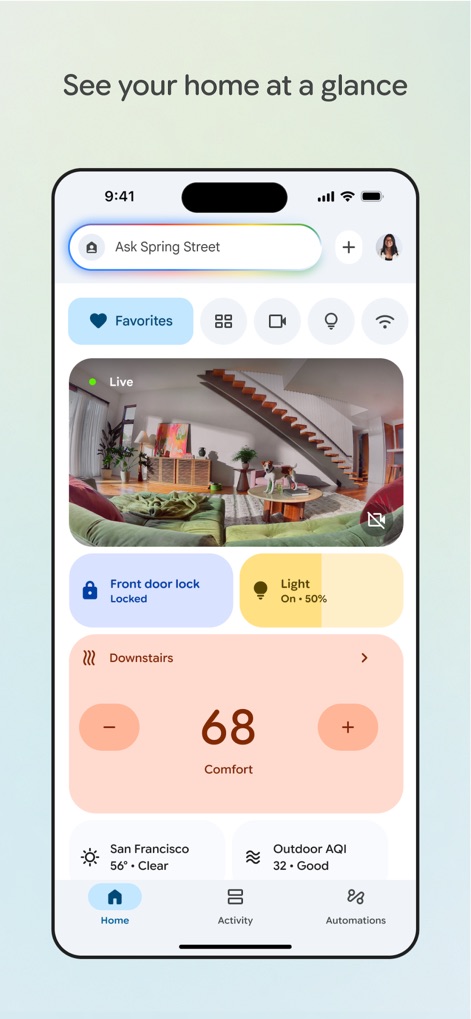
Unified Home Dashboard
The app provides users with an instant overview of their smart home through a live camera feed and critical device statuses such as 'Front door lock Locked' and 'Light On - 50%'.
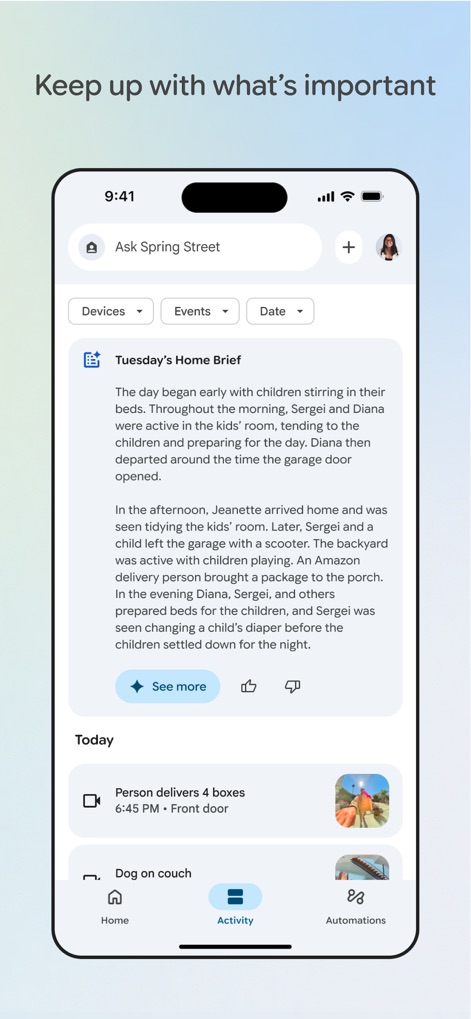
Daily Activity Log
This detailed activity log consolidates daily events into a convenient 'Home Brief' and tracks specific occurrences, such as 'Person delivers 4 boxes' and 'Dog on couch', for comprehensive home monitoring.
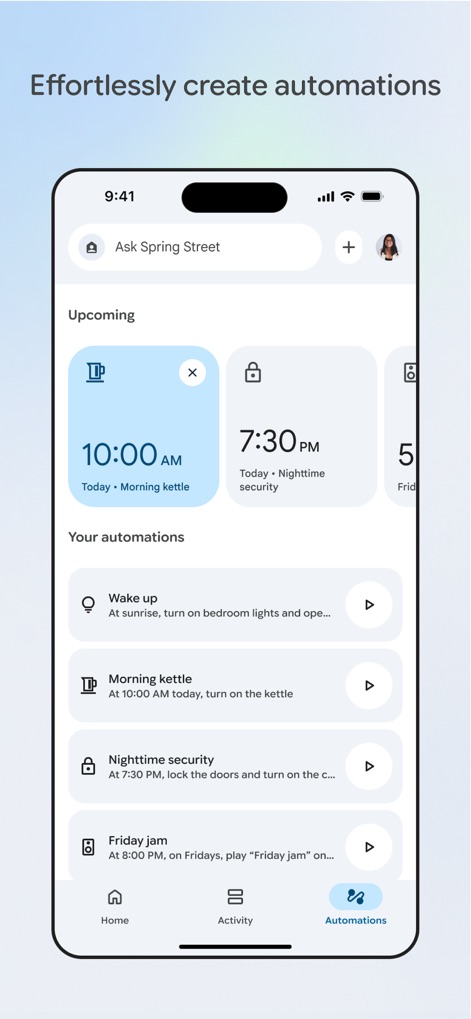
Intuitive Automation Builder
The app empowers users to create seamless routines, showcasing 'Upcoming' scheduled automations like 'Morning kettle' and a clear list of custom settings for tasks such as 'Nighttime security'.
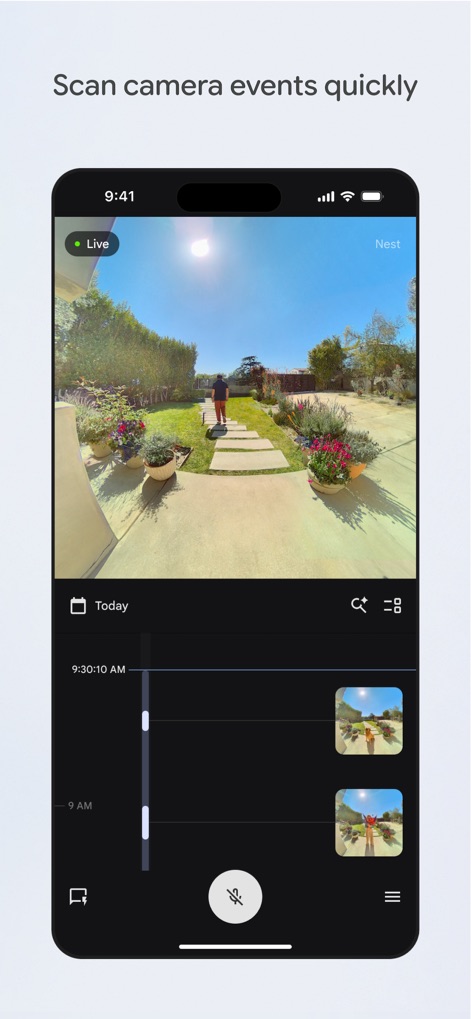
Rapid Camera Review
Users can efficiently monitor their property with a prominent live camera view and an interactive timeline featuring scrollable event thumbnails for quick incident review.

Conversational Home Control
This screen highlights the advanced Gemini for Home integration, enabling text-based interaction and offering direct controls for devices such as 'Kitchen light' and 'Downstairs fan'.
Description
Download
More Like This
Apps with similar features and user experience

TP-Link Tapo
TP-Link Systems Inc.

Дом с Алисой
DIRECT CURSUS COMPUTER SYSTEMS TRADING LLC

VeSync
Vesync Technology Corporation

Kasa Smart
TP-Link Systems Inc.

ecobee
ecobee Ltd.

Hubspace
Afero, Inc.

ADT Control ®
ADT LLC

First Alert by Resideo
Resideo Technologies, Inc.

Mibo Smart: Casa Inteligente
Intelbras S.A. Ind. de Telecom. Elet. Brasileira
This page is not an official page of the app or its developer, but an independent editorial publication created for informational and commentary purposes. Unless expressly stated otherwise, neither the app nor its developer is affiliated with, endorsed by, sponsored by, authorized by, or otherwise officially connected with MWM, Apple, Google Play, the app publisher, or the app's developer, and nothing on this page implies that the app was developed using MWM's services. Any trademarks, logos, screenshots, and other content remain the property of their respective owners.