
This page is not an official page of the app or its developer, but an independent editorial publication created for informational and commentary purposes. Unless expressly stated otherwise, neither the app nor its developer is affiliated with, endorsed by, sponsored by, authorized by, or otherwise officially connected with MWM, Apple, Google Play, the app publisher, or the app's developer, and nothing on this page implies that the app was developed using MWM's services. Any trademarks, logos, screenshots, and other content remain the property of their respective owners.


Google NotebookLM
Complexity crumbles. This app hands users direct access to their knowledge, distilled and ready.
Downloads
10M+User Rating
Total Ratings
155.6KPublisher
Category
ProductivityLocales
65Latest Version
1.33.7Size
136.9 MBFirst Released
May 19, 2025An analytical overview of core functionalities for knowledge synthesis and learning.
Key Features of Google NotebookLM
AI-Powered Summarization and Synthesis
The app becomes an expert on the user's uploaded sources, efficiently summarizing complex information and highlighting interesting connections between different documents.
Contextual Q&A with Source Citations
This tool enables users to ask detailed questions about their uploaded content, receiving trustworthy, AI-generated answers directly referencing the source material with inline citations.
Multi-format Source Ingestion
It allows users to upload diverse content formats including PDFs, websites, YouTube videos, and raw text directly into a notebook for centralized processing.
Interactive Audio Learning Experiences
It transforms uploaded text into podcast-style audio discussions with AI hosts, offering an alternative learning modality and allowing users to interact by asking questions or guiding the conversation.
Frequently Asked Questions
Everything you need to know about Google NotebookLM
What is Google NotebookLM?
NotebookLM is an AI research assistant that helps users create and access notebooks, upload various sources, ask questions, and generate podcast-style audio overviews and discussions for learning.
What types of sources can I upload to NotebookLM?
NotebookLM supports uploading various source types including PDFs, websites, YouTube videos, audio files, and copied text directly into a notebook for processing and analysis.
Does NotebookLM provide citations for its answers?
Yes, NotebookLM provides insights with in-line citations to your original sources. This ensures that all answers are verifiable and accurate, building trust in the information provided.
Can I listen to my research on the go with NotebookLM?
Yes, NotebookLM offers podcast-style Audio Overviews and audio discussions with background playback and offline support. Users can listen to their research and learn on the go from uploaded sources.
How does NotebookLM facilitate learning?
NotebookLM helps users learn by transforming uploaded content into podcast-style audio discussions with engaging AI hosts. It summarizes sources, makes connections, and allows users to steer conversations.
Can I create new notebooks in NotebookLM?
Yes, NotebookLM allows users to create and access new notebooks directly within the app. This feature enables efficient organization and management of research and uploaded sources.
The following screenshots and description are sourced directly from the app's official store listing and are the property of the app developer.
App Store
Screenshots
This introductory screen highlights the app's capability to generate podcast-style overviews and features a playful robot emoji representing the AI research assistant.
AI Assistant Unveiled
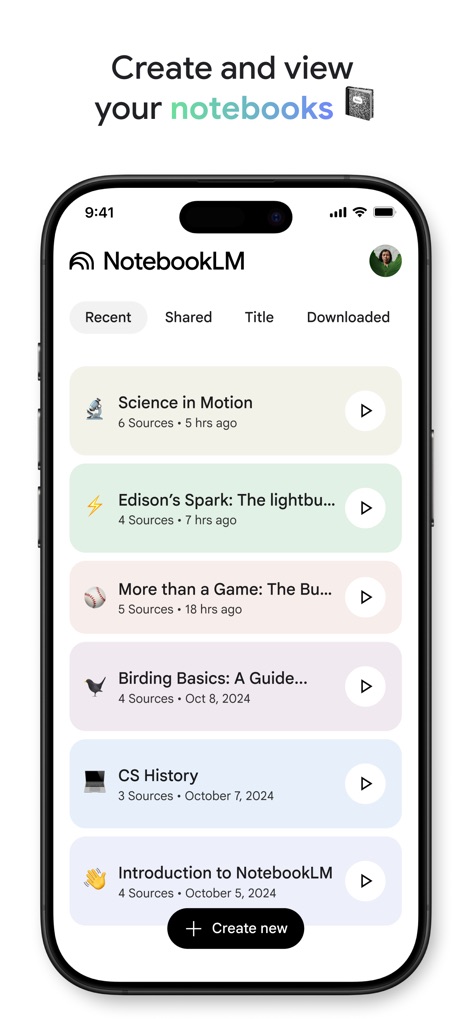
Users can effortlessly create and manage their various notebooks, each clearly displayed with its title and a "Create new" button for easy expansion.
Organize Your Knowledge
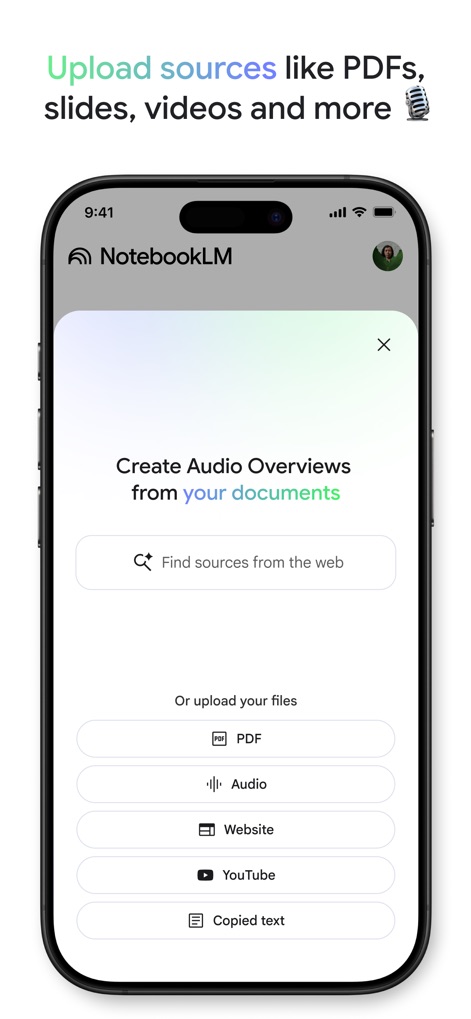
The app simplifies knowledge intake, allowing users to upload diverse source types like PDFs and YouTube videos directly into their notebooks.
Seamless Source Integration
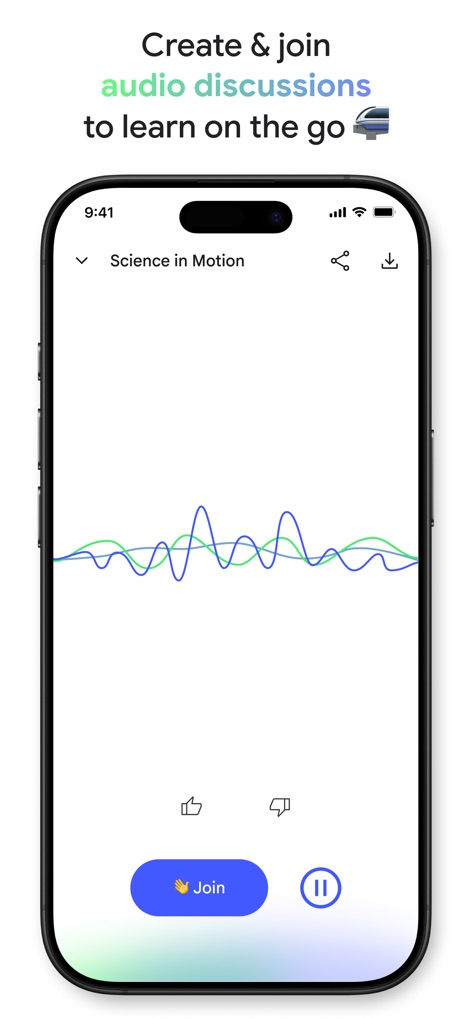
This screen illustrates the interactive audio discussion feature with a visual waveform representation and a prominent "Join" button for collaborative learning.
Dynamic Audio Learning
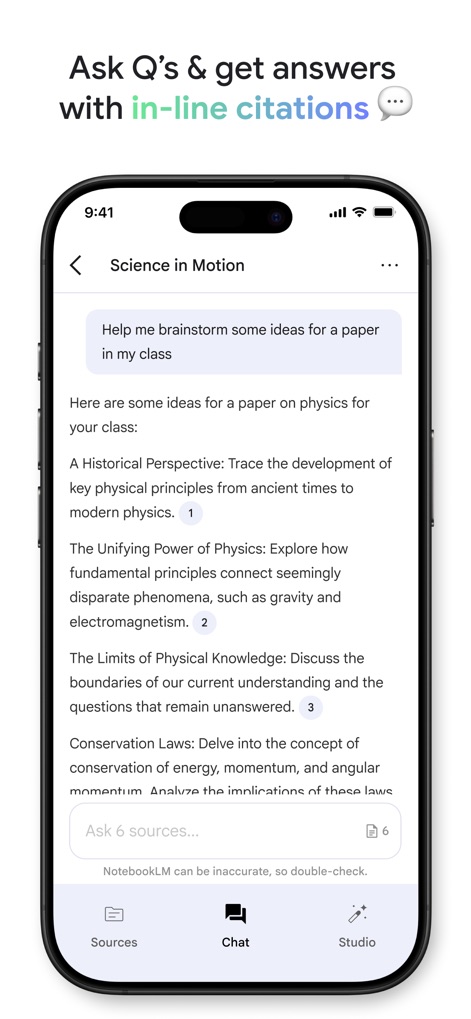
The app provides direct answers to user questions within a chat interface, complete with numbered in-line citations to ensure source transparency and reliability.
Trustworthy AI Insights
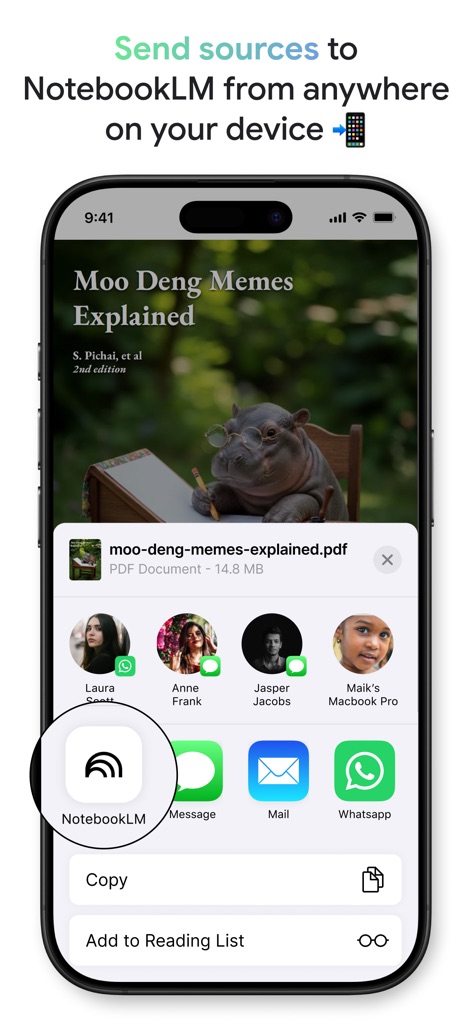
Users can easily send sources to NotebookLM from any application on their device, utilizing the system share sheet and recognizing the distinct NotebookLM app icon.
Universal Sharing & Import
Description
Download
More Like This
Apps with similar features and user experience

ChatPDF - Chat PDF AI
ChatPDF GmbH

Earo
钊均 李
LiquidText
LiquidText, Inc.
Flashcards to Study - Synt
Roberto Diaz Badra
Highlights: PDF Reader & Notes
Jonas Myren Ribe

Notebook LM:Magic Podcast
Mogens Erik Egeskov-Madsen

Parenix
Beraat Oeruek
Markup Ultimate
Kdan Mobile Software LTD

秘塔AI搜索
Shanghai MetaSOTA Technology Inc.
This page is not an official page of the app or its developer, but an independent editorial publication created for informational and commentary purposes. Unless expressly stated otherwise, neither the app nor its developer is affiliated with, endorsed by, sponsored by, authorized by, or otherwise officially connected with MWM, Apple, Google Play, the app publisher, or the app's developer, and nothing on this page implies that the app was developed using MWM's services. Any trademarks, logos, screenshots, and other content remain the property of their respective owners.