GPS Map Camera - Geotag Photos
Download on App Store

This page is not an official page of the app or its developer, but an independent editorial publication created for informational and commentary purposes. Unless expressly stated otherwise, neither the app nor its developer is affiliated with, endorsed by, sponsored by, authorized by, or otherwise officially connected with MWM, Apple, Google Play, the app publisher, or the app's developer, and nothing on this page implies that the app was developed using MWM's services. Any trademarks, logos, screenshots, and other content remain the property of their respective owners.

Logo of GPS Map Camera - Geotag Photos
Download on App Store

GPS Map Camera - Geotag Photos

Automatically add GPS coordinates, street addresses, and timestamps to your photos. The perfect companion for family trips, outdoor adventures, and professional documentation.

Key Figures

Downloads

0

User Rating

1.0/5

Total Ratings

0

Publisher

Sanket Rola

Category

Navigation

Locales

22

Latest Version

1.1

Size

99.0 MB

First Released

May 5, 2025
Features

Capture the Moment with Absolute Precision

From family milestones to professional field reports, instantly overlay live GPS data, addresses, and timestamps onto every photo you take.

Smart Address Overlay

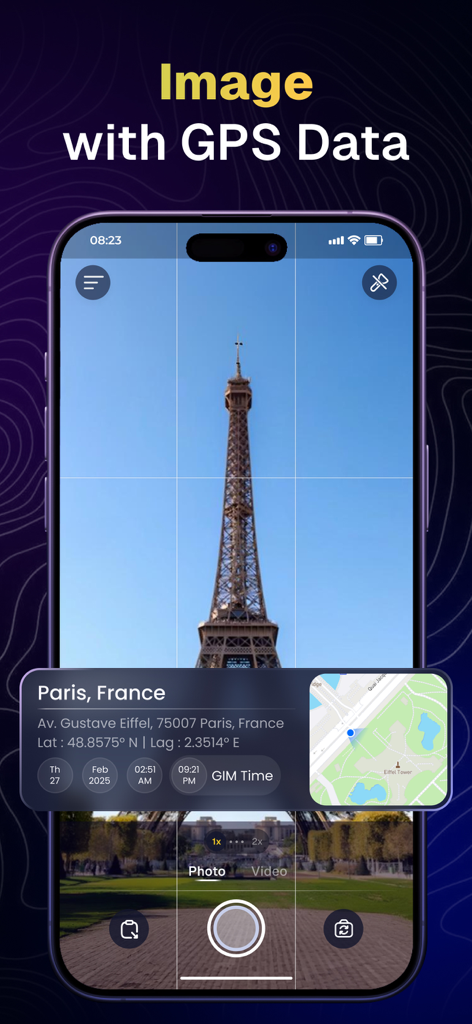
Automatically display exact street addresses on your photos, perfect for tracking your child's first day of school or documenting work sites.

Permanent Timestamps

Never lose track of when a memory was made. Embed the precise date and time directly into your images for seamless digital scrapbooking.

The following screenshots and description are sourced directly from the app's official store listing and are the property of the app developer.

App Store

Screenshots
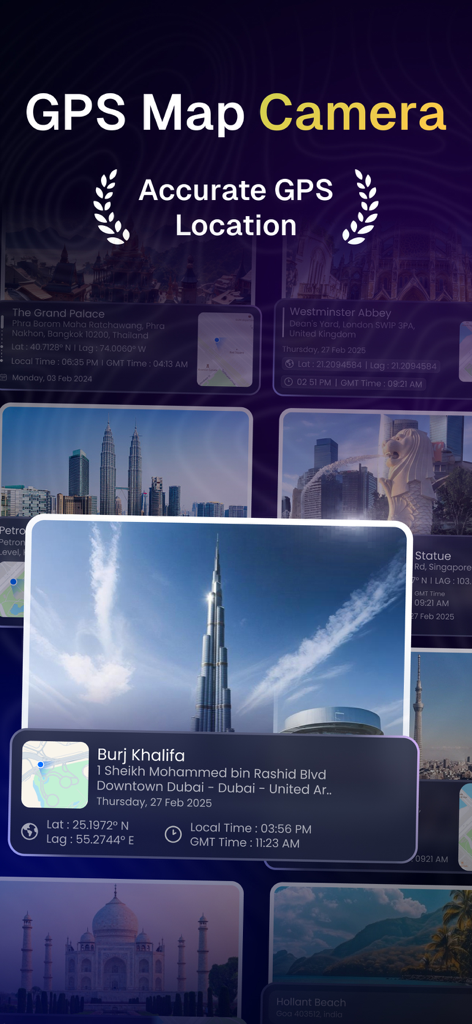
GPS Map Camera - Geotag Photos - GPS Map Camera app interface showing photos with location stamps and timestamp overlays
GPS Map Camera app interface showing photos with location stamps and timestamp overlays

GPS Map Camera - Geotag Photos - GPS Map Camera app interface displaying a photo of the Eiffel Tower with geotag location and timestamp overlay
GPS Map Camera app interface displaying a photo of the Eiffel Tower with geotag location and timestamp overlay

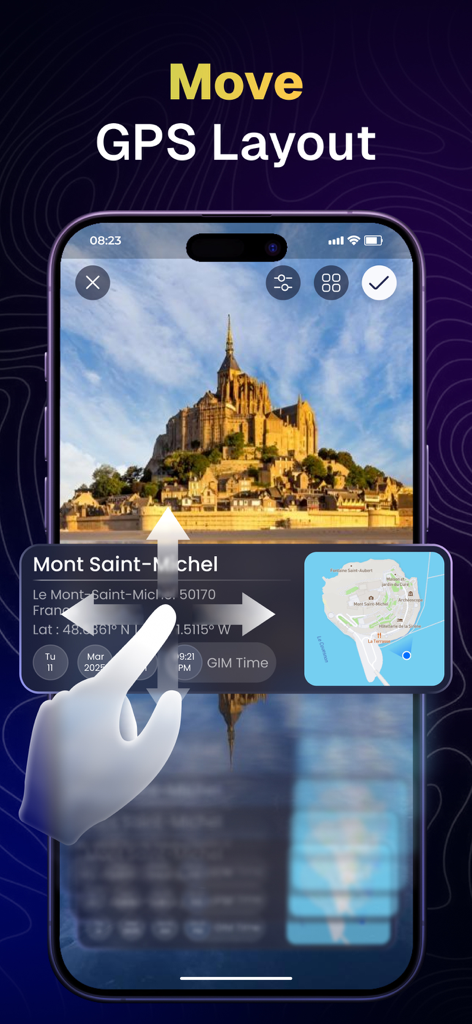
GPS Map Camera - Geotag Photos - A user moves a GPS and location data overlay across a photo of Mont Saint Michel in the app.
A user moves a GPS and location data overlay across a photo of Mont Saint Michel in the app.

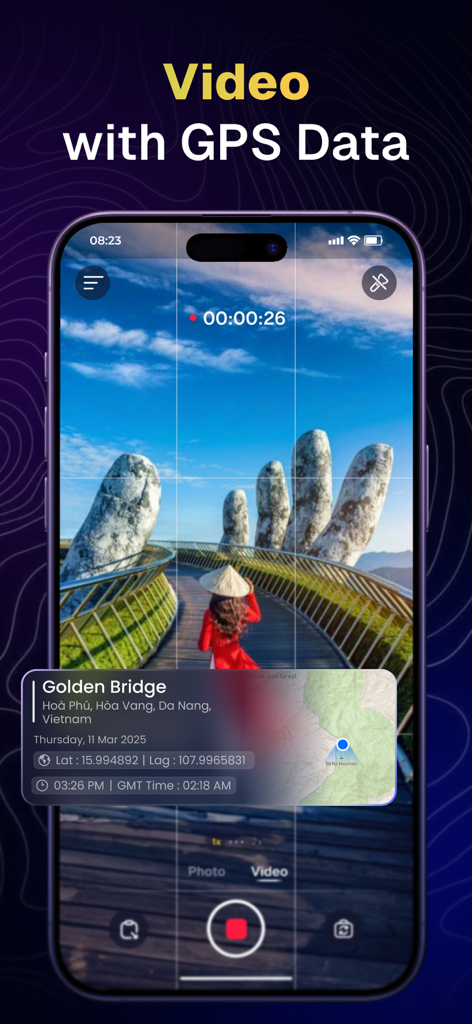
GPS Map Camera - Geotag Photos - iPhone screen recording a video at the Golden Bridge with an overlay showing GPS coordinates and address details
iPhone screen recording a video at the Golden Bridge with an overlay showing GPS coordinates and address details

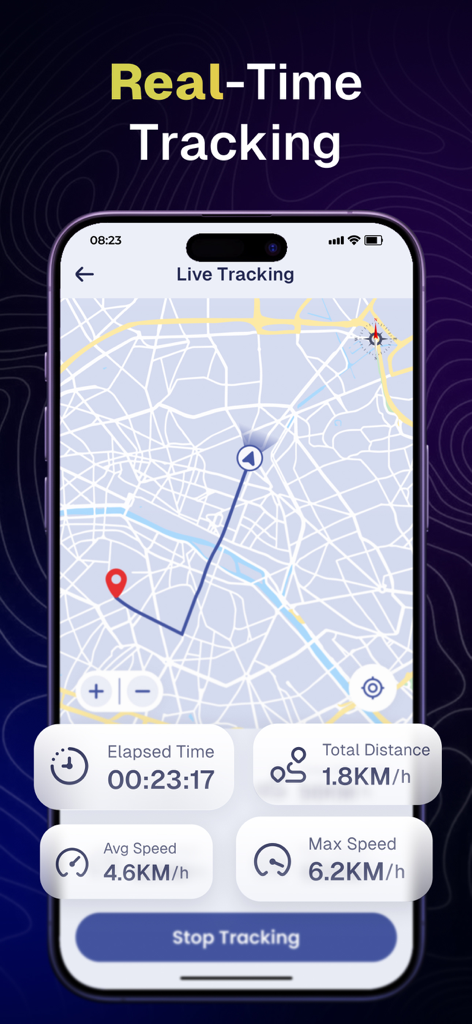
GPS Map Camera - Geotag Photos - Mobile app interface displaying real-time GPS tracking with a map and activity statistics
Mobile app interface displaying real-time GPS tracking with a map and activity statistics

GPS Map Camera - Geotag Photos - Layout settings interface of the GPS Map Camera app for customizing photo geotag overlays
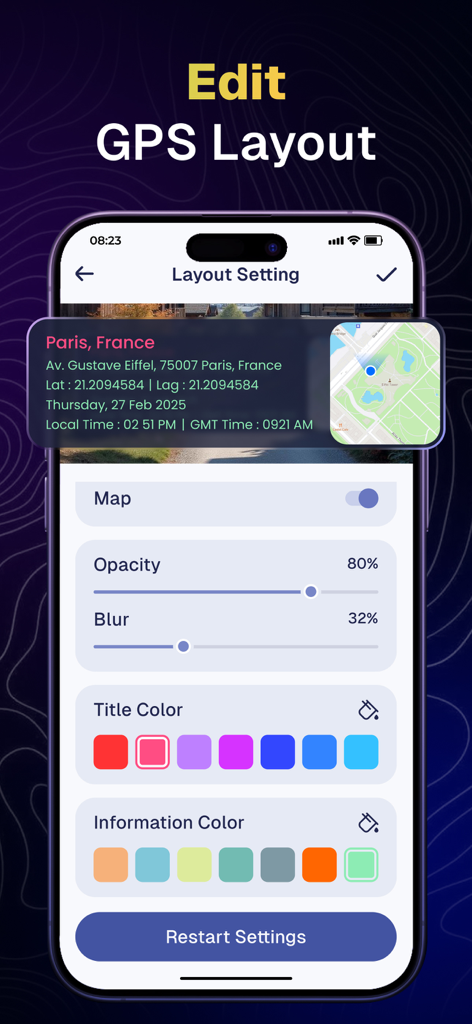
Layout settings interface of the GPS Map Camera app for customizing photo geotag overlays

GPS Map Camera - Geotag Photos - App interface showing various GPS photo stamp layouts with maps and addresses

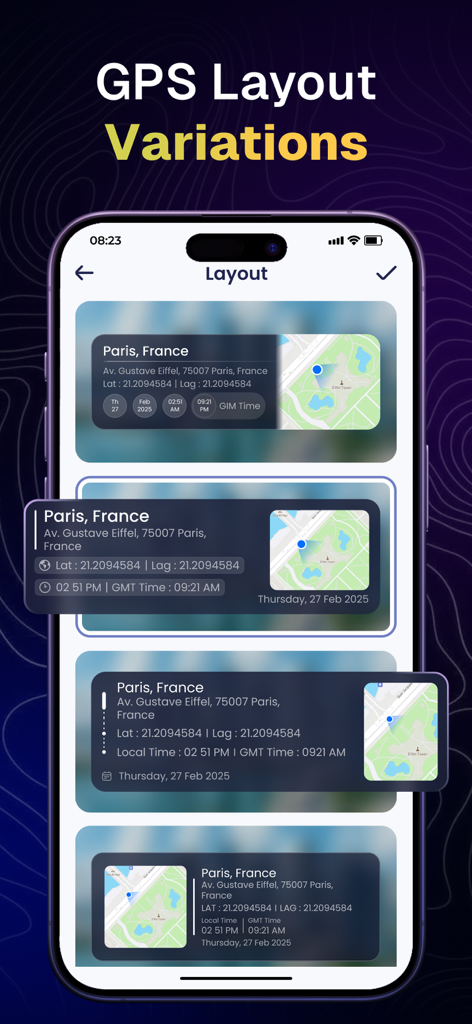
App interface showing various GPS photo stamp layouts with maps and addresses

Description

Install a GPS map camera app on your smartphone to geotag photos and add GPS location information. GPS Camera Map - Timestamp Photos is the ultimate app for families, travelers, and outdoor enthusiasts eager to document their adventures with precise real-time location details. Whether you're capturing your child’s first thrilling experience, recording unforgettable family trips, or ensuring safety with geotagged photos, this app is your indispensable companion. Don’t just take pictures—create lasting memories with confidence and security! Track your live location along with your photos using the GPS Map Camera - Geotag Photos & Add GPS Location app. Share your geotagged photos with family and friends to showcase your favorite travel moments. Key features: Address Overlay Capture moments by displaying the exact street addresses directly on your photos. Whether you’re taking pictures at a park, playground, school, or vacation destination, the address overlay ensures that your memories are precise. This feature is especially helpful for parents who want to track their children’s locations during trips. Date & Time Stamp Want to capture the exact moment of a special event? The date and time stamp feature ensures that each photo you take is marked with the time, making it easy to track milestones, birthdays, school events, and family vacations. Precise Map View Would you like a visual representation of the locations where your photos were taken? The GPS Map feature includes a live map view, enabling users to see precisely where each photo was captured. This functionality is perfect for family road trips, nature walks, and storytelling based on specific locations. Would you like a visual representation of the locations where your photos were taken? The GPS Map feature includes a live map view, enabling users to see precisely where each photo was captured. This functionality is perfect for family road trips, nature walks, and storytelling based on specific locations. How to use: 1. Open camera & select advanced or classic templates, arrange formats of stamps, change settings according to your requirement of GPS photomaps location stamp. 2. Add geo location stamps automatically to your clicked pictures. Download GPS Map Camera now and start capturing, tracking, and sharing your family’s special moments today! To unlock every templates, users need to purchase the premium version of the app. GPS Map Camera has 2 unique plans. Subscribe to have access to premium version of the app. One Week - $5.99 One Year - $49.99 * Subscription payments will be charged to your iTunes account at confirmation of your purchase and upon commencement of each renewal term. Subscription with a free trial period will automatically renew to a paid subscription. You can cancel your subscription or free trial in the iTunes settings at least 24-hours before the end of the free trial period. The cancellation will take effect the day after the last day of the current subscription period and you will be downgraded to the free service. Your payment will be charged to your iTunes Account as soon as you confirm your purchase. Privacy Policy: https://sanketrolaappstore.blogspot.com/2024/06/privacy-policy.html Terms of use: https://sanketrolaappstore.blogspot.com/2024/06/terms-of-use.html

Download

Download on App Store

This page is not an official page of the app or its developer, but an independent editorial publication created for informational and commentary purposes. Unless expressly stated otherwise, neither the app nor its developer is affiliated with, endorsed by, sponsored by, authorized by, or otherwise officially connected with MWM, Apple, Google Play, the app publisher, or the app's developer, and nothing on this page implies that the app was developed using MWM's services. Any trademarks, logos, screenshots, and other content remain the property of their respective owners.