GPX PhotoGraph

GPX PhotoGraph

Download on App Store
Logo of GPX PhotoGraph

GPX PhotoGraph: The Complete Precision Toolkit for GPX Tracking and Photo Geotagging

Record high-accuracy tracks, batch-correct photo metadata, and automate your location workflow with a professional-grade tool designed for photographers and outdoor enthusiasts.

Download on App Store

Publisher

Cardinate Consulting LLC

Category

Photo & Video

Downloads

100

User Rating

1.0/5

Total Ratings

0

Locales

33

Precision in Every Pixel

Discover the interface used by 100 users.
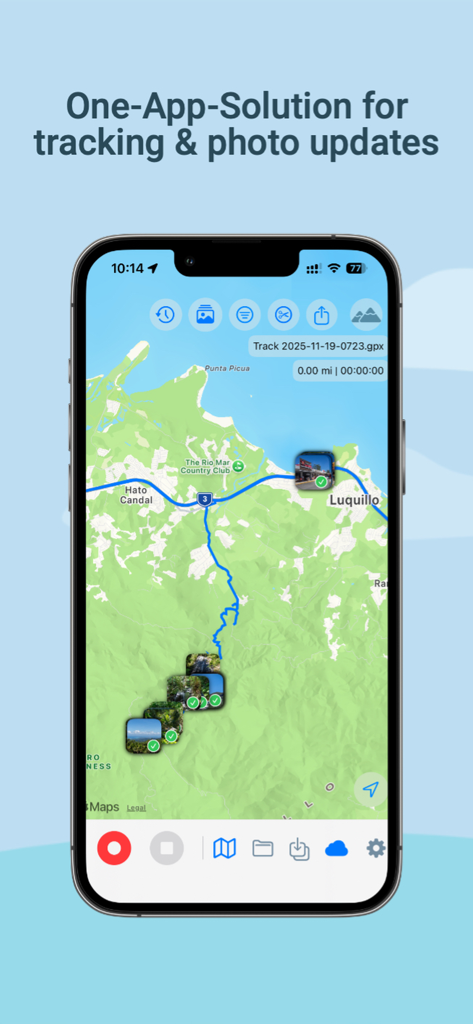
iPhone screenshot of GPX PhotoGraph app showing a blue GPS track and multiple photos pinned to locations on a topographical map

iPhone screenshot of GPX PhotoGraph app showing a blue GPS track and multiple photos pinned to locations on a topographical map

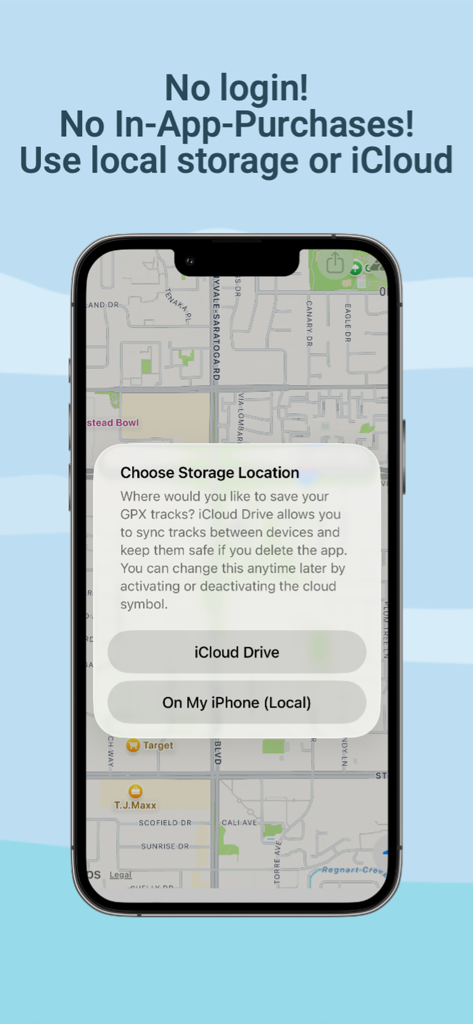
GPX PhotoGraph screen displaying storage selection between iCloud Drive and local iPhone storage.

GPX PhotoGraph screen displaying storage selection between iCloud Drive and local iPhone storage.

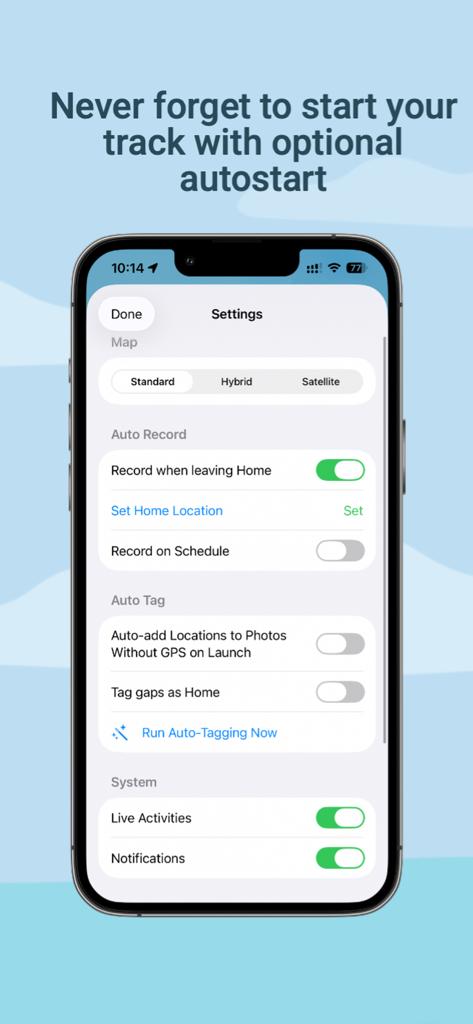
Settings screen of the GPX PhotoGraph app showing automatic tracking and photo location tagging options

Settings screen of the GPX PhotoGraph app showing automatic tracking and photo location tagging options

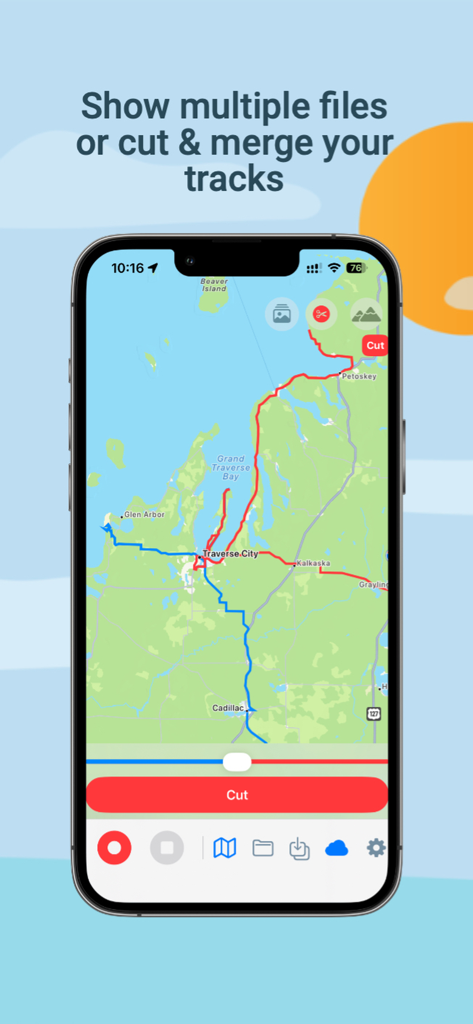
GPX PhotoGraph app interface showing a map with tools to cut and merge GPS track files

GPX PhotoGraph app interface showing a map with tools to cut and merge GPS track files

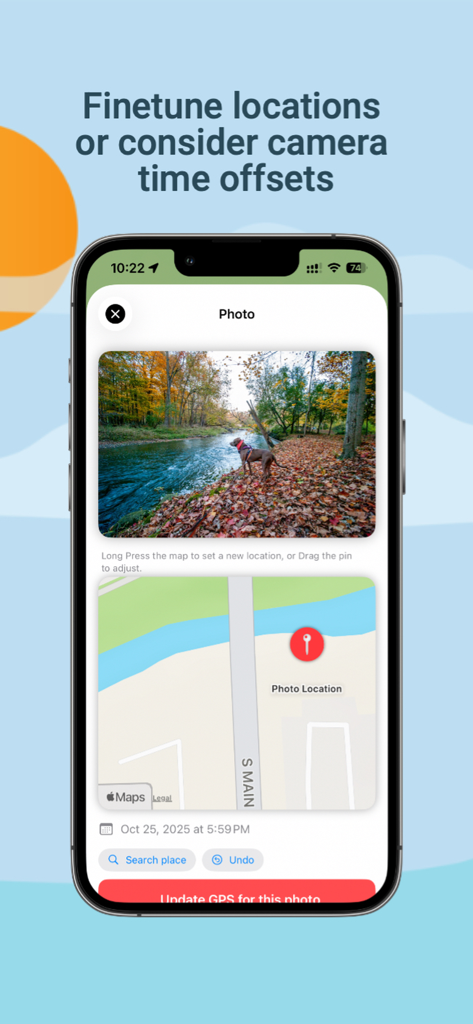
A map interface for manually adjusting and updating photo GPS location metadata

A map interface for manually adjusting and updating photo GPS location metadata

Master Your Location Data

The tools that make this app stand out, trusted by 100 users.

📸

Smart Batch Geotagging

Automatically sync thousands of photos from your DSLR or mirrorless camera with your GPS tracks to fix missing or incorrect location metadata in seconds.

📍

Set-and-Forget Tracking

High-accuracy background recording with automated start/stop triggers and Apple Watch integration, so you never miss a path while focusing on your shot.

🛡️

Privacy-First Data Tools

A professional suite to merge, cut, and export GPX files with 100% on-device processing, keeping your secret shooting locations completely private.

About the app

Everything you need to know about GPX PhotoGraph.

Description

THE COMPLETE GPX & PHOTO LOCATION TOOLKIT GPX PhotoGraph combines high-accuracy GPX tracking, photo location correction, and professional GPX tools in one elegant app. Whether you're a photographer, traveler, hiker, or data enthusiast — this app gives you full control over your GPS data and photo locations. Record GPX Tracks With Precision - High-accuracy GPS tracking - Live altitude chart and distance/time stats - Background mode optimized for minimal battery drain - Optional automation: start recording when leaving Home or on a schedule - Works on iPhone and Apple Watch New in Version 2.0: Smarter Tracking GPX PhotoGraph now includes powerful automation and customization options: - Auto Record (optional): start recording automatically when leaving Home - Schedule-based recording (optional): record GPX tracks on selected days/times - Map styles: switch between Standard, Hybrid, and Satellite Apple Watch Companion - Start / Pause / Resume a recording from your wrist - Live map showing your current location - Real-time stats synced from your iPhone - Ultra-low battery usage Perfect for hikes and photowalks Siri & Shortcuts Integration Control the app hands-free: - “Start GPX Tracking” - “Pause tracking” - “Resume tracking” - “Stop and save GPX” Use Siri Suggestions, automation triggers, and Shortcuts actions. Photo Map & Location Fixing Finally fix the photos that imported with wrong or missing GPS. - Batch-fix thousands of photos automatically using your GPX tracks - Correct or adjust the GPS location for individual photos - Long-press the map to set a new location - Drag the pin for fine-tuning - Works with iCloud Photos and local libraries - Exports new GPS metadata to your images safely A must-have for photographers who shoot with cameras without GPS. New in Version 2.0: Auto-Tag Photos - Optional Auto-Tagging can add GPS to photos without location data - Uses your recorded GPX tracks and photo timestamps - Can run automatically on app launch or manually from Settings GPX Tools Built for Power Users - Import GPX files (improved compatibility with more GPX sources) - Export GPX files - Merge multiple recordings - Cut a GPX at custom times - Remove duplicates - Full GPX extension support (speed, altitude, bearing) - Custom fields for future features (e.g., incline, compass) See Your Photos on the Map - View your photos directly on your GPX route - Identify where every image was taken Great for photowalks, hikes, or travel logs. Privacy-First - All processing happens on your device - No accounts, no trackers, no cloud servers (iCloud optional) - Only your existing Photos metadata is used File Storage Flexibility Choose where your GPX files go: - Local device only, or - iCloud Drive for cross-device sync and backup You can switch anytime in Settings. Perfect For - Landscape photographers - Travel photographers - Hikers & trail runners - Cyclists - Wildlife photographers - Anyone who wants clean GPS data for their photos Download GPX PhotoGraph and take full control of your GPS tracks and photo locations.

Latest Version

2.0

Size

16.0 MB

First Released

Nov 26, 2025

Complete Your Workflow with Precise Location Data

Whether you’re scaling peaks or shooting on mirrorless, get the professional toolkit to track, fix, and manage your GPS data. Download GPX PhotoGraph today.

Download on App Store
FAQ

Frequently Asked Questions

Everything you need to know about GPX PhotoGraph

What is GPX PhotoGraph?

GPX PhotoGraph is an app that combines high-accuracy GPX tracking, photo location correction, and professional GPX tools for photographers, travelers, and hikers.

Does GPX PhotoGraph offer automatic GPX track recording?

Yes, GPX PhotoGraph offers automatic GPX track recording. Users can set it to start when leaving Home or based on a schedule.

Can GPX PhotoGraph correct photo locations in bulk?

Yes, GPX PhotoGraph can batch-fix thousands of photos automatically using recorded GPX tracks. It works with iCloud Photos and local libraries.

Is GPX PhotoGraph available on Apple Watch?

Yes, GPX PhotoGraph has an Apple Watch companion app. It allows users to start, pause, resume recordings, view a live map, and see real-time stats.

How does GPX PhotoGraph handle user privacy?

GPX PhotoGraph is privacy-first. All processing happens on the device, with no accounts, trackers, or cloud servers required (iCloud is optional).

Are there in-app purchases in GPX PhotoGraph?

No, GPX PhotoGraph does not include any in-app purchases. It utilizes either local storage or iCloud for file management.

Can GPX PhotoGraph merge multiple GPX recordings?

Yes, GPX PhotoGraph provides tools to merge multiple GPX recordings. It also allows cutting GPX tracks at custom times and removing duplicates.

Does GPX PhotoGraph require a user login?

No, GPX PhotoGraph does not require a user login. Users can save their GPX files locally or sync them via iCloud Drive.

Can GPX PhotoGraph integrate with Siri?

Yes, GPX PhotoGraph integrates with Siri & Shortcuts. Users can control tracking hands-free with commands like "Start GPX Tracking" or "Stop and save GPX".

Where can I store my GPX files with GPX PhotoGraph?

GPX PhotoGraph offers file storage flexibility, allowing users to choose between local device storage or iCloud Drive for cross-device sync and backup.

App information, icons, screenshots, and descriptions displayed on this page are sourced from the Apple App Store and are the property of their respective developers. Download estimates and rankings are based on MWM's proprietary models and may not reflect actual figures. This page is provided for informational and analytical purposes only.

Believe this page infringes your intellectual property? File a dispute