Green Screen & Blue Screen App

Green Screen & Blue Screen App

Download on App Store
Logo of Green Screen & Blue Screen App

Green Screen & Blue Screen App: Professional Chroma Key Displays for Modern Creators

Turn your iPhone or iPad into a precision VFX prop. Featuring optimized hex-code colors and a dedicated screen-lock function to ensure flawless tracking—even during interactive scenes where actors tap the screen.

Download on App Store

Publisher

MINERVA K.K.

Category

Photo & Video

Downloads

0

User Rating

2.8/5

Total Ratings

0

Locales

2

Your Portable Studio

Discover the interface used by 0 users.

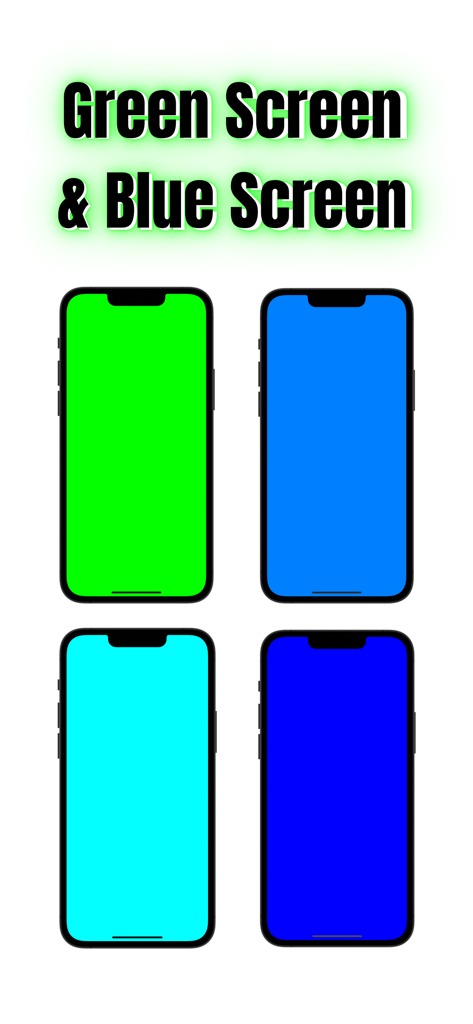
Four iPhones displaying different shades of optimized green and blue screens for chroma key video production.
Four iPhones displaying different shades of optimized green and blue screens for chroma key video production.

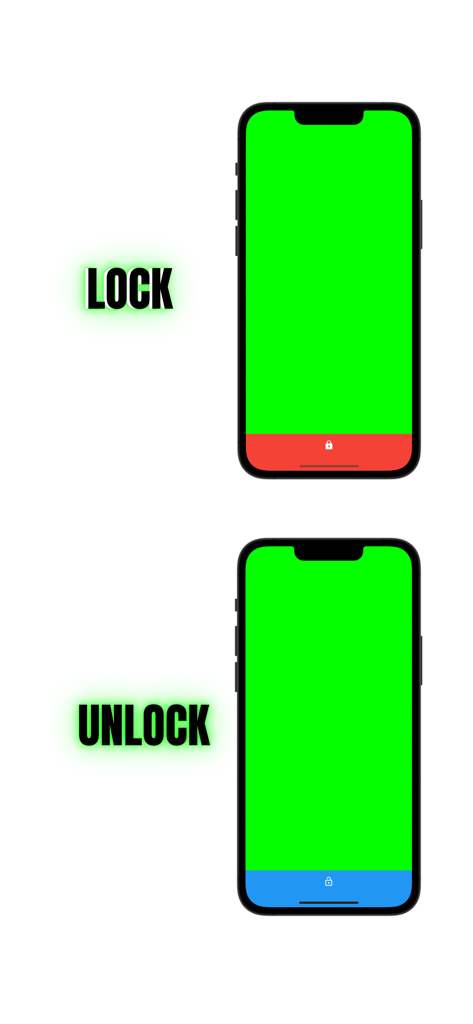
Two iPhone screens displaying a bright green screen with labels showing the lock and unlock status of the display
Two iPhone screens displaying a bright green screen with labels showing the lock and unlock status of the display

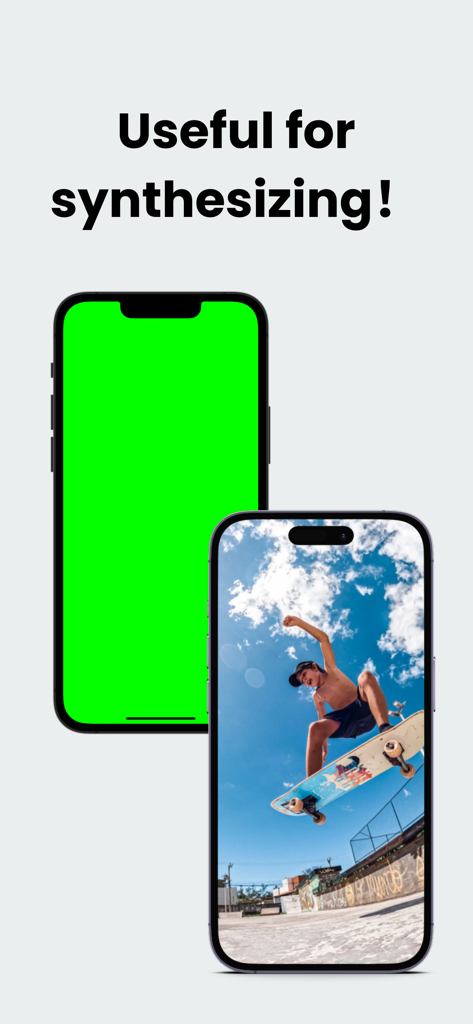
Two iPhones demonstrating how a green screen app helps synthesize a video of a skateboarder
Two iPhones demonstrating how a green screen app helps synthesize a video of a skateboarder

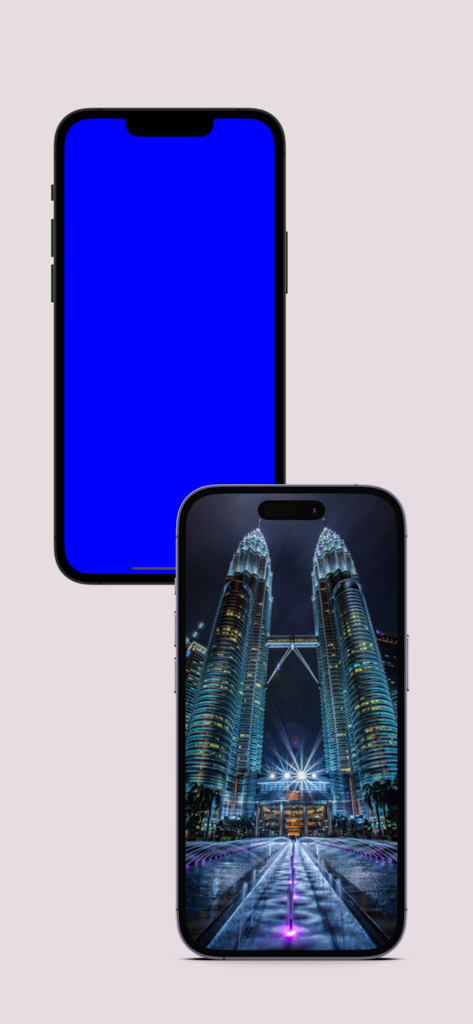
Two iPhones one displaying a solid blue chroma key background and the other showing a cityscape photo

Two iPhones one displaying a solid blue chroma key background and the other showing a cityscape photo

Pro-Level VFX, Right in Your Pocket

The tools that make this app stand out, trusted by 0 users.

🔒

Smart Screen Locking

Keep your background stable. Actors can interact with the device without accidental swipes or app switches during filming.

🟢

Pure Chroma Optimization

Eliminate messy edges with industry-standard hex codes, including #00FF00, optimized for the cleanest background removal in post.

🎬

Multi-Device Versatility

Turn your iPad or iPhone into a professional prop. Full-screen display ensures your tracking markers and VFX look flawless.

About the app

Everything you need to know about Green Screen & Blue Screen App.

Description

■Greenscreen and Blueback Display App This is a simple application that allows you to easily display green back and blue back, which are commonly used in video production and photography. It can easily display greenback and blueback, which are used to make the background transparent when editing filmed video or photos. Using this app as a prop, you can easily shoot videos. In addition, both green scren and blue screen are supported. The Green Background/Blue Background Display App is a simple app for displaying green backgrounds and blue backgrounds on smartphones and tablets. Since there are four colors, you can use different screens for different scenes. The entire screen can be displayed. You can lock the screen by pressing and holding the screen, and the lock function allows you to tap on the green screen area. This allows you to take a wide range of pictures. This app does not have functions for chroma key compositing or video editing, but it can be used in conjunction with other apps to create a variety of video productions. ■Features of the application for displaying green background and blue background 1. the color of the green background and blue background can be changed to four different colors. 2. the colors use the following color codes. The color code is set to the color code that optimizes the function of the green screen. 1. #00FF00 2. #00FFFF 3. #0080FF 4. #0000FF 3. screen lock Press and hold the screen to lock the screen. You can prevent the screen from switching. This prevents the screen from switching when the screen is tapped. It can be used for a wide range of photography, including screen-tapping performances. Main Functions Display of green background Display of blue background Switching between green background and blue background Full screen display function Screen lock function Screen lock function ・Function to display the screen while it is running Use Cases Use cases for this application include the following: 1. 1. used in video production and photography for setting up green and blue backgrounds and for pre-shooting simulation 2. used to verify that greenbacks and bluebacks are installed correctly during video production and photography 3. used by people who are learning about video production to learn how to use and install greenback and blueback. 4. used by people who are learning about video production and photography to learn how to use and install greenback and blueback. 4. it is used by people who are doing video production or photography to display the greenback or blueback and make the background transparent before the editing process. As described above, this application will be a useful tool for use and learning in the field of video production and photography. It can also be used for confirmation before editing work, making it a useful application for those involved in video production and photography. Assumed Scenes 1. scene where a performer operates a smartphone With this app, the smartphone screen can be used as a green background for shooting. 2. Also, the screen lock function prevents the screen from changing even if you tap the screen. 2. Therefore, you can shoot and edit scenes in which the actor operates the smartphone. 2. 2. scene where actors operate tablet PCs 3. scene where an actor is operating a computer Since the entire green back can be displayed, the above scenes can be filmed. The menu bar on the computer can also be hidden, so you can compose free moving images and CG with chromakey.

Latest Version

1.0.4

Size

41.1 MB

First Released

May 22, 2023

Turn Your Device Into a Professional VFX Prop

Get the industry-standard chroma key utility designed for creators. Lock your screen, tap with confidence, and ensure a flawless key in post-production.

Download on App Store

App information, icons, screenshots, and descriptions displayed on this page are sourced from the Apple App Store and are the property of their respective developers. Download estimates and rankings are based on MWM's proprietary models and may not reflect actual figures. This page is provided for informational and analytical purposes only.

Believe this page infringes your intellectual property? File a dispute