
This page is not an official page of the app or its developer, but an independent editorial publication created for informational and commentary purposes. Unless expressly stated otherwise, neither the app nor its developer is affiliated with, endorsed by, sponsored by, authorized by, or otherwise officially connected with MWM, Apple, Google Play, the app publisher, or the app's developer, and nothing on this page implies that the app was developed using MWM's services. Any trademarks, logos, screenshots, and other content remain the property of their respective owners.


Grid # - Add grid on image
Master the grid method and perfect your proportions with fully customizable, movable, and transparent grids designed for sketching, painting, and technical design.
Downloads
1M+User Rating
Total Ratings
13K+Publisher
Category
Photo & VideoLocales
5Latest Version
2.11.0Size
12.5 MBFirst Released
Sep 11, 2015Master Your Proportions
The essential toolkit for artists and crafters to master the grid method, ensuring perfect accuracy and symmetry in every creative project.
Tailored Grid Systems
Choose from five distinct grid styles, including custom rectangles and squares, to perfectly match your canvas or paper dimensions.
Optimized Visual Clarity
Pick colors directly from your image and adjust line transparency to ensure your grid provides guidance without obscuring important details.
Frequently Asked Questions
Everything you need to know about Grid # - Add grid on image
How do I add a grid to an image using Grid #?
Yes, Grid # allows users to add a grid to any image. The app offers various grid types and customization options for line colors and width.
What types of grids does the Grid # app offer?
Grid # offers five types of grids: Rectangle (set rows & cols), Square (set rows only), Square (set cols only), Rectangle (set row height & col width), and Square (set row height only).
Can I customize the appearance of grid lines in Grid #?
Yes, Grid # allows full customization of grid lines. Users can choose any RGB color, adjust transparency, and set the line width between 1 and 20.
Does Grid # support adding multiple grids to one image?
Yes, Grid # supports adding multiple grids to an image. Users can add up to three grids, with the third grid being a pro feature.
Can I pick colors directly from an image within Grid #?
Yes, Grid # allows users to pick colors directly from the image. This feature enables precise color matching for grid lines.
What are the grid movement modes available in Grid #?
Grid # offers two modes: Fixed Grid, which cannot be moved or rotated, and Movable Grid. The Movable Grid is a pro feature that allows users to move and rotate the grid.
Which Grid # features require a Pro upgrade?
The Square grid type (set row height only), adding a third grid, and the Movable Grid feature are all part of the Grid # Pro upgrade.
The following screenshots and description are sourced directly from the app's official store listing and are the property of the app developer.
App Store
Screenshots
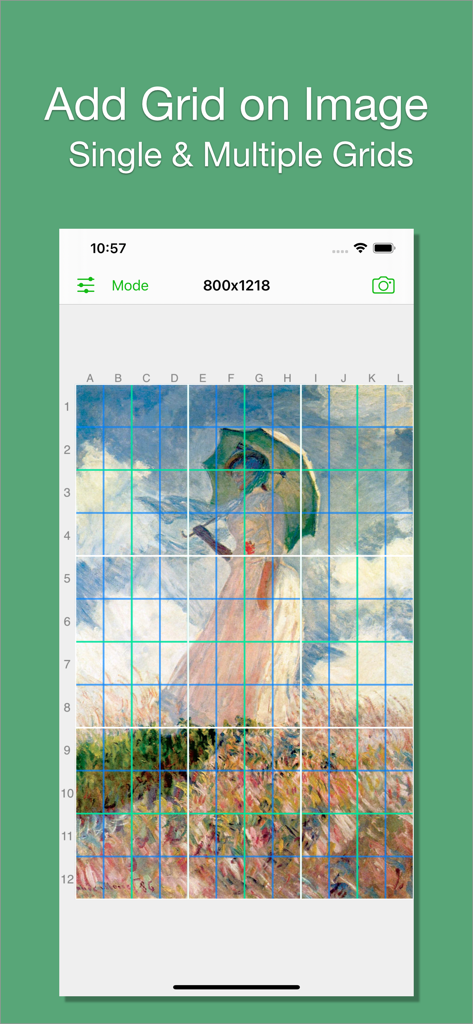
Screenshot of the Grid app showing multiple colorful grid layers over a classic painting for drawing reference
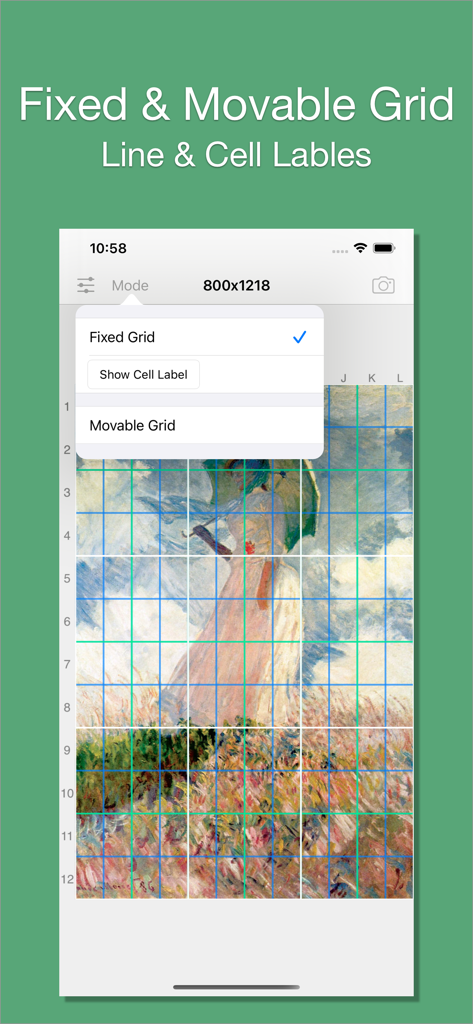
A screenshot of the Grid app showing the fixed and movable grid mode options over a classical painting.
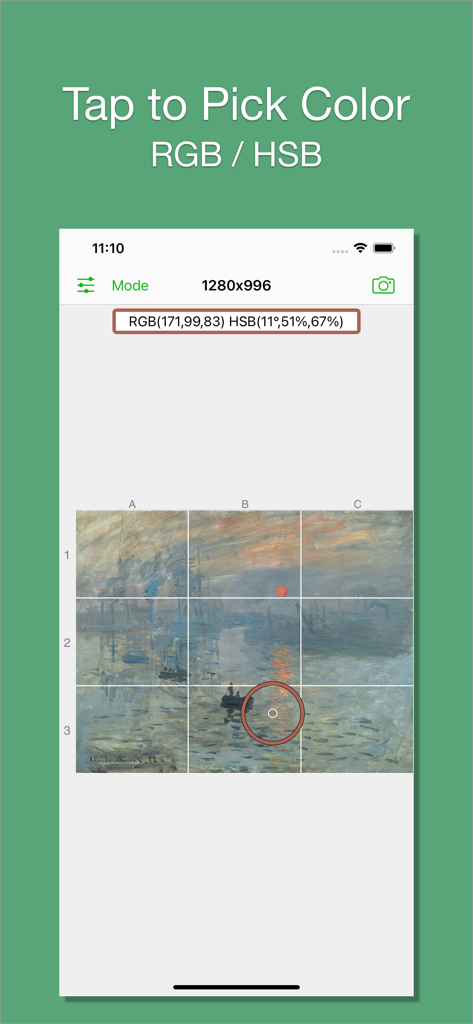
App interface demonstrating the color picker feature to get RGB and HSB values from a gridded image
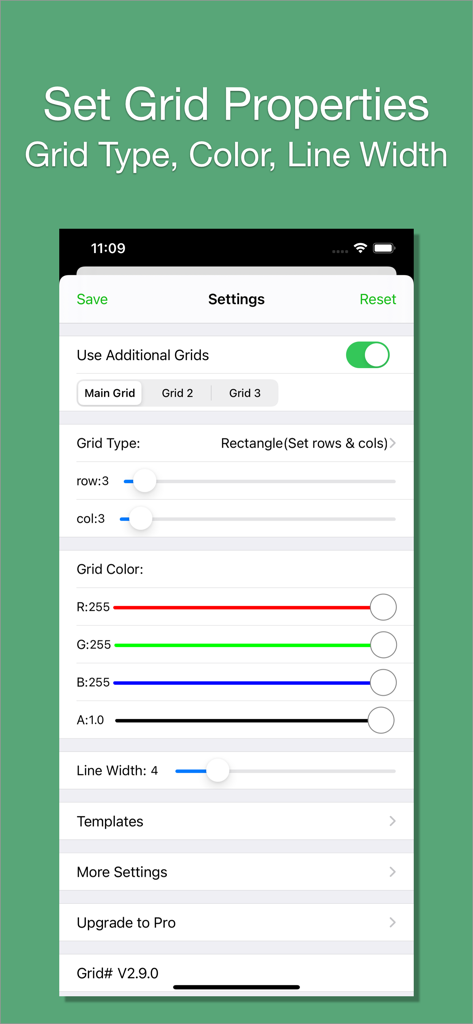
Interface showing settings for grid type, row and column counts, RGB color selection, and line width adjustment.
Description
Download
More Like This
Apps with similar features and user experience


This page is not an official page of the app or its developer, but an independent editorial publication created for informational and commentary purposes. Unless expressly stated otherwise, neither the app nor its developer is affiliated with, endorsed by, sponsored by, authorized by, or otherwise officially connected with MWM, Apple, Google Play, the app publisher, or the app's developer, and nothing on this page implies that the app was developed using MWM's services. Any trademarks, logos, screenshots, and other content remain the property of their respective owners.