
This page is not an official page of the app or its developer, but an independent editorial publication created for informational and commentary purposes. Unless expressly stated otherwise, neither the app nor its developer is affiliated with, endorsed by, sponsored by, authorized by, or otherwise officially connected with MWM, Apple, Google Play, the app publisher, or the app's developer, and nothing on this page implies that the app was developed using MWM's services. Any trademarks, logos, screenshots, and other content remain the property of their respective owners.

GridArt - Drawing Grid
The ultimate precision tool for artists to bridge the gap between reference and canvas. Overlay customizable grids, use diagonal guides, and simplify details with filters to create perfect outlines every time.
Downloads
172K+User Rating
Total Ratings
300Publisher
Category
Graphics & DesignLocales
1Latest Version
2.0.2Size
30.9 MBFirst Released
Dec 19, 2023Master Your Proportions with Precision
Bridge the gap between your reference and your canvas. GridArt provides the technical tools you need to create accurate sketches and realistic paintings with total confidence.
Perfect Scaling Made Simple
Eliminate the math and guesswork. Set your grid in inches, cm, or mm to perfectly align your photo with your drawing surface for flawless proportions.
Master Shading and Values
Strip away color distractions. Use black-and-white mode and sketch filters to identify light and dark values, helping you achieve professional-level realism.
Frequently Asked Questions
Everything you need to know about GridArt - Drawing Grid
What is GridArt?
GridArt is a tool that helps artists accurately sketch or replicate images using the classic grid drawing technique. It guides users square by square to transfer images to their canvas.
What features does GridArt - Drawing Grid offer?
GridArt offers grid overlay, diagonal grid, customizable grid appearance, sketch filters, measurement-based grid setup, zoom, adjustable cell/page sizes, black and white conversion, cropping, and row-column labels.
Can I customize the grid appearance in GridArt?
Yes, GridArt allows customization of grid color, opacity, text size, line width, and dash length. Users can also enable or disable row-column labels with customizable formatting.
Does GridArt offer different grid types for drawing?
Yes, GridArt supports square and non-square grids, including a diagonal grid option. These different grid types improve outline accuracy and drawing flexibility.
How much does GridArt Premium cost?
GridArt Premium costs $2.99 per week for the Weekly Plan or $7.99 per month for the Monthly Plan. These subscriptions unlock advanced features and full customization options.
How do I manage my GridArt Premium subscription?
Users manage GridArt Premium subscriptions through their Apple ID account settings. Subscriptions auto-renew unless canceled at least 24 hours before the current period ends.
Can I crop images within the GridArt app?
Yes, GridArt allows users to crop images to specific aspect ratios. This functionality is available within the app for precise image preparation.
Does GridArt support a Dark Theme or Dark Mode?
Yes, GridArt supports a Dark Theme. Users can enable 'Dark Mode' from the app's settings menu for a secure and stunning visual experience.
Where can I find the Privacy Policy for GridArt?
The Privacy Policy for GridArt is available at the provided URL: https://chief-cheque-627.notion.site/Privacy-Policy-23e6adfdb3748140a9e5f78e9ce25995.
The following screenshots and description are sourced directly from the app's official store listing and are the property of the app developer.
App Store
Screenshots
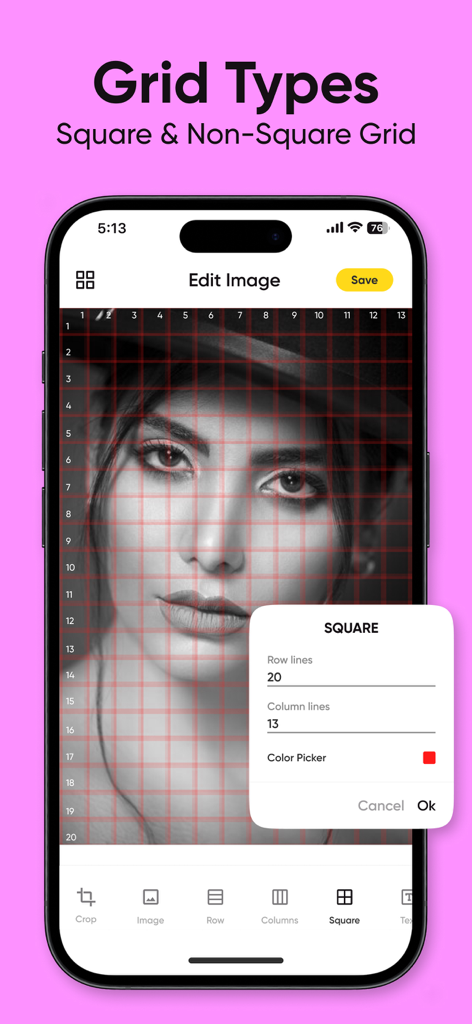
Screenshot of GridArt app showing a square grid overlay on a portrait with customization settings for row and column lines
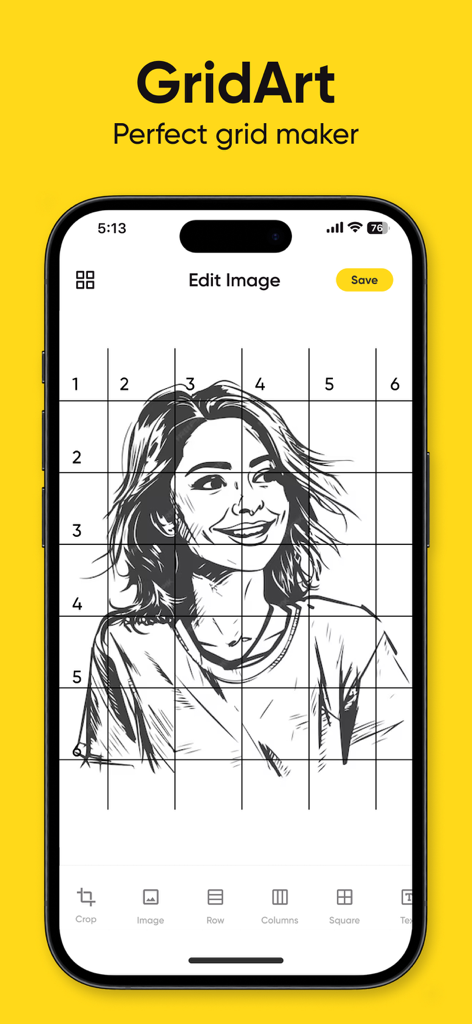
Smartphone screen showing the GridArt app interface with a numbered drawing grid over a portrait sketch
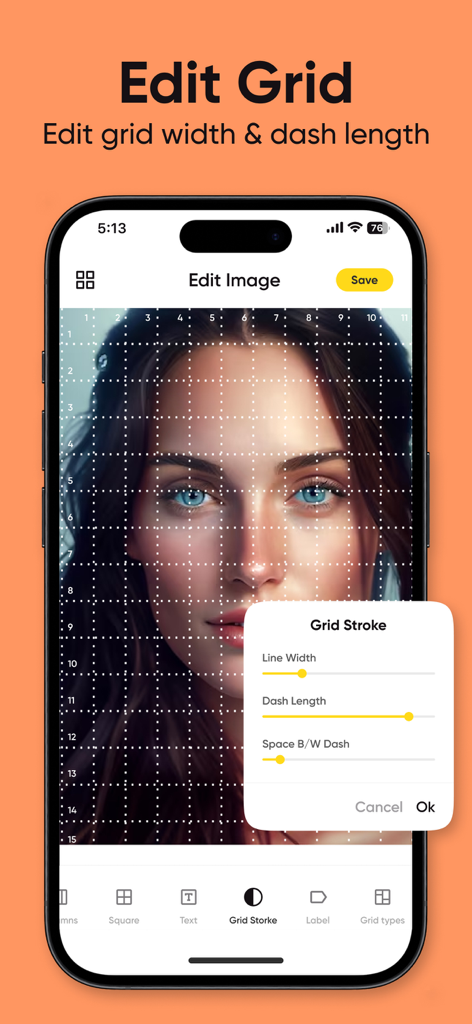
Interface of the GridArt app showing options to edit grid line width and dash length over a portrait image.
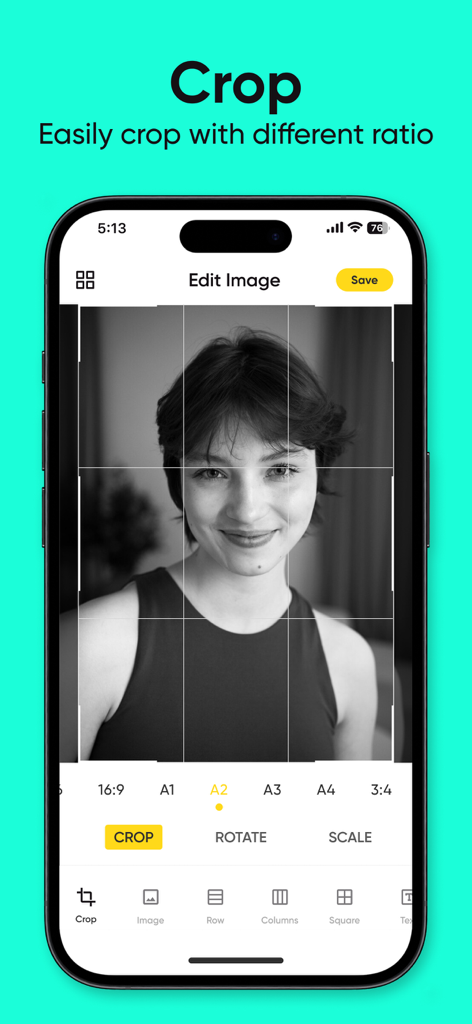
A screenshot of the GridArt app displaying its image cropping tool with different aspect ratios for artists.
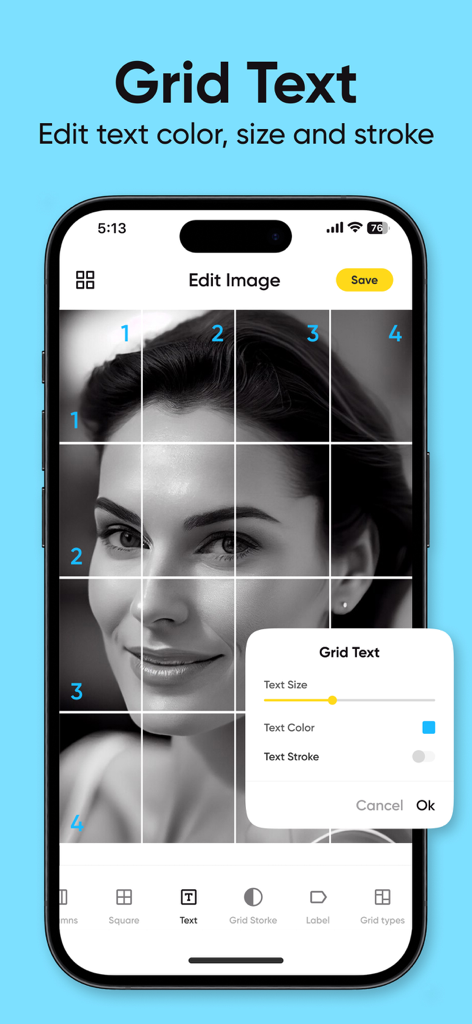
Interface of GridArt app showing grid text customization options for labels on a portrait reference photo
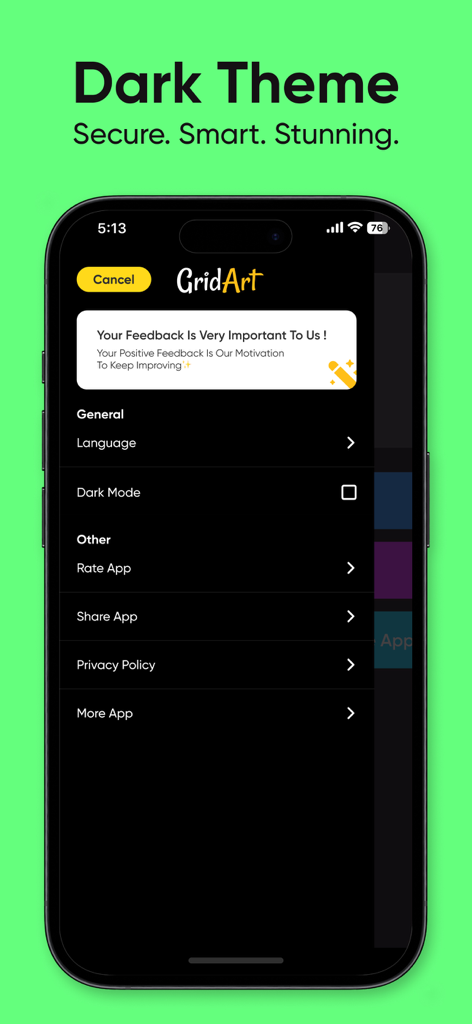
GridArt app settings menu with dark theme enabled.
Description
Download
More Like This
Apps with similar features and user experience



This page is not an official page of the app or its developer, but an independent editorial publication created for informational and commentary purposes. Unless expressly stated otherwise, neither the app nor its developer is affiliated with, endorsed by, sponsored by, authorized by, or otherwise officially connected with MWM, Apple, Google Play, the app publisher, or the app's developer, and nothing on this page implies that the app was developed using MWM's services. Any trademarks, logos, screenshots, and other content remain the property of their respective owners.