
This page is not an official page of the app or its developer, but an independent editorial publication created for informational and commentary purposes. Unless expressly stated otherwise, neither the app nor its developer is affiliated with, endorsed by, sponsored by, authorized by, or otherwise officially connected with MWM, Apple, Google Play, the app publisher, or the app's developer, and nothing on this page implies that the app was developed using MWM's services. Any trademarks, logos, screenshots, and other content remain the property of their respective owners.

GRIDS Post maker for Instagram
The visual race is relentless. GRIDS cuts through the noise, granting users effortless mastery over their entire social aesthetic.
Downloads
12.5M+User Rating
Total Ratings
148.5KPublisher
Category
Photo & VideoLocales
9Latest Version
3.1.6Size
401.3 MBFirst Released
Sep 5, 2013GRIDS Post maker for Instagram: Core Capabilities
An analytical overview of features designed for content creators and brands.
Auto-Sliced Photo Grids & Layout Planner
The app provides precise Instagram layout planning by automatically slicing photos into grids, ensuring visual consistency and a professional aesthetic without manual effort.
Seamless Carousel Post Maker
This tool allows users to split any photo or design into 2 to 10 perfectly aligned frames, creating fluid, attention-grabbing scrolling experiences ideal for storytelling or portfolio displays.
Customizable Post & Story Templates
It features a rich collection of customizable templates for Instagram posts and stories, empowering users to personalize content with their own media, fonts, filters, and stickers for visual consistency.
Reels & TikTok Video Templates
The app includes a built-in reels maker with viral TikTok and Instagram Reels templates, enabling users to quickly create scroll-stopping short-form videos with added text, effects, and music.
AI Background & Object Remover
This tool offers smart editing capabilities, such as a background remover and object eraser, allowing users to effortlessly clean up images, swap backgrounds, and remove distractions for a polished, professional look.
Custom Video Cover Designer
It enables the design of custom, scroll-stopping freeze frames for Reels and TikToks using its integrated photo editor, filters, stickers, and text, which enhances video discoverability and brand consistency.
Frequently Asked Questions
Everything you need to know about GRIDS Post maker for Instagram
What is Grids Post Maker for Instagram?
Grids is a design tool for Instagram and TikTok. It helps users create cohesive layouts, video covers, seamless carousel posts, and uses templates for reels and TikTok videos.
Can Grids help plan Instagram layouts?
Yes, Grids allows users to plan Instagram layouts with precision. Users drag and drop photos into post, story, and reel templates to create on-brand designs with auto-sliced photo grids.
Does Grids offer templates for social media content?
Yes, Grids provides a rich collection of customizable templates for Instagram posts, stories, reels, and TikTok videos, including viral TikTok templates. It offers over 900 templates and presets.
How does the seamless carousel maker work in Grids?
The seamless carousel post tool in Grids splits any photo or design into 2 to 10 perfectly aligned frames. This creates a fluid scrolling experience for Instagram layouts.
Can I remove backgrounds from images using Grids?
Yes, Grids includes smart editing tools like a background remover and object eraser. Users can easily swap backgrounds or eliminate visual distractions for cleaner, more professional images.
Is there a free trial for Grids Pro?
Yes, Grids Pro offers a free 3-day trial. After the trial period ends, a weekly or annual subscription fee is charged.
How do I manage my Grids Pro subscription?
Users manage their Grids Pro subscription and turn off auto-renew through their device's Settings > iTunes Account & App Store > Apple ID > Subscriptions. Auto-renew must be off 24 hours before the period ends.
Does Grids support custom video covers for Reels and TikTok?
Yes, Grids allows users to create custom video covers for Reels and TikToks. The photo editor helps design scroll-stopping freeze frames with filters, stickers, text, and effects.
What photo editing tools does Grids offer?
Grids offers an advanced photo editor with various fonts, filters, effects, and stickers. It provides full creative freedom beyond templates for Instagram layout perfection.
Can Grids make photo collages?
Yes, Grids allows users to design unique photo collages by combining images, videos, stickers, and text. It offers a flexible layout editor with more than 100 layouts.
The following screenshots and description are sourced directly from the app's official store listing and are the property of the app developer.
App Store
Screenshots
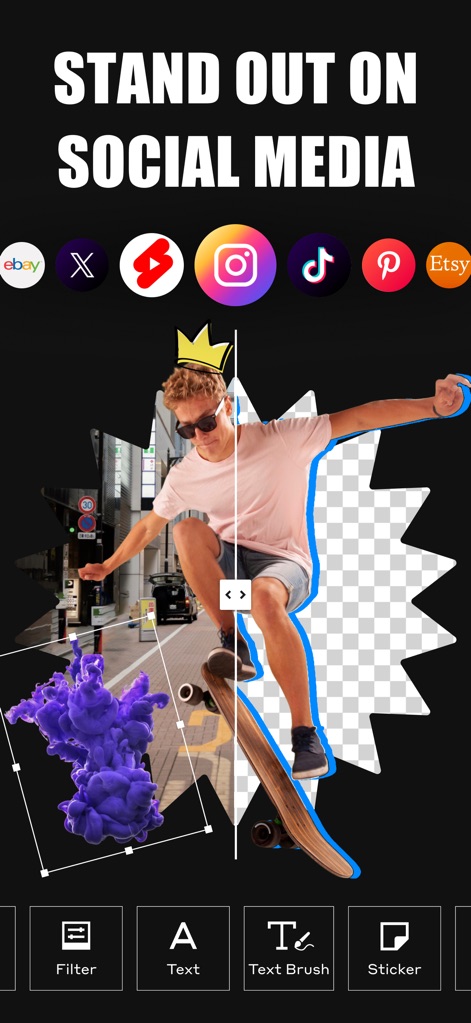
Transformative Content Creation
See how this tool allows for precise background removal, enhancing visuals for various platforms like Instagram and TikTok.
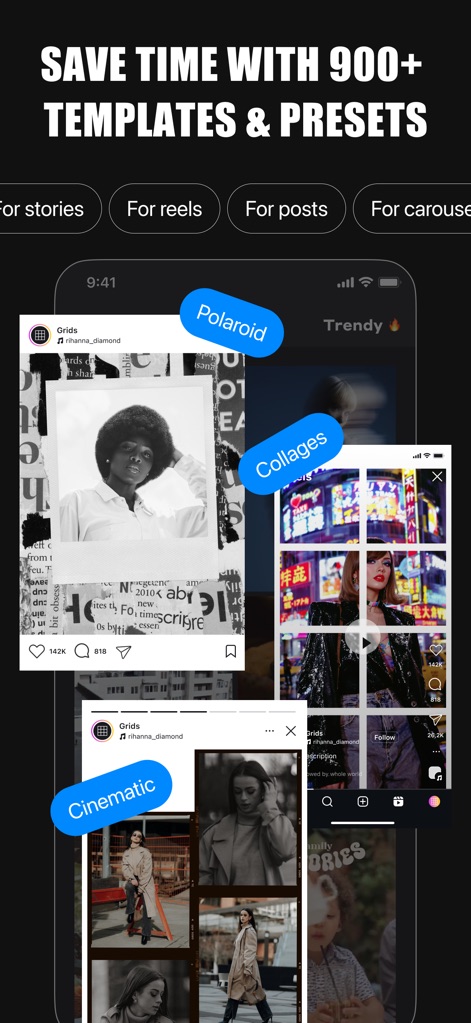
Streamlined Design Flow
Discover how the app streamlines content creation with over 900+ templates and presets, categorized for Instagram stories and reels.
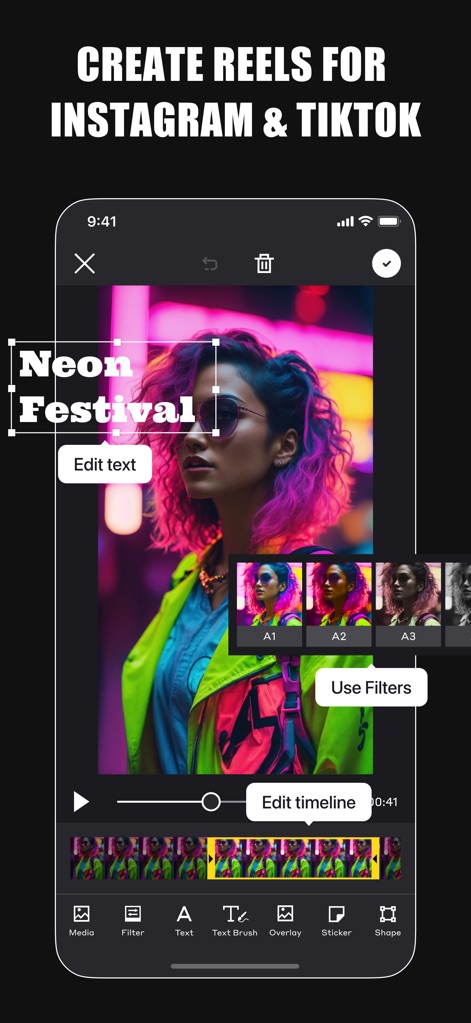
Dynamic Video Editor
Observe the intuitive video editor for creating Reels and TikToks, featuring customizable text overlays and a range of artistic filters.
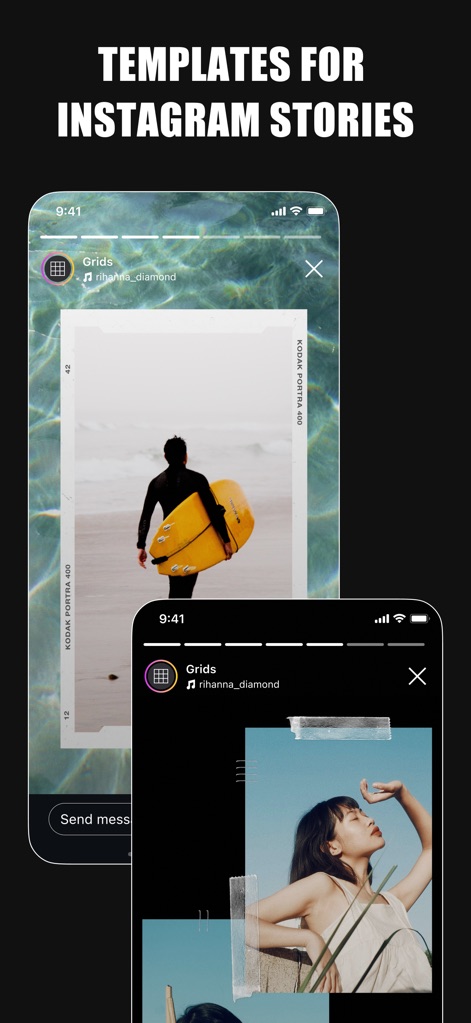
Engaging Story Designs
Explore diverse template options for Instagram Stories, offering unique layouts and customizable design elements to captivate audiences.
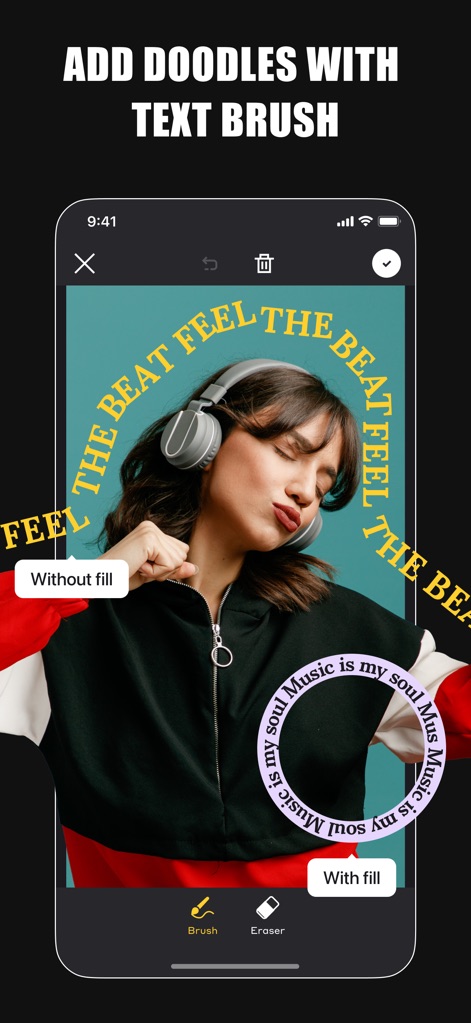
Creative Typography Options
Unleash creativity with the innovative text brush tool, allowing users to add unique doodles and customize text with fill options.
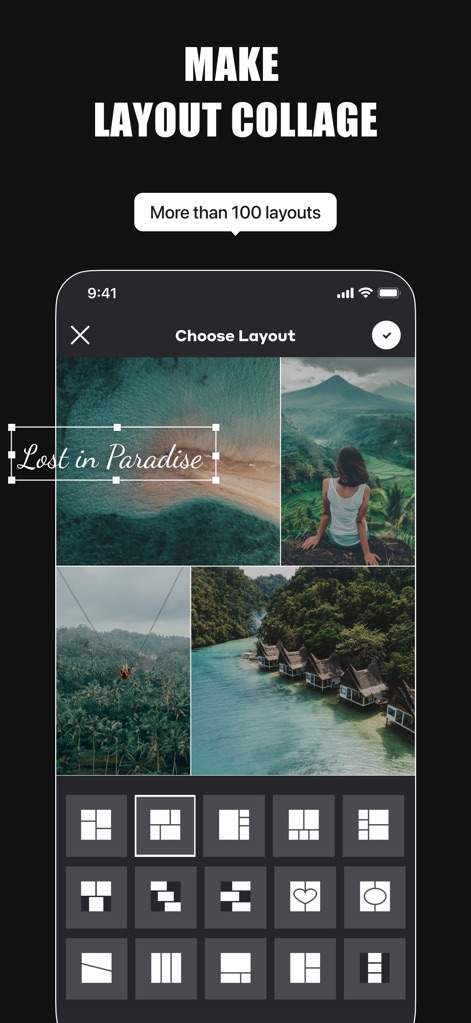
Flexible Collage Builder
Design captivating visual stories using the flexible collage builder, offering 'More than 100 layouts' and easy image placement.
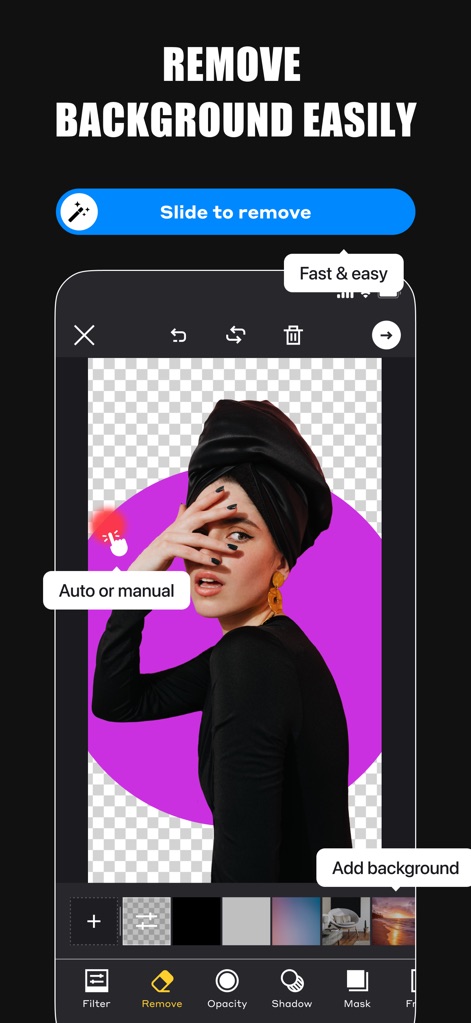
Effortless Background Removal
Witness how the app simplifies background removal with an intuitive 'Slide to remove' feature and options for 'Auto or manual' selection.
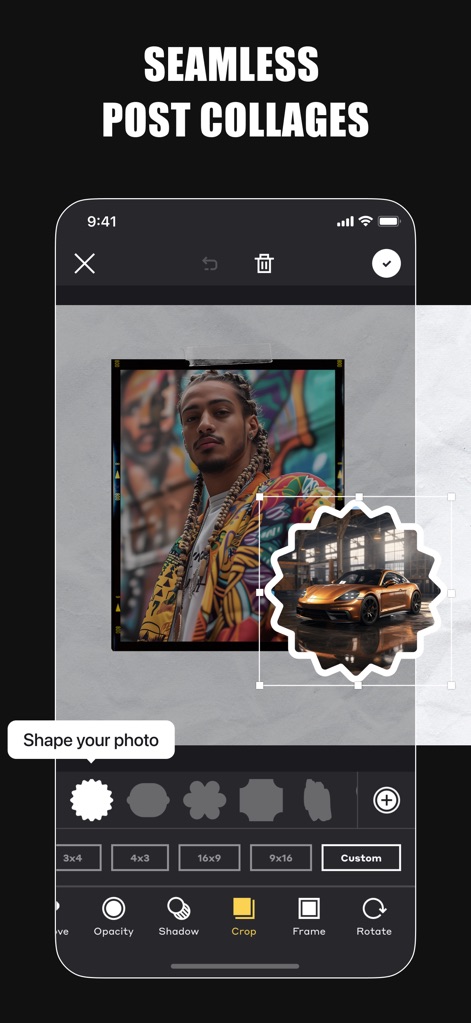
Custom Shape Collages
Craft unique post collages by shaping photos into custom forms and selecting from various aspect ratios for dynamic visual compositions.
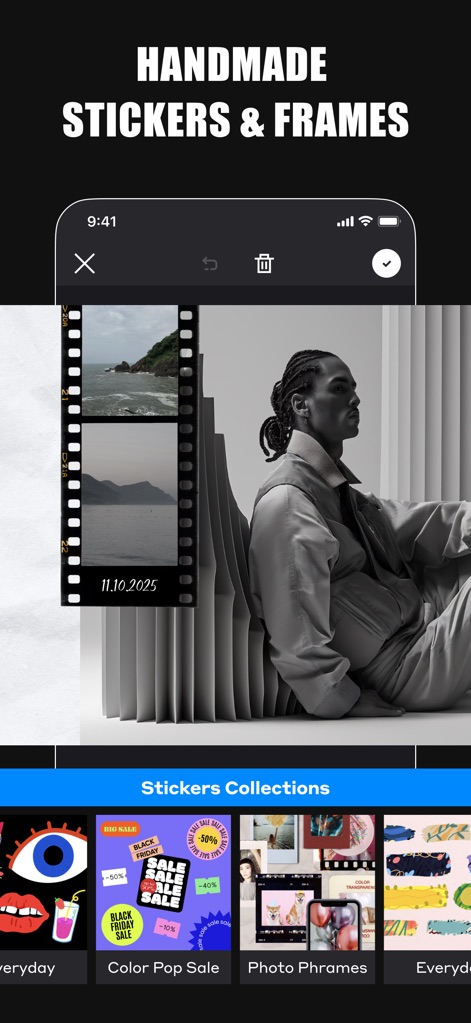
Artistic Frames & Stickers
Enhance content with a vast array of 'Stickers Collections' and unique handmade frames, adding a personal touch to any post.
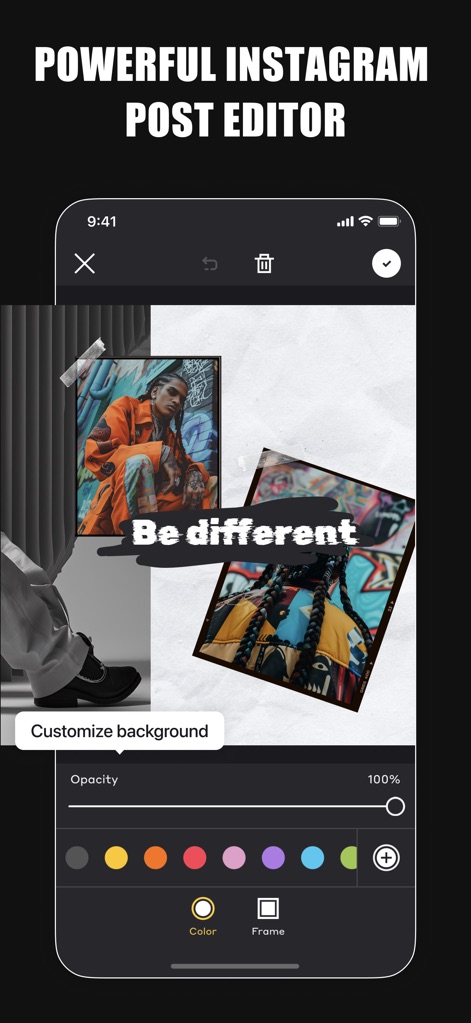
Advanced Post Customization
Experience the powerful Instagram post editor, allowing users to customize backgrounds with a wide color palette and adjust image opacity for layered designs.
Description
Download
More Like This
Apps with similar features and user experience

Crsel: Carousel & Story Maker
Georgy Romelashvili

Layout for Instagram・Inpreview
Onelight Apps CY Ltd

Carousel Layout Maker・SwipeMix
Onelight Apps CY Ltd

PanoCut: Panorama Scroll Maker
Hashone Tech LLP

PhotoSplit for Instagram
Tech Positive Inc.

Setty: Photo Filters & Presets
A Color Story LLC

Preview Feed for Insta・Layout
Appslead Ltd

Feed Preview Planner IG・InPlan
Cubetix Ltd.

Feeds: Post & Template Maker
WNDR11 LTD
This page is not an official page of the app or its developer, but an independent editorial publication created for informational and commentary purposes. Unless expressly stated otherwise, neither the app nor its developer is affiliated with, endorsed by, sponsored by, authorized by, or otherwise officially connected with MWM, Apple, Google Play, the app publisher, or the app's developer, and nothing on this page implies that the app was developed using MWM's services. Any trademarks, logos, screenshots, and other content remain the property of their respective owners.