
This page is not an official page of the app or its developer, but an independent editorial publication created for informational and commentary purposes. Unless expressly stated otherwise, neither the app nor its developer is affiliated with, endorsed by, sponsored by, authorized by, or otherwise officially connected with MWM, Apple, Google Play, the app publisher, or the app's developer, and nothing on this page implies that the app was developed using MWM's services. Any trademarks, logos, screenshots, and other content remain the property of their respective owners.


GSE SMART IPTV PRO
Take command of your digital TV experience with the ultimate IPTV solution. Record live streams, manage complex playlists via a web interface, and enjoy a professional EPG layout—designed for power users and international viewers alike.
Downloads
345K+User Rating
Total Ratings
900Publisher
Category
EntertainmentLocales
31Latest Version
1.0Size
71.6 MBFirst Released
Nov 14, 2022Take Full Control of Your Live TV Experience
GSE SMART IPTV PRO is a powerful, user-defined solution that turns your mobile device into a professional-grade media hub for all your custom playlists and international streams.
Effortless Playlist Management
Save time by managing, uploading, and exporting your M3U and JSON playlists via a convenient web interface or FTP directly from your computer.
Record & Schedule Live TV
Never miss a game or a broadcast from home with built-in recording support and a full EPG timeline to browse your favorite channels like a pro.
Frequently Asked Questions
Everything you need to know about GSE SMART IPTV PRO
What is GSE SMART IPTV PRO?
GSE SMART IPTV PRO is an advanced IPTV solution for iOS, offering user-defined live and non-live TV/stream management. It features a powerful built-in player and supports various playlist formats like M3U and JSON.
Does GSE SMART IPTV PRO support recording live TV?
Yes, GSE SMART IPTV PRO supports recording live TV. This feature allows users to capture and save their favorite live broadcasts directly within the application.
Can I use Chromecast with GSE SMART IPTV PRO?
Yes, GSE SMART IPTV PRO includes full Chromecast support. Users can cast their content to compatible devices for a larger viewing experience.
What types of playlist formats does GSE SMART IPTV PRO support?
GSE SMART IPTV PRO supports multiple playlist formats, including M3U, JSON, and Database playlist formats. It also provides a faster intelligence M3U playlist parser.
How do I manage playlists in GSE SMART IPTV PRO?
GSE SMART IPTV PRO offers comprehensive playlist management via a web interface and the in-app GSE Playlist Manager. Users can add, export, import, edit, and delete local or remote playlists.
Does GSE SMART IPTV PRO have parental control features?
Yes, GSE SMART IPTV PRO includes parental control features. These allow users to PIN protect playlists and channel groups, and filter or hide unwanted content.
Can I change the language in GSE SMART IPTV PRO?
Yes, GSE SMART IPTV PRO supports dynamic language switching. Users can select from 31 different languages directly within the app, independent of their device's language settings.
Does GSE SMART IPTV PRO support EPG (Electronic Program Guide)?
Yes, GSE SMART IPTV PRO supports EPG in XMLTV format (xml, zip, gz, xz). Users can import EPGs from local or remote sources, which can be updated regularly.
What kind of player is built into GSE SMART IPTV PRO?
GSE SMART IPTV PRO features a powerful built-in player that supports almost all popular formats, including RTMP with all options. It eliminates the need for third-party players.
Can I upload my own playlists to GSE SMART IPTV PRO?
Yes, users can upload their local M3U playlists to GSE SMART IPTV PRO via FTP or HTTP. The app also supports adding remote HTTP playlists.
The following screenshots and description are sourced directly from the app's official store listing and are the property of the app developer.
App Store
Screenshots
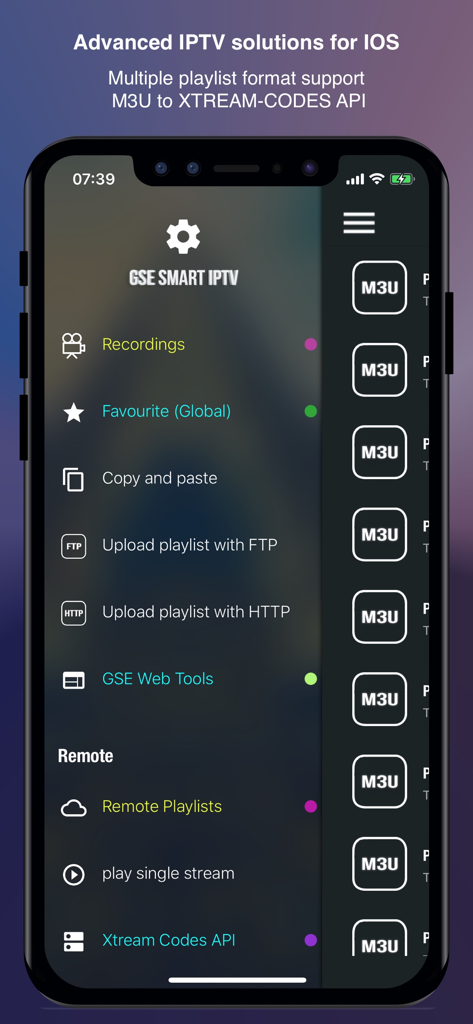
GSE SMART IPTV PRO app interface showing menu options for recordings, favorites, and playlist uploads on iPhone
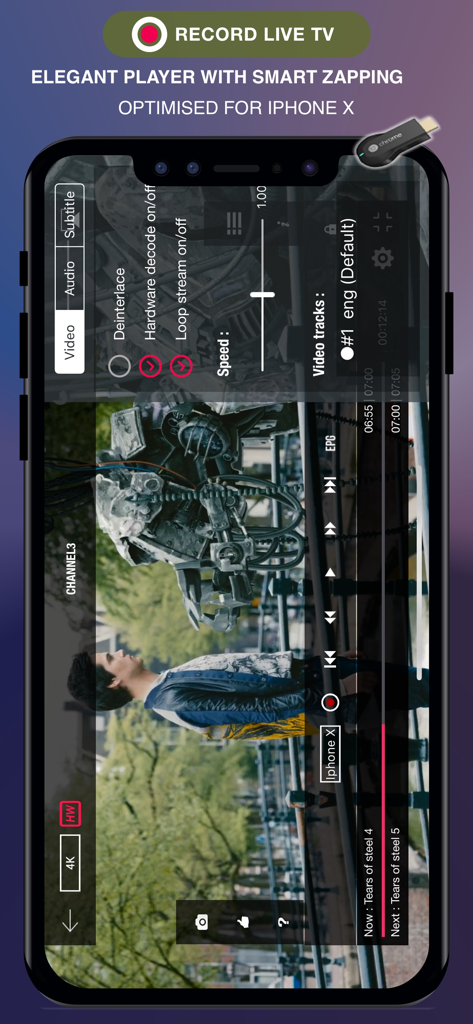
GSE SMART IPTV PRO video player interface with advanced playback settings and record live TV option
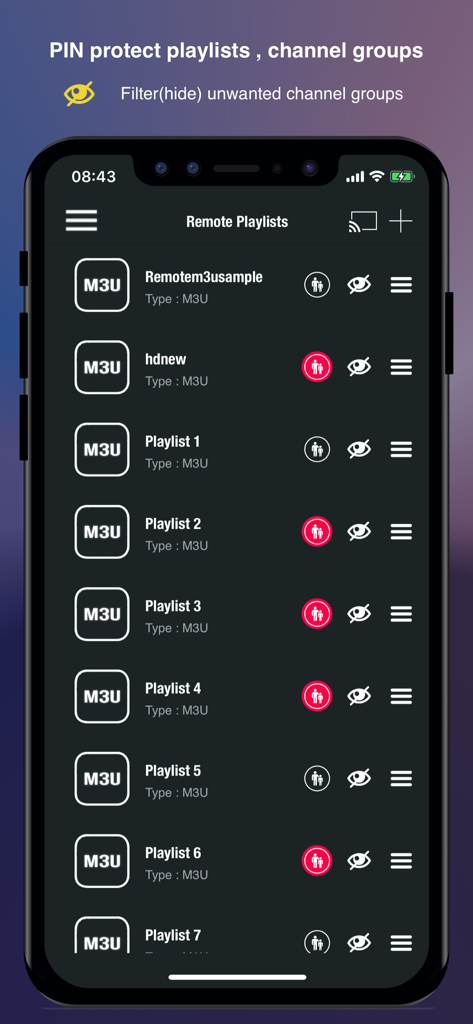
GSE SMART IPTV PRO Remote Playlists interface showing PIN protection and channel filtering options
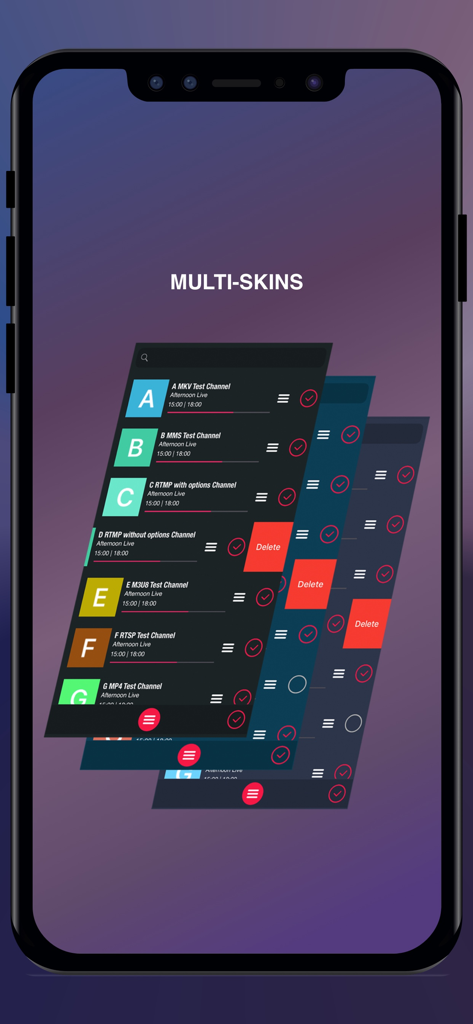
GSE SMART IPTV PRO interface showing multiple UI skin options and channel list themes
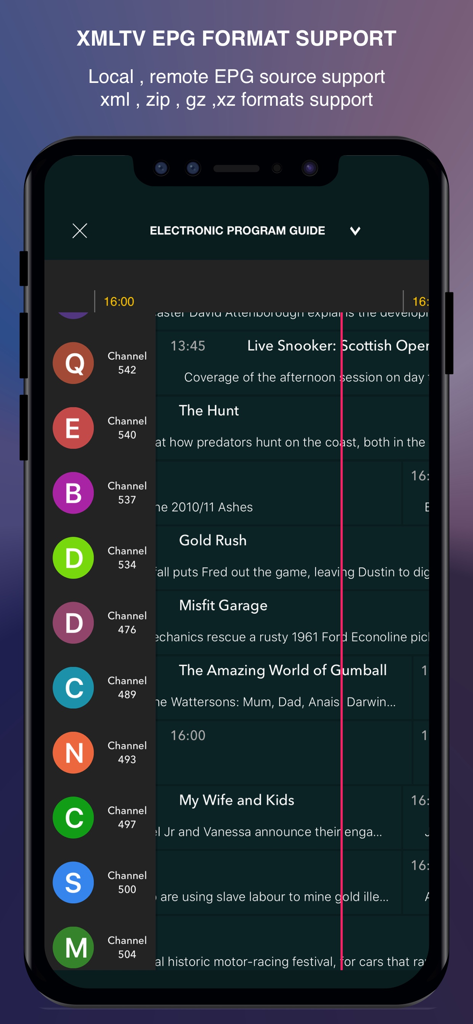
Electronic Program Guide interface on GSE SMART IPTV PRO app showing channel schedules
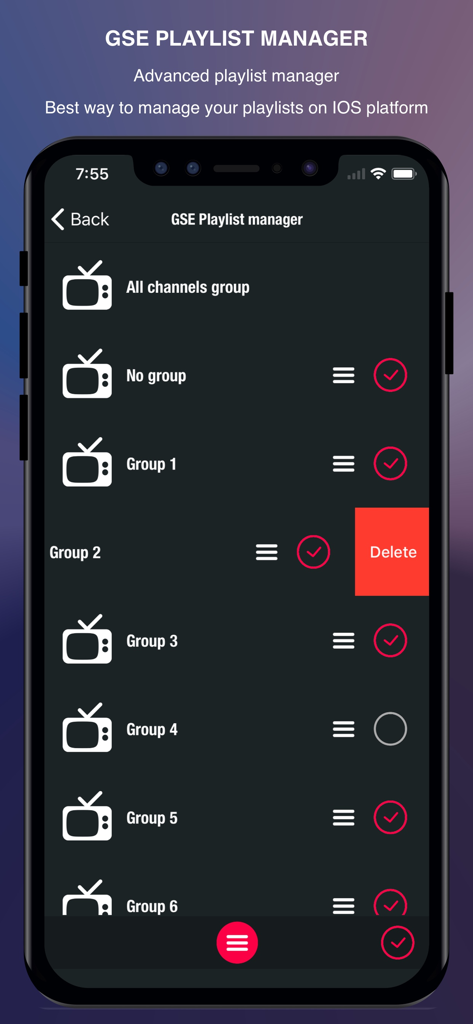
GSE SMART IPTV PRO playlist manager interface on iPhone showing organized channel groups and a delete option
Description
Download
More Like This
Apps with similar features and user experience

VU IPTV PLAYER
Byte9 Inc

VU PLAYER PRO
IRBOETECH CO., LIMITED

King Stream Player
MUKING OU

Smarters Player Lite
WHMCS SMARTERS

000 Player
belal samir

ibo Pro Player
IRBOETECH CO., LIMITED

IPTV Smart Player
Dmitri Iasibis

Fuevana IPTV Pro
Oskarina Ramos

IPTV - Watch TV Online
Nguyen Van Sy
This page is not an official page of the app or its developer, but an independent editorial publication created for informational and commentary purposes. Unless expressly stated otherwise, neither the app nor its developer is affiliated with, endorsed by, sponsored by, authorized by, or otherwise officially connected with MWM, Apple, Google Play, the app publisher, or the app's developer, and nothing on this page implies that the app was developed using MWM's services. Any trademarks, logos, screenshots, and other content remain the property of their respective owners.