Home Design AI: Renova AI

This page is not an official page of the app or its developer, but an independent editorial publication created for informational and commentary purposes. Unless expressly stated otherwise, neither the app nor its developer is affiliated with, endorsed by, sponsored by, authorized by, or otherwise officially connected with MWM, Apple, Google Play, the app publisher, or the app's developer, and nothing on this page implies that the app was developed using MWM's services. Any trademarks, logos, screenshots, and other content remain the property of their respective owners.
Logo of Home Design AI: Renova AI

Home Design AI: Renova AI

Snap a photo to instantly visualize your space in 100+ professional styles. From interior room makeovers to exterior curb appeal, see your dream home come to life in seconds—no manual editing or expensive designers required.

Key Figures

Downloads

0

User Rating

1.0/5

Total Ratings

0

Publisher

Bernadett Dross-Szekely

Category

Graphics & Design

Locales

1

Latest Version

1.0

Size

31.8 MB

First Released

Mar 4, 2026
Features

Design Like a Pro, Without the Designer Price Tag

Renova AI bridges the gap between your vision and reality, offering powerful tools to visualize renovations, stage properties, and perfect your home’s aesthetic instantly.

Instant AI Room Makeovers

Snap a photo and visualize your space in over 100+ professional styles like Japandi or Modern Farmhouse without moving a single piece of furniture.

Risk-Free Virtual Staging

Perfect for realtors and sellers—instantly fill empty rooms with high-end decor to boost property value and sell homes faster for a fraction of the cost.

The following screenshots and description are sourced directly from the app's official store listing and are the property of the app developer.

App Store

Screenshots
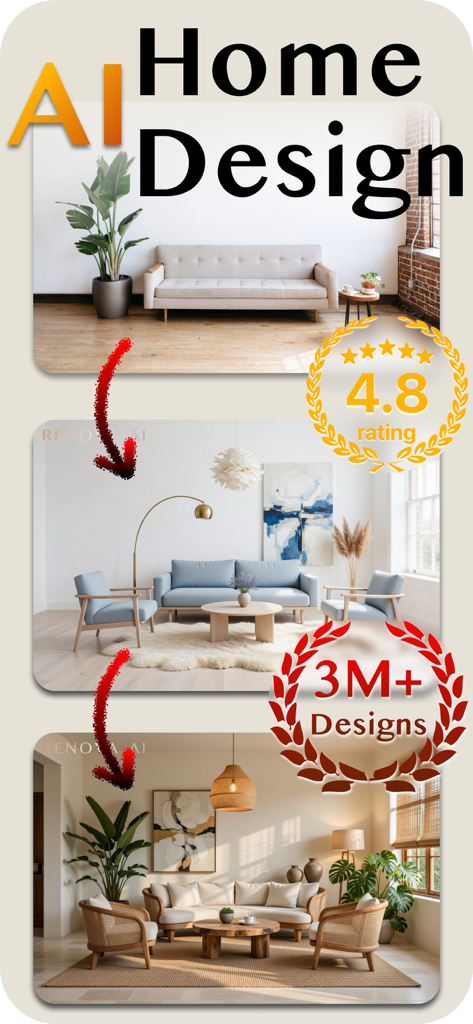
Home Design AI: Renova AI - Screenshot of Home Design AI app showing a living room transformed into three different interior styles with a 4.8 star rating and 3 million designs
Screenshot of Home Design AI app showing a living room transformed into three different interior styles with a 4.8 star rating and 3 million designs

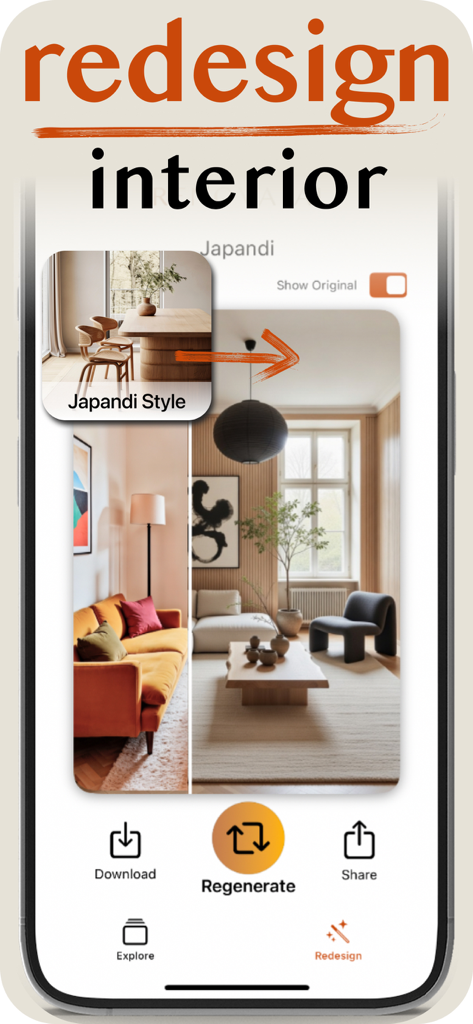
Home Design AI: Renova AI - Mobile app interface showing a living room transformation into a Japandi style design
Mobile app interface showing a living room transformation into a Japandi style design

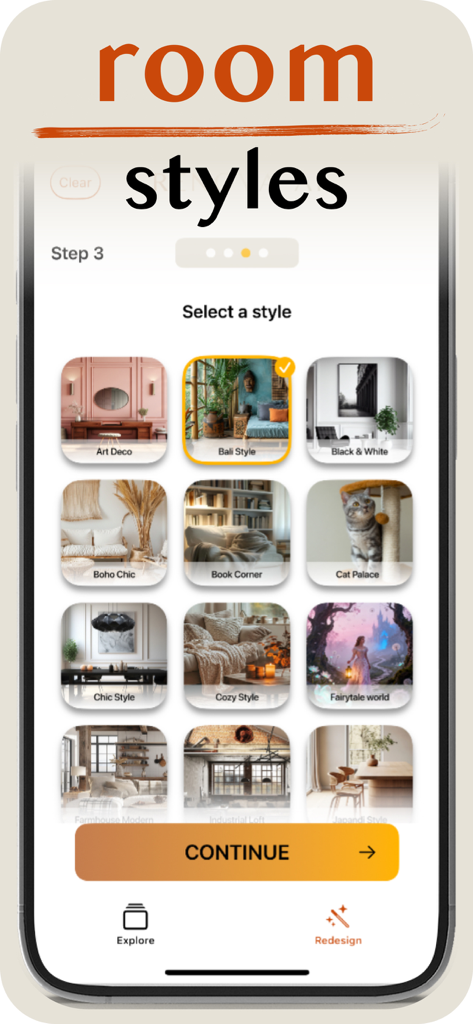
Home Design AI: Renova AI - Interface of the Renova AI app showing a selection of room design styles like Bali and Japandi.
Interface of the Renova AI app showing a selection of room design styles like Bali and Japandi.

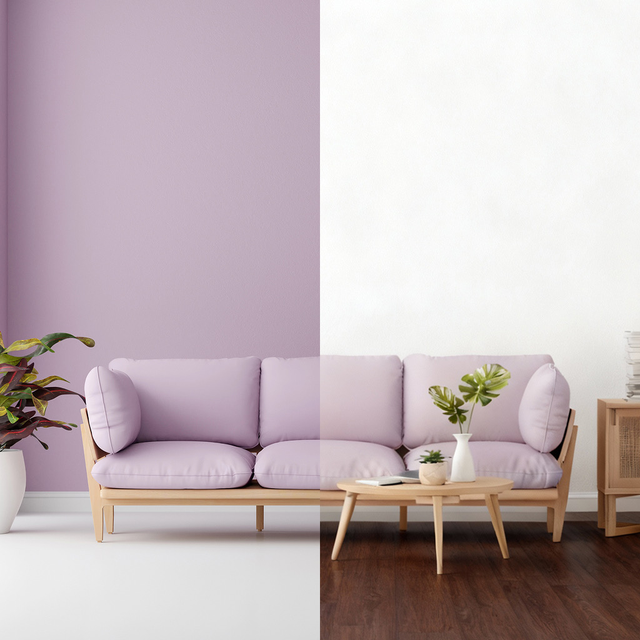
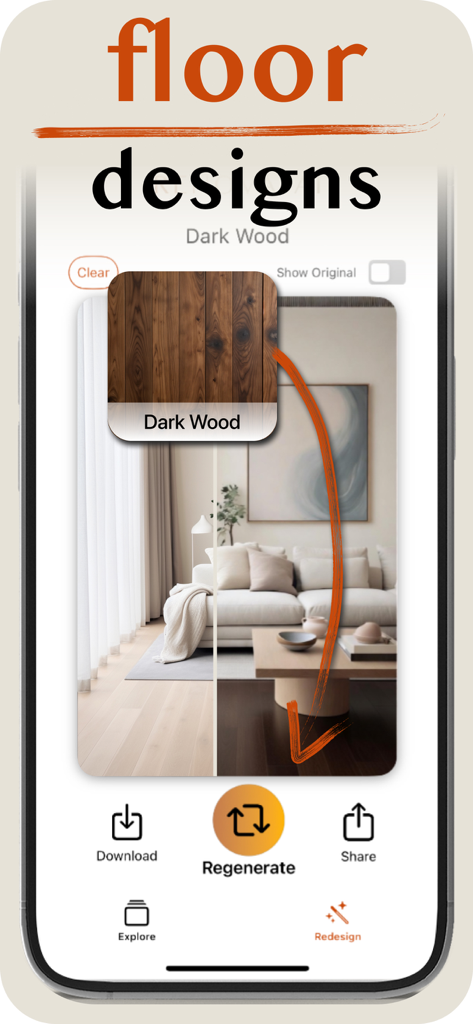
Home Design AI: Renova AI - AI floor design visualization tool showing a dark wood flooring transformation in a modern living room
AI floor design visualization tool showing a dark wood flooring transformation in a modern living room

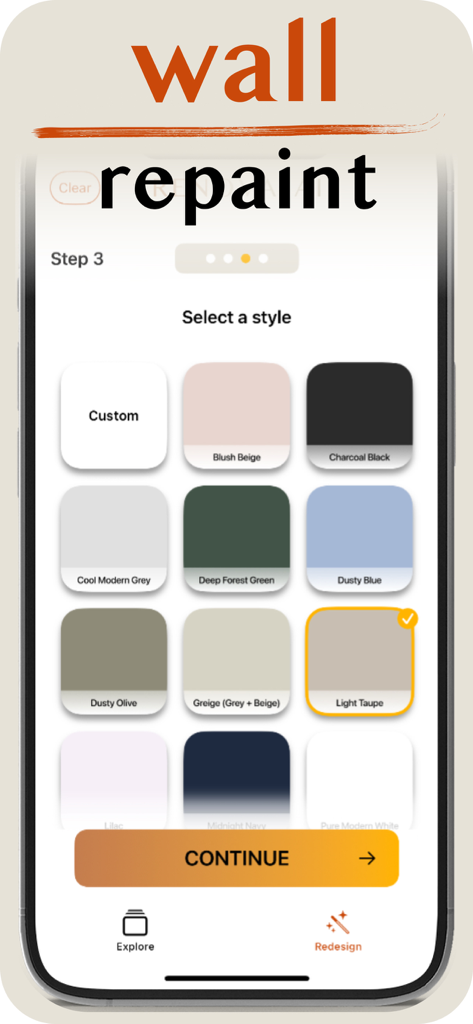
Home Design AI: Renova AI - Renova AI mobile app interface showing a selection of wall paint colors for home renovation
Renova AI mobile app interface showing a selection of wall paint colors for home renovation

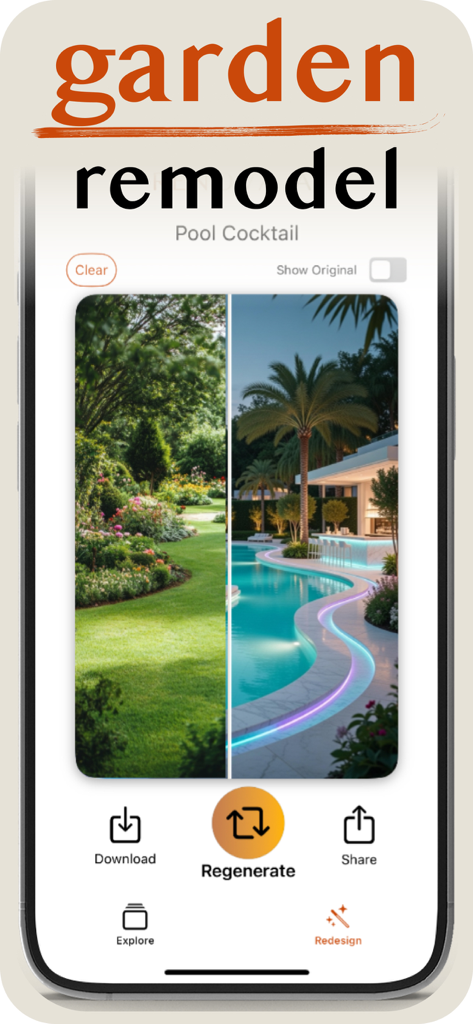
Home Design AI: Renova AI - Before and after comparison of a garden remodel using AI showing a transformation from a lawn to a modern pool area
Before and after comparison of a garden remodel using AI showing a transformation from a lawn to a modern pool area

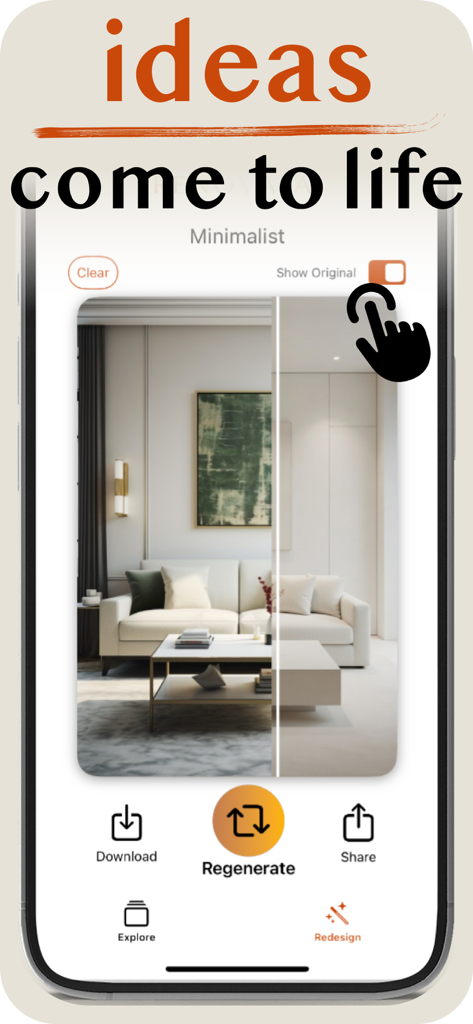
Home Design AI: Renova AI - Smartphone screen showing the Renova AI app with a minimalist living room redesign and comparison feature
Smartphone screen showing the Renova AI app with a minimalist living room redesign and comparison feature

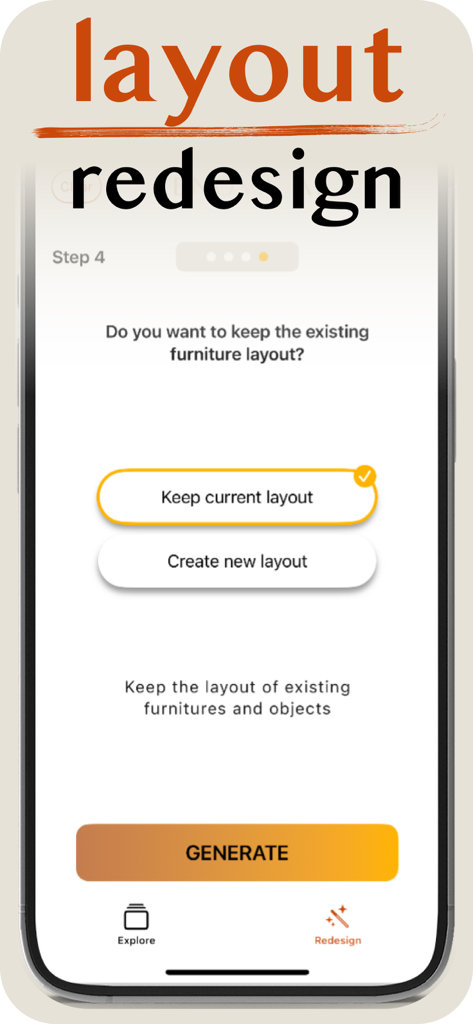
Home Design AI: Renova AI - Interface of Renova AI app showing the furniture layout redesign step with options to keep current or create new furniture layout

Interface of Renova AI app showing the furniture layout redesign step with options to keep current or create new furniture layout

Description

How It Works: 1. Snap a Photo: Take a pic of your room, garden, or empty space. 2. Pick Your Style: Choose from 100+ designs (Modern, Boho, Minimalist, Japandi, Bali & more). 3. Instant Redesign: See your space remodeled in seconds*. +4 No manual editing required - Renova AI does the heavy lifting in the background. Our smart AI visualizes your dream home instantly, so you can save money on expensive designers and avoid bad furniture choices. Why you'll love it for AI interior design: • Renova AI uses the best algorithms and AI models available as of date. You will be not disappointed with the results. • Unlimited Options: See your room in 100+ different styles without moving a furniture. • Scan & Style: Snap it, redesign it - in seconds. No manual editing required. • Virtual Staging: Perfect for realtors and interior designers as well; fill empty rooms with stylish furniture instantly. • Turn mediocre into "Wow": Transform outdated spaces into magazine-quality rooms. Home renovation just got easier - Download Now and build your dream home! What is Renova AI? - Renova AI is a personal AI Interior Designer and Home Decor planner. It utilizes state-of-the-art, fine-tuned AI models and algorithms to automatically detect your room's layout and redraw it in any style you choose. What makes Renova AI different? - Renova AI isn’t just a photo filter; it’s a visualization tool for renovation. We utilize generative AI to understand depth, lighting, and architecture. Whether you are stuck on how to arrange a small studio apartment or need to visualize a kitchen remodel before tearing down walls, Renova AI makes you confident in your choices. How does the room scanning work? Can it handle clutter? - Yes, it can handle furnished or cluttered rooms. Our built-in scanner uses advanced AI models to instantly analyze the geometry of your space. You can snap a photo of a messy bedroom or an empty hall. The app automatically detects the structure - be it floor, ceiling, or windows - and overlays new design elements while preserving the structural integrity of the room. What design styles can Renova AI generate? - Home design AI: Renova AI covers the full spectrum of global interior design trends. Some examples: - Modern & Minimalist - Scandinavian (Japandi) & Industrial - Bohemian & Farmhouse - Neoclassical, Art Deco & Bali - Rustic & Luxury Can this app help with real estate and virtual staging? - Yes. Renova AI is a powerful tool for Real Estate Agents and landlords. You can upload photos of empty properties, and the AI will "virtually stage" them with stylish furniture and decor. This helps listings sell faster by helping buyers visualize the potential of the home without the cost of physical staging. Is it suitable for renovation planning? - Yes, absolutely. Most of our users are using the app before renovation, but it is also suitable just for inspiration or for fun. Renova AI is built to be super easy to use while at the same time can generate satisfying and realistic results. What about exterior design? - In the app, you can switch modes to design exteriors as well. Whether you want to see your house with a new paint color, a different roof style, or updated landscaping, Renova AI works for curb appeal just as well as it does for living rooms. Can I use it to repaint my room's walls? - Yes. You can see any of your spaces with a new wall color in seconds. Can I change floors? - Absolutely. It has never been easier to see your room with a different shade of parquet or with different materials for the floor. Can I use it if I have no design experience? - Yes. Even though Renova AI produces professional-grade visuals, the user-friendly interface makes it accessible to everyone. Whether you are a DIY homeowner or a design student, it is the perfect tool to train your eye and visualize space. Renova AI - Design Your Dream Home *Requires subscription

Download

This page is not an official page of the app or its developer, but an independent editorial publication created for informational and commentary purposes. Unless expressly stated otherwise, neither the app nor its developer is affiliated with, endorsed by, sponsored by, authorized by, or otherwise officially connected with MWM, Apple, Google Play, the app publisher, or the app's developer, and nothing on this page implies that the app was developed using MWM's services. Any trademarks, logos, screenshots, and other content remain the property of their respective owners.