Hudway Go: Navigation with HUD
Download on App Store

This page is not an official page of the app or its developer, but an independent editorial publication created for informational and commentary purposes. Unless expressly stated otherwise, neither the app nor its developer is affiliated with, endorsed by, sponsored by, authorized by, or otherwise officially connected with MWM, Apple, Google Play, the app publisher, or the app's developer, and nothing on this page implies that the app was developed using MWM's services. Any trademarks, logos, screenshots, and other content remain the property of their respective owners.


Logo of Hudway Go: Navigation with HUD
Download on App Store

Hudway Go: Navigation with HUD

Experience futuristic 3D navigation that keeps your eyes on the road. Drive safer in fog, rain, or darkness with the cockpit technology used by jet pilots—powered entirely by your smartphone.

Key Figures

Downloads

1M+

User Rating

3.2/5

Total Ratings

800

Publisher

HUDWAY LLC.

Category

Navigation

Locales

9

Latest Version

6.0.3

Size

58.3 MB

First Released

Jun 14, 2016
Features

Your Windshield, Upgraded

Transform your dashboard into a high-tech command center. Hudway Go blends futuristic jet-fighter technology with critical safety features for the modern driver.

Eyes-on-the-Road Safety

Project your route directly onto the windshield to eliminate distractions and keep your focus on the road ahead.

Low-Visibility Mastery

Drive with confidence through thick fog, heavy rain, or total darkness with a high-contrast 3D display optimized for night navigation.

The following screenshots and description are sourced directly from the app's official store listing and are the property of the app developer.

App Store

Screenshots
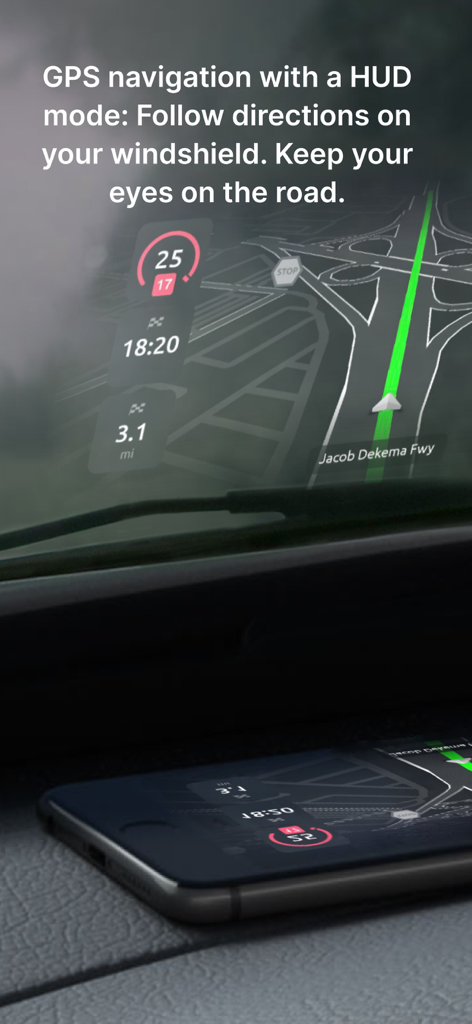
Hudway Go: Navigation with HUD - Smartphone projecting Hudway Go GPS navigation onto a car windshield in HUD mode for safer driving

Smartphone projecting Hudway Go GPS navigation onto a car windshield in HUD mode for safer driving
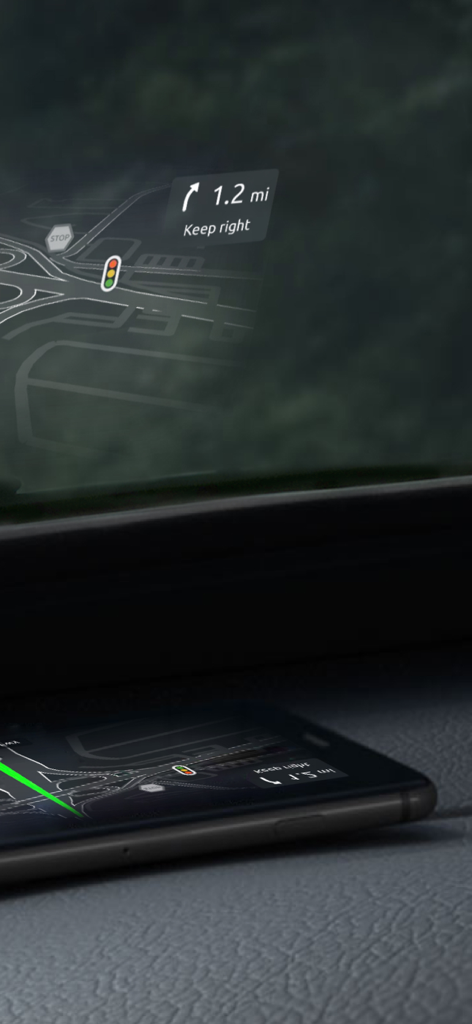
Hudway Go: Navigation with HUD - A smartphone on a car dashboard reflecting a navigation heads-up display onto the windshield showing road directions and traffic signs.
A smartphone on a car dashboard reflecting a navigation heads-up display onto the windshield showing road directions and traffic signs.

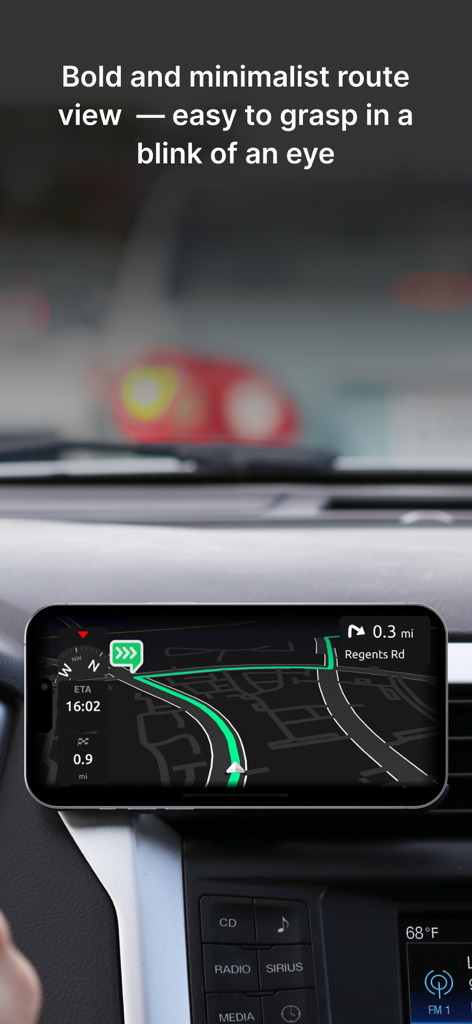
Hudway Go: Navigation with HUD - Smartphone mounted on a car dashboard displaying Hudway Go minimalist 3D navigation route
Smartphone mounted on a car dashboard displaying Hudway Go minimalist 3D navigation route

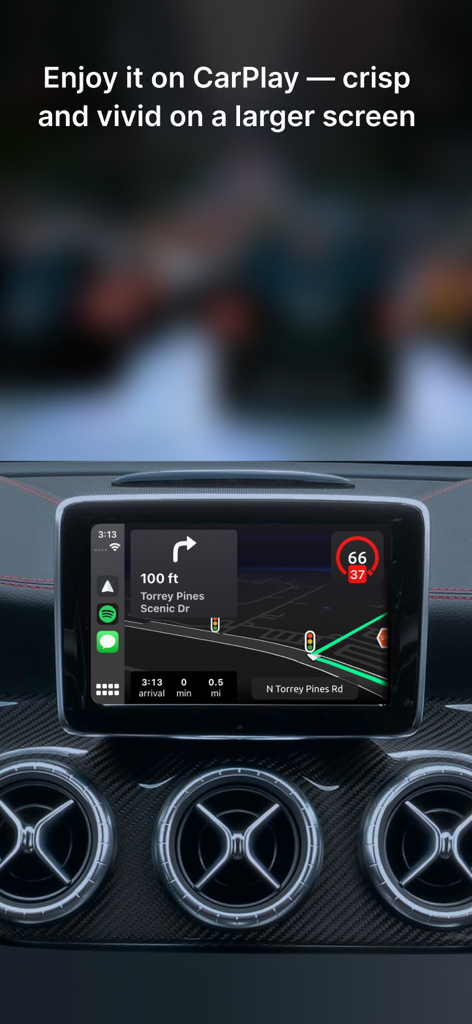
Hudway Go: Navigation with HUD - Hudway Go navigation interface displayed on a car dashboard via Apple CarPlay
Hudway Go navigation interface displayed on a car dashboard via Apple CarPlay

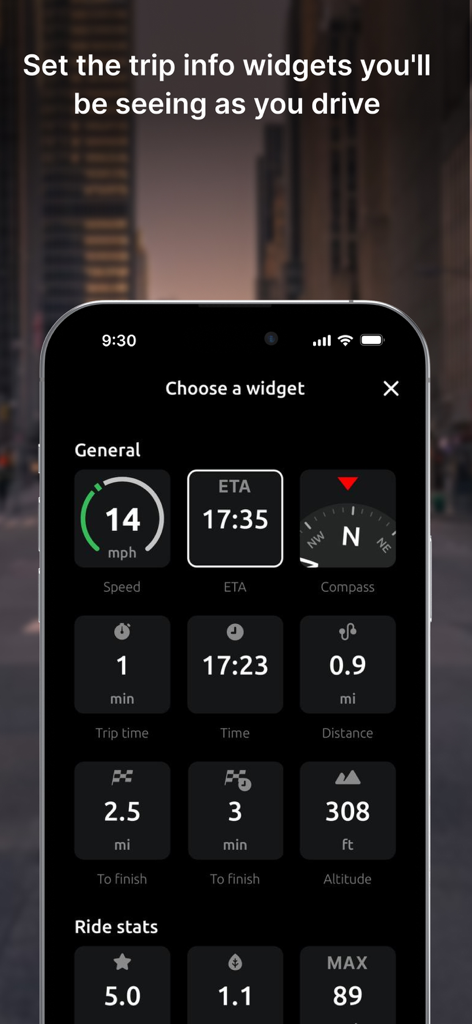
Hudway Go: Navigation with HUD - A smartphone screen displaying the Hudway Go app menu for selecting driving widgets such as speed, ETA, compass, and altitude.
A smartphone screen displaying the Hudway Go app menu for selecting driving widgets such as speed, ETA, compass, and altitude.

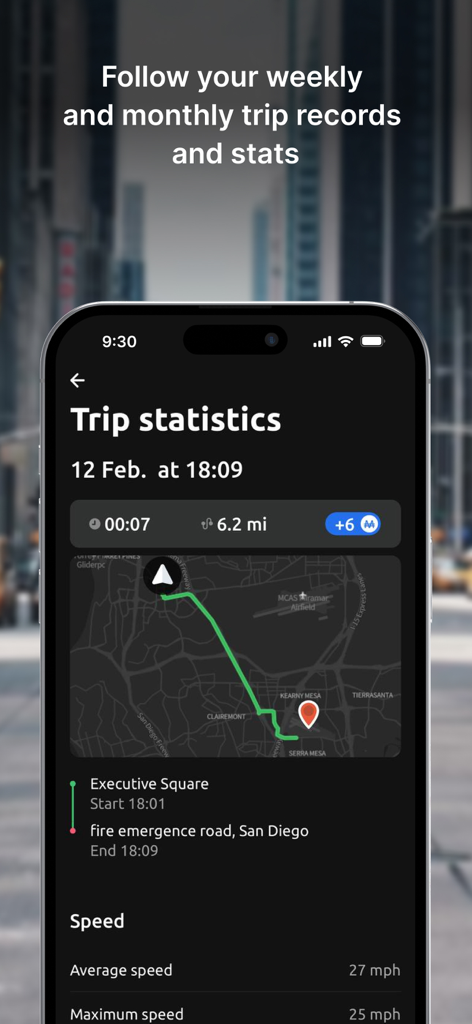
Hudway Go: Navigation with HUD - Hudway Go app screenshot showing trip statistics with a route map and driving speed data
Hudway Go app screenshot showing trip statistics with a route map and driving speed data

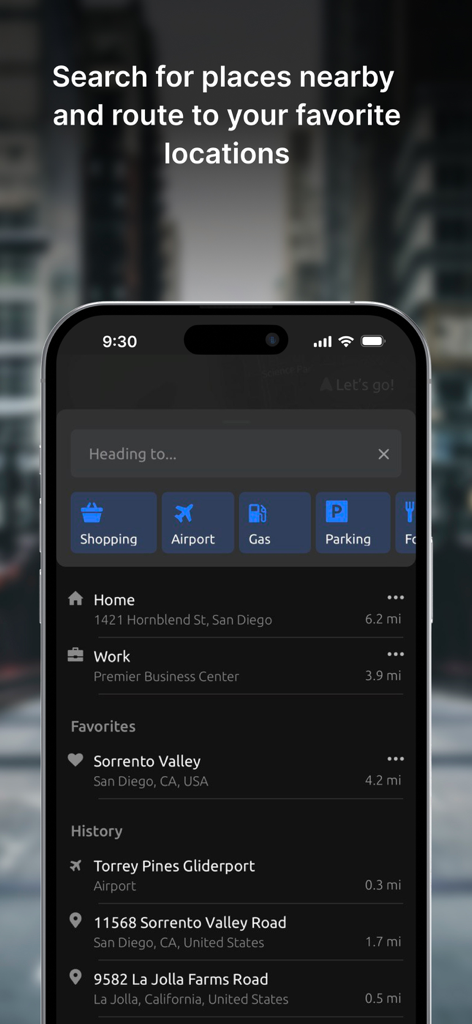
Hudway Go: Navigation with HUD - Search interface of the Hudway Go app displaying destination categories like gas and parking along with favorite and recent locations
Search interface of the Hudway Go app displaying destination categories like gas and parking along with favorite and recent locations

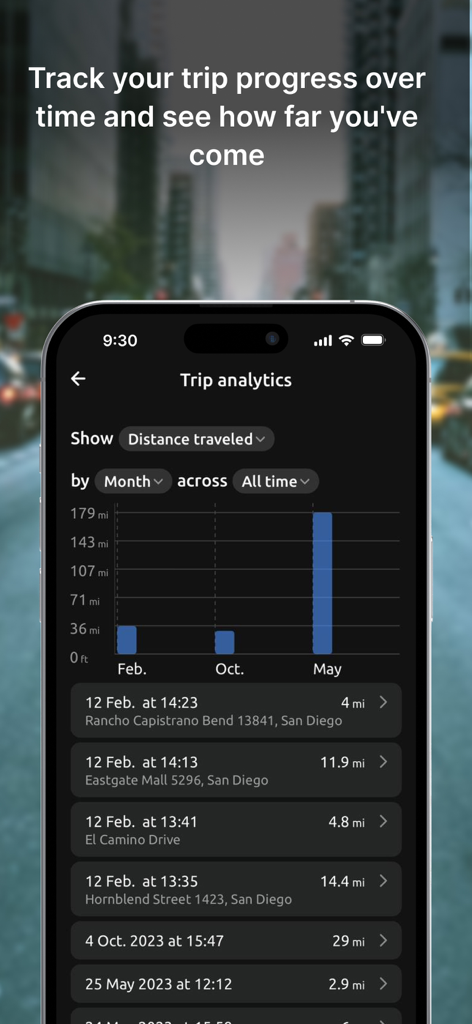
Hudway Go: Navigation with HUD - Hudway Go app trip analytics dashboard showing distance traveled bar charts and a detailed trip history log.
Hudway Go app trip analytics dashboard showing distance traveled bar charts and a detailed trip history log.

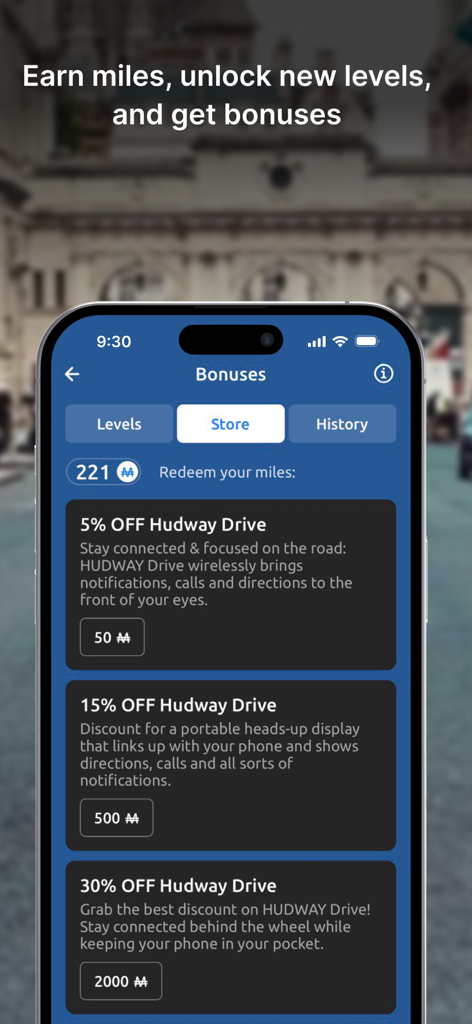
Hudway Go: Navigation with HUD - Hudway Go app bonuses screen showing rewards store where users can redeem earned miles for hardware discounts
Hudway Go app bonuses screen showing rewards store where users can redeem earned miles for hardware discounts

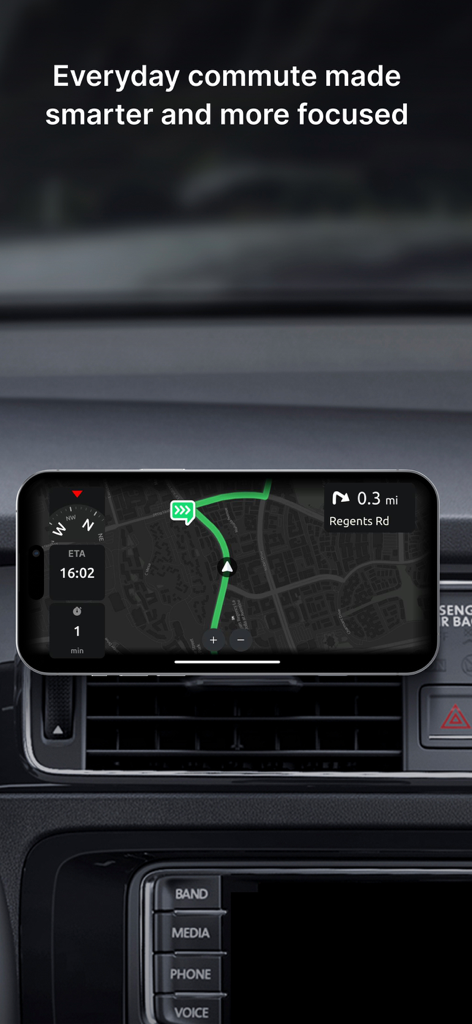
Hudway Go: Navigation with HUD - Hudway Go navigation app interface on a smartphone mounted on a car dashboard

Hudway Go navigation app interface on a smartphone mounted on a car dashboard

Description

HUDWAY Go is a GPS navigation app which turns your smartphone into a heads-up display. Enjoy driving any car with a HUD powered by just your phone. *** "Hudway Go is one of the cleverest driving apps we've seen" — CNET "Hudway Go is unbelievably cool for one special reason: It actually lets you see your directions and route right on your windshield" — USA Today "Hudway HUD tools will remind you nothing less than a science fiction movie that you watched recently" — crazyengineers.com "HUDWAY Go turns your windshield into a jet fighter cockpit" — digitaltrends.com *** HUDWAY Go helps you drive safer in fog, rain, heavy snow, in dusk and darkness. Set your destination, select the route and place your phone on the dash — to see the route reflected on your windshield. Keep your eyes on the road and know in advance what’s ahead — a straight run, or a sharp turn. The dark windy unknown roads become more predictable this way. Features: - Easy-to-follow 3D route view - Classic map view - Heads-up (HUD) mode available for both the map and the 3D route iews - Customizable voice assistant - Speed limits and speed cam alerts - A sum-up of fuel consumption and cost for each trip - A selection of trip widgets, like ETA, speed, distance traveled, directions on the next manoeuvre, etc. - Alternative routes and stopovers - Favorite locations, personal records, driving score, weekly and monthly statistics, and more Note: Any issues found or suggestions you're willing to share — shoot us an email right from the app. We have auto-renewing subscriptions for the premium features in the app. And here's how they work: — We have 1-month, 3-months, 6-months, 1-year and lifetime subscriptions. — Your iTunes account is charged at confirmation of purchase — If you want to cancel the renewal, be sure to do it 24-hours before subscription expires: within 24-hours prior to the end of the current period your account is automatically charged for renewal — You can actually cancel the auto-renewal right after you've purchased the subscription: the subscription you've paid for won't cancel, but you won't be charged for the next period when it ends. We thought you'd like to know that: 1. On a clear day, your phone screen may not be able to produce a legible reflection. This is when you can use the app in a regular mode with the phone fixed in a mount. At night, in dusk, or in dull weather the reflection is normally well-discernible. 2. When driving, make sure that your smartphone or tablet is firmly fixed, and doesn't obstruct your view of the road. 3. Just as any other other navigation app, HUDWAY Go extensively uses GPS which may quickly drain your phone battery. If you're willing to get yourself a HUD that works day&night, shows your speed, directions, messenger notifications and incoming calls — all while your phone stays in your pocket, check out our HUDWAY Drive device at hudway.co/drive Privacy Policy hudway.co/privacy Terms of Use hudway.co/terms

Download

Download on App Store

This page is not an official page of the app or its developer, but an independent editorial publication created for informational and commentary purposes. Unless expressly stated otherwise, neither the app nor its developer is affiliated with, endorsed by, sponsored by, authorized by, or otherwise officially connected with MWM, Apple, Google Play, the app publisher, or the app's developer, and nothing on this page implies that the app was developed using MWM's services. Any trademarks, logos, screenshots, and other content remain the property of their respective owners.