iBFD
iBFD
Download on App Store

This page is not an official page of the app or its developer, but an independent editorial publication created for informational and commentary purposes. Unless expressly stated otherwise, neither the app nor its developer is affiliated with, endorsed by, sponsored by, authorized by, or otherwise officially connected with MWM, Apple, Google Play, the app publisher, or the app's developer, and nothing on this page implies that the app was developed using MWM's services. Any trademarks, logos, screenshots, and other content remain the property of their respective owners.
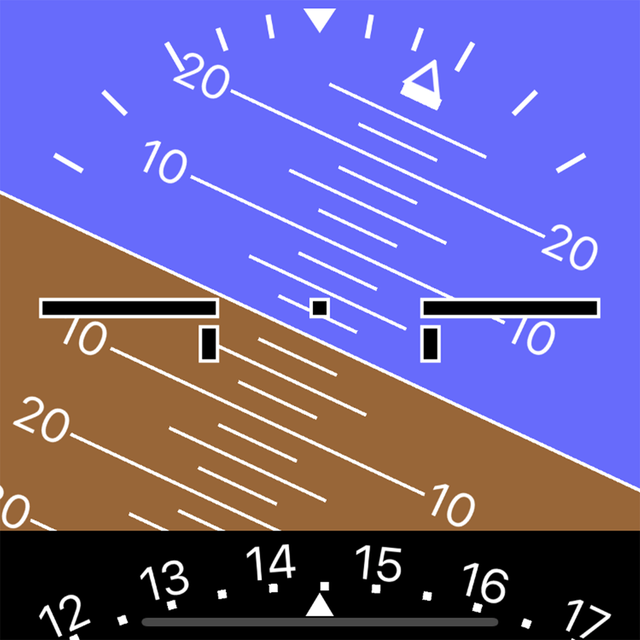

Logo of iBFD
Download on App Store

iBFD

Enhance your cockpit safety with professional-grade backup instruments on your iPhone or iPad. Featuring a precision Attitude Indicator, sensor-fusion technology, and built-in Flight Data Recording for ultimate peace of mind in every flight.

Key Figures

Downloads

106K+

User Rating

3.8/5

Total Ratings

0

Publisher

Tatsuo Saeki

Category

Navigation

Locales

1

Latest Version

2.30

Size

12.9 MB

First Released

Mar 1, 2017
Features

Professional-Grade Backup Instruments

Turn your mobile device into a high-fidelity flight display with sensor-fusion technology, providing critical redundancy for the general aviation pilot.

Integrated Flight Suite

Access a complete secondary panel featuring Attitude, Heading, and Vertical Speed indicators powered by advanced Kalman filter precision.

FDR & Cockpit Voice Recording

Enhance your safety culture with built-in flight data and voice recording, providing essential documentation for every mission.

The following screenshots and description are sourced directly from the app's official store listing and are the property of the app developer.

App Store

Screenshots
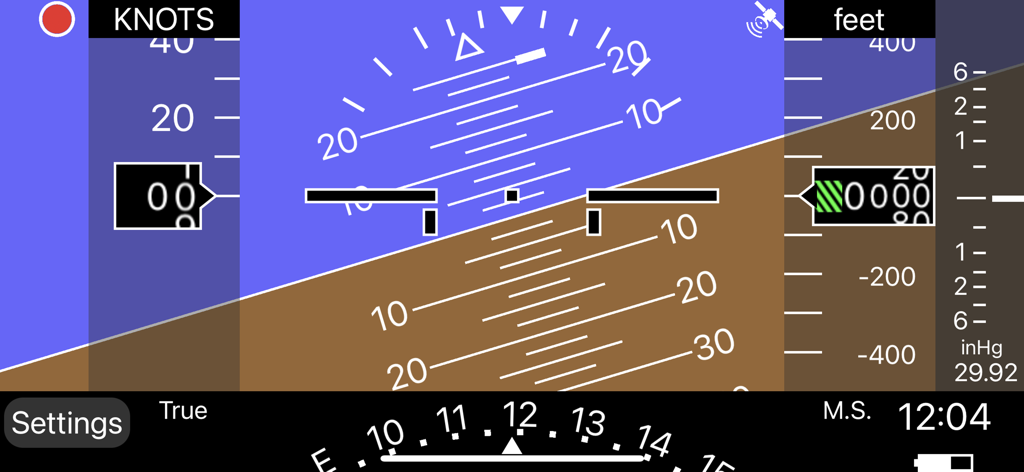
iBFD - Digital backup flight display interface with attitude indicator and altitude gauge
Digital backup flight display interface with attitude indicator and altitude gauge

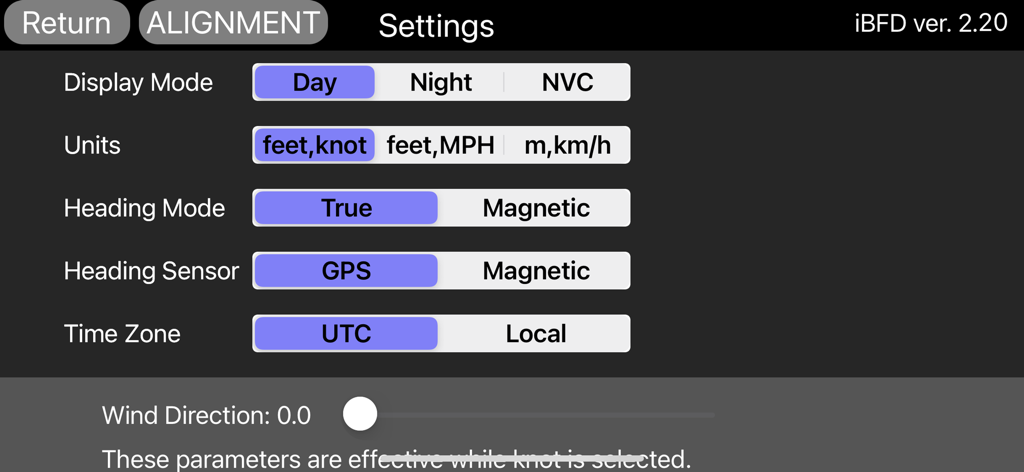
iBFD - Settings screen of the iBFD app showing configuration options for flight display, units, and sensors.

Settings screen of the iBFD app showing configuration options for flight display, units, and sensors.

Description

integrated Backup Flight Display (iBFD) Pilots understand the risk of a primary flight instrument failure while flying. In certain situations the loss of the Attitude Indicator is perhaps the greatest risk a pilot can face. This iPhone based integrated Backup Flight Display (iBFD) is an inexpensive, easy to operate tool intended to reduce risk and improve safety if an instrument fails and no other backup is available. This application consists of an Attitude Indicator, Heading Indicator, Altimeter, Vertical Speed Indicator, speed Indicator, Side Slip Indicator, and Clock. Furthermore, in the portrait mode of the iPad, a Map is displayed below the Attitude Indicator, and when you enter an airport code such as KFTW, the direction and distance to the airport are displayed. It can also be used as Flight Data Recorder(FDR) and Cockpit Voice Recorder(CVR). This function is activated by touching the red circle in the upper left corner. Recording is stopped by touching the red circle again or it will be stopped automatically when large G is applied. iBFD uses the iPhone's 3 axis Gyro sensor as its primary sensor. Pitch and Roll angles are calculated using the Gyro data and the same algorithm as strap down Inertial Reference Systems (IRS). GPS and Accelerometer are used with Kalman filter as sensor fusion to prevent gyro drift and improve Accuracy. The iBFD performs noticeably better than other comparable applications on the market. Unfortunately the iBFD doesn't have FAA certification. It doesn't have enough reliability for use as Primary Flight Instruments, and neither our software nor your iPhone have been subjected to rigorous certification tests. And the accuracy of Map and Airport Information is not guaranteed. All information displayed on the iBFD is for reference only! Therefore, we are not responsible for any death, injury or damage as a result of using the iBFD. USE THIS DEVICE AT YOUR OWN RISK! Nevertheless, during an In Flight Emergency having an iBFD is far better than having no instrument at all. Particularly if in a limited visibility situation with an inoperative Attitude Indicator. Engine vibration can affect accuracy of the iBFD, so special consideration must be given to mounting the iPhone to the cockpit instrument panel or glare shield. Other features (1) There are three display color modes; Day, Night or NVC. (2) Altitude/Speed is selectable in units of feet/knots, feet/MPH or meter/kilometers per hour. (3) Airspeed is calculated using GPS Speed, Wind Direction, and Wind Velocity. Wind Direction and Velocity are obtained via ATIS and set manually. (4) Pitch angle zero can be adjusted manually by touching center of the display or slider setting. (5) Magnetic Heading or True Heading, and GPS or M.S.(Magnetic Sensor) are selectable. (6) Settings Window for entering parameters and user preferences. (7) Battery Icon indication. (8) Recorded data can be accessed by Files. (9) Magnetic Heading can be adjusted with the slider. (10) Function to correct roll angle. However, when performing this function, the iPhone needs to be correctly placed horizontally. (11) Local time or UTC is selectable. (12) GPS Altimeter and Barometric Altimeter. (13) Roll indication by Sky pointer and Ground pointer. Note: Initial roll and pitch angle are calculated using the accelerometer at the time of alignment (same as real IRS). Therefore, if acceleration due to motion is applied during alignment, an angle error will occur. However, such initial angle error automatically decreases with time and disappears after a few minutes in case of level flight.

Download

Download on App Store

This page is not an official page of the app or its developer, but an independent editorial publication created for informational and commentary purposes. Unless expressly stated otherwise, neither the app nor its developer is affiliated with, endorsed by, sponsored by, authorized by, or otherwise officially connected with MWM, Apple, Google Play, the app publisher, or the app's developer, and nothing on this page implies that the app was developed using MWM's services. Any trademarks, logos, screenshots, and other content remain the property of their respective owners.








