
Authenticator App -2FA Secure

Protect your digital identity with cloud-synced 2FA codes, encrypted photo storage, and advanced app locking. Simple, secure, and built for your total peace of mind.
Publisher
Category
UtilitiesDownloads
468K+User Rating
Total Ratings
1K+Locales
9Discover the interface used by 468K+ users.
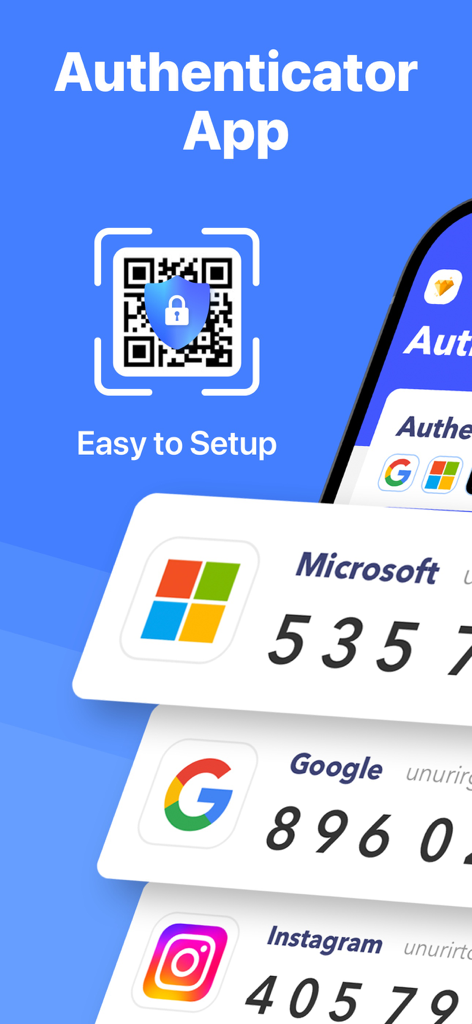
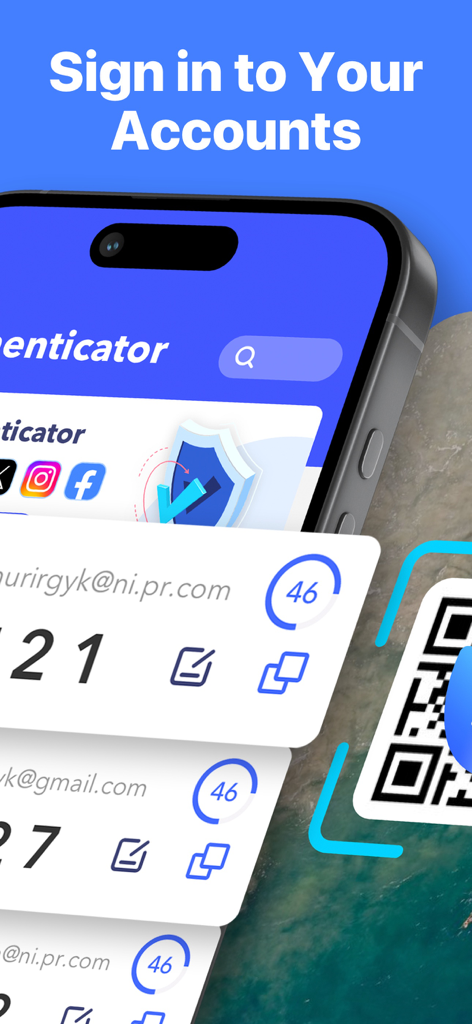
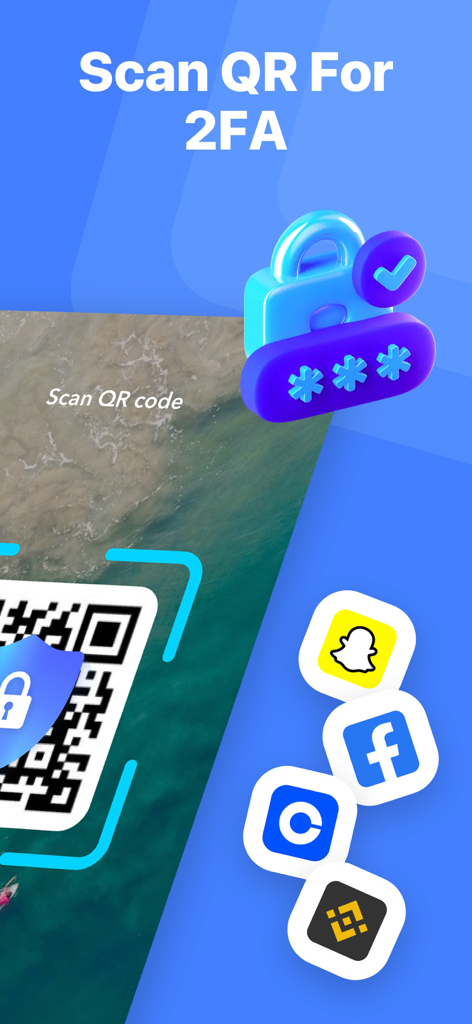
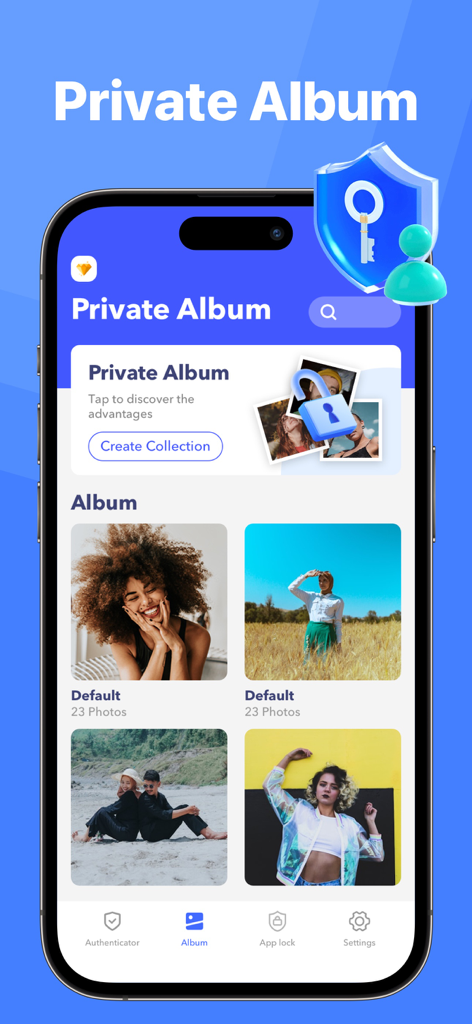
The tools that make this app stand out, trusted by 468K+ users.
Shield your banking, crypto, and social media accounts from hackers with military-grade verification for thousands of platforms.
Never worry about losing access. Securely sync your security keys across devices so you can recover your accounts instantly if your phone is lost.
Protect more than just logins. Hide sensitive photos and lock specific apps behind an extra layer of biometric security to keep prying eyes away.
Insights from user reviews.
Sentiment Score
Summary
This application receives overwhelmingly negative feedback, with many users mistaking it for official Microsoft or Google Authenticator apps due to misleading branding and search results. A major point of contention is the prevalence of unwanted and automatic charges for subscriptions or premium features, often without clear consent, leading to significant frustration. Users also report poor usability, describing the app as confusing, complex, and frequently non-functional, with specific complaints about QR codes not working and a lack of helpful instructions. Furthermore, customers express severe difficulty in contacting support or obtaining refunds for these unexpected charges.
Common Themes
Everything you need to know about Authenticator App -2FA Secure.
Description
Latest Version
1.5
Size
33.5 MB
First Released
Apr 23, 2024
Join over 460,000 users who trust us to secure their accounts with 2FA, prevent lockouts with cloud backup, and hide sensitive photos in an encrypted vault.
Everything you need to know about Authenticator App -2FA Secure
Authenticator App is a simple two-factor authentication (2FA) app that generates time-based one-time passwords (TOTP). It strengthens digital security by protecting online accounts with an extra layer of security.
Authenticator App provides two-factor authentication by generating time-based one-time passwords (TOTP). These unique verification codes add an extra security layer, protecting accounts from unauthorized access and hackers.
Authenticator App supports a wide range of services including Facebook, Coinbase, Amazon, Microsoft, Google, Instagram, Linkedin, Github, Dropbox, AuthentiCare, and Salesforce. It provides strong protection for thousands of other providers.
Yes, Authenticator App offers a synchronization backup function. With cloud synchronization technology, users can restore their two-step verification settings directly from the cloud when changing devices, ensuring data continuity and security.
Yes, Authenticator App includes a built-in privacy album function. This feature allows users to safely store private photos and videos. These contents are fully encrypted and only accessible from within the app.
Yes, Authenticator App's Security Center features a metadata remover. This tool wipes sensitive private information, such as location and device details, from photos. It ensures privacy is protected before sharing images.
Authenticator App offers auto-renewing subscriptions. Payment is charged to the iTunes account upon confirmation. Subscriptions automatically renew unless auto-renew is turned off at least 24 hours before the current period ends.
No, Authenticator App is a third-party application. It is not affiliated with, endorsed by, or connected to any of the specific services or trademarks mentioned in its description, like Google or Facebook.
Yes, Authenticator App allows users to add new 2FA accounts by scanning a QR code. This method simplifies the setup process, enabling quick integration of two-factor authentication for various online services.
Yes, Authenticator App includes a Privacy Leak Detection feature within its Security Center. This tool runs account security checks to identify potential vulnerabilities, such as suspected email breaches, enhancing user digital safety.
Apps with similar features and user experience

Google LLC

Duo Security LLC

APPLY DIJITAL HIZMETLER TICARET LIMITED SIRKETI

Mustafa Uz

Thales DIS (Singapore) Pte Ltd

Tatra banka, a.s.

Brilliant App Limited

UNIVERSE DIJITAL HIZMETLER LIMITED SIRKETI

XSOFT GLOBAL LIMITED
App information, icons, screenshots, and descriptions displayed on this page are sourced from the Apple App Store and are the property of their respective developers. Download estimates and rankings are based on MWM's proprietary models and may not reflect actual figures. This page is provided for informational and analytical purposes only.
Believe this page infringes your intellectual property? File a dispute