
This page is not an official page of the app or its developer, but an independent editorial publication created for informational and commentary purposes. Unless expressly stated otherwise, neither the app nor its developer is affiliated with, endorsed by, sponsored by, authorized by, or otherwise officially connected with MWM, Apple, Google Play, the app publisher, or the app's developer, and nothing on this page implies that the app was developed using MWM's services. Any trademarks, logos, screenshots, and other content remain the property of their respective owners.


Image to PDF - Convert to PDF
Stop wrestling with file formats. This app turns your visual clutter into organized, shareable PDFs, putting document control directly in your pocket.
Downloads
750k+User Rating
Total Ratings
1.4KPublisher
Category
BusinessLocales
17Latest Version
3.1.1Size
10.8 MBFirst Released
Jun 30, 2020Evaluating core functionalities for mobile users prioritizing simplicity, security, and document management.
Analysis of 'Image to PDF - Convert to PDF' Key Features
On-Device PDF Creation for Privacy
The app provides on-device PDF creation, ensuring user data privacy and preventing potential leakage by processing conversions locally.
PDF Password Protection (Premium)
It allows users to enhance document security by setting passwords for PDFs, protecting sensitive information (requires premium purchase).
Intuitive 3-Step Conversion Process
It allows users to convert images to PDF through an intuitive three-step process: select, check, and save, streamlining the conversion workflow.
Integrated PDF Management & Sharing
This tool features integrated PDF management, allowing users to view, save, and share their created documents directly with other applications.
Customizable PDF Page Sizes
The app provides options for selecting various PDF page sizes, including pre-registered paper dimensions or matching the original image size, enhancing document customization.
Unlimited Image Selection (Premium)
The app offers removal of limitations on the number of images that can be selected for PDF creation, enhancing efficiency for large conversion tasks (requires premium purchase).
Frequently Asked Questions
Everything you need to know about Image to PDF - Convert to PDF
How does the Image to PDF - Convert to PDF app convert images to PDF?
The Image to PDF - Convert to PDF app converts images by allowing users to select photos, check the created PDF, and then save it within three simple steps.
Does Image to PDF - Convert to PDF allow users to manage their created PDF files?
Yes, the Image to PDF - Convert to PDF app saves created PDFs internally. Users can view or share these saved PDF files with other applications at any time.
Can I select a specific paper size when creating a PDF with Image to PDF - Convert to PDF?
Yes, Image to PDF - Convert to PDF allows users to select from pre-registered paper sizes or create a PDF based on the original image size.
Does Image to PDF - Convert to PDF offer PDF password protection?
Yes, the Image to PDF - Convert to PDF app allows users to set a password for their PDFs. This feature requires a premium purchase.
Can users set margins for their PDFs in Image to PDF - Convert to PDF?
Yes, Image to PDF - Convert to PDF allows users to set arbitrary margins on the paper. This functionality is available with a premium purchase.
Is Image to PDF - Convert to PDF secure for processing documents?
Yes, Image to PDF - Convert to PDF ensures safety as it creates PDFs directly on the device. This process prevents data leakage by not transmitting files externally.
What are the benefits of purchasing Premium in Image to PDF - Convert to PDF?
Premium content includes the removal of the selection limit for images when creating PDFs and the ability to hide advertisements within the app.
How can a user cancel their Premium subscription for Image to PDF - Convert to PDF?
Users must set the cancellation from their Apple ID settings. Automatic renewal occurs if not cancelled within 24 hours before the end of the period.
Does Image to PDF - Convert to PDF store user images or PDFs on external servers?
No, Image to PDF - Convert to PDF creates PDFs exclusively on the user's device. This design ensures privacy and prevents any potential leakage of data.
The following screenshots and description are sourced directly from the app's official store listing and are the property of the app developer.
App Store
Screenshots
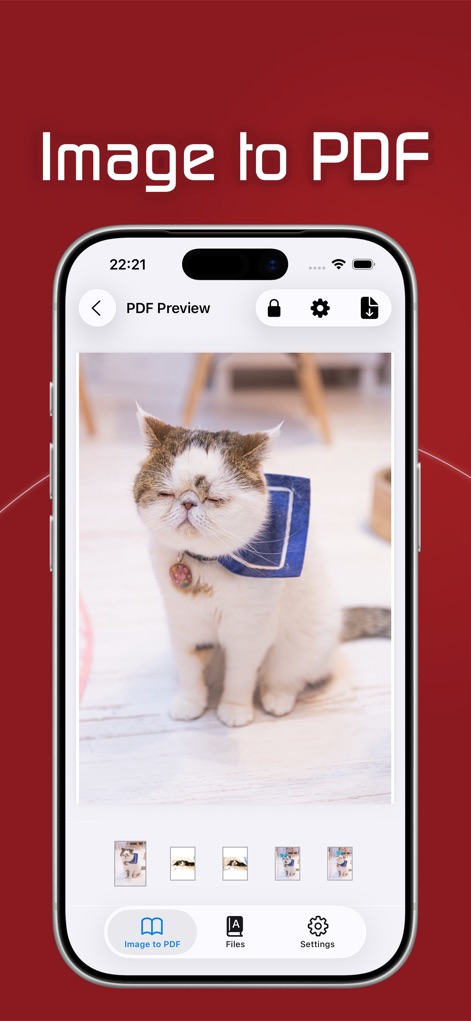
The app presents an immediate "PDF Preview" of the converted document, allowing users to verify content and navigate through pages using the intuitive thumbnail strip.
Instant PDF Review
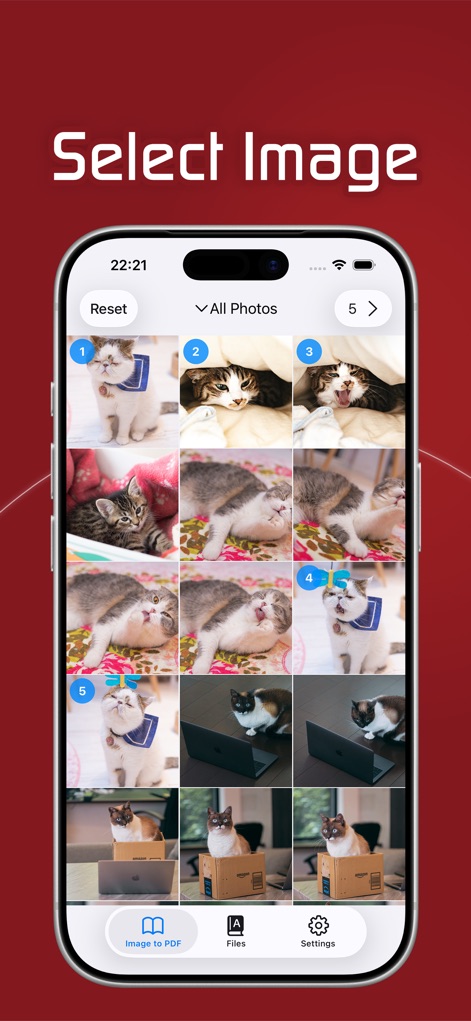
This tool streamlines the image conversion process, enabling users to select multiple photos from their gallery with clear numbered indicators and a comprehensive image grid.
Effortless Image Selection
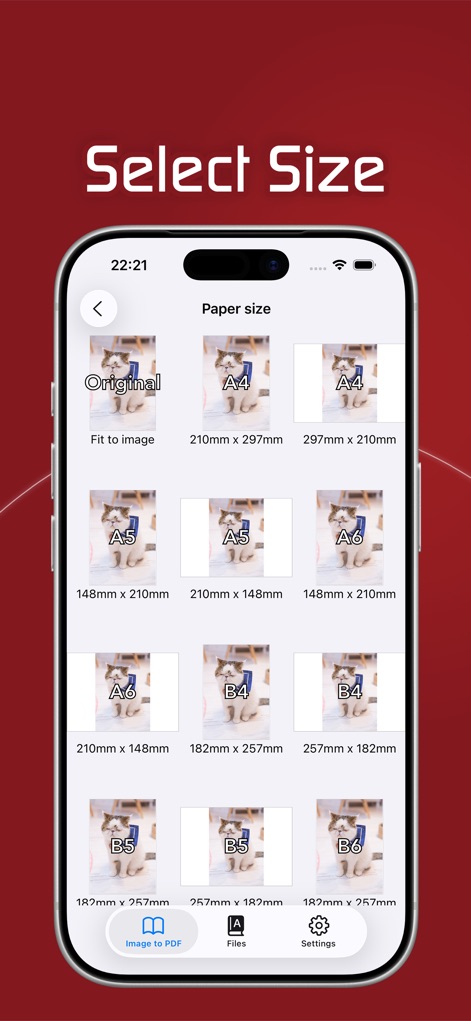
Users gain control over the final PDF layout, choosing from predefined "Paper size" options like A4 and A5, or opting for the "Original" image dimensions.
Flexible Page Sizing
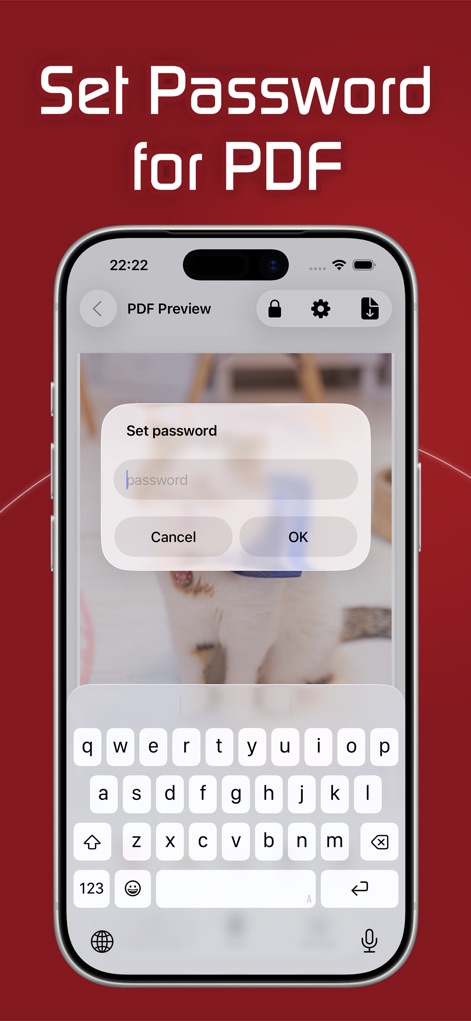
The app prioritizes document privacy by allowing users to "Set password" for their PDFs directly within the preview screen, providing an essential layer of protection.
Enhanced Security Features
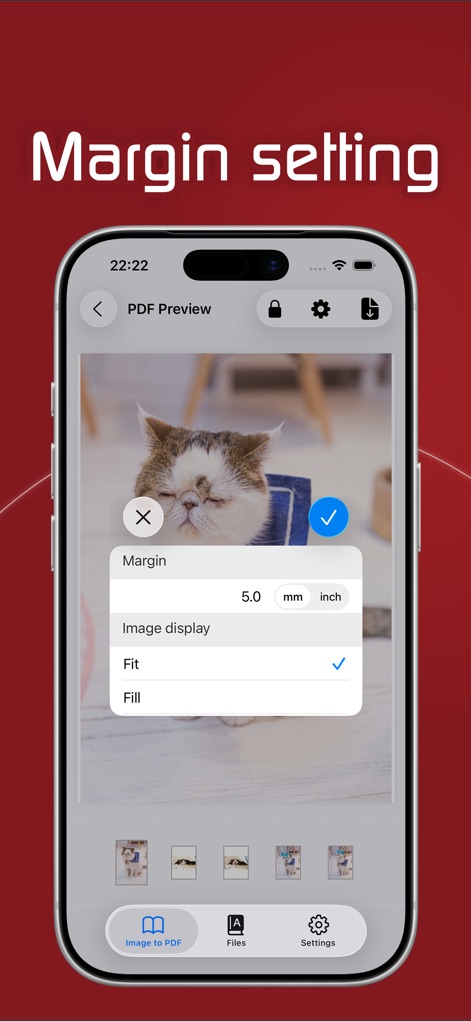
This tool offers detailed control over document presentation, with options to adjust the "Margin" in precise units and select how the "Image display" fits the page.
Refined Output Customization
Description
Download
More Like This
Apps with similar features and user experience

Photo to PDF Converter Scanner
Hendrik Folkerts
PDFMaker: JPG to PDF converter
Arthur Eduardo Skaetta Alvarez Desenvolvimento de Software LTDA.

Convert Image To PDF tools
Abdullah Albalawi

PDF Converter -
晓珍 胡

Lexy PDF Viewer-Maker,Builder
MONSTER SHOW NETWORK TECHNOLOGY LIMITED

PDF Photos
Sarrada Software Inc

Image to PDF Converter +
Jatin Maniya

Photo to PDF Converter Tool
Douglas (Hangzhou) Technology Co., LTD

PDF conversion assistant
福新 杨
This page is not an official page of the app or its developer, but an independent editorial publication created for informational and commentary purposes. Unless expressly stated otherwise, neither the app nor its developer is affiliated with, endorsed by, sponsored by, authorized by, or otherwise officially connected with MWM, Apple, Google Play, the app publisher, or the app's developer, and nothing on this page implies that the app was developed using MWM's services. Any trademarks, logos, screenshots, and other content remain the property of their respective owners.