
This page is not an official page of the app or its developer, but an independent editorial publication created for informational and commentary purposes. Unless expressly stated otherwise, neither the app nor its developer is affiliated with, endorsed by, sponsored by, authorized by, or otherwise officially connected with MWM, Apple, Google Play, the app publisher, or the app's developer, and nothing on this page implies that the app was developed using MWM's services. Any trademarks, logos, screenshots, and other content remain the property of their respective owners.


Infuse
Stream any format without converting. Experience gorgeous 4K HDR and Dolby Vision playback synced across your iPhone, iPad, Apple TV, Mac, and Vision Pro.
Downloads
5M+User Rating
Total Ratings
85K+Publisher
Category
EntertainmentLocales
37Latest Version
8.3.5Size
142.0 MBFirst Released
Nov 21, 2016The Ultimate Player for the Quality Obsessed
Say goodbye to transcoding and messy libraries. Infuse delivers a breathtaking, professional-grade theater experience for your entire personal collection across every Apple device.
Plays Absolutely Anything
From 4K HDR10+ and Dolby Vision to high-bitrate MKV and ISO files—enjoy smooth, native playback without ever needing to convert a single file.
Stream from Anywhere
Connect your NAS, Mac, PC, or cloud services like Google Drive and Dropbox. Access your entire media library instantly without using device storage.
Frequently Asked Questions
Everything you need to know about Infuse
What is Infuse?
Infuse is a powerful video player designed for Apple devices that plays almost any video format. It offers streaming, Trakt sync, and robust AirPlay and subtitle support.
Which video formats does Infuse support?
Infuse supports numerous video formats including MP4, MKV, M4V, MOV, AVI, HEVC, and many more. It also includes support for HDR, HDR10+, and Dolby Vision.
Can Infuse stream videos from other devices?
Yes, Infuse streams videos from various sources like Mac, PC, NAS, Plex, Emby, Jellyfin, and cloud services such as Google Drive, Dropbox, and OneDrive without syncing.
Does Infuse support AirPlay and Google Cast?
Yes, Infuse supports AirPlay and Google Cast. Users can stream various video types including MKV, MP4, and M4V with full surround sound and subtitles to compatible devices.
What is Trakt integration in Infuse?
Infuse offers Trakt 2-way sync, allowing users to connect their account to synchronize watched history, submit ratings for content, and post comments directly through the app.
Does Infuse provide subtitle support?
Yes, Infuse provides optimized subtitle support powered by OpenSubtitles. Users can bring their own subtitles or download them on the fly in virtually any language for free.
What additional features does Infuse Pro offer?
Infuse Pro offers more video formats, video trailers, high-resolution Dolby and DTS audio, cloud service access, AirPlay/Google Cast streaming, and library/setting synchronization across devices.
Is Infuse Pro a subscription?
Yes, Infuse Pro is available as an optional subscription. It includes a free trial period that automatically renews into a paid subscription unless canceled 24-hours prior to the end of the current period.
Can Infuse play DRM-protected content?
No, Infuse does not support DRM-protected movies and TV shows purchased from the iTunes store. It plays non-DRM content across various formats.
What cloud services can Infuse Pro connect to?
Infuse Pro connects to cloud services like Dropbox, Google Drive, Box, OneDrive, pCloud, Yandex.Disk, MEGA, and Aliyun Drive for video access.
Does Infuse support 4K video playback?
Yes, Infuse supports silky-smooth playback of full 4K video content, including support for HDR and Dolby Vision for enhanced visual quality.
Which media servers can Infuse connect to?
Infuse connects with popular media servers such as Plex, Emby, Jellyfin, Kodi (XBMC), and WMC. This allows users to stream content from their existing server setups.
How does Infuse manage video metadata and artwork?
Infuse automatically adds artwork and metadata to videos. This information is provided by TMDB, a community-maintained movie and TV show database, ensuring a rich content display.
Can I download videos from networked devices using Infuse?
Yes, Infuse allows users to download videos directly from networked devices. This feature provides flexibility for offline viewing of content stored on personal networks.
Does Infuse support external storage devices?
Yes, Infuse supports external storage devices like SanDisk iXpand and other USB drives. This allows users to expand their available storage for media content.
The following screenshots and description are sourced directly from the app's official store listing and are the property of the app developer.
App Store
Screenshots
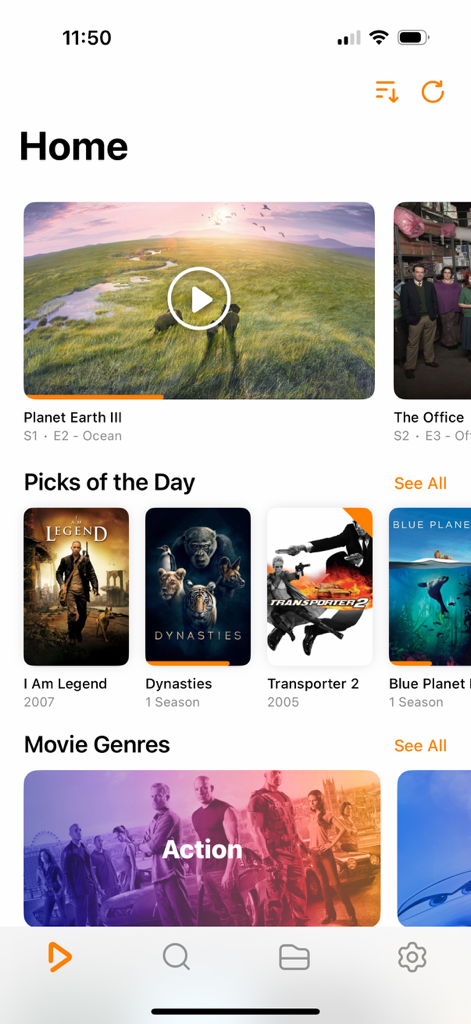
Home screen of Infuse app displaying a movie library with posters and genres
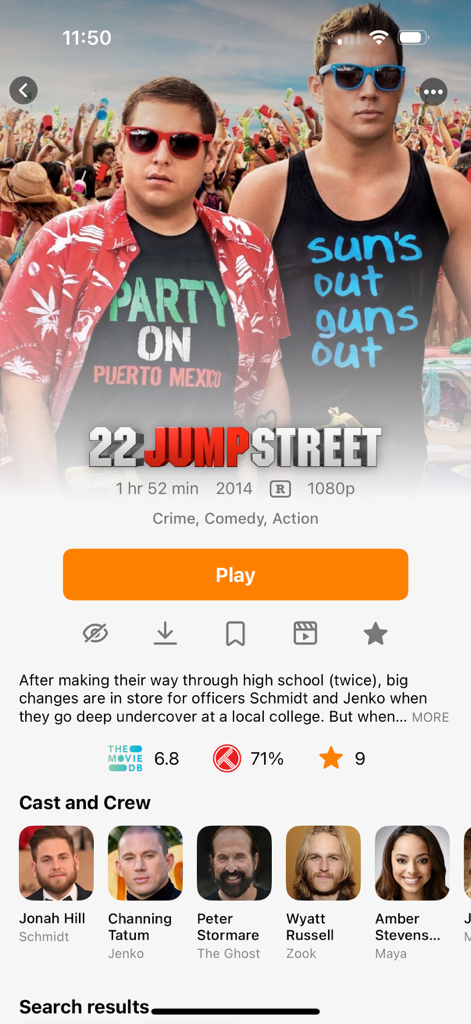
Infuse app interface showing movie details, cast, and metadata for 22 Jump Street
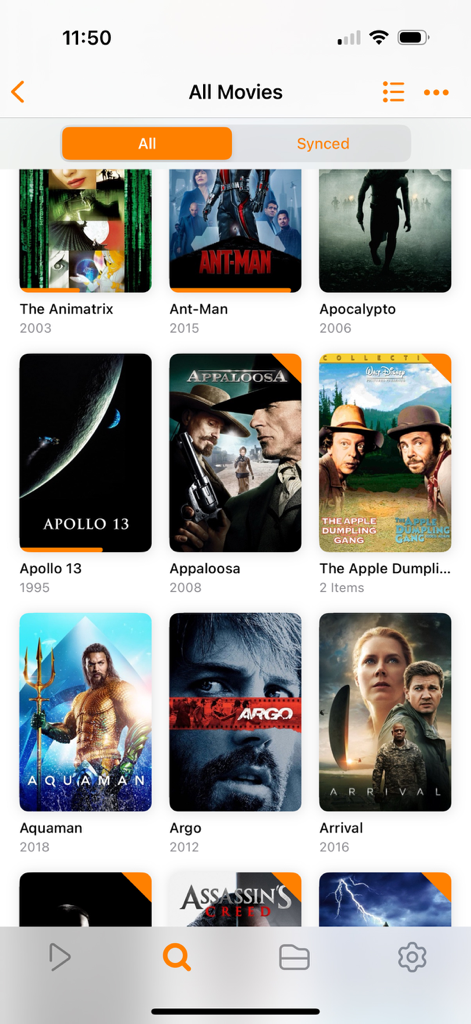
A grid of movie posters in the Infuse video player app on an iPhone
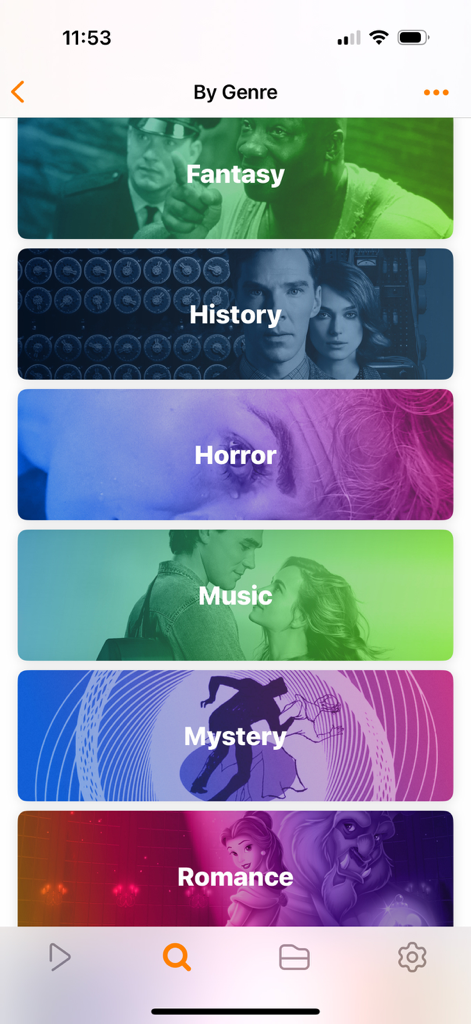
Infuse app screen showing a list of movie categories by genre including Fantasy History and Horror with colorful visual tiles
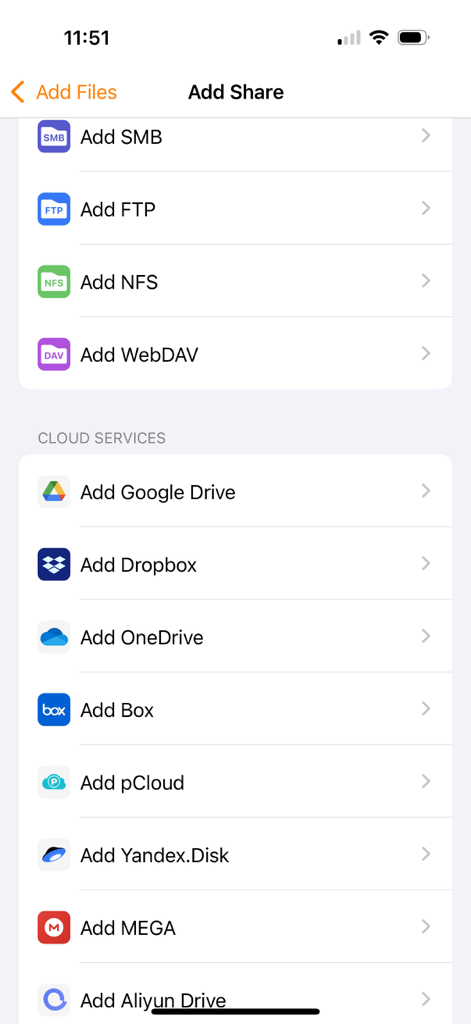
Interface in the Infuse app showing options to connect network shares and cloud storage services
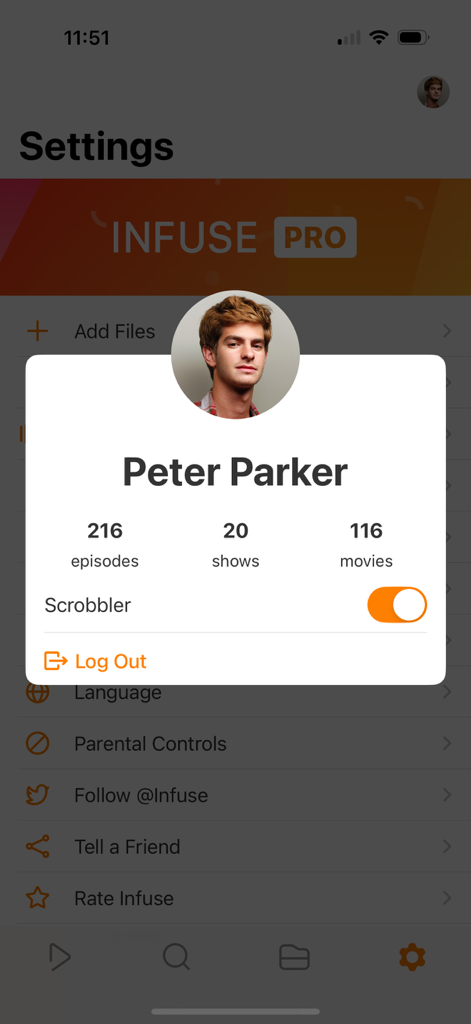
User profile modal in the Infuse app showing media library statistics and scrobbler settings

Infuse video player interface on iPhone showing playback controls over a 4K city nights video
Description
Download
More Like This
Apps with similar features and user experience

Stube : Offline Music & Videos
Aquila Space (Hong Kong) Company Limited

Lark Music: Offline Player,Mp3
志辉 黎

MX Player - Video Player
Jatin Maniya

Video Player - All in One
Devkrushna Infotech Private Limited

Evermusic: Simple Music Player
EVERAPPZ SL

Player GR - MUSIC PLAY
GAME WORLD SAI GON COMPANY LIMITED

Omanager - Video for Files
STRETFORD STUDIOS LIMITED

高画質な画面録画BREMEN〜音楽 動画
shinichi fukui

Fileplay - Documents Player
Kristian Sepp
This page is not an official page of the app or its developer, but an independent editorial publication created for informational and commentary purposes. Unless expressly stated otherwise, neither the app nor its developer is affiliated with, endorsed by, sponsored by, authorized by, or otherwise officially connected with MWM, Apple, Google Play, the app publisher, or the app's developer, and nothing on this page implies that the app was developed using MWM's services. Any trademarks, logos, screenshots, and other content remain the property of their respective owners.