
This page is not an official page of the app or its developer, but an independent editorial publication created for informational and commentary purposes. Unless expressly stated otherwise, neither the app nor its developer is affiliated with, endorsed by, sponsored by, authorized by, or otherwise officially connected with MWM, Apple, Google Play, the app publisher, or the app's developer, and nothing on this page implies that the app was developed using MWM's services. Any trademarks, logos, screenshots, and other content remain the property of their respective owners.


InSave : Story, Reels, Video
Stop losing the Reels and Stories that fuel your creativity. Save everything you love, organize it into beautiful boards, and turn your favorite social moments into endless inspiration.
Downloads
2M+User Rating
Total Ratings
74K+Publisher
Category
UtilitiesLocales
1Latest Version
2.7Size
29.5 MBFirst Released
Aug 16, 2023Master Your Creative Workflow
Stop losing great ideas to the scroll. InSave empowers you to download, organize, and visualize the social media content that inspires you most.
Instant Archive
Save Reels, Stories, and posts in seconds. Keep your favorite content safe even if the original post is deleted or disappears.
Aesthetic Storyboards
Organize your saved content into beautiful, visual boards. Perfect for mood boarding, project planning, or style curation.
Frequently Asked Questions
Everything you need to know about InSave : Story, Reels, Video
What is the purpose of the InSave app?
The InSave app helps users collect and organize inspiring images, videos, and links from various applications into visual boards or collections.
What types of content can InSave app save?
InSave app saves videos, reels, photos, and links. Users can add images, videos, and any other found content.
How does InSave app organize saved items?
InSave app organizes saved items into "beautiful boards" or collections. Users manage these collections to visualize and categorize their ideas effectively.
Is InSave app affiliated with Instagram?
No, the InSave app and its developers are not affiliated or associated with Instagram. This is stated in the app's disclaimer.
Can I manage links using the InSave app?
Yes, the InSave app allows users to manage links and other content they find across their various applications.
Where can I find the InSave app's Privacy Policy?
The Privacy Policy for the InSave app is located at https://sites.google.com/view/instave-app/home, as specified in the app description.
Does InSave app support sharing videos and reels?
Yes, InSave app supports sharing videos, stories, and reels. Users can save and share these content types directly from the app interface.
The following screenshots and description are sourced directly from the app's official store listing and are the property of the app developer.
App Store
Screenshots
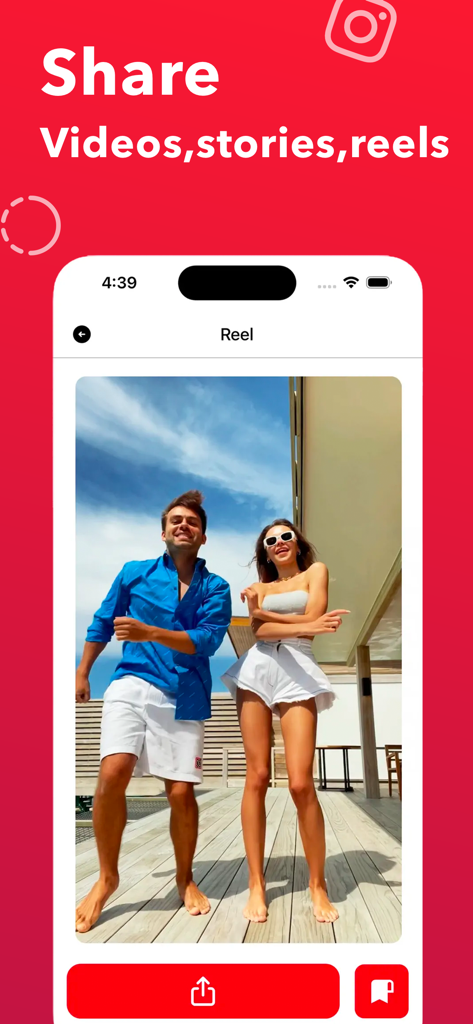
InSave app interface showing options to share and save social media video reels
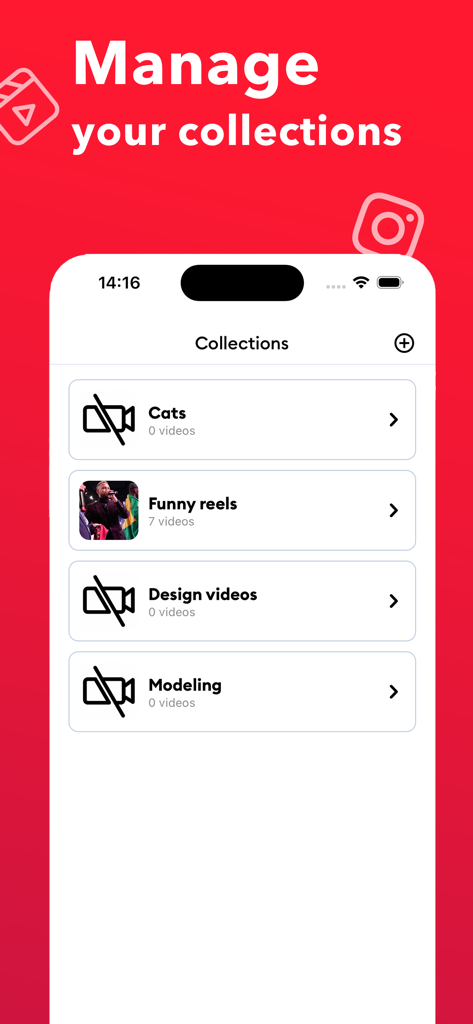
Interface of the InSave app showing a list of organized video collections and folders
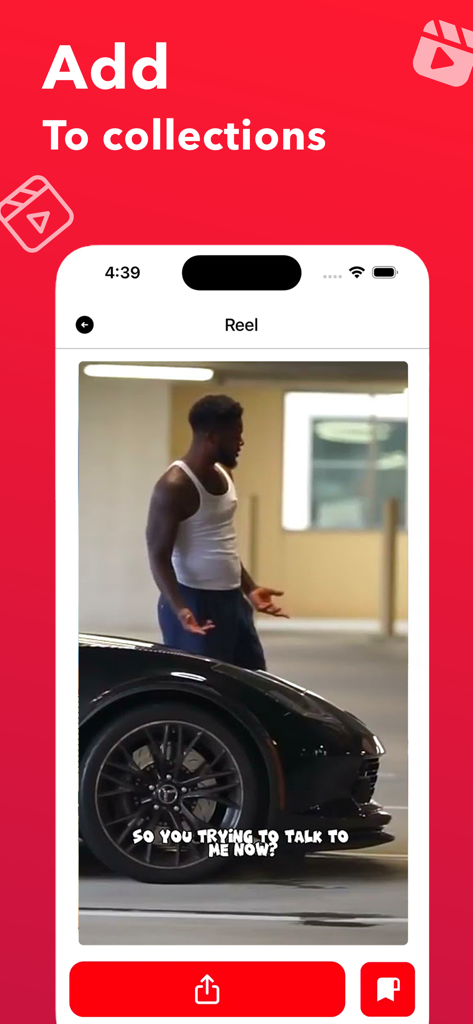
InSave app interface showing a social media video reel being added to a user collection

InSave app interface showing a board of saved funny reels organized in a grid
Description
Download
More Like This
Apps with similar features and user experience

Hypelist: Create & Share Lists
Hypelist, Limited Liability Company

Pinterest, Inc.

Cosmos: Search & Discover
Cosmos Entity, INC.

Milanote
Milanote Pty Ltd

3D GO | 3D Printing Models
SimpleDev LLC

Albo: Save & Organize
Sortd:Do the thing Limited

Pearltrees
Broceliand

3Drop: 3D Printing Models STL
WU FU-HUNG

Are.na
When It Changed Inc.
This page is not an official page of the app or its developer, but an independent editorial publication created for informational and commentary purposes. Unless expressly stated otherwise, neither the app nor its developer is affiliated with, endorsed by, sponsored by, authorized by, or otherwise officially connected with MWM, Apple, Google Play, the app publisher, or the app's developer, and nothing on this page implies that the app was developed using MWM's services. Any trademarks, logos, screenshots, and other content remain the property of their respective owners.