
This page is not an official page of the app or its developer, but an independent editorial publication created for informational and commentary purposes. Unless expressly stated otherwise, neither the app nor its developer is affiliated with, endorsed by, sponsored by, authorized by, or otherwise officially connected with MWM, Apple, Google Play, the app publisher, or the app's developer, and nothing on this page implies that the app was developed using MWM's services. Any trademarks, logos, screenshots, and other content remain the property of their respective owners.


IPTV Pro Play List M3U
No more cable company handouts. This app puts your media on your terms.
Downloads
1M+User Rating
Total Ratings
73.0KPublisher
Category
EntertainmentLocales
2Latest Version
V31Size
74.4 MBFirst Released
Mar 12, 2019An Analytical Overview for IPTV Enthusiasts
Key Features of IPTV Pro Play List M3U
M3U Playlist Compatibility
The app provides robust compatibility with standard M3U playlists, allowing users to effortlessly import and manage their channel lists from various IPTV providers or public sources. This ensures personalized access to their preferred content.
Versatile IPTV Source Integration
It allows users to stream IPTV television not only from their internet provider but also from any other internet source. This offers extensive flexibility and broadens the range of accessible content beyond local services.
Multicast Stream Support via UDP-proxy
This tool facilitates the reproduction of multicast streams through a UDP-proxy, which must be established within the user's local network. This enables access to specific provider-based content that requires multicast for delivery.
iOS Device Streaming
The application is specifically designed for iOS devices (iPhone and iPad), enabling users to watch their preferred IPTV content on their mobile devices, providing convenience and on-the-go entertainment.
Frequently Asked Questions
Everything you need to know about IPTV Pro Play List M3U
What is IPTV Pro Play List M3U used for?
IPTV Pro Play List M3U allows users to watch IPTV television from their Internet provider or any other Internet source on iOS phones and tablets. It supports .m3u playlists.
What kind of playlists does IPTV Pro Play List M3U support?
IPTV Pro Play List M3U supports playlists in the ".m3u" format. Users must obtain these channel lists from their IPTV provider or find public lists.
How do I add an M3U playlist to IPTV Pro Play List M3U?
Users add an M3U playlist to IPTV Pro Play List M3U by entering its URL (e.g., http://xxx/xxx.m3u) into the "Agregar paquete" screen. An optional package name can also be provided.
Does IPTV Pro Play List M3U require a WiFi connection to watch content?
IPTV Pro Play List M3U requires a WiFi connection to view IP television from your Internet provider. Other Internet TV sources can be viewed using 3G or other cellular data.
Does IPTV Pro Play List M3U support UDP-proxy for multicast streams?
Yes, IPTV Pro Play List M3U supports the reproduction of multicast streams through UDP-proxy. The proxy must be established in the user's local network for functionality.
Where can I find the Privacy Policy for IPTV Pro Play List M3U?
The Privacy Policy for IPTV Pro Play List M3U is accessible within the app's settings menu under "Politica De Privacidad" and also at the URL: https://iptvproplay.com/privacy_policy.html.
Where are the Terms of Use for IPTV Pro Play List M3U located?
The Terms of Use for IPTV Pro Play List M3U are available within the app's settings menu under "Terminos De Uso" and online at the URL: https://iptvproplay.com/Terms&Conditions.html.
Does IPTV Pro Play List M3U offer a premium version or features?
Yes, IPTV Pro Play List M3U indicates an option to "Hazte Premium" (Go Premium) within its "Explore Our Features" menu, suggesting the availability of premium features.
The following screenshots and description are sourced directly from the app's official store listing and are the property of the app developer.
App Store
Screenshots

Witness the clean and modern "IPTV PRO" branding as the application initiates, highlighted by its striking red and white minimalist design.
App Launch Experience
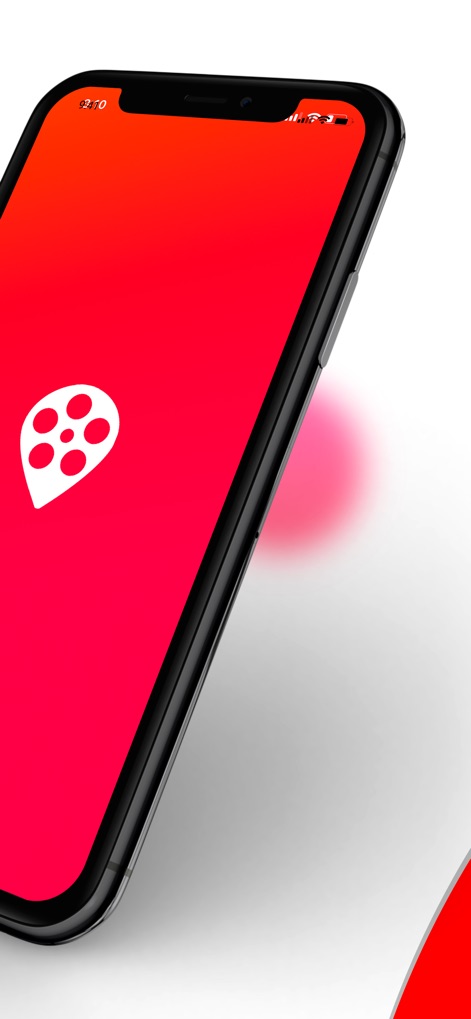
The app's distinctive red and white pin-shaped icon with a film reel motif is prominently displayed on the device, reinforcing its core function.
Brand Identity

The main menu provides direct access to essential functions, from the "Hazte Premium" upgrade option to contact information and legal policies, presented under the "Explore Our Features" header.
Core Functionality

Efficiently browse content through a visually organized grid displaying various genres like "Aventura" and "Animación," facilitating quick selection for users.
Content Categorization

Users can effortlessly manage their M3U playlists by inputting the playlist "URL" and a custom "Nombre del paquete," then confirming with the clear "Añadir" button.
Playlist Configuration
Description
Download
More Like This
Apps with similar features and user experience

VU IPTV PLAYER
Byte9 Inc

VU PLAYER PRO
IRBOETECH CO., LIMITED

King Stream Player
MUKING OU

Smarters Player Lite
WHMCS SMARTERS

000 Player
belal samir

ibo Pro Player
IRBOETECH CO., LIMITED

IPTV Smart Player
Dmitri Iasibis

Fuevana IPTV Pro
Oskarina Ramos

IPTV - Watch TV Online
Nguyen Van Sy
This page is not an official page of the app or its developer, but an independent editorial publication created for informational and commentary purposes. Unless expressly stated otherwise, neither the app nor its developer is affiliated with, endorsed by, sponsored by, authorized by, or otherwise officially connected with MWM, Apple, Google Play, the app publisher, or the app's developer, and nothing on this page implies that the app was developed using MWM's services. Any trademarks, logos, screenshots, and other content remain the property of their respective owners.