iRecordScreen: Screen Recorder

This page is not an official page of the app or its developer, but an independent editorial publication created for informational and commentary purposes. Unless expressly stated otherwise, neither the app nor its developer is affiliated with, endorsed by, sponsored by, authorized by, or otherwise officially connected with MWM, Apple, Google Play, the app publisher, or the app's developer, and nothing on this page implies that the app was developed using MWM's services. Any trademarks, logos, screenshots, and other content remain the property of their respective owners.

Logo of iRecordScreen: Screen Recorder

iRecordScreen: Screen Recorder

Capture ultra-HD video with no watermarks, no time limits, and built-in noise reduction. The ultimate all-in-one tool for creators, gamers, and students to record and edit on the go.

Key Figures

Downloads

0

User Rating

1.0/5

Total Ratings

0

Publisher

Beijing Zaomeng Shidai Technology Co., Ltd.

Category

Photo & Video

Locales

2

Latest Version

1.2.4

Size

2.3 MB

First Released

Mar 4, 2026
Features

Capture Like a Pro, Pay Absolutely Nothing

The ultimate all-in-one screen recording suite for creators, students, and gamers. High-performance 4K recording with no subscriptions and no watermarks—ever.

Pro Quality, Zero Cost

Record in stunning 4K resolution at high bitrates with no watermarks and no hidden fees, keeping your content clean and professional.

Crystal-Clear Audio

Eliminate background buzz with built-in AI denoising. Perfect for recording lectures in noisy dorms or adding voiceovers to your gameplay.

The following screenshots and description are sourced directly from the app's official store listing and are the property of the app developer.

App Store

Screenshots
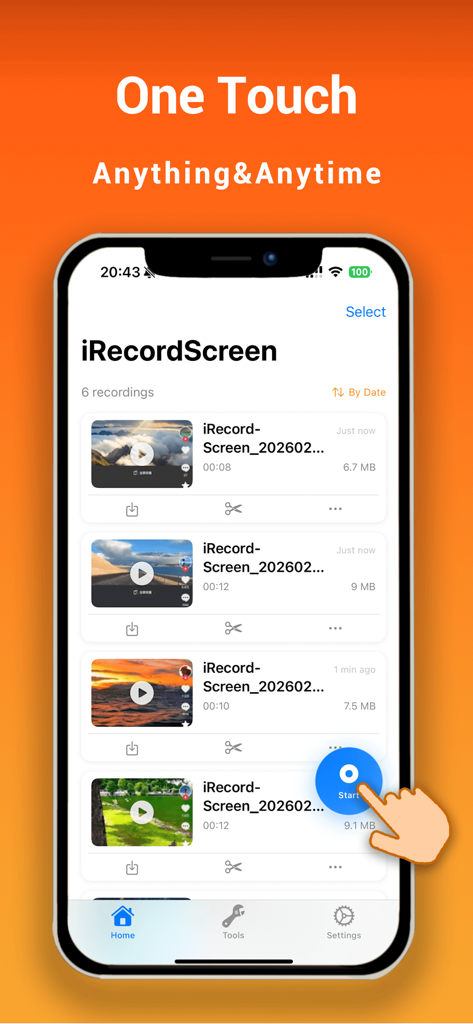
iRecordScreen: Screen Recorder - iRecordScreen app showing an organized list of video recordings with a hand icon tapping the blue one-touch start button
iRecordScreen app showing an organized list of video recordings with a hand icon tapping the blue one-touch start button

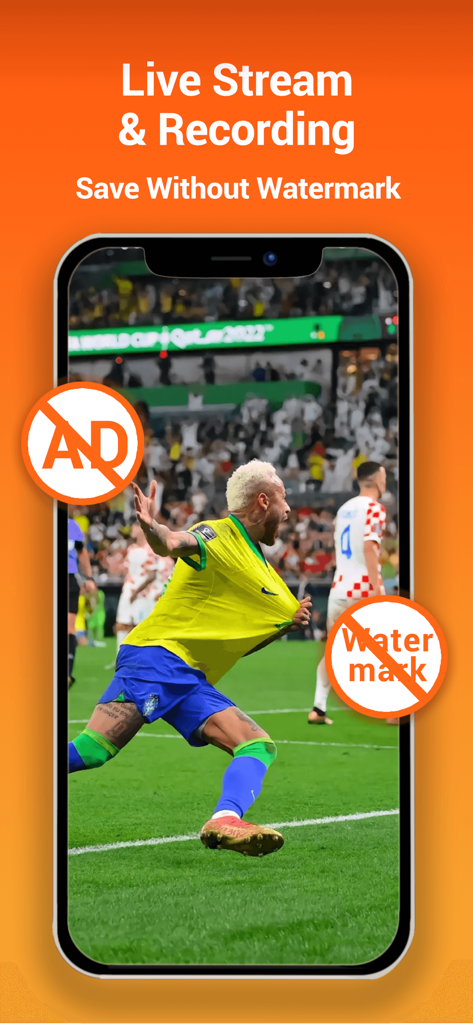
iRecordScreen: Screen Recorder - iRecordScreen app interface showing a football match recording with no ads and no watermark icons

iRecordScreen app interface showing a football match recording with no ads and no watermark icons
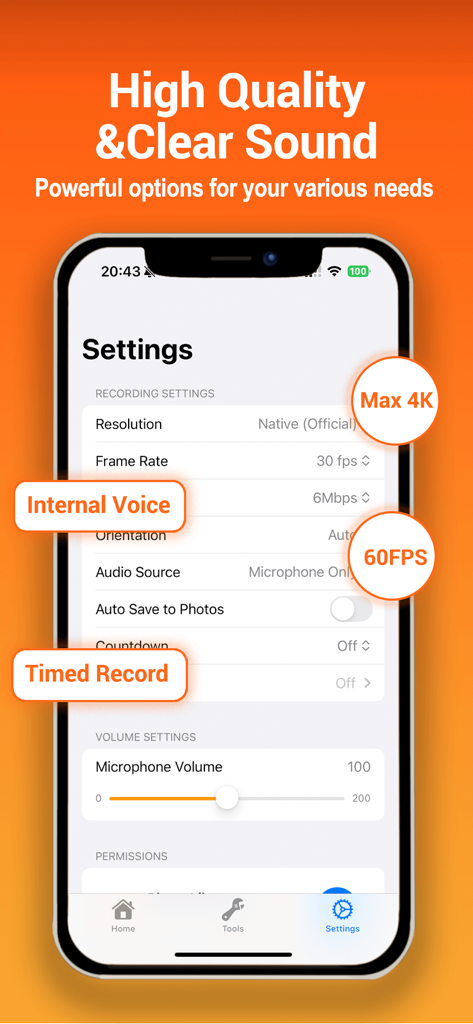
iRecordScreen: Screen Recorder - iRecordScreen app settings interface showing 4K resolution and 60FPS recording options
iRecordScreen app settings interface showing 4K resolution and 60FPS recording options

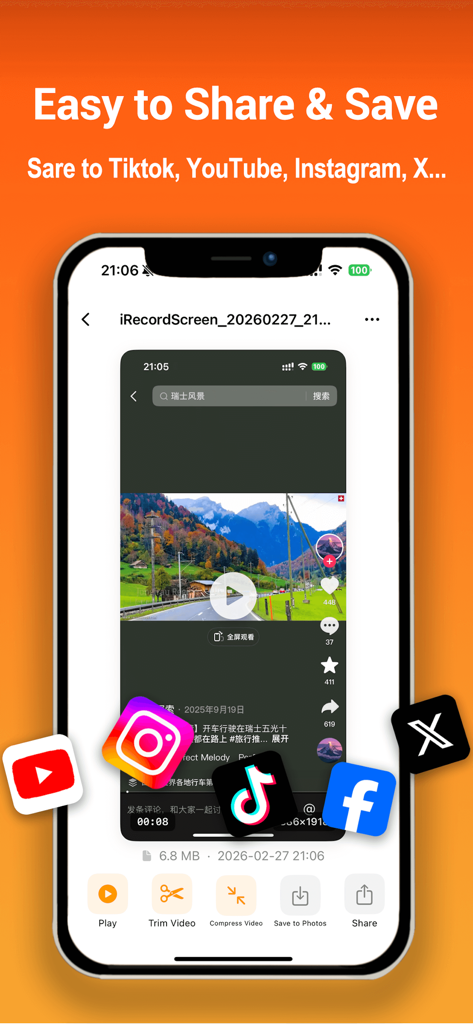
iRecordScreen: Screen Recorder - iRecordScreen app interface showing video sharing and saving options to social media platforms like TikTok and YouTube
iRecordScreen app interface showing video sharing and saving options to social media platforms like TikTok and YouTube

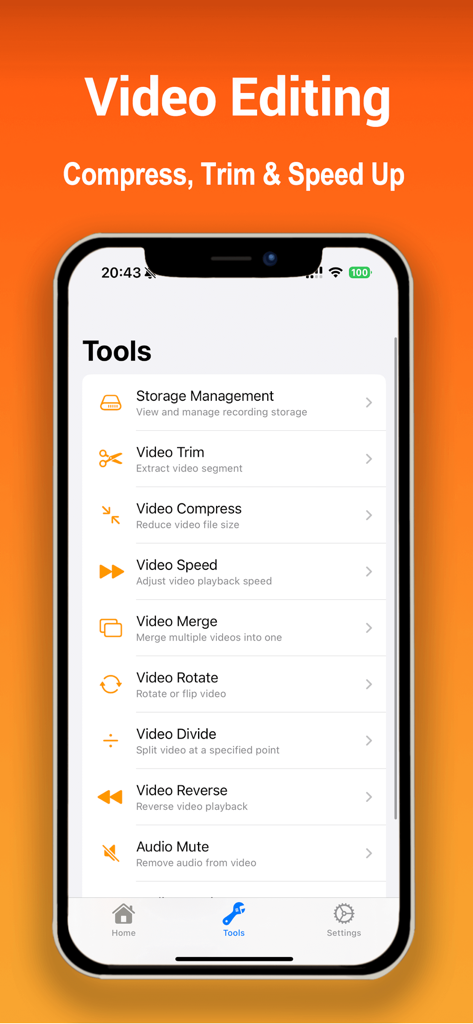
iRecordScreen: Screen Recorder - Mobile app interface of iRecordScreen showing various video editing tools including trim, compress, speed, and merge

Mobile app interface of iRecordScreen showing various video editing tools including trim, compress, speed, and merge

Description

iRecordScreen is a simple, powerful screen recording app for iPhone and iPad. No watermark. No time limit. No subscription. Record your screen in ultra-HD up to 4K quality with original device resolution. iRecordScreen — screen recording made simple. HIGHLIGHTS - No watermark, no time limit, no subscription - Ultra-HD recording: support up to 4K resolution with high bitrate and high frame rate - One-tap to start recording - Built-in audio denoising: reduce background noise for crystal-clear sound - Built-in video editor with 10+ tools - Share directly to YouTube, Instagram, TikTok, and more RECORDING SCENARIOS - Game Recording: Capture mobile gameplay in HD, record while you play - Meeting Recording: Record Zoom, Google Meet, Microsoft Teams, and FaceTime calls - Online Class: Save lectures, tutorials, and online courses for later review - Live Stream: Record live streams from YouTube, Twitch, and other platforms - Tutorial: Create step-by-step how-to videos and screen walkthroughs - Video Calls: Save important video conversations with family, friends, or colleagues - Movies & Shows: Capture your favorite moments from streaming content - Presentations: Record slideshows and demos for work or school SCREEN RECORDING - System-level screen recording via broadcast extension - Record microphone audio alongside screen capture - Ultra-HD recording: up to 4K resolution, high bitrate, high frame rate, original device quality - Countdown timer (3s / 5s / 10s) so you can get ready - Auto-stop after a set duration (1 - 60 min) - Custom resolution, frame rate, and bitrate - Auto-detect landscape or portrait orientation - No watermark on exported videos - Unlimited recording duration AUDIO & DENOISING - Record internal device audio with high-fidelity sound - Record microphone for voiceovers and commentary - Built-in audio denoising: intelligently reduce background noise, hum, and hiss - Crystal-clear audio output, perfect for tutorials and meetings - Mute: strip all audio from any video - Voice Change: fun voice effects — high pitch, low pitch, or custom VIDEO EDITING - Trim: Remove unwanted sections with keep or delete mode - Compress: Shrink file size while preserving quality - Merge: Combine multiple clips into one video - Split: Cut a video into two parts at any point - Speed: Slow motion 0.25x to fast forward 5x - Rotate: Rotate or flip in any direction - Reverse: Play your video backwards MANAGE & SHARE - All recordings in one organized list - Built-in player with adjustable playback speed - Rename, batch select, delete, or export - Save to Photos with one tap - Share to any app — YouTube, Instagram, TikTok, iMessage, email, cloud storage DESIGNED FOR EVERYONE - Clean, intuitive interface - Works on iPhone and iPad - Dark mode support - English and Chinese Download iRecordScreen — screen recording made simple. Contact us: dreamera2022@gmail.com

Download

This page is not an official page of the app or its developer, but an independent editorial publication created for informational and commentary purposes. Unless expressly stated otherwise, neither the app nor its developer is affiliated with, endorsed by, sponsored by, authorized by, or otherwise officially connected with MWM, Apple, Google Play, the app publisher, or the app's developer, and nothing on this page implies that the app was developed using MWM's services. Any trademarks, logos, screenshots, and other content remain the property of their respective owners.