
This page is not an official page of the app or its developer, but an independent editorial publication created for informational and commentary purposes. Unless expressly stated otherwise, neither the app nor its developer is affiliated with, endorsed by, sponsored by, authorized by, or otherwise officially connected with MWM, Apple, Google Play, the app publisher, or the app's developer, and nothing on this page implies that the app was developed using MWM's services. Any trademarks, logos, screenshots, and other content remain the property of their respective owners.


iSearching
Lost your keys again? The app offers pinpoint accuracy, turning panic into a quick recovery. It's the end of the frantic search.
Downloads
2.5M+User Rating
Total Ratings
2.6KPublisher
Category
LifestyleLocales
13Latest Version
2.0.7Size
15.5 MBFirst Released
Sep 2, 2015An analytical overview of functionalities designed for personal item management and loss prevention.
iSearching App Evaluation: Key Features
Bidirectional Item Finding
The app provides a versatile solution for locating misplaced items or the paired smartphone, offering immediate relief and convenience when valuables are out of sight.
Proximity Loss Prevention
It automatically triggers an alarm on both the phone and the tracking device when they separate beyond a set Bluetooth range, actively preventing accidental loss before it happens.
Last Seen Location Map
This tool features a map function that records the last known connected location of the tracking device, aiding users in retracing their steps to recover lost items.
Remote Camera Control
It allows users to remotely trigger their phone's camera or video recording function via the tracking device, adding convenience for group photos or hands-free recording.
Frequently Asked Questions
Everything you need to know about iSearching
What is the iSearching app?
The iSearching app is a custom application designed for a two-way smart anti-loss device. It helps users locate their phone or paired item and alerts them if the Bluetooth connection is lost due to distance.
How does the iSearching app help find my items?
The iSearching app enables two-way finding: click the app's alarm to make the anti-loss device ring, or press the device's button to make your phone ring. This helps locate misplaced items quickly.
Does iSearching alert me if I leave my item behind?
Yes, iSearching features a two-way anti-loss function. Both your phone and the anti-loss device will alarm automatically if their Bluetooth connection is disconnected, indicating they are separated by distance.
What additional features does the iSearching app offer?
iSearching offers additional features like camera remote control for photos and videos, map location tracking to pinpoint items, and a configurable conference recording function via app settings.
Is iSearching compatible with iPad devices?
Yes, the iSearching app is compatible with iPad devices. Users can download and install the application directly from the store onto their iPad for full functionality.
What Bluetooth version does the iSearching app require?
The iSearching app exclusively supports Bluetooth 4.0 devices. It is designed to work with this specific Bluetooth version, leveraging its low-power technology for efficient operation.
How many anti-loss devices can iSearching manage simultaneously?
The iSearching app manages one anti-loss device bi-directionally at any given time. While multiple devices may be listed, active two-way management is limited to a single device.
What iPhone models are compatible with iSearching?
The iSearching app requires an iPhone 4s or a more recent iPhone model for full compatibility and proper operation of its features.
Can I rename my anti-loss device in iSearching?
Yes, you can easily rename your anti-loss device within the iSearching app. This customization option is accessible through the individual device's settings menu.
What kind of battery does the iSearching anti-loss device use?
The iSearching anti-loss device utilizes a CR2032 button battery. This standard battery type provides reliable power, offering up to six months of operational use.
Does iSearching have a Do Not Disturb mode?
Yes, iSearching features a Do Not Disturb mode. Users can configure a "Silent Period" for specific hours and enable a "WIFI Do Not Disturb" option within the app's settings.
How do I turn on or off the iSearching anti-loss device?
To turn on the iSearching device, press and hold for 3 seconds until two short beeps sound. To turn off, press and hold for 5 seconds until a long beep is heard.
Can I view the location history of my iSearching device?
Yes, the iSearching app allows you to view the location history of your device. This feature is accessible via the "Lost History" button within the app's Location section.
The following screenshots and description are sourced directly from the app's official store listing and are the property of the app developer.
App Store
Screenshots
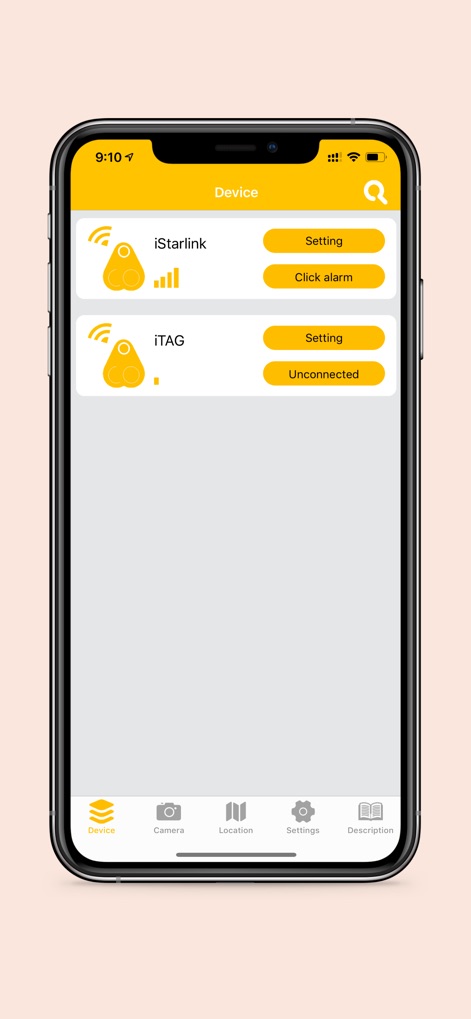
See how the app displays a clear list of connected anti-lost devices and provides quick access to activate an alarm or manage settings.
Device Management Hub
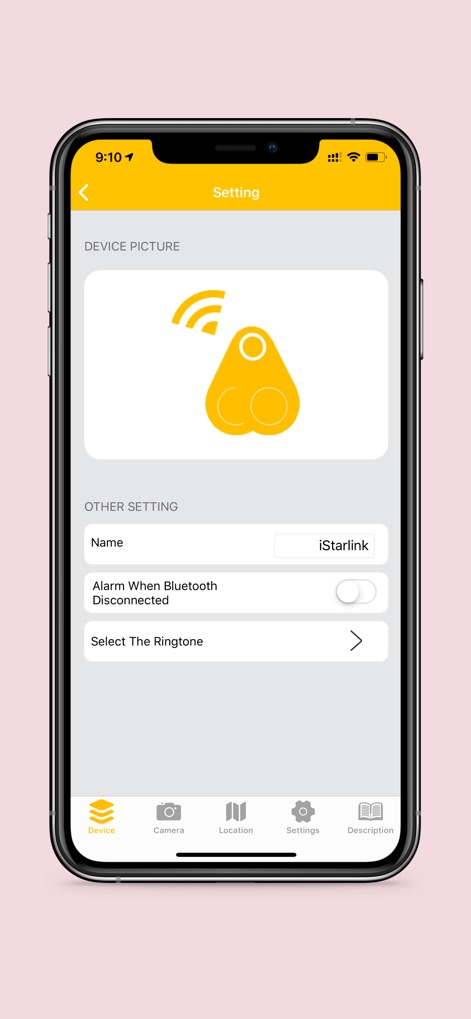
Explore device-specific settings, allowing users to personalize the name of their tracker and configure the two-way alarm for Bluetooth disconnection.
Customize Your Tracker
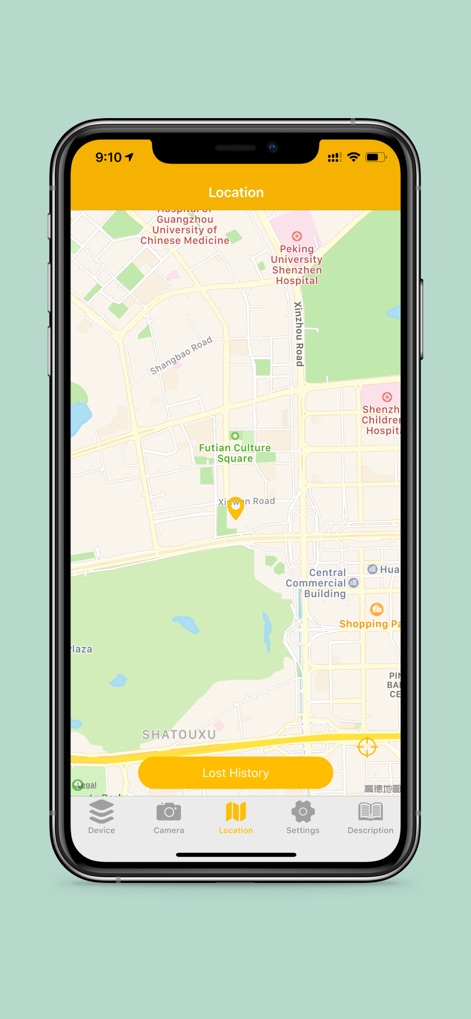
Discover the integrated map view that pinpoints the last known location of a device, alongside access to a detailed "Lost History".
Pinpoint Lost Items
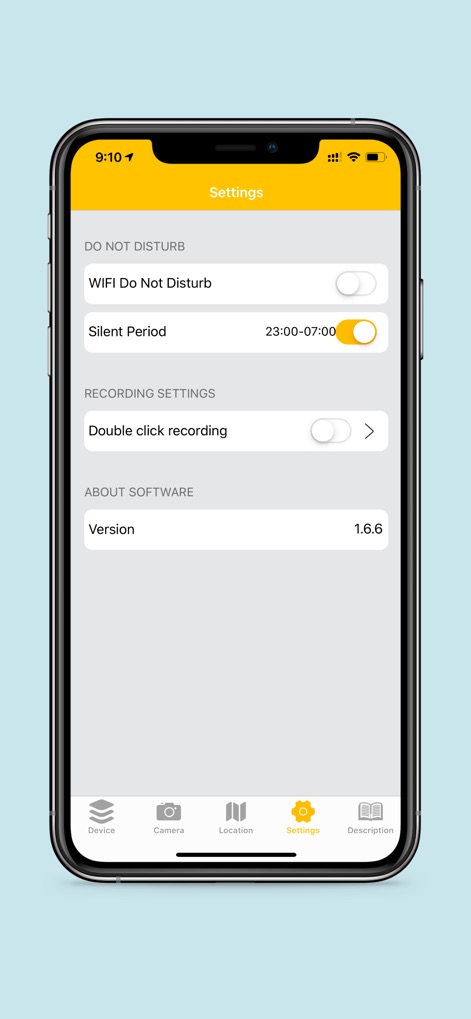
Review comprehensive app settings, including "Do Not Disturb" modes for specific times and options for activating "Double click recording".
Advanced App Options
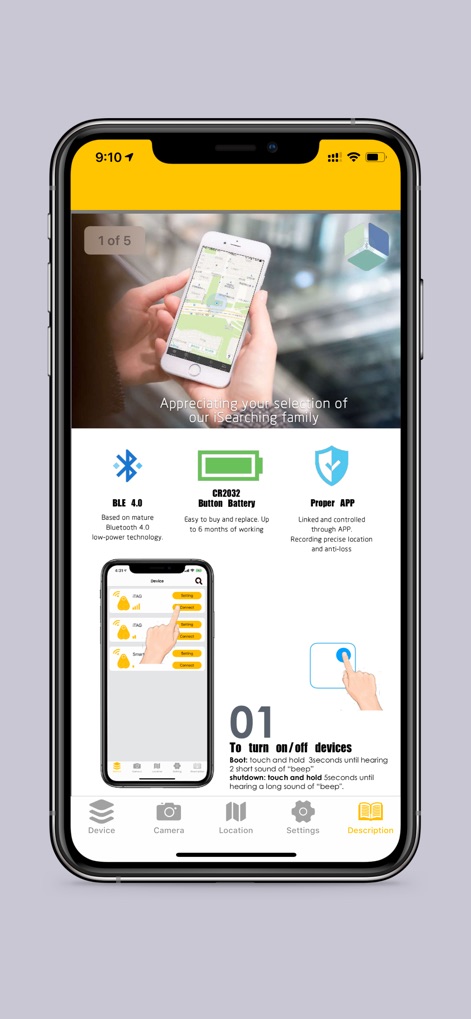
Understand the core features like BLE 4.0 connectivity and the CR2032 button battery, along with clear visual instructions for turning devices on or off.
Getting Started Guide
Description
Download
More Like This
Apps with similar features and user experience

Tile - Find lost keys & phone
Tile, Inc.

Find Air - My Device Tracker
AIR APPS SYSTEMS, UNIPESSOAL, LDA

Find My Lost Device & Track
WL Online Marketing LLC

Anchor Alarm: ZENKOU PRO
UNITIO PLUS SL

Find: my phone,device tracker
Elard Tissot

Find Air App - Device Tracker
Alper Munay
This page is not an official page of the app or its developer, but an independent editorial publication created for informational and commentary purposes. Unless expressly stated otherwise, neither the app nor its developer is affiliated with, endorsed by, sponsored by, authorized by, or otherwise officially connected with MWM, Apple, Google Play, the app publisher, or the app's developer, and nothing on this page implies that the app was developed using MWM's services. Any trademarks, logos, screenshots, and other content remain the property of their respective owners.