
This page is not an official page of the app or its developer, but an independent editorial publication created for informational and commentary purposes. Unless expressly stated otherwise, neither the app nor its developer is affiliated with, endorsed by, sponsored by, authorized by, or otherwise officially connected with MWM, Apple, Google Play, the app publisher, or the app's developer, and nothing on this page implies that the app was developed using MWM's services. Any trademarks, logos, screenshots, and other content remain the property of their respective owners.


Tile - Find lost keys & phone
The moment of dread when something vanishes is universal. This app grants users instant, remote command over their belongings, turning 'lost' into 'found' with a tap.
Downloads
12.5M+User Rating
Total Ratings
1.3MPublisher
Category
LifestyleLocales
9Latest Version
2.142.0Size
308.9 MBFirst Released
May 14, 2014Key Features of Tile - Find lost keys & phone
An evaluation of core functionalities for personal item tracking and recovery.
Nearby Item Ringer
The app provides a functionality to make attached Tile trackers ring when they are within Bluetooth range, helping users locate misplaced items quickly in their immediate vicinity.
Last Known Location Tracking
It allows users to view the most recent location of their Tile trackers on a map within the app, even when the trackers are outside Bluetooth range, using the phone's geolocation data.
Bidirectional Phone Finder
This tool enables users to locate their smartphone by double-pressing the button on any Tile tracker, causing the phone to ring even if it's set to silent mode.
Global Community Find Network
The app integrates with a community network, allowing other Tile users to anonymously help locate lost items by detecting nearby Tiles and updating their location. Newer Tiles also feature QR codes for direct contact.
Proactive Leave-Behind Alerts (Premium)
For Premium subscribers, the app provides smart notifications when users appear to leave a tracked item behind, helping prevent loss before it occurs.
Voice Assistant Integration
It allows seamless integration with smart home ecosystems like Amazon Alexa and Google Assistant, enabling users to locate items using voice commands.
Frequently Asked Questions
Everything you need to know about Tile - Find lost keys & phone
What is the Tile app and how does it help find lost items?
The Tile app connects to Tile Bluetooth trackers to help you find misplaced items nearby by ringing them, or view their last known location on a map if they are far away.
Can I use the Tile app to find my phone if it's lost?
Yes, you can use any Tile device to find your phone. Double-press the button on your Tile, and your phone will ring, even if it is on silent mode.
How do Tile's Smart Alerts notify me if I leave something behind?
Tile's Smart Alerts, available with a Premium Plan, notify you directly on your phone when you leave a Tile-equipped item behind. This prevents forgetting belongings.
Does the Tile app offer item reimbursement for lost belongings?
Yes, Tile offers Item Reimbursement under Premium and Premium Protect subscriptions for U.S. subscribers. If Tile cannot find your lost item, you may be reimbursed up to a specified limit.
Is there a free trial available for Tile Premium plans?
Yes, all new Tile users are eligible for a 30-day free trial of either a Premium or Premium Protect Plan. After the trial period, subscription fees apply.
What smart home devices are compatible with Tile for voice-based finding?
Tile works with Amazon Alexa and Google Assistant for voice-based finding. You can sync your Tile account in the respective apps to activate this feature for your devices.
How does the 'Notify When Found' feature work in the Tile app?
The 'Notify When Found' feature uses the Tile Network. If your Tile is lost, you can add contact information, and anyone who scans the QR code on your Tile can contact you for its return.
Can I see the location history of my Tile devices?
Yes, the Tile app allows you to see up to 30 days of location history for your Tile devices. This feature displays previous locations where your Tile was detected.
Does the Tile app integrate with Life360 accounts?
Yes, the Tile app allows you to link your Tile devices directly with your Life360 account. This integration helps enhance tracking capabilities for family and belongings.
What information does the Tile app collect regarding my location?
The Tile app utilizes Location Services to record the most recent location of your Tiles. This data is based on your phone’s geolocation to help you find your items effectively.
The following screenshots and description are sourced directly from the app's official store listing and are the property of the app developer.
App Store
Screenshots
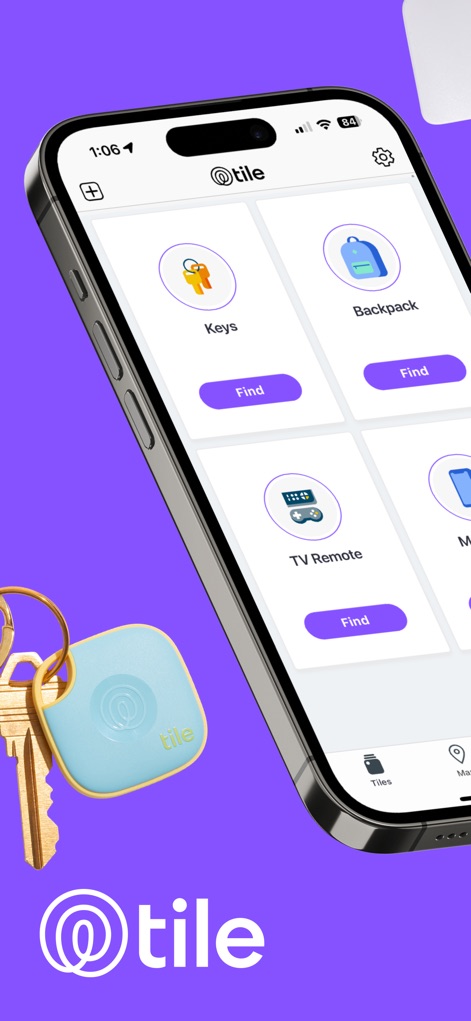
App Item Tracking
Observe how the app categorizes items like 'Keys' and 'Backpack', displaying a clear 'Find' button for each.

Comprehensive Tracking
This tool demonstrates its capability to track various items, featuring a green Tile integrated with a wallet and the 'Find Phone' function.

Proximity Finding Power
Discover the intuitive 'Signal Strength' indicator with its radiating circles, guiding users to their misplaced 'My Luggage'.
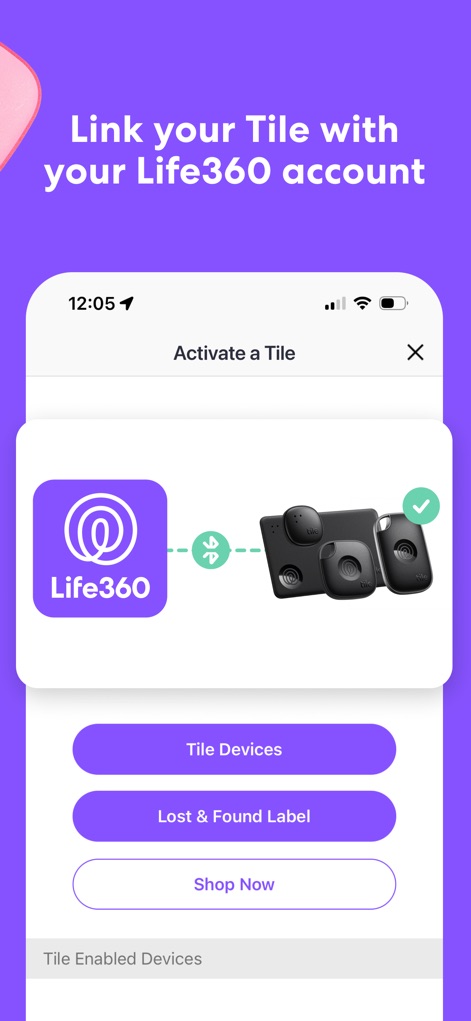
Seamless App Integration
View the integration process as the Life360 logo connects with Tile devices, streamlining the activation of new trackers.
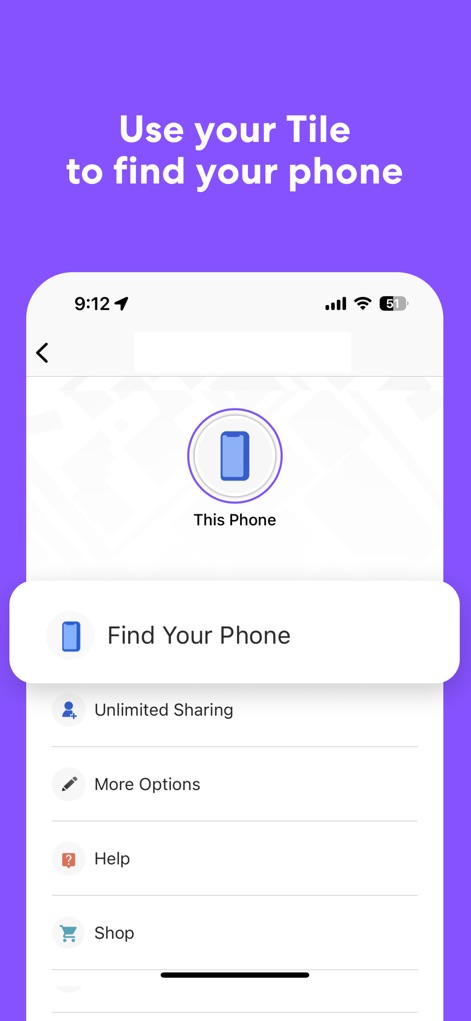
Phone Retrieval Made Easy
This display highlights the direct 'Find Your Phone' feature, showing the dedicated button and related options like 'Unlimited Sharing'.
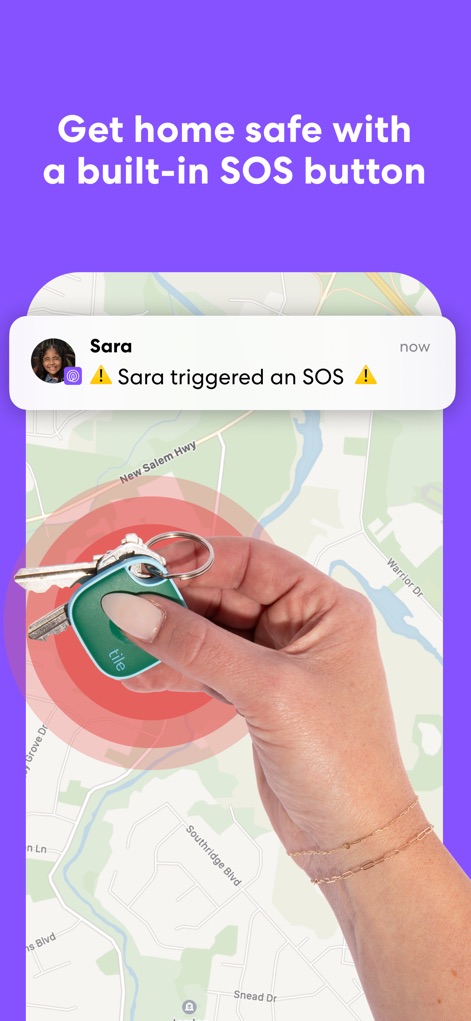
Safety Features Highlighted
Witness the built-in SOS button's functionality, displaying a map with a location pinpoint and an 'SOS' notification from 'Sara'.
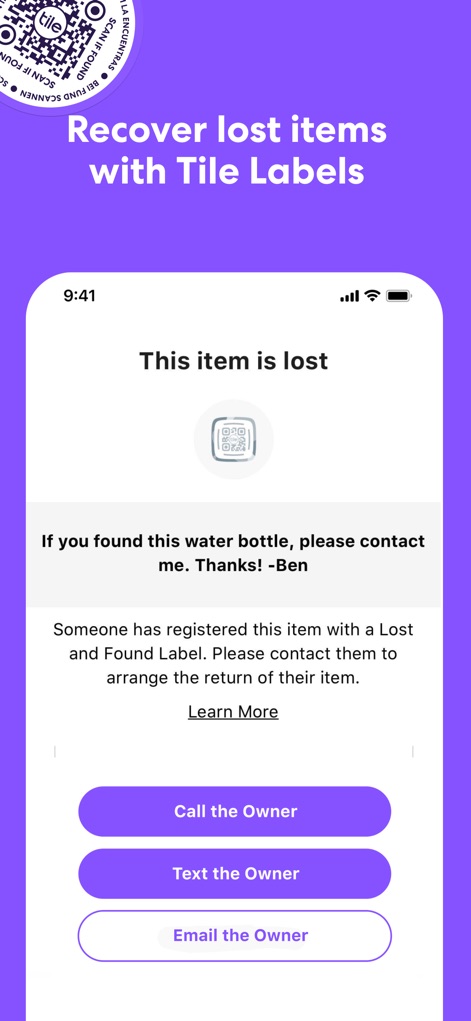
Lost Item Recovery
Explore the 'Lost Item Recovery' interface, featuring options to 'Call the Owner' and 'Text the Owner' for efficient returns via QR code.

Voice Command Control
Experience hands-free finding with the integration of 'Hey Siri', demonstrating a voice command to locate 'My Keys' and initiate ringing.
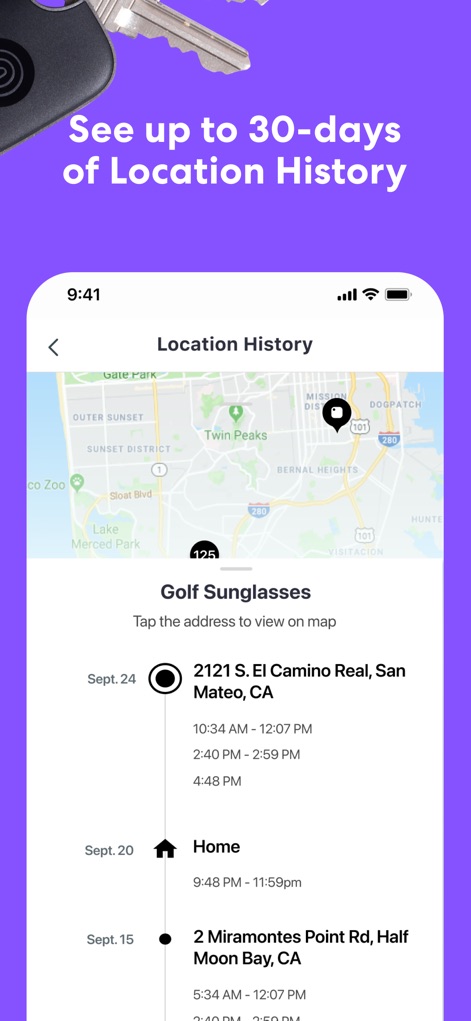
Detailed Location History
Analyze the comprehensive 'Location History' feature, mapping out past locations for an item like 'Golf Sunglasses' with precise timestamps.

Proactive Smart Alerts
Observe the 'Smart Alert' notification on the lock screen, indicating when 'My Keys' have been left behind, offering proactive loss prevention.
Description
Download
More Like This
Apps with similar features and user experience

Find Air - My Device Tracker
AIR APPS SYSTEMS, UNIPESSOAL, LDA
Find My Lost Device & Track
WL Online Marketing LLC
Anchor Alarm: ZENKOU PRO
UNITIO PLUS SL

Find: my phone,device tracker
Elard Tissot
iSearching
ShenZhen Lenze Technology Co,.Ltd.

Find Air App - Device Tracker
Alper Munay
This page is not an official page of the app or its developer, but an independent editorial publication created for informational and commentary purposes. Unless expressly stated otherwise, neither the app nor its developer is affiliated with, endorsed by, sponsored by, authorized by, or otherwise officially connected with MWM, Apple, Google Play, the app publisher, or the app's developer, and nothing on this page implies that the app was developed using MWM's services. Any trademarks, logos, screenshots, and other content remain the property of their respective owners.