IT Glue

IT Glue

Download on App Store
Logo of IT Glue

IT Glue: The World’s Leading IT Documentation Platform in Your Pocket

Empower your onsite technicians with secure, real-time access to passwords, configurations, and assets. Streamline your workflows and service clients more efficiently from anywhere with IT Glue Mobile 2.0.

Download on App Store

Publisher

Kaseya International

Category

Productivity

Downloads

0

User Rating

1.8/5

Total Ratings

0

Locales

1

Efficiency at a Glance

Discover the interface used by 0 users.
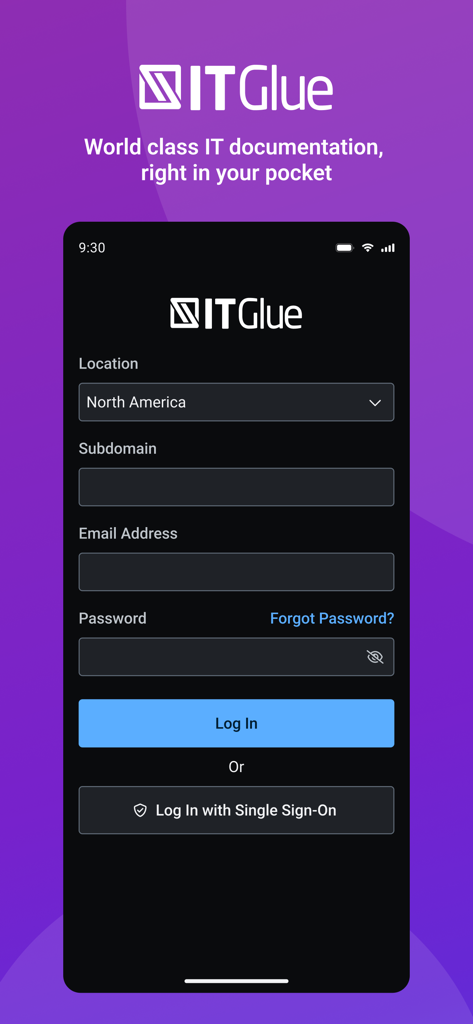
IT Glue mobile app login screen with email and single sign-on options

IT Glue mobile app login screen with email and single sign-on options

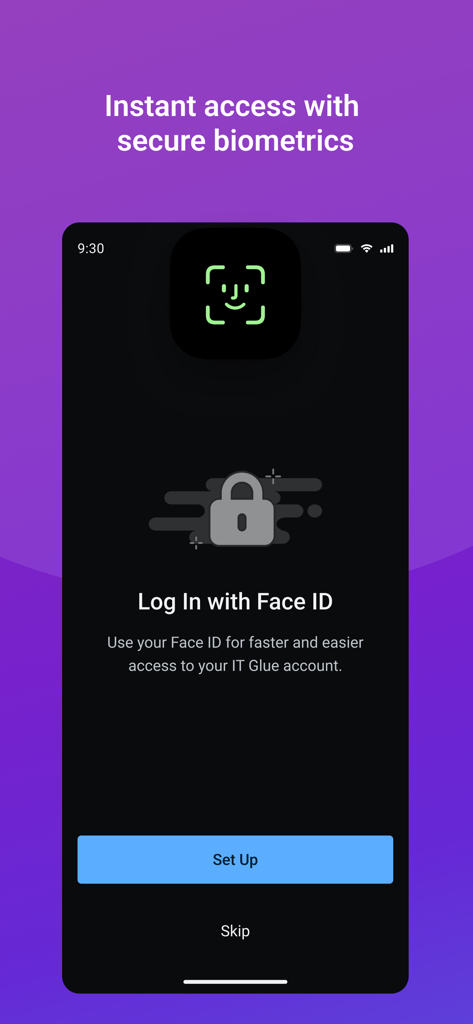
IT Glue app screen for setting up Face ID login for secure and fast biometric access.

IT Glue app screen for setting up Face ID login for secure and fast biometric access.

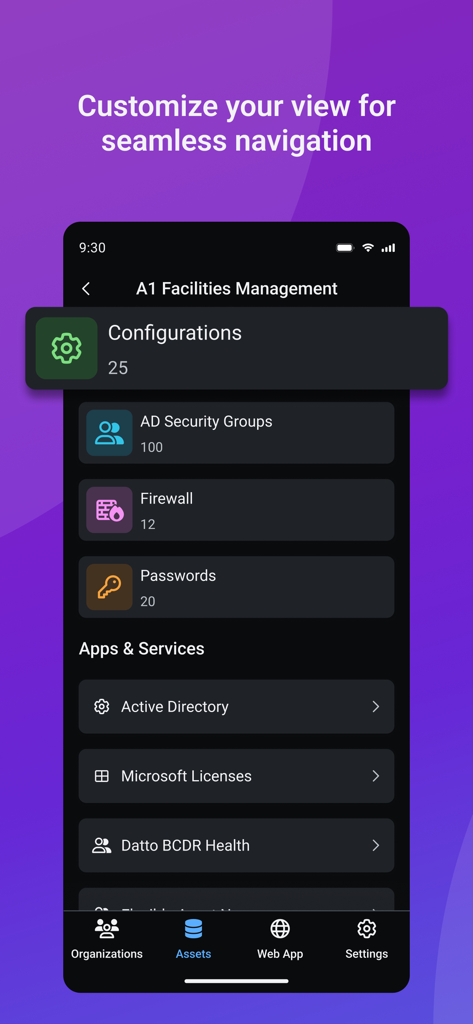
IT Glue mobile app interface displaying organized assets like configurations firewalls and passwords for a client

IT Glue mobile app interface displaying organized assets like configurations firewalls and passwords for a client

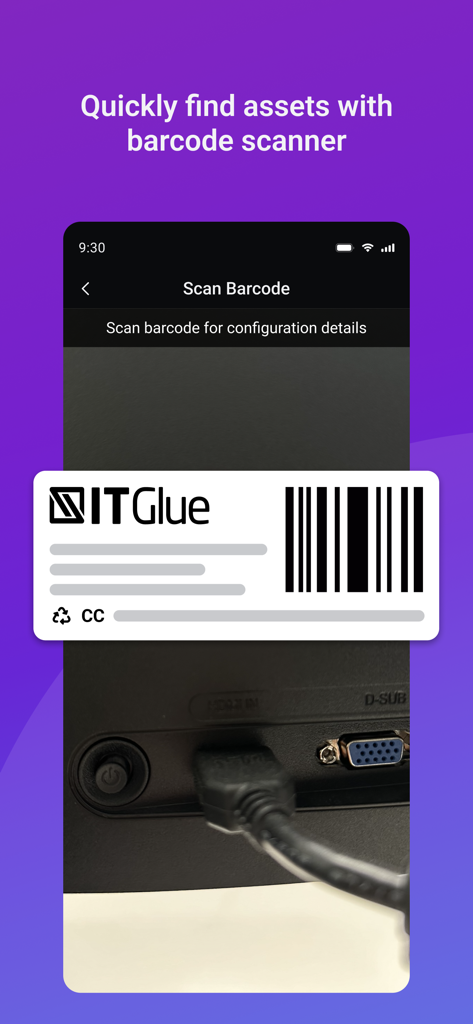
IT Glue mobile app scanning a barcode on a computer to quickly identify and retrieve asset documentation

IT Glue mobile app scanning a barcode on a computer to quickly identify and retrieve asset documentation

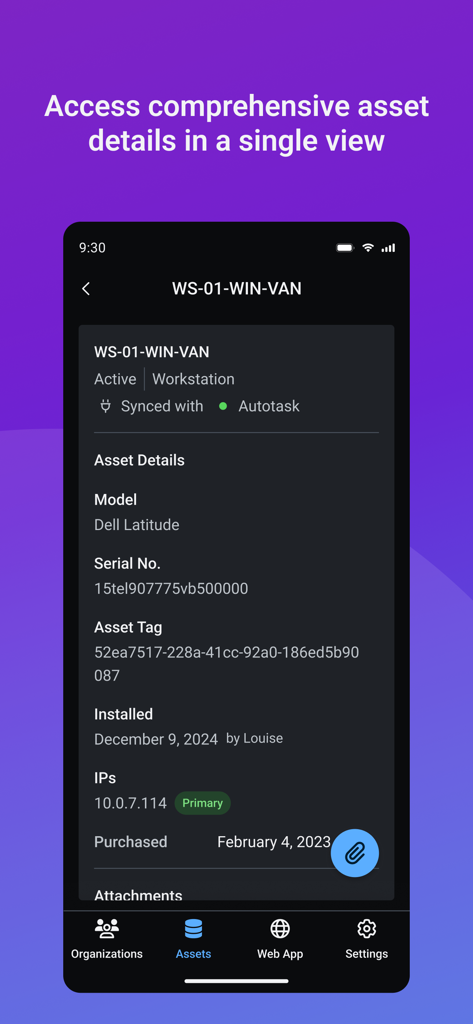
IT Glue mobile app screen displaying comprehensive asset details for a workstation including serial number and IP address

IT Glue mobile app screen displaying comprehensive asset details for a workstation including serial number and IP address

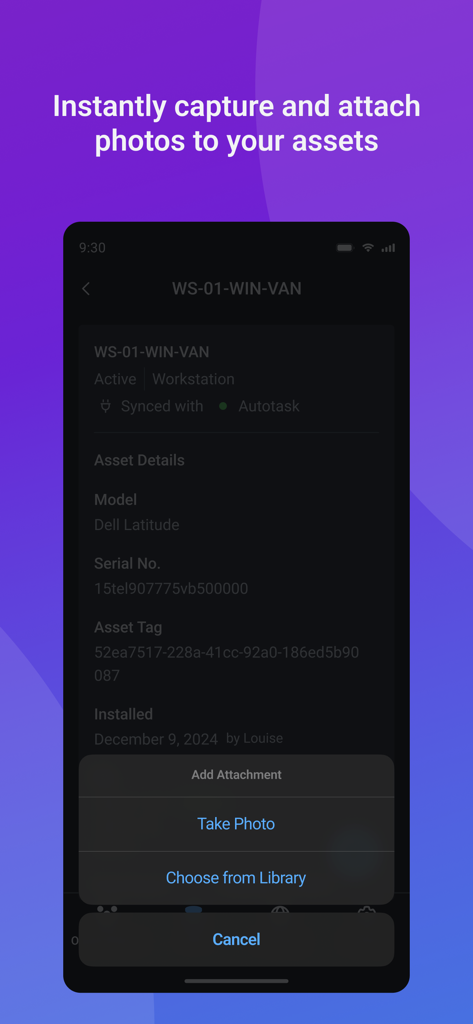
IT Glue mobile app interface displaying asset details for a workstation with options to capture or attach photos

IT Glue mobile app interface displaying asset details for a workstation with options to capture or attach photos

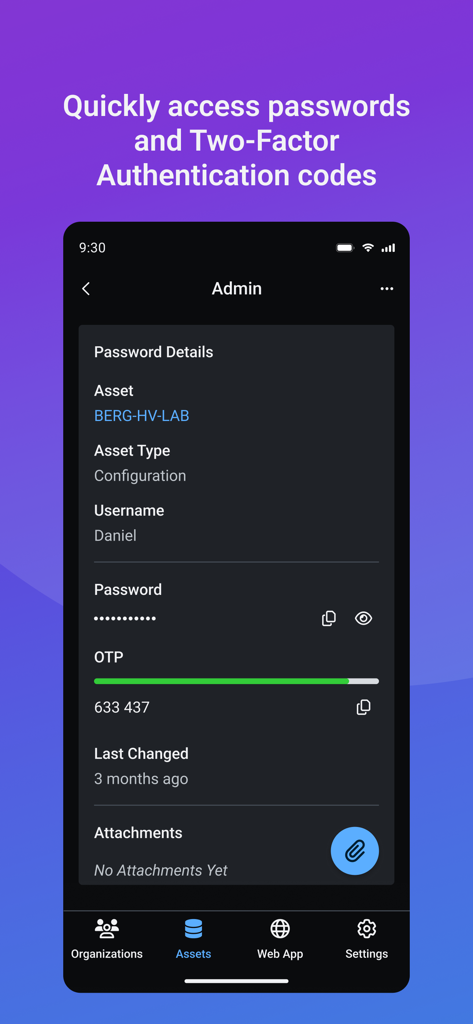
IT Glue mobile app interface displaying password details and a two factor authentication OTP code for a secure asset

IT Glue mobile app interface displaying password details and a two factor authentication OTP code for a secure asset

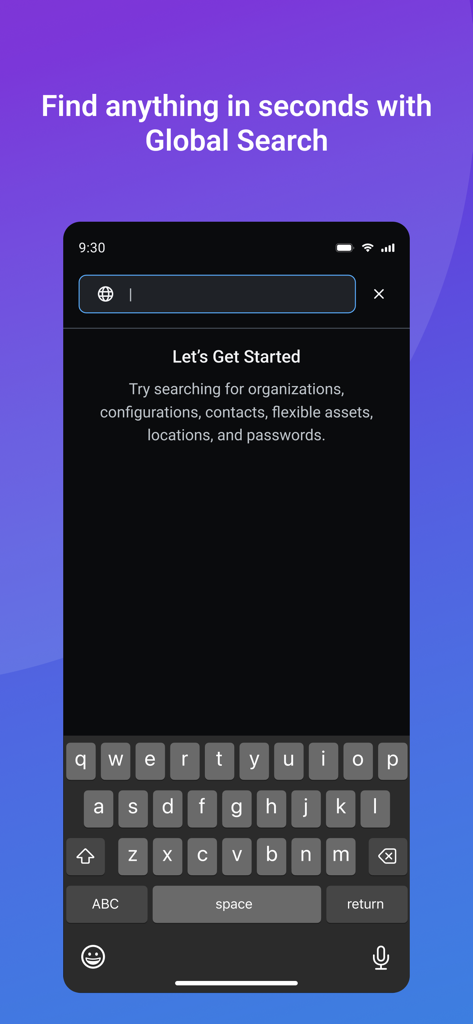
Smartphone screen showing IT Glue Global Search feature for finding organizations and passwords

Smartphone screen showing IT Glue Global Search feature for finding organizations and passwords

Master Your Field Operations

The tools that make this app stand out, trusted by 0 users.

Instant Asset Intelligence

Eliminate manual data entry. Use barcode and QR scanning to instantly pull up device history, passwords, and configurations while onsite.

🔐

Secure Access, Zero Friction

Maintain peak security with FaceID, MFA, and SSO. Access sensitive credentials and generate OTPs instantly without compromising safety.

🛠️

Streamlined Field Workflows

Pin critical assets for quick retrieval and use native mobile actions like click-to-call and map navigation to resolve tickets faster.

About the app

Everything you need to know about IT Glue.

Description

Stay on top of your clients’ business anytime, anywhere. The world’s leading IT documentation platform at your fingertips—wherever you are. Now reimagined for an even better mobile experience. Empower your onsite techs and service your clients more efficiently from anywhere with IT Glue Mobile 2.0. With an enhanced interface, streamlined workflows, and powerful new tools like pinned assets and faster file management, your technicians will stay more productive than ever. Key Features: • Pin frequently accessed assets for quicker access to the information you use most. • Improved barcode and QR scanning for faster asset searches and updates. • Take and upload photos or files more easily than ever with a simplified attachment workflow. • View and edit passwords as well as access configurations, flexible assets, contacts, and locations—all from your mobile device. • Use native mobile functionality such as click-to-call or launching maps directly from address links. • Touch ID or Face ID for fast and secure access to the app. • Fully encrypted end-to-end communication between mobile and web. • Quickly audit password changes or manage them with ease: create, update, or delete as needed. • Securely sign in with Multi-Factor Authentication (MFA) or Single Sign-On (SSO). • Automatically generate secure One-Time Passwords (OTPs) in your documentation. What our partners are saying about IT Glue: “IT Glue requires no training and techs can jump in on day one to find and create documentation as required. I would recommend to anyone in the industry that wants to share knowledge.” – Jeffrey Bowles, ACT 360, Barrie, ON “This isn’t just a marginal improvement, but a significant improvement that has an impact on 1000s of user actions every single day." – Simon Harvey, Head of IT and Business Systems, TSG, Newcastle, UK Never leave your clients’ details out of sight. Download the app now! You must have an IT Glue account and an internet connection to use the app.

Latest Version

2.1.0

Size

28.0 MB

First Released

Sep 16, 2017

Empower Your Onsite Techs with IT Glue Mobile

Stop lugging your laptop into server rooms. Put the world’s leading IT documentation platform in your pocket and securely access passwords, assets, and workflows from anywhere.

Download on App Store

App information, icons, screenshots, and descriptions displayed on this page are sourced from the Apple App Store and are the property of their respective developers. Download estimates and rankings are based on MWM's proprietary models and may not reflect actual figures. This page is provided for informational and analytical purposes only.

Believe this page infringes your intellectual property? File a dispute